A web based student information system is software that keeps student records, attendance, grades, and fees in one place that staff can open from any browser. If your school still relies on spreadsheets, paper forms, and shared folders, the right system can save hours of admin work every week.
This guide explains how to choose a web based student information system, which features matter most, and how it can work alongside a WordPress learning site.
LearnPress – WordPress LMS Plugin
We provide an amazing WordPress LMS plugin to create & sell online courses. Let’s find out!
Try NowTable of Contents
What is a student information system?
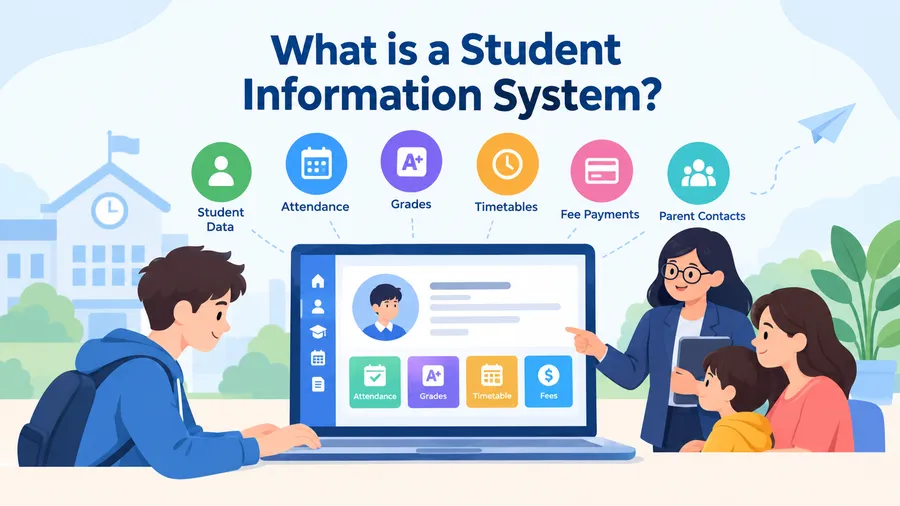
A student information system, often shortened to SIS, is software that manages student data for a school, college, or training center. It records enrollment details, attendance, grades, timetables, fee payments, and parent contacts, and it gives each user role the right level of access.
How student information software works
Student information software stores every record in one central place. When a teacher marks attendance, the update is visible to office staff right away and, if you enable it, to parents as well. Most systems can also produce report cards, transcripts, and attendance summaries with a few clicks.
What a student database system holds
A student database system is the storage layer behind the SIS. It usually holds the following data:
- Personal and guardian details
- Enrollment and class assignments
- Attendance records
- Grades, exam results, and transcripts
- Fee invoices and payment history
- Health notes and emergency contacts
- Uploaded documents such as birth certificates or prior school reports
Because this data is sensitive, the database must be backed up regularly and protected with strong access controls.
SIS vs learning management system
A SIS keeps the official record of who the student is and how they are performing. A learning management system (LMS) delivers the lessons, quizzes, and assignments. Many schools use both: the LMS runs the classroom, and the SIS stores the formal results.
Why schools use an online student information system
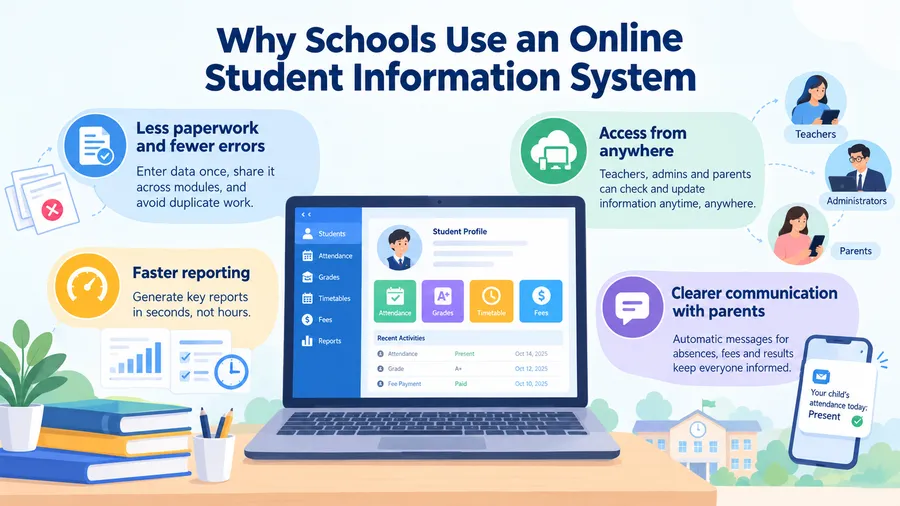
An online student information system runs in a web browser, so there is nothing to install on each computer. The benefits are practical and easy to see in daily work.
Less paperwork and fewer errors
When data is entered once and shared across modules, you stop retyping the same name in five different files. Typing errors drop, and so do the arguments about which spreadsheet is the latest version.
Access from anywhere
Teachers can mark attendance from a phone in the classroom. Administrators can check enrollment numbers from home. Parents can view results without visiting the office.
Faster reporting
Reports that once took an afternoon, such as attendance by class or outstanding fees by month, can be generated in seconds. This helps leaders make decisions with current numbers instead of last month’s figures.
Clearer communication with parents
Many systems send automatic messages for absences, fee reminders, and exam results. Parents hear from the school sooner, and front-office staff answer fewer phone calls.
Key features to look for in student information management
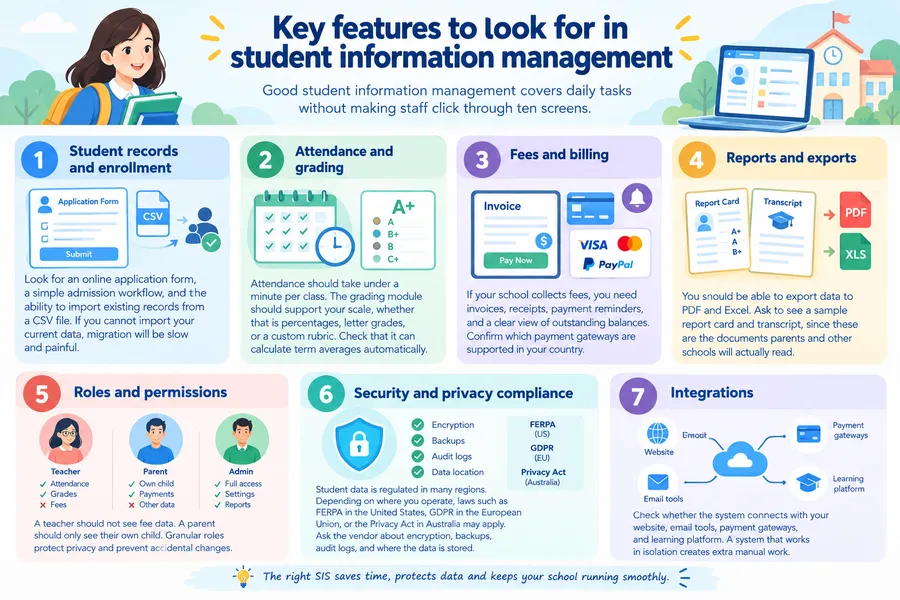
Good student information management is about covering the daily tasks without making staff click through ten screens. Use the list below to judge any product.
Student records and enrollment
Look for an online application form, a simple admission workflow, and the ability to import existing records from a CSV file. If you cannot import your current data, migration will be slow and painful.
Attendance and grading
Attendance should take under a minute per class. The grading module should support your scale, whether that is percentages, letter grades, or a custom rubric. Check that it can calculate term averages automatically.
Fees and billing
If your school collects fees, you need invoices, receipts, payment reminders, and a clear view of outstanding balances. Confirm which payment gateways are supported in your country.
Reports and exports
You should be able to export data to PDF and Excel. Ask to see a sample report card and transcript, since these are the documents parents and other schools will actually read.
Roles and permissions
A teacher should not see fee data. A parent should only see their own child. Granular roles protect privacy and prevent accidental changes.
Security and privacy compliance
Student data is regulated in many regions. Depending on where you operate, laws such as FERPA in the United States, GDPR in the European Union, or the Privacy Act in Australia may apply. Ask the vendor about encryption, backups, audit logs, and where the data is stored.
Integrations
Check whether the system connects with your website, email tools, payment gateways, and learning platform. A system that works in isolation creates extra manual work.
Comparison table: spreadsheets, SIS, and LMS
The table below shows how common approaches compare for a typical school. Use it to see where a web based student information system fits.
| Feature | Spreadsheets and paper | Web based SIS | LMS (such as LearnPress) |
|---|---|---|---|
| Main purpose | Basic record keeping | Official student records and administration | Delivering courses and learning activities |
| Access from any device | Limited | Yes, through a browser | Yes, through a browser |
| Attendance tracking | Manual | Built in | Usually limited or add-on |
| Grades and report cards | Manual formulas | Built in | Quiz and course grades |
| Fee management | Manual | Usually included | Course payments only |
| Parent access | Not available | Often included | Depends on setup |
| Course content and quizzes | No | Usually no | Yes |
| Data security | Weak | Strong when configured well | Strong when configured well |
| Best for | Very small groups | Schools and colleges | Online courses and training |
The takeaway is simple. Spreadsheets break down as you grow, a SIS handles administration, and an LMS handles teaching. Most schools that offer online classes need a mix of the last two.
Free vs paid: school management software free options
Many school owners start by searching for school management software free of charge. Free tools can work for a small tutoring center or a pilot project, but you should understand the limits before you commit.
What free tools usually offer
Free plans normally cover basic student profiles, simple attendance, and a limited number of users. Open source options let you host the system yourself without a license fee.
Where free tools fall short
Free usually does not mean zero cost. You may pay for hosting, setup, backups, and developer time. Support is often limited to community forums, and advanced modules such as fee billing or parent portals may sit behind a paid plan.
When to pay
Consider a paid plan when you have more than a few hundred students, need parent access, or must meet strict data protection rules. Reliable support and regular security updates are worth the cost when student data is at stake.
How to choose a web based student information system step by step
Choosing a web based student information system is easier when you follow a clear process. These steps keep you focused on real needs rather than flashy demos.
- List your must-have tasks. Write down what staff do every day: take attendance, issue report cards, collect fees, and contact parents. Split the list into essentials and nice-to-haves.
- Set a budget. Include setup, training, hosting, and yearly support, not only the license price.
- Check the user roles. Make sure administrators, teachers, students, and parents each get a suitable view.
- Review security. Ask about encryption, backups, user permissions, and where the data is hosted.
- Test with real data. Use a free trial or demo and enter a small class. Mark attendance, create a grade, and print a report card.
- Ask for references. Talk to a school of similar size that already uses the product.
- Plan the migration. Confirm that you can import your existing records and export them again if you ever leave.
- Train your staff. Even a simple tool fails if teachers do not know how to use it. Schedule at least one short training session before launch.
A practical tip: during a trial, ask a teacher who is not tech-savvy to complete the attendance task alone. If they struggle, your busy staff will too.
How a SIS works with WordPress, LearnPress, and Eduma
A SIS does not replace a website or an LMS. If you already run a school or training site on WordPress, you can pair the two. This section is only relevant if you offer online courses.
Where LearnPress fits
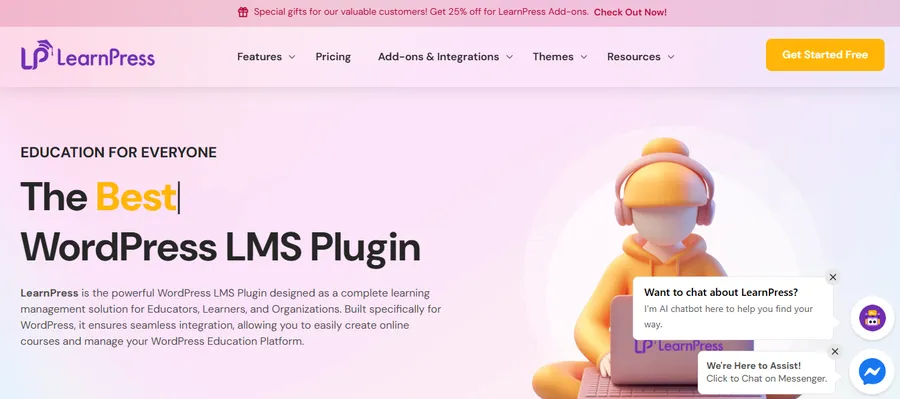
LearnPress is a WordPress LMS plugin. It lets you create courses, lessons, and quizzes, enroll students, and issue certificates. It is not a full student information system, so it does not replace formal records such as fee ledgers or official transcripts. Its add-ons, such as certificates, gradebook, and assignments, cover the learning side well. For many small academies and training centers, that is enough. Larger schools often keep the SIS for administration and use LearnPress for the online classroom.
Where Eduma fits
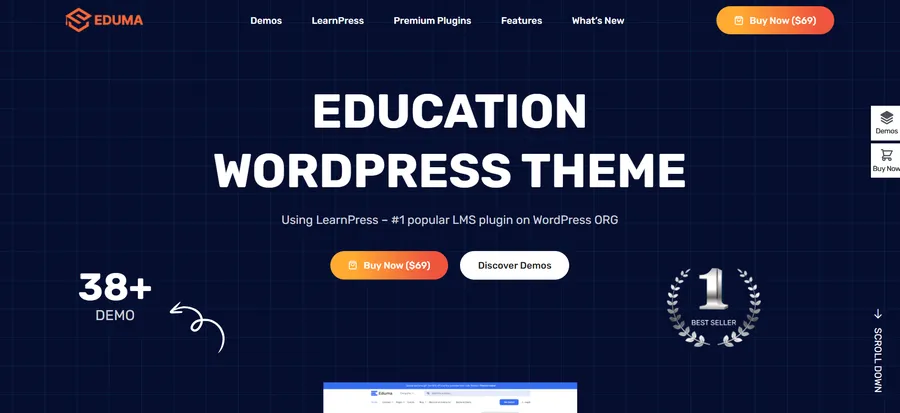
Eduma is an education WordPress theme from ThimPress that works with LearnPress. It gives you ready-made layouts for course listings, teacher profiles, events, and admission pages. This helps you present your school online without building every page from scratch. If your goal is a professional course website, Eduma and LearnPress make a sensible starting pair. If your goal is full administration, such as fees and official records, add a dedicated SIS.
A simple combined setup
- Use the SIS for admissions, attendance, fees, and official results.
- Use LearnPress on WordPress to deliver courses and quizzes.
- Use Eduma to present courses, teachers, and news in a clean design.
- Export final grades from the LMS and add them to the SIS records where needed.
Before connecting any systems, check your privacy obligations, and do not share more student data between tools than necessary.
Common mistakes to avoid
Schools often run into the same problems when they adopt student information software. Avoid these and the rollout goes much more smoothly.
- Buying on price alone. The cheapest tool may lack reporting or support, and switching later costs more.
- Skipping data cleanup. Moving messy spreadsheets into a new system only creates a messy system. Fix duplicates and missing fields first.
- Ignoring mobile use. Teachers often work from phones or tablets. Test the interface on small screens.
- Giving everyone full access. Set roles from day one to protect privacy.
- No backup plan. Confirm how often backups run and how fast you can restore them.
- Forgetting about exit options. You should always be able to export your data in a standard format.
FAQs
What are the main modules of a student information system?
The main modules are admissions, student records, attendance, grading, timetables, fees, and communication. Some systems add library, transport, and hostel management. Pick a system that covers your core needs first and lets you add modules later.
Is a web based SIS safe for student data?
It can be very safe when the vendor uses encryption, role-based access, and regular backups. Safety also depends on your own habits, such as using strong passwords and limiting who can see sensitive records. Ask for a written description of the vendor’s security practices before you sign up.
How long does it take to set up a SIS?
A small school can often be running within a few weeks, while a large school may need a few months. Most of the time goes into cleaning and importing data, setting up classes, and training staff. Starting with one module, such as attendance, helps you launch faster.
Can a SIS replace an LMS?
No, they do different jobs. A SIS manages records and administration, while an LMS delivers lessons and assessments. If you teach online, a WordPress setup with LearnPress for courses and a separate SIS for records is a common and practical combination.
Conclusion
The right web based student information system gives your school one reliable place for records, attendance, grades, and fees. Start by listing your daily tasks, set a realistic budget, and test each option with real data before you commit. Free tools can help small centers get started, but growing schools usually need stronger support and security.
If you also teach online, pair your SIS with a WordPress learning site. LearnPress handles courses and quizzes, and the Eduma theme gives you a clean, education-focused design. Together with a solid SIS, you get both the administration and the classroom covered.
Read more: Tuition Management Systems Reviews: How to Choose The Right Platform