
LEARNPRESS AI OPERATING LOOP
WORDPRESS LMS ECOSYSTEM
Create the Course
Keep the Learner Moving
Read & Write LMS Signals
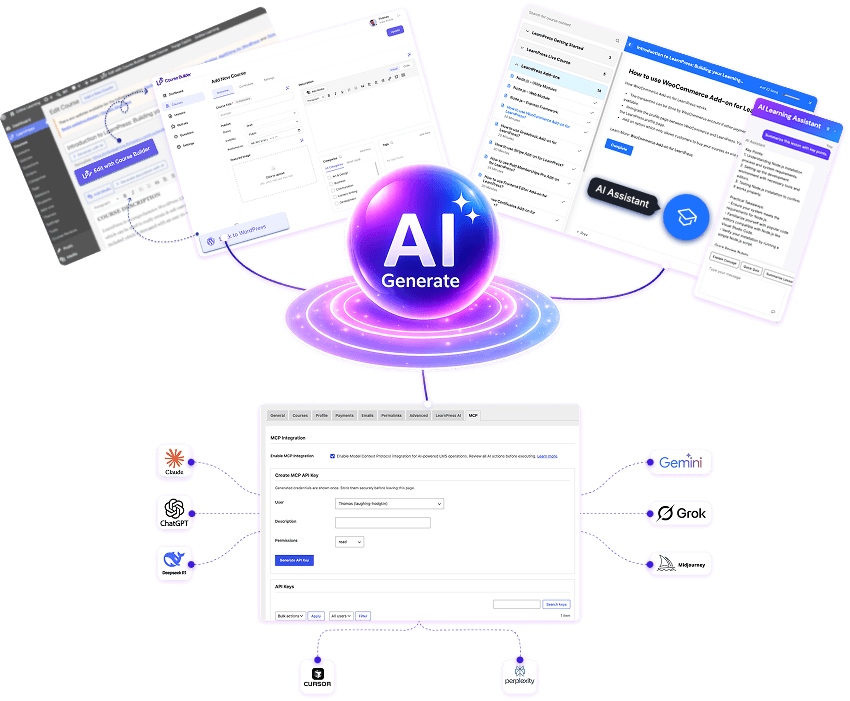
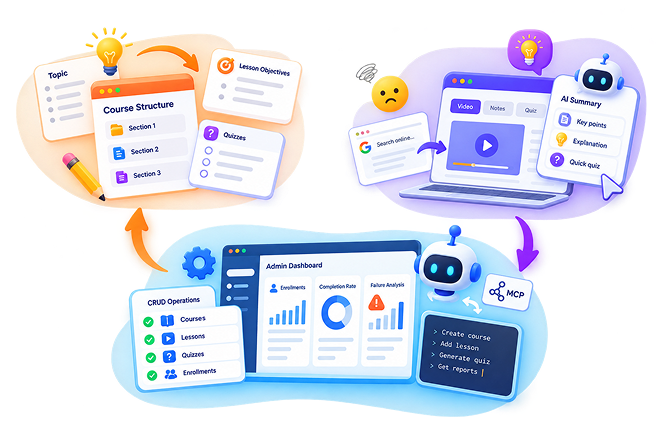
LearnPress AI connects the 3 essential phases of running a WordPress online academy: draft structured curricula with AI Course Builder, support students inside lessons with AI Assistant, and execute full bi-directional read & write operations through LearnPress MCP.
OPERATING STATIONS
3 Active Modules
03
SIGNAL & ACTION STATION
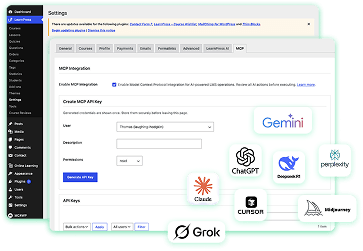
Read & Write agentic control for courses, quizzes & enrollments.
CORE INSIGHT
An LMS is not one task. It is an interconnected loop.
Most AI tools for education fail because they treat course creation as a one-off prompt. In reality, creators struggle to build, students drop out when confused, and admins lack real-time visibility and agentic action execution. LearnPress AI bridges all three.
1
PROBLEM 01: Course Creation Friction
The course has to exist first.
Creators know their topic but struggle to structure sections, write clear lesson objectives, and craft comprehensive quizzes from scratch.
2
PROBLEM 02: Student Isolation
Learners get stuck inside difficult lessons.
When students hit a complex term, switching tabs to search online destroys their focus. They need instant summaries, explanations, and quizzes inside the lesson screen.
3
PROBLEM 03: Admin & Agentic Control
Admins & AI Agents need full Read & Write LMS tools.
Educators need progress reports, failure analysis, and the ability to execute full CRUD operations (courses, quizzes, lessons, enrollments) via Model Context Protocol (MCP).
LIVE DEMONSTATION
Experience the 3 Stations
Click through the stations below to test how each module handles inputs, structures workflows, and generates verifiable LMS outputs.
STATION 01
Draft: AI Course Builder
Intent → Structured Draft
STATION 02
Lesson: AI Assistant
Student Helper → 4 Quick Tools
STATION 03
Signal & Action:
LearnPress MCP
Read & Write Agentic Control
Station 01 / Draft Station
INTERACTIVE SIMULATOR
Turn course intent into an editable LearnPress draft.
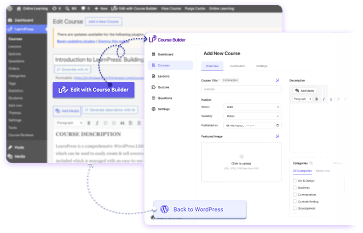
Define the course goal, target audience, AI settings, tone, and structure. LearnPress AI generates structured section drafts, lesson copy, and quizzes that instructors can review and refine.
Structured Input
Role, target audience, objective, language, tone, reading level, SEO keywords, section & quiz counts.
Verified Output
An editable LearnPress course draft containing structured sections, lessons, quizzes, and formatted materials.
Human review remains part of the workflow.
Station 02 / Lesson Station
INTERACTIVE SIMULATOR
Turn course intent into an editable LearnPress lesson.
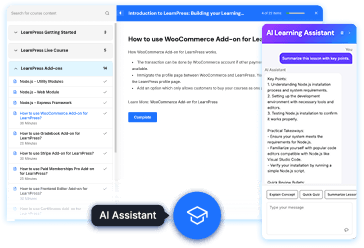
Define the course goal, target audience, AI settings, tone, and structure. LearnPress AI generates structured section drafts, lesson copy, and quizzes that instructors can review and refine.
Structured Input
Role, target audience, objective, language, tone, reading level, SEO keywords, section & quiz counts.
Verified Output
An editable LearnPress course draft containing structured sections, lessons, quizzes, and formatted materials.
Human review remains part of the workflow.
Station 03 / Signal & Action Station
INTERACTIVE SIMULATOR
Turn course intent into an editable LearnPress draft.
Define the course goal, target audience, AI settings, tone, and structure. LearnPress AI generates structured section drafts, lesson copy, and quizzes that instructors can review and refine.
Structured Input
Role, target audience, objective, language, tone, reading level, SEO keywords, section & quiz counts.
Verified Output
An editable LearnPress course draft containing structured sections, lessons, quizzes, and formatted materials.
Human review remains part of the workflow.
OPERATIONAL PROOF
Proven workflows, not marketing buzzwords
Each feature delivers exact inputs, predictable processes, and verifiable outputs designed specifically for WordPress LMS administration.
CREATOR TOOL
5 Builder Steps
AI Course Builder Setup Flow
Goal → AI Settings → Structure → Prompt Review → Create Draft. Instructors hold total control over syllabus depth and tone before publishing.
LEARNER HELPER
4 Student Tools
Lesson Assistant Quick Actions
Summarize Lesson, Explain Concept, Quick Quiz, and Smart Review. Admins configure token budgets and enable optional Free Chat.
AGENTIC TOOLSET
22+ MCP Abilities
Model Context Protocol (MCP) Read & Write
Connect Claude Desktop & Cursor to query progress and execute full CRUD actions (create courses, update lessons, manage quizzes & enrollments) mapped to WP Capabilities.
START COURSE CREATION
Build your AI-powered learning academy on WordPress
Get started free with LearnPress or explore full documentation on the official website.