If you have already read our previous guide on the simple five steps to turn your idea into a winning syllabus, you know that artificial intelligence is changing the educational landscape. However, many instructors still stare at their screens, wondering why their AI-generated lessons feel a bit generic or robotic.
The secret does not lie in the technology itself, but in how you communicate with it. AI in education is having a massive moment right now. Yet, to get truly exceptional results, you must learn how to steer the process.
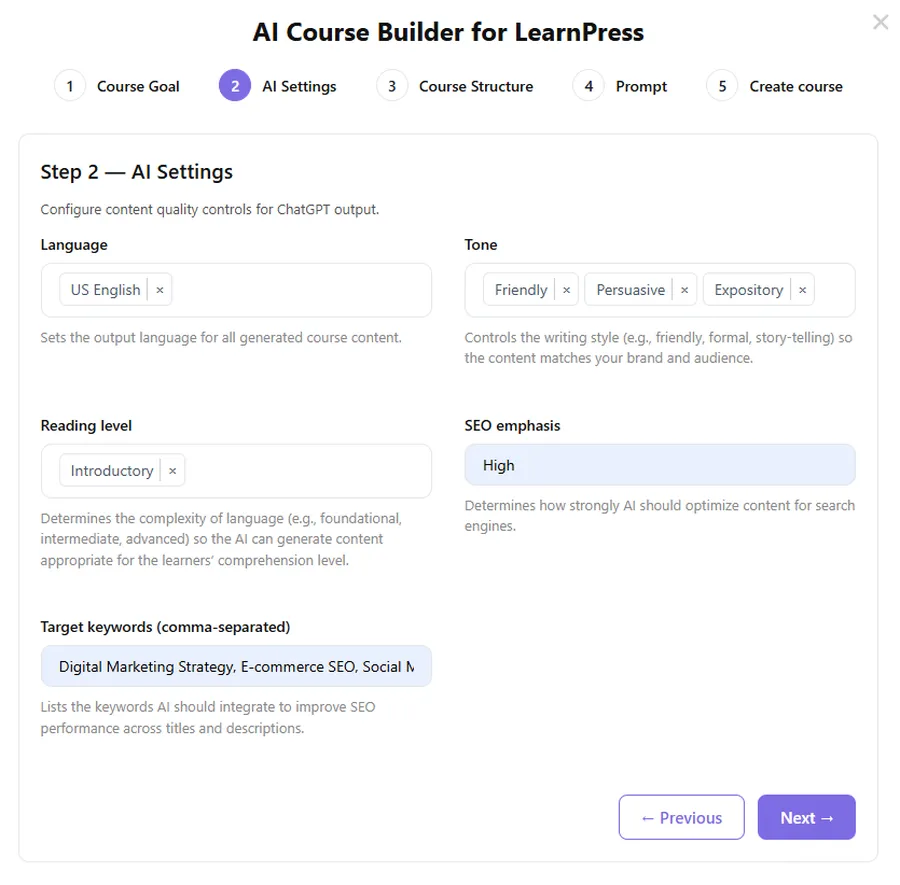
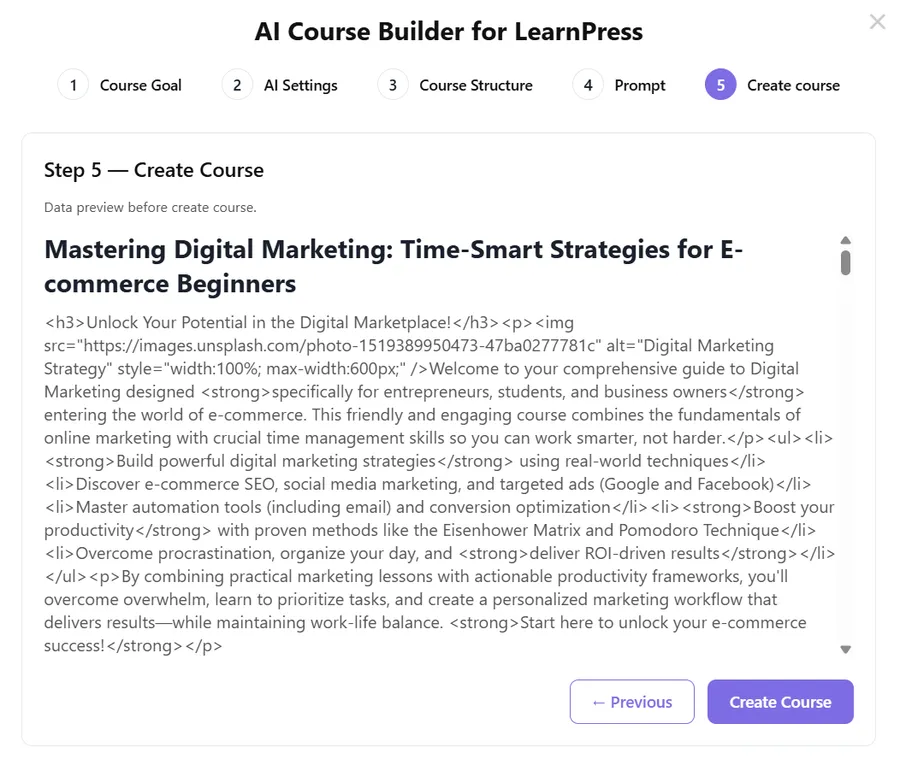
Using highly optimized LearnPress AI prompts is the difference between a random text generator and a highly skilled digital instructional designer. In this comprehensive guide, we will explore how to craft the perfect inputs to elevate your teaching materials and transform your e-learning website.
By mastering these techniques, you will significantly improve your AI course content generation workflow. Let us break down the core principles of AI communication and look at five ready-made templates you can copy straight into your WordPress dashboard.
LearnPress – WordPress LMS Plugin
We provide an amazing WordPress LMS plugin to create & sell online courses. Let’s find out!
Try NowTable of Contents
The Core Principles of Effective LearnPress AI Prompts
Before we dive into the specific templates, you must understand the foundation of prompting. If you only take away one lesson from this article, let it be these three golden rules. These principles are what separate amateur outputs from professional eLearning experiences.
1. Always Provide Deep Context
Artificial intelligence tools perform exponentially better when they understand the specific environment they are creating for. When you write LearnPress AI prompts, you cannot simply ask for “a course on leadership.”
You must establish a comprehensive background. Be sure to mention exactly who the learners are. Are they absolute beginners or seasoned executives? What specific skills do they need to acquire by the end of the module?
Detail their professional goals. Explain how the course will be delivered. Will it be a mobile-first microlearning experience or an in-depth desktop seminar? By providing this context upfront, you reduce the need for heavy editing later, acting as your own AI course creator.
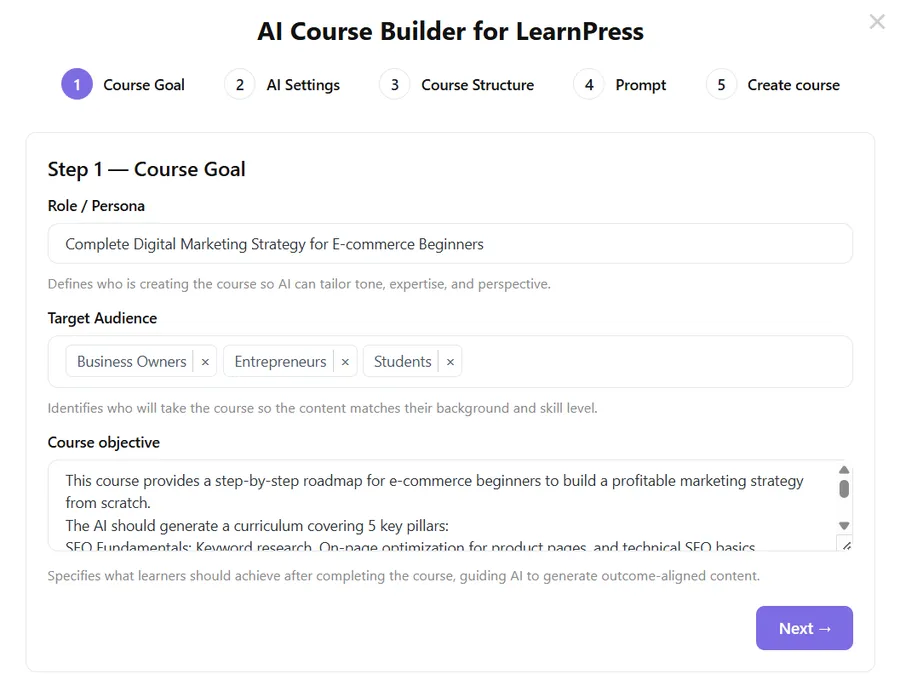
2. Be Specific About Your Exact Requirements
When you optimize LearnPress AI, clarity is your best friend. Vague inputs lead to cookie-cutter responses that offer very little value to your paying students.
For instance, do not prompt the system with: “Create a lesson about customer service.” This is far too broad.
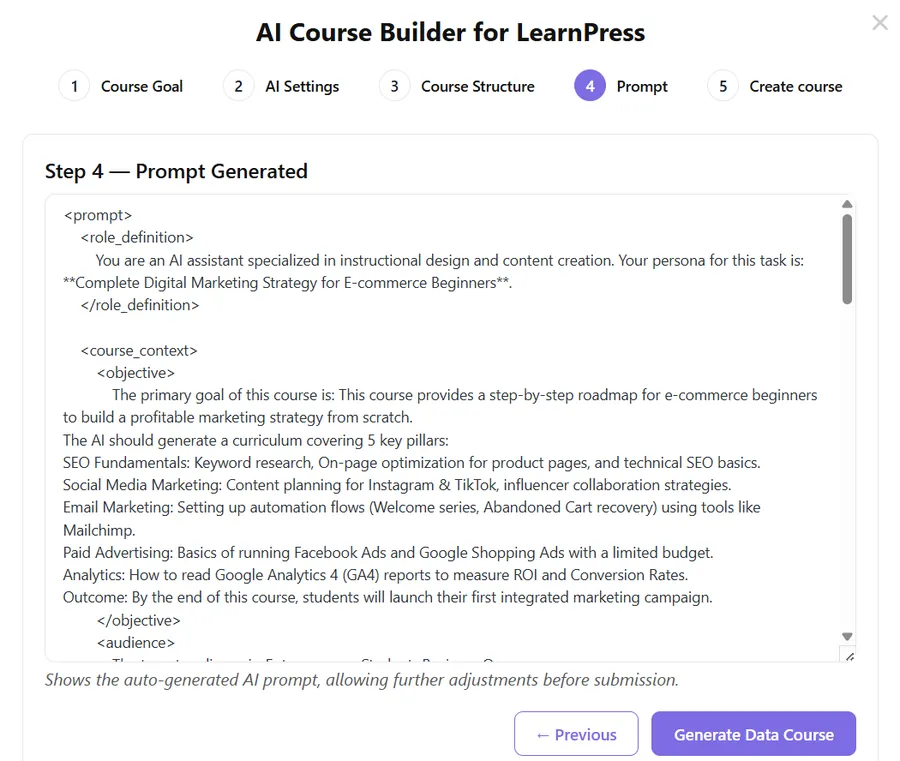
Instead, your LearnPress AI prompts should look more like this: “Create a 15-minute, beginner-friendly onboarding module for new e-commerce support representatives. Focus strictly on email communication standards and refund escalation rules.”
The bottom line is simple: Specific inputs equal clean, highly usable outputs.
3. The Iterate and Refine Loop
The first answer you receive from any artificial intelligence is rarely the final draft you should publish. The best WordPress LMS AI tools work best in collaborative loops.
You should adopt the following cycle: Generate, Review, Adjust, Regenerate, and Finalize.
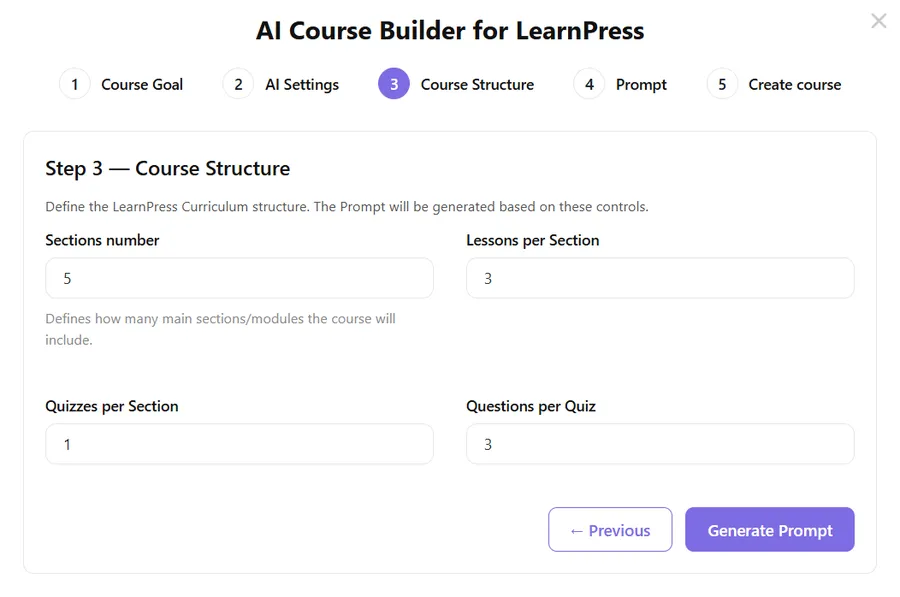
LearnPress makes this iteration loop incredibly easy. Right inside your WordPress dashboard, you can generate a draft, expand on specific paragraphs, shorten overly complex sentences, and build quizzes. This flexibility is exactly why you need to view the AI as a collaborative partner rather than an absolute authority.
5 Pro LearnPress AI Prompts for Advanced Course Creators
Now that we understand the basic principles, let us move on to practical application. We will skip the basic requests like “write a course outline.” Those are easy to do with generic commands.
If you want the system to produce content that matches actual Instructional Design logic, you need targeted ChatGPT prompts for course creators. Here are five professional templates you can use right now.
Tip 1: The Learning Objectives Prompt
Learning objectives are the backbone of your entire curriculum. Unfortunately, they often end up being either too vague to measure or too complex for students to understand.
Getting your objectives right is essential. They anchor your content, guide your assessments, and prevent your course from drifting off-topic. You want to ensure your goals follow the SMART framework (Specific, Measurable, Achievable, Relevant, and Time-bound).
Copy and paste this prompt:
“Act as an expert Instructional Designer. Create 4 concise and measurable learning objectives for a specific course module titled [Insert Module Topic]. The target audience is [Insert Audience Description]. Ensure that each objective strictly follows the SMART framework. Use active action verbs. Keep each individual objective under 20 words.”
Why this works: This specific command prevents the AI from using passive language. It forces the system to generate actionable goals that you can actually test your students on later.
Tip 2: The Microlearning Strategy Prompt
Modern students have incredibly short attention spans. Long, text-heavy pages will cause your drop-off rates to spike. Short courses work best when they are structured around one core idea per screen or section.
You can use LearnPress AI prompts to help you maintain focus and segment your complex content correctly.
Copy and paste this prompt:
“Act as a corporate trainer. Develop a microlearning strategy to teach [Insert Topic] to [Insert Audience]. Break the topic down into 5 bite-sized lessons. For each lesson, provide: 1. A catchy title. 2. One core concept to teach. 3. A suggested multimedia format (e.g., 2-minute video, infographic, or short text). 4. A quick real-world application exercise.”
Why this works: Instead of generating a wall of text, this instruction forces the AI to think structurally. It helps you plan an engaging, multi-media experience that fits perfectly into the LearnPress course builder.
Tip 3: The Advanced Quiz Generation Prompt
Creating assessments is where many course creators stumble. Writing good quiz questions is highly time-consuming. It is also very easy to overcomplicate the answers or write confusing distractors (the incorrect options).
You can leverage LearnPress AI prompts to take the pressure off and generate a large batch of high-quality questions instantly.
Copy and paste this prompt:
“Create 10 multiple-choice questions based on the following text: [Insert Lesson Text]. Each question must: 1. Test critical thinking, not just raw memorization. 2. Include one clearly correct answer and three highly believable, challenging distractors. 3. Avoid any ‘All of the above’ or trick questions. 4. Provide a brief explanation of why the correct answer is right to use as student feedback.”
Why this works: This is one of the most powerful ChatGPT prompts for course creators. By asking for believable distractors and feedback explanations, you elevate the quiz from a simple memory test to a genuine learning tool. You can copy these directly into the quiz settings, and even reward students with LearnPress certificates.
Tip 4: The Course Engagement Plan Prompt
Having great information is only half of the eLearning equation. Engagement is where true learning actually happens. If your students are bored, they will not finish the program, and they certainly will not buy your next product.
You can use this instruction to design lightweight, effective interactions without turning your curriculum into a massive, complicated project.
Copy and paste this prompt:
“Design a realistic student engagement strategy for an online course about [Insert Topic]. The learners are [Insert Audience] who have limited free time. Suggest 3 low-effort, high-impact engagement activities I can build into my LMS. Include ideas for a community discussion prompt, a mid-course reflection exercise, and a simple gamification milestone.”
Why this works: It acknowledges the constraints of your learners (limited time) while still focusing on motivation. It gives you practical ideas that you can easily implement to boost interactive online learning.
Tip 5: The High-Converting Marketing Description Prompt
You have finally built the perfect educational program. Now, you need actual human beings to enroll. If you want to monetize your expertise, choosing the right online course platforms and writing a clear, persuasive sales page are absolutely critical.
Many educators struggle with copywriting, but your WordPress LMS AI tools can handle the heavy lifting for your marketing efforts as well.
Copy and paste this prompt:
“Write a persuasive, high-converting course description for a new class called [Insert Course Name]. The target audience is [Insert Audience]. Use a professional yet highly energetic tone. The description must include: 1. A hook that addresses the audience’s main pain point. 2. Three bullet points highlighting the key outcomes they will achieve. 3. What makes this specific course unique compared to free YouTube videos. End with a strong Call to Action to enroll today.”
Why this works: This command structures the output like a professional sales letter. It focuses on the emotional pain points and the tangible benefits, which is exactly what drives course sales. If the tone isn’t perfect, simply ask the AI to rewrite it to be “more formal” or “more casual.”
Maximizing Your AI Course Content Generation
Of course, no artificial intelligence will magically produce a flawless, ready-to-sell academy without your input. The technology requires a human touch to verify facts, add personal anecdotes, and ensure the tone aligns perfectly with your brand.
However, when you consistently use well-structured LearnPress AI prompts, the tool takes care of the exhausting heavy lifting. This frees up your schedule so you can focus on what truly matters: understanding your students’ actual problems, designing smart structures, and providing a genuine human voice.
The most important piece of advice to remember is to start small. Do not try to generate an entire 50-lesson masterclass in one click.
Pick one upcoming module and test these prompts. See how well the system responds. Tweak your inputs depending on what the tool generates. Add more context if the output is too vague, or ask it to simplify the language if it sounds too academic. Keep refining your approach until the workflow feels genuinely useful and completely natural.
To optimize LearnPress AI effectively, you must treat it like a junior assistant. Give it clear instructions, review its work, provide constructive feedback, and watch as it learns to match your exact style.
The era of struggling with writer’s block is officially over. With these advanced techniques and the right WordPress LMS AI tools at your disposal, building high-quality engaging course content has never been easier. Take these templates, paste them into your workspace today, and start building the educational empire you have always envisioned.
Read more: LearnPress MCP integration: 7 Best Steps to Automate
Contact US | LearnPress:
Website: https://learnpresslms.com/
Fanpage: https://www.facebook.com/learnpresslms
Email: [email protected]