Choosing a course authoring platform usually starts the same way: someone on the team says the current tool is too slow, too expensive, or too limited, and now you’re the one running the eLearning software comparison. This guide walks through the tools that actually show up in shortlists this year, what they cost, and which one fits which kind of training team. It draws on hands-on testing, vendor pricing pages, and independent review data rather than marketing copy.
Most teams end up here for one of three reasons: a subscription renewal is coming up and the price jumped, a new manager wants courses built faster than the current workflow allows, or the company is scaling training across regions and the old tool cannot handle translation or version control at that volume. Whatever the trigger, the goal of a good comparison is the same. Match the tool to the actual workflow, not to whichever product has the loudest marketing budget.
LearnPress – WordPress LMS Plugin
We provide an amazing WordPress LMS plugin to create & sell online courses. Let’s find out!
Try NowTable of Contents
What eLearning authoring software actually does
An eLearning authoring tool is software used to build interactive training content, quizzes, and simulations that can be packaged and uploaded to a learning management system. Most tools export to SCORM 1.2, SCORM 2004, or xAPI, and a growing number now support cmi5, which is built for tracking learning outside a browser tab, such as in mobile apps or VR headsets.
The category splits into three rough groups. Desktop-installed suites like Adobe Captivate give you deep control over branching and simulations but ask more of your computer and your learning curve. Cloud authoring platforms run entirely in a browser, which makes real-time collaboration and version control much easier for distributed teams. PowerPoint-based tools sit in a lane of their own, letting subject matter experts build on slides they already know instead of learning a new interface from scratch.
Beyond format, most buyers also weigh how a tool handles reuse. A course built with reusable content blocks, shared templates, and a central asset library saves hours the second time a similar course needs to ship, which is why governance and template locking show up so often in enterprise buying criteria.
How we built this eLearning authoring software reviews methodology
We weighed four things that actually matter once a tool is in daily use: output quality, how fast a course goes from draft to published, how well a team can collaborate without version chaos, and whether the export formats match what your LMS expects. Pricing was checked against each vendor’s live pricing page rather than older list prices, since several vendors adjusted plans in the past year.
We also looked at what happens after the trial period ends. A tool that looks great in a 20-minute demo can still slow a team down once ten people are editing the same course, or once a course needs to be translated into six languages for a global rollout. Those workflow details separate a good demo from a good long-term fit.
Support quality was part of the check too. A tool with a fast, responsive support team matters more than it sounds once a course export fails the night before a compliance deadline. Where a vendor publishes a public status page or documented average response time, that data point factored into the “best for” recommendation below.
Top tools in this eLearning tools comparison
Articulate 360
Articulate 360 bundles Storyline 360, for slide-based courses with branching, variables, and quizzes, with Rise 360, a faster block-based builder for responsive microlearning. The AI Personal plan lists at $1,449 per user per year and the AI Teams plan at $1,749 per user per year, both billed annually with no monthly option and no permanent free tier, though a 30-day trial is available. Storyline’s interface rewards people who already think in slides and timelines, and the built-in review workflow lets stakeholders leave comments directly on a course draft instead of emailing screenshots back and forth. The tradeoff is cost and a steeper ramp-up for Storyline compared with Rise.
iSpring Suite AI
iSpring Suite AI builds directly on top of PowerPoint, so a trainer who already knows how to insert a slide transition can start producing SCORM-ready content the same afternoon. The iSpring Cloud AI plan starts at roughly $720 per author per year, noticeably below Articulate’s entry point, and includes a scrollable course builder plus real-time collaboration. Because it lives inside PowerPoint, it is one of the easiest tools to hand to a subject matter expert who has never built a course before. It is not the tool to reach for if you need complex branching logic or software simulations, since that kind of interactivity sits outside what a slide deck can express.
Adobe Captivate
Adobe Captivate has been subscription-only since 2022, with entry pricing around $33.99 per month, and it remains one of the few authoring tools that handles both software simulations and VR or AR scenarios natively. Screen recording is built in, so product training that walks a learner through an actual application interface is one of Captivate’s strongest use cases. The learning curve is real: expect a slower onboarding than Rise or iSpring, and expect a smaller library of ready-made templates than Articulate offers.
Elucidat (now Create by Confirm)
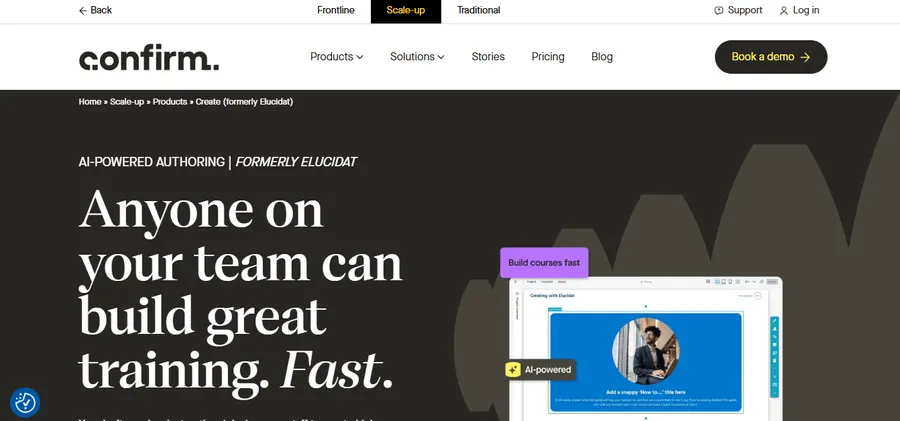
Elucidat rebranded to Create by Confirm and is built for large teams that need brand-consistent courses produced by many authors at once, not a single standout course. Its Growth plan starts around $1,650 per user per year with a seat minimum, while Team and Enterprise pricing is quote-based, and translation support is a genuine strength for organizations rolling training out across multiple regions. The governance layer, which lets an admin lock down fonts, colors, and layout templates centrally, is the reason large enterprises choose it over more flexible but less controlled tools.
Easygenerator
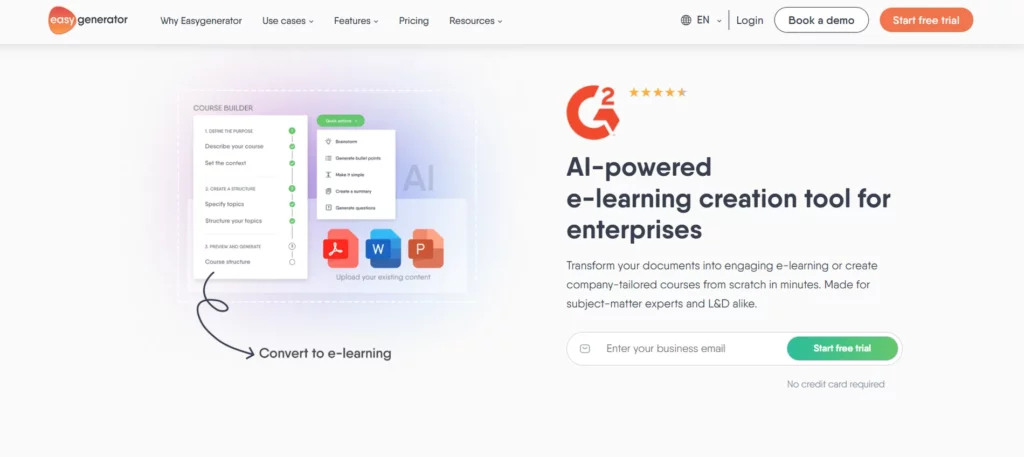
Easygenerator is built specifically for subject matter experts rather than dedicated instructional designers, with a drag-and-drop workflow that keeps the interface intentionally simple. Entry pricing runs around $116 per month per author. Where Easygenerator earns its place in an eLearning software comparison is organization-wide rollout: HR teams, compliance officers, and managers can each own their own training content without a central design team as a bottleneck.
dominKnow ONE and Lectora

dominKnow ONE, priced from around $1,997 per author per year, is built around single-source publishing, meaning one course can output to eLearning, print, and mobile formats from the same source file. Lectora, meanwhile, remains one of the strongest choices for accessibility-heavy training, including Section 508 and WCAG compliance work for government and public-sector clients, with support for SCORM, AICC, and xAPI.
LearnPress: a WordPress LMS for course creation

LearnPress takes a different approach from standalone eLearning authoring tools. It is a WordPress LMS plugin that lets course creators build and manage online courses directly from a WordPress website. Instead of creating a course package primarily for upload to a separate LMS, LearnPress provides tools for organizing courses, lessons, quizzes, and learners within WordPress.
This makes LearnPress relevant for schools, training businesses, instructors, and organizations that want to run their learning website on WordPress. It is also suitable for creators who want to sell courses online and manage their learning content from the same website.
LearnPress is therefore better viewed as a WordPress LMS and course creation solution, rather than a direct replacement for specialized authoring software such as Articulate 360 or Adobe Captivate. If your priority is building highly interactive simulations or complex branching scenarios and exporting them as SCORM packages, a dedicated authoring tool may be more appropriate. If you want to create and manage courses directly on WordPress, LearnPress offers a different workflow.
Comparison table
The table below lines up pricing, standards support, and best-fit use cases, all sourced from each vendor’s current pricing page.
| Tool | Starting price | SCORM / xAPI | AI features | Best for |
|---|---|---|---|---|
| Articulate 360 | $1,449/user/yr | SCORM 1.2, SCORM 2004, xAPI, AICC, cmi5 | AI Assistant, text-to-speech, translation | Teams needing branching scenarios |
| iSpring Suite AI | ~$720/author/yr | SCORM 1.2, SCORM 2004, xAPI | AI course assistant | PowerPoint-based rapid authoring |
| Adobe Captivate | ~$34/mo | SCORM, xAPI | Limited AI tools | Simulations and VR/AR training |
| Elucidat (Create by Confirm) | ~$1,650/user/yr | SCORM, xAPI | AI content blocks | Enterprise brand governance |
| Easygenerator | ~$116/mo | SCORM, xAPI | AI writing assistant | Subject matter expert authoring |
| dominKnow ONE | ~$1,997/author/yr | SCORM, xAPI, AICC | AI content tools | Single-source multi-format publishing |
| Lectora | Quote-based | SCORM, AICC, xAPI | Limited AI tools | Accessibility and compliance training |
Cloud based eLearning authoring tools vs desktop suites
Browser-based platforms such as Rise 360, Easygenerator, and Create by Confirm run entirely online, so a reviewer can leave feedback on a course from a phone during a commute and an author can pick it up from a laptop an hour later without exporting or emailing a file. That matters most for teams spread across time zones, or for compliance training that needs sign-off from legal, HR, and a subject matter expert before it ships. Version history is usually automatic too, so nobody has to hunt down which file was the “final final” draft.
Desktop suites like Storyline 360 and Captivate still win when a course needs heavy branching logic, custom interactions, or software simulations that a browser-based editor cannot render smoothly. The practical answer for most mid-size L&D teams is to pair a cloud tool for day-to-day course updates with a desktop tool reserved for the handful of flagship courses that need deeper interactivity. According to Research Nester’s 2026 market data, the global eLearning authoring software market reached $1.43 billion this year, and much of that growth is coming from cloud-first vendors adding AI features rather than from new desktop suites entering the market.
How to choose the right eLearning software for your team
Start with who is actually going to build the courses. If training content comes from subject matter experts who are not instructional designers, iSpring Suite AI or Easygenerator will get them producing usable content in a day rather than a month. If a dedicated design team is building high-stakes compliance or product training, Storyline 360 or Captivate’s deeper toolset is worth the steeper learning curve.
Next, check what your LMS actually requires before you commit. Some learning management systems only read SCORM 1.2, while others support the more detailed tracking that xAPI or cmi5 provide; publishing a course in the wrong format is a common and avoidable mistake. Confirm this with your LMS administrator before signing an annual contract, since most authoring tools are billed yearly with no refund for a mismatch discovered in month two.
Finally, weigh collaboration needs against budget. A five-person L&D team producing dozens of courses a year for a global workforce needs the governance and translation tools that Elucidat and dominKnow ONE offer. A single trainer building occasional onboarding modules is better served by iSpring Suite AI’s lower entry price. Most vendors on this list offer a free trial, and two weeks of hands-on testing with your own content will tell you more than any spec sheet.
Watch the total cost, not just the sticker price
The listed subscription is rarely the full cost. Articulate’s Reach distribution add-on, translation packages that run $5,000 a year or more on some enterprise plans, and per-seat pricing that multiplies fast once a team grows past five authors can all push the real annual spend well above the number on the pricing page. Ask each vendor for a full quote based on your actual author count and course volume before comparing headline prices side by side, since a tool that looks cheaper at one seat can end up costlier at ten.
It is also worth asking what happens if the team shrinks. Annual, seat-based contracts rarely refund unused licenses mid-term, so a company anticipating headcount changes may prefer a tool with monthly billing, even at a slightly higher per-month rate, simply for the flexibility to scale down without eating a sunk cost.
FAQs about eLearning software comparison
What is the best eLearning software for beginners?
iSpring Suite AI is the easiest starting point for beginners because it works as a PowerPoint add-in, so there is no new interface to learn before producing a SCORM-ready course. Easygenerator is a close second, with a drag-and-drop editor built specifically for people who are not trained instructional designers.
Is Articulate 360 worth the price compared to cheaper alternatives?
Articulate 360 is worth the higher price for teams that need Storyline’s branching scenarios, variables, and quiz logic, since few competitors match that depth of interactivity. Teams that mainly need fast, responsive courses without complex branching can get similar output from Rise 360 alone or from Easygenerator at a lower annual cost.
Do cloud based eLearning authoring tools support offline course editing?
Most browser-based platforms in this category require an internet connection to edit a course, since the content lives on the vendor’s servers rather than a local file. Desktop tools like Storyline 360 and Adobe Captivate remain the better choice for authors who need to work offline, such as during travel with unreliable internet access.
Can I convert a course between authoring tools if I switch platforms?
Yes, in most cases, since nearly every authoring tool exports to SCORM, which can then be imported into another SCORM-compliant platform, including Articulate 360. What does not transfer cleanly is the original source file with editable branching logic, templates, and variables, so a full migration usually means rebuilding complex courses rather than a simple file conversion.
Conclusion
There is no single winner in this eLearning software comparison, because the right pick depends on who is building the courses and what your LMS expects on the other end. Subject matter experts building fast, simple training should start with iSpring Suite AI or Easygenerator. Design teams building branching scenarios or software simulations should look at Articulate 360 or Adobe Captivate. Large enterprises coordinating dozens of authors across regions should weigh Elucidat’s governance tools or dominKnow ONE’s single-source publishing against the added cost.
Whichever tool makes the shortlist, run the free trial against a real course from your own catalog before signing an annual contract, since that is the only test that reliably predicts how a tool will feel six months in. Pull in the person who will actually author the courses day to day, not just the manager approving the budget, since their feedback after a two-week trial is usually the most accurate signal of whether a tool will stick.
Read more: How to Make an eCourse: Steps to Creating an Online Course that Actually Sells