Picking a popup maker WordPress plugin is one of those decisions that looks simple until you actually try it.
Search “popup WordPress plugin” and you get a dozen tools that all claim to be the best, and most of them work fine for a basic email opt-in.
The real differences show up once you install a few side by side and start comparing page load impact, targeting rules, and what happens when you try to cancel a subscription.
This guide walks through the plugins worth your time in 2026, based on hands-on testing rather than a copy-pasted feature list.
LearnPress – WordPress LMS Plugin
We provide an amazing WordPress LMS plugin to create & sell online courses. Let’s find out!
Try NowTable of Contents
What a popup WordPress plugin actually does
This kind of plugin is a tool that lets you build and display overlay messages, slide-ins, floating bars, or full-screen modals on your site without writing custom JavaScript. You set a trigger (a timer, a scroll depth, an exit-intent movement, or a specific page visit) and the plugin handles the display logic, the styling, and usually the connection to your email service provider.
Under the hood, most of these plugins hook into WordPress the same way any front-end plugin does: they enqueue a script and stylesheet, register a custom post type for each campaign, and load a small settings panel inside your WordPress admin. Some, like OptinMonster, run most of the actual logic on their own servers and only drop a lightweight loader script on your site. Others, like Popup Maker, do everything self-hosted, which means the plugin itself carries more weight but you are not depending on a third-party service to render your popup.
That distinction matters more than most comparison articles admit, and it is the first thing to understand before you pick a plugin based on feature count alone.
How these popup plugins were tested
Every plugin in this guide got the same basic drill: install from the WordPress repository or the vendor’s onboarding flow, build a simple email capture popup, publish it, and confirm it fires correctly on the front end. Setup time was timed with a stopwatch, not estimated. Page weight was measured with the browser’s network panel on a fresh test site running a default block theme, with no caching plugin active, so the numbers reflect what the popup plugin itself adds rather than the rest of the stack.
Self-hosted plugins load their scripts directly from your server. Popup Maker, for example, added about 81 KB of scripts and styles to every page it was active on, measured during this round of testing. Cloud-based tools behave differently. OptinMonster put roughly 2 KB on the server and loaded the rest asynchronously from its content delivery network only after the page had already rendered, and it loaded nothing at all on pages with no active campaign. Neither approach is automatically better. A self-hosted plugin gives you more control and no ongoing dependency on an outside service, while a cloud-loaded script tends to have less impact on your initial page render.
Pricing and active install counts were checked directly against the WordPress.org plugin directory and each vendor’s pricing page in July 2026, since both numbers shift often enough that older roundups are usually out of date within a few months.
5+ Best popup maker WordPress plugin picks for 2026
There is no single best popup plugin for every site, though a few names come up again and again as the best popup plugin WordPress users recommend to each other. A blogger growing a newsletter list has different needs than a WooCommerce store trying to recover abandoned carts, and a course platform running cohort promotions needs different targeting rules than either of those. The picks below cover the main use cases, with the trade-offs spelled out instead of glossed over.
OptinMonster: the strongest overall popup builder
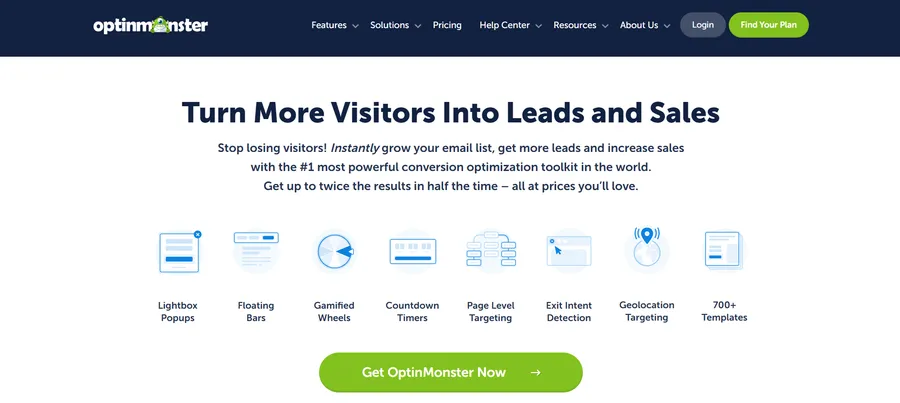
OptinMonster is a cloud-hosted popup plugin with more than 1 million active installations according to the WordPress.org plugin directory, which makes it the most widely used tool in this category. The visual builder runs in a drag-and-drop canvas that opens in a new browser tab rather than inside wp-admin, and it ships with templates for lightbox popups, floating bars, slide-ins, gamified spin-to-win wheels, and inline forms.
- Key features: Exit-intent detection, geo-targeting, on-site retargeting (showing a different message to returning visitors), A/B testing built into the free plan tier rather than sold as an add-on, and direct integrations with most major email providers without needing Zapier.
- Performance: Because OptinMonster loads asynchronously from its own CDN, it added only about 2 KB to the initial page payload during testing, and nothing at all on pages where no campaign was active. That is the lightest front-end footprint of any plugin in this roundup.
- Pricing: Plans start at a discounted introductory rate that renews at full price after the first term, so treat any advertised starting price as an introductory offer rather than the ongoing cost. Check the current pricing page before committing, since OptinMonster runs frequent promotional cycles.
- Who it’s best for: Sites that want the deepest targeting and testing tools and do not mind paying for them. If your popup strategy is core to your conversion funnel rather than a nice-to-have, this is usually the right call.
Popup Maker: the best free popup plugin WordPress site owners actually keep
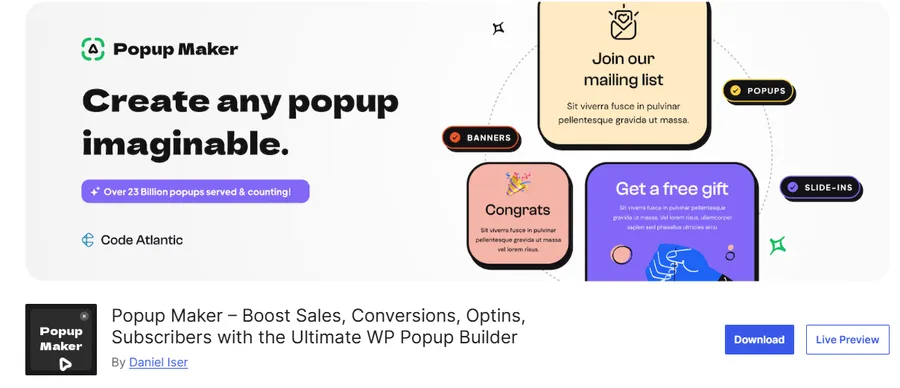
Popup Maker has over 700,000 active installations, and unlike a lot of “free” plugins, the free version is genuinely usable rather than a stripped-down trial that pushes you toward checkout within a day. It is fully self-hosted, works with any page builder including Elementor, Divi, and the native block editor, and does not require an account with an outside service to function.
- Key features: Unlimited popups on the free tier, trigger options including click, time delay, and scroll position, and a template library that covers most common use cases like newsletter signups and age verification gates. Paid extensions add exit-intent detection, advanced targeting by user role or WooCommerce cart contents, and analytics.
- Performance: As the self-hosted numbers above show, Popup Maker adds more page weight than a cloud tool since everything renders from your own server. On a well-optimized site this is a minor cost, but it is worth measuring on your own hosting rather than assuming it will match a testing environment.
- Pricing: Free at the core, with add-ons priced individually so you only pay for the specific features you actually need, which keeps the total cost lower than a bundled premium plugin for sites that only need one or two extra capabilities.
- Who it’s best for: Anyone who wants a free, self-hosted popup builder without recurring SaaS fees, especially smaller sites and blogs where the existing budget and hosting setup call for a leaner tool.
Elementor Popup Builder and Master Addons: best for Elementor sites
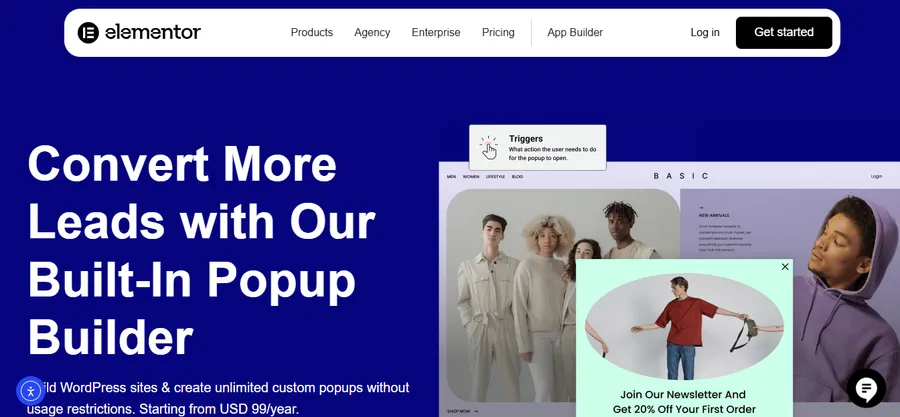
If your site is already built in Elementor, a separate popup plugin might be redundant. Elementor Pro includes a native popup builder, and free alternatives like the Master Addons popup builder let you design popups inside the same editor you already use for the rest of your pages, with exit intent and scroll triggers included at no cost.
- Key features: Popups built from the same widget library as your page content, so styling stays visually consistent without learning a second interface. Trigger conditions cover page visit, inactivity, scroll distance, and click events.
- Performance: Since the popup renders through Elementor’s existing front-end assets, the marginal weight added is smaller than installing a fully separate plugin, provided Elementor is already active on the site.
- Pricing: Elementor Pro is a paid add-on to the free Elementor plugin. Master Addons offers a free popup builder tier that covers the essentials without a paid Elementor Pro license.
- Who it’s best for: Sites already committed to Elementor as their page builder, where adding a second, unrelated popup plugin would mean loading two overlapping sets of front-end scripts.
Thrive Leads: best for conversion-focused marketers
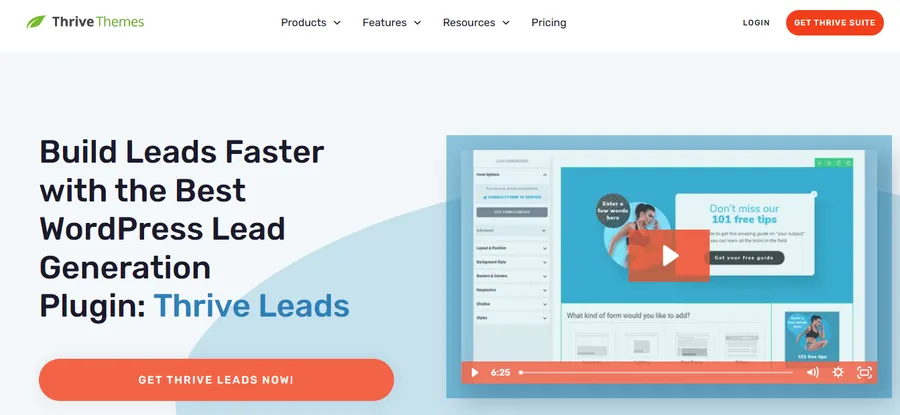
Thrive Leads is part of the Thrive Suite and is built specifically around list growth and conversion rate testing rather than general-purpose popups. It leans on the same visual editor as the rest of the Thrive product line.
- Key features: SmartLinks that show a different opt-in offer to subscribers versus new visitors, detailed A/B testing reports, and a large template library aimed at conversion optimization rather than just visual design.
- Performance: As a self-hosted plugin, Thrive Leads carries a similar weight profile to Popup Maker, though its scripts are tightly scoped to the pages where a campaign is active.
- Pricing: Thrive Leads is available standalone or bundled into the full Thrive Suite, which includes several other Thrive plugins for landing pages and quizzes.
- Who it’s best for: Marketing-heavy sites already using other Thrive tools, or teams that want deep A/B testing without paying for a separate cloud SaaS platform.
HubSpot: best for CRM-connected popups
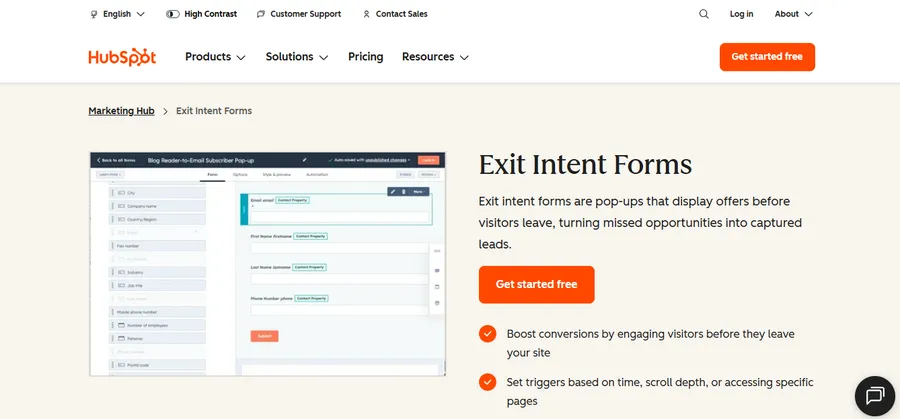
The HubSpot WordPress plugin bundles popup forms with a free CRM, live chat, and basic email marketing. If a site would otherwise need three separate tools, HubSpot’s free tier can be a meaningful saving, and the moment someone submits a popup form, their details land directly in HubSpot as a contact record with no separate sync step.
- Key features: Popup forms tied directly to CRM contact records, live chat widget included in the same plugin, and basic email automation without needing a third integration.
- Performance: HubSpot loads its tracking and chat scripts from its own servers in a pattern similar to OptinMonster, keeping the direct impact on your own server light.
- Pricing: Free tier covers the core popup and CRM functionality. Paid tiers unlock more advanced marketing automation if the site outgrows the free plan.
- Who it’s best for: Sites that want popup lead capture wired directly into a sales pipeline rather than just an email list, particularly service businesses and B2B sites.
Popup plugin comparison table
| Plugin | Type | Free tier | Page weight added | Best for |
| OptinMonster | Cloud-hosted | Limited free plan | ~2 KB (async, CDN-loaded) | Advanced targeting and A/B testing |
| Popup Maker | Self-hosted | Yes, fully usable | ~81 KB | Best free popup builder overall |
| Elementor Popup Builder / Master Addons | Self-hosted, page builder based | Yes (Master Addons) | Marginal if Elementor is active | Elementor-built sites |
| Thrive Leads | Self-hosted | No | Similar to other self-hosted tools | Conversion-focused marketers |
| HubSpot | Cloud-hosted | Yes, generous | Light, CDN-loaded | CRM-connected lead capture |
Best free WordPress popup plugin options
Whether you are searching for popups, WordPress popup templates, or a full builder, budget is often the deciding factor, and you have real choices rather than watered-down trial versions.
- Popup Maker remains the strongest all-around pick among free popup builder plugins for WordPress, since the free tier supports unlimited campaigns and multiple trigger types without a paywall on the basics.
- Master Addons offers a genuinely free popup builder for Elementor sites, including exit intent and scroll triggers that some competitors reserve for paid plans.
- HubSpot’s free tier is worth a look if lead capture and CRM tracking matter more to you than visual design flexibility.
The tradeoff with most free popup builders is usually advanced targeting: things like geo-location rules, WooCommerce cart-value triggers, or detailed A/B testing tend to sit behind a paid add-on or a premium tier, even on otherwise generous free plugins.
How to install and set up a popup plugin on WordPress
Getting a popup plugin running on WordPress takes a few minutes if you follow the same order every time.
- Install and activate the plugin. From your WordPress dashboard, go to Plugins > Add New, search for the plugin by name, and click Install then Activate. For cloud tools like OptinMonster, this step also creates a connection between your site and your account on their platform.
- Create your first campaign. Most plugins add a new menu item in the left-hand admin sidebar. Choose a template close to what you want, since editing an existing template is almost always faster than building from a blank canvas.
- Set your trigger and targeting rules. Decide whether the popup should appear on a timer, on exit intent, after a scroll depth, or on specific pages only. Test each rule on the front end in an incognito browser window, since some triggers will not fire again for a returning visitor with a cookie already set.
- Connect your email service or CRM. If the popup is collecting emails, connect it to your provider inside the plugin’s integrations tab before publishing, not after, so you are not troubleshooting a missed connection once traffic starts arriving.
- Publish and verify. Load the site in a private browser window, confirm the popup fires under the correct conditions, and check that the close button actually dismisses it. This last step sounds obvious, but it is the single most common thing overlooked before launch.
One detail that trips people up on the first setup: closing a popup should also set a cookie or local storage flag so the same visitor is not shown it again on the next page load in the same session. Check this in the plugin’s display settings, since not every template has it turned on by default.
Popup plugin performance and page speed
Page speed is a search ranking factor, and popups are one of the more common culprits behind a slow Largest Contentful Paint score, especially on mobile. The testing above shows the gap clearly: a self-hosted plugin like Popup Maker adds roughly 81 KB up front regardless of whether a campaign is active, while a cloud-loaded tool like OptinMonster can add close to nothing on pages with no live campaign.
Neither number should be treated as a verdict on which plugin is objectively better. A well-configured self-hosted plugin on fast hosting with proper caching can still score well on PageSpeed Insights, and a cloud tool depending on a third-party CDN adds a small amount of latency of its own. What matters is measuring your own site rather than trusting a generic benchmark, since hosting, theme, and existing plugin load all change the outcome.
A few habits that keep any popup plugin lightweight in practice: load the popup script only on pages where a campaign is actually running instead of site-wide, avoid stacking two overlapping popup plugins (a surprisingly common mistake on sites that switched tools without removing the old one), and check your Core Web Vitals report in Google Search Console a week after launching a new campaign to confirm nothing regressed.
Popups, SEO, and Google’s mobile intrusion penalty
Popups only hurt SEO when they aggressively block content on mobile, which Google has discouraged since its 2017 intrusive interstitial guidance. A full-screen popup that covers the entire article the moment a visitor lands on the page, with no easy way to close it, is exactly the pattern that guidance targets. Well-built popups that trigger on exit intent, after meaningful scroll, or on a delay generally avoid this problem entirely, since they do not block the reader’s first interaction with the page.
A safe rule of thumb: if a first-time mobile visitor cannot read your first paragraph without dismissing something first, the popup is too aggressive. Timed popups after 30 to 60 seconds, scroll-triggered popups after the reader has already engaged with content, and small floating bars that never cover the full viewport all sit comfortably outside the pattern Google penalizes.
Using popups on a WordPress LMS or course site
Course creators running a WordPress LMS have a slightly different use case: instead of a generic email capture, popups often promote a cohort enrollment deadline, an upcoming live session, or a discount on a course bundle.
If you are building a course site with LearnPress, the plugin’s built-in course archive and checkout pages give you clear, specific targeting points, so a popup plugin can be scoped to fire only on course listing pages or right before checkout rather than site-wide.
Pairing a lightweight, self-hosted popup plugin with a lean LMS like LearnPress keeps the front-end footprint manageable, which matters more on course sites where video and quiz assets are already competing for page speed budget.
How to choose the right popup WordPress plugin for your site
Work through these questions in order rather than starting from a feature comparison chart:
- What is the popup actually for? Email list growth, cart recovery, a limited-time promotion, and lead capture into a CRM all point toward different tools. HubSpot fits CRM-connected lead capture better than a general-purpose builder, for example, even if the general-purpose builder has more template designs.
- What is your budget, including renewal pricing? Most premium popup plugins run an introductory discount that renews at a higher rate. Check the vendor’s pricing page directly rather than relying on a promotional banner, and factor the renewal price into your actual annual cost.
- Are you already using a page builder? If Elementor, Divi, or another builder is already part of your stack, a native popup builder tied to that tool usually beats installing a fully separate plugin with its own overlapping scripts.
- How much does page speed matter for this specific site? An e-commerce checkout flow or a content site chasing featured snippets has less tolerance for added page weight than a low-traffic internal tool or a site that is not competing hard on Core Web Vitals.
- Do you need advanced targeting, or just a simple opt-in? If the answer is a simple opt-in, do not pay for a plugin’s advanced targeting tier. Popup Maker’s free version or Master Addons for Elementor sites will cover a basic email capture without a recurring bill.
FAQs
Do popup plugins slow down my WordPress site?
Some popup plugins add noticeable page weight, while others load asynchronously and add almost nothing to the initial render. Self-hosted plugins like Popup Maker add their scripts directly from your server, typically in the range of 60 to 90 KB, while cloud-hosted tools like OptinMonster load most of their logic from an external CDN after the page has already rendered.
What is the best free WordPress popup plugin?
Popup Maker is generally considered the best free WordPress popup plugin because its free tier supports unlimited campaigns and multiple trigger types rather than gating basic functionality behind a paywall. Master Addons is a strong free option specifically for Elementor sites, since its popup builder lives inside the Elementor editor at no cost.
Can I use more than one popup plugin at the same time?
Technically yes, but it is not recommended, since two active popup plugins will often load overlapping scripts and can conflict on triggers or z-index stacking, which shows up as popups appearing behind each other or firing at the wrong time. If you are switching popup plugins, deactivate and remove the old one before activating the new one.
Do popups hurt my WordPress site’s SEO?
Popups only create an SEO problem when they aggressively block a visitor’s first interaction with the page on mobile, which falls under Google’s intrusive interstitial guidance. Exit-intent popups, scroll-triggered popups, and small floating bars generally avoid this issue entirely because they do not cover the content a visitor first lands on.
Conclusion
The right popup maker WordPress plugin depends less on which tool has the longest feature list and more on what you are actually trying to accomplish and how much page weight your site can afford to carry. OptinMonster remains the strongest overall pick for sites that want deep targeting and testing and do not mind the cost. Popup Maker remains the strongest free, self-hosted option for anyone who wants to skip a recurring bill. If you are already building in Elementor, a native popup builder saves you from loading a second, overlapping set of scripts. Whichever plugin you land on, measure the actual page weight and speed impact on your own site rather than trusting a generic benchmark, and keep the trigger rules light enough that a first-time visitor can read your content before deciding whether to opt in.
Read more: How To Choose The Best Sales Learning Platform for Sales Teams?