Are you an expert or educator constantly asking yourself how to create my own lms without paying high monthly fees? Building a custom wordpress website is the absolute best strategy for anyone launching an educational platform. Third-party hosted services often trap content creators with restrictive limits, hidden transaction fees, and strict design rules. This comprehensive guide will show you exactly how to escape those common industry limitations.
We will explore the precise steps needed to build a highly profitable, fully independent digital learning environment. By following these clear instructions, you will easily learn how to build a custom website with wordpress from scratch. You can build a digital school tailored perfectly to your unique brand identity and teaching style. If your goal is to create online school platform that stands out from the competition, let us dive directly into the process of building a custom wordpress website and transforming your professional knowledge into a thriving, sustainable business today. A fully independent lms wordpress website is the undeniable future of online education.
LearnPress – WordPress LMS Plugin
We provide an amazing WordPress LMS plugin to create & sell online courses. Let’s find out!
Try NowWhy You Need a Custom WordPress Website for eLearning
Starting an online academy is a highly rewarding endeavor, but standard platforms often demand a large percentage of your revenue. Solutions like Udemy or Teachable seem convenient at first glance, but they severely limit your control over student data and pricing models. A custom wordpress website provides unmatched freedom, security, and scalability for serious educators and institutions.
Building a dedicated lms wordpress website allows you to retain total ownership of your curriculum. You completely avoid high transaction commissions and forced monthly software subscriptions. When instructors ask how to create my own lms, the most sustainable answer always points to open-source solutions. Furthermore, a custom wordpress website provides the flexibility to customize every visual element, ensuring a cohesive brand experience. You also gain the ability to implement deep SEO strategies, helping you rank much higher on major search engines.
Before you start building, it is crucial to brainstorm profitable topics that students actually want to buy. If you need inspiration, exploring various online course ideas can help you discover a highly lucrative niche. Once your concept is finalized, your custom educational platform will serve as the perfect, scalable foundation for your growing audience. Mastering how to build a custom website with wordpress guarantees your long-term success in this competitive market.
Step 1: Secure Your Domain and Web Hosting
Before you create online school platform, you must establish a highly secure and fast technical foundation. A successful custom wordpress website requires a premium domain name and reliable web hosting. Your hosting provider ensures your educational materials remain accessible for learners around the globe, without frustrating loading delays or server crashes.
You should always select a web hosting provider that offers free SSL certificates to protect sensitive student billing data. Providers such as Bluehost, WP Engine, or SiteGround are highly recommended for new digital creators wanting to run a secure lms wordpress website. Additionally, you need a memorable, brandable domain name that reflects your specific industry and professional authority.
Once you secure your hosting plan, use their standard one-click installation feature to deploy the core software. This step takes only a few minutes. After the installation is complete, log into your new administrative dashboard to configure standard settings like site titles, time zones, and permalink structures. A properly configured technical base prevents critical errors as your student enrollment numbers begin to increase over time. Anyone figuring out how to create my own lms must first prioritize a strong, stable hosting foundation.
Step 2: Choosing the Right Tools and Themes
A highly functional custom wordpress website requires a clean, professional visual layout to build trust. Navigate to your dashboard’s appearance menu and select a lightweight theme optimized specifically for learning environments. A fast-loading education theme ensures your site looks authoritative across all mobile and desktop devices when you create online school platform. To create a consistent brand identity alongside your website design, you can also use an AI logo maker to develop a professional logo that reflects your academy’s identity.
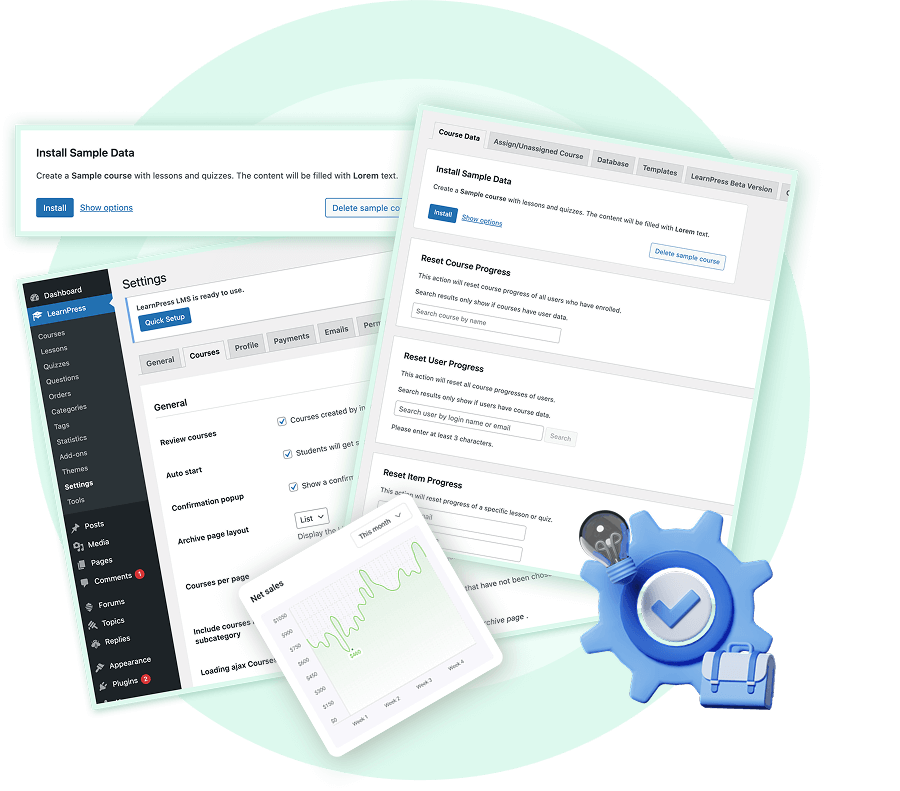
To convert your standard site into an educational powerhouse, you must install an online course builder. This specific type of plugin will systematically manage your entire curriculum, student enrollments, quizzes, and digital certificates. The right software transforms how you deliver complex educational content on your lms wordpress website.
If you are unsure where to begin your journey, installing LearnPress is a fantastic first step. It is a robust, beginner-friendly system that integrates perfectly with your custom wordpress website. As your academy grows, you might wonder if you should upgrade your tools. Evaluating LearnPress Free vs Pro can help you decide which advanced add-ons are necessary for your specific business goals. Learning how to build a custom website with wordpress is much easier when you utilize a professional LMS plugin.

Step 3: Structure and Create Your Course Content
With your software foundation ready, it is time to construct the actual curriculum. A successful custom wordpress website organizes information logically and intuitively. Always give your course a clear, compelling title and a highly detailed description to attract potential buyers browsing your catalog.
Divide your educational material into easily digestible modules and sequential lessons. You can upload text documents, high-definition video files, and audio lectures directly to your lms wordpress website. To keep students highly engaged, interactive online learning is absolutely essential. Utilize timed quizzes, practical assignments, and peer reviews to test their knowledge effectively at the end of every major chapter.
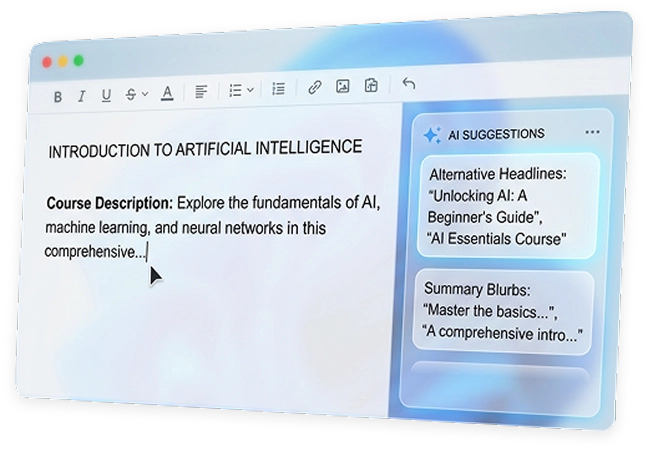
For busy educators looking to accelerate the production process, you can even generate a complete course with AI to draft comprehensive lesson outlines quickly. This innovative approach saves countless hours of manual writing and brainstorming. It ensures your custom wordpress website remains continuously updated with fresh, highly relevant material for your students. If you ever wonder how to create my own lms rapidly without sacrificing quality, leveraging AI tools is the modern answer.
Step 4: Set Up Monetization and Payment Gateways
Generating consistent revenue is a crucial aspect of any professional platform. You must provide secure, seamless ways for students to purchase your digital expertise. Integrating reliable payment gateways is incredibly straightforward with modern plugins when you create online school platform.
You can connect secure processors like Stripe or PayPal directly to your system. Additionally, you can integrate external eCommerce tools like WooCommerce for advanced global billing features. A properly optimized custom wordpress website allows you to sell monthly recurring subscriptions, lifetime access passes, or bundled curriculum packages.
Because you own the platform, you never have to pay arbitrary marketplace commissions on your hard-earned sales. Every dollar generated goes directly into your business account, allowing you to reinvest in better content and marketing. This profound financial independence is the primary reason why so many creators research how to build a custom website with wordpress.
Step 5: Launch and Execute Marketing Strategies
Marketing is the vital final step to ensuring your business reaches maximum profitability. Even the best educational content requires strategic promotion. Utilize external platforms like LinkedIn or YouTube to drive targeted organic traffic directly to your landing pages. This is the ultimate key to scaling your lms wordpress website.
Write keyword-rich blog articles to attract visitors actively searching for your expertise on Google. Furthermore, optimize all visual elements on your platform. For instance, always include an image alt attribute like “Administrator dashboard of a custom wordpress website” to significantly boost your search engine visibility.
Establish an automated email newsletter to keep potential students engaged over time. Send them valuable free tips, limited-time discount codes, and course updates. Consistent communication builds profound trust, encouraging visitors to finally purchase a premium course. When educators ask how to create my own lms and make it highly profitable, targeted digital marketing is always the final piece of the puzzle.

Conclusion
You absolutely do not need to rely on expensive, restrictive SaaS platforms to share your professional knowledge with the world. By following these exact steps, you will quickly master how to build a custom website with wordpress efficiently and effectively. A well-designed custom wordpress website gives you absolute creative control, zero monthly student restrictions, and truly limitless earning potential. Start building your independent academy today, take charge of your digital future, and create an online school platform that perfectly reflects your professional authority.
FAQs
1. Do I need coding skills to build a custom WordPress LMS website?
Absolutely not! Building a custom WordPress website today does not require any programming knowledge. By utilizing premium education themes and powerful plugins like LearnPress, you can set up your entire digital school using intuitive drag-and-drop interfaces. Creating courses, managing students, and integrating payment gateways can all be done directly from your user-friendly dashboard.
2. Is a custom WordPress website cheaper than SaaS platforms like Teachable or Udemy?
Yes, it is highly cost-effective in the long run. Third-party SaaS platforms often charge expensive monthly subscription fees and take a percentage of your sales. With a custom WordPress website, you only pay for your domain and web hosting. Most importantly, you retain 100% ownership of your content and keep every dollar of your course sales without any hidden marketplace commissions.
3. How many students and courses can my WordPress educational platform handle?
Because you completely own the platform, there are no artificial limitations! You can upload an unlimited number of courses and enroll as many students as you want. The scalability of your online academy depends entirely on your web hosting plan, meaning you can easily upgrade your server capacity as your digital learning business grows.