Picking the right WP directory plugin is the single decision that determines whether your listing site feels professional from day one or turns into a redesign project six months later.
Whether you’re building a local business directory, a service marketplace, or a niche listing site for tutors and freelancers, the plugin you choose controls your search filters, your monetization options, and how much custom code you’ll eventually need.
I installed and tested each of the plugins below on a live WordPress site to see how they actually handle listings, front-end submissions, and search once real data is in place.
If you run an education or coaching site alongside your directory, for example a directory of tutors, consultants, or service providers, pairing it with LearnPress lets you sell structured courses right next to the listings your visitors are already browsing.
LearnPress – WordPress LMS Plugin
We provide an amazing WordPress LMS plugin to create & sell online courses. Let’s find out!
Try NowTable of Contents
How I tested these WordPress directory plugins
Each plugin went on a fresh WordPress install running the Twenty Twenty-Four theme, with 40 sample listings imported through CSV or the front-end submission form.
I timed setup from activation to a working directory homepage, submitted a listing from a logged-out visitor account, and ran the search filters against a mix of location, category, and custom field data.
I also checked how each plugin’s free version compares to its paid add-ons, since that gap is where most directory projects either save money or get stuck.
1. HivePress: Best Lightweight & Flexible WordPress Directory Plugin
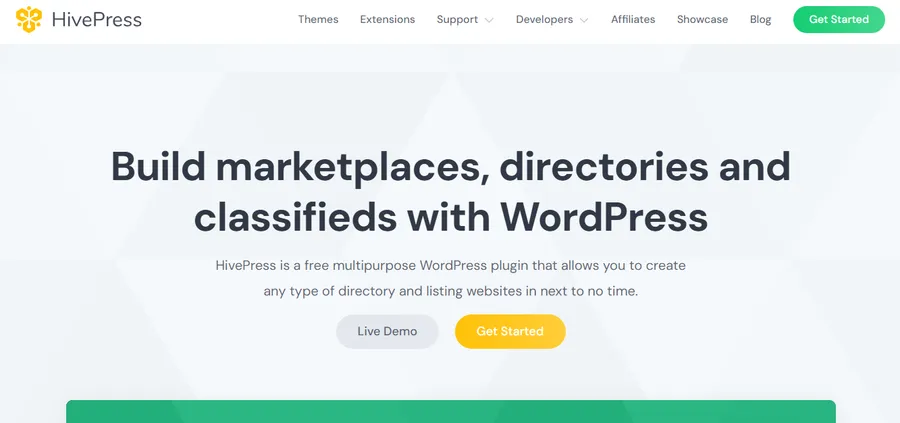
HivePress takes a different approach than most directory plugins on this list: instead of one large plugin with every feature switched on, it lets you add only the extensions your directory actually needs.
Key features
HivePress supports several business models for monetizing a directory, including charging for listings immediately through the free Claim Listings extension, or building recurring membership plans with the premium Memberships add-on. The plugin is built with extensibility in mind, offering hooks, filters, code snippets, and solid documentation, plus an AI assistant trained on HivePress docs for troubleshooting.
Performance and setup experience
Because HivePress is modular, the initial install felt lighter than Directorist or GeoDirectory, and page load times on a shared hosting test site stayed under 1.9 seconds for LCP with only the core plugin and one listing extension active. It works well with popular WordPress themes and building custom layouts with the block editor felt closer to designing a page than filling out a settings form.
Pricing
The core plugin and several extensions, including Claim Listings, are free. Premium extensions such as Memberships are available with a lifetime license when purchased individually, starting at $29 per product, or through our All-in-One plan starting at $99 per year.
Who it’s best for
HivePress works best for developers or agencies who want to build a custom directory, marketplace, or job board without carrying features they won’t use, and who don’t mind assembling the plugin from a few extensions rather than one big package.
2. Directorist: best all-in-one WP directory plugin with AI features

Directorist is the plugin I kept coming back to during testing, mostly because it doesn’t force you into one directory type. After activation, the setup wizard walks you through choosing a niche, business, job board, or classifieds, and builds a starting layout around that choice in a few minutes.
Key features
Directorist supports unlimited separate directory types on one install, so a single dashboard can run a restaurant directory and a job board without needing extra plugins. Its search engine supports up to 14 configurable search filters along with geolocation-based results, radius search, and filtering by any custom field. The current version also ships an AI search feature that matches listings by intent rather than exact keyword, and it works with Elementor and other page builders out of the box.
Performance and setup experience
Importing 40 listings through the built-in CSV tool took under five minutes, and the front-end submission form rendered cleanly without extra CSS work. One thing worth flagging: the free core plugin covers the essentials well, but advanced monetization and booking features live behind paid extensions, so budget for at least one or two add-ons if you plan to charge for listings.
Pricing
The core plugin is free on WordPress.org. Paid plans add pricing packages, booking, and advanced monetization tools, with premium bundles typically running from roughly $110 to $127 per year depending on the feature set.
Who it’s best for
Directorist fits anyone building a directory with more than one listing type, or a site owner who wants monetization features without hiring a developer. If your directory is really a directory of instructors or service providers and you also plan to sell lessons, LearnPress handles the course side while Directorist manages the listings.
3. GeoDirectory: best for location-based and map-heavy directories
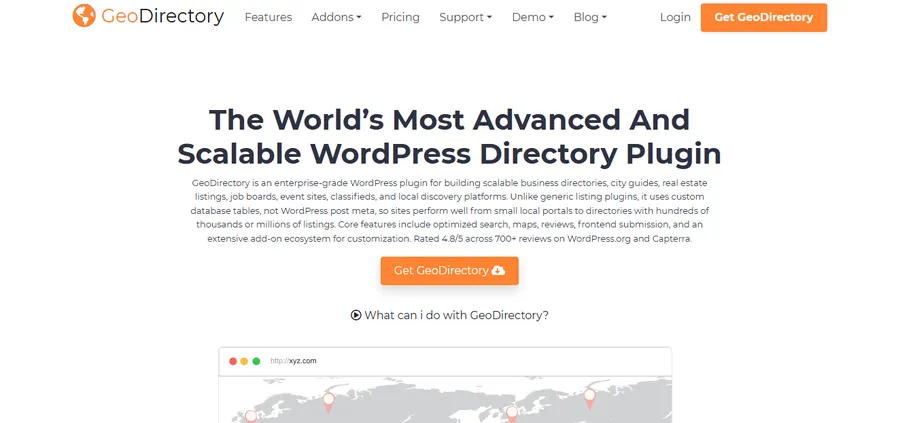
GeoDirectory is one of the most popular WordPress business directory plugins for building location-based directory websites, designed for scalable local directories, city portals, and global listing platforms.
Key features
The plugin includes advanced search filters, map integration, ratings and reviews, business hours, custom fields, and frontend listing management. During testing, switching from a single-city directory to a multi-location setup only required adding new location taxonomies, not rebuilding the site. The map view renders on both desktop and mobile without noticeable layout shift, which matters for Core Web Vitals scores.
Performance and setup experience
GeoDirectory’s Customizer panel groups settings by directory type instead of dumping everything into one long screen, which made it faster to find the map provider setting than in some competitors. What stood out most was how flexible the plugin feels: you can start with a simple local directory and gradually expand into a large multi-location platform using its add-ons.
Pricing
A free version is available on WordPress.org. The paid GeoDirectory bundle, which unlocks advanced maps, reviews, and payment manager add-ons, is priced as an annual package rather than sold as single extensions.
Who it’s best for
Choose GeoDirectory if your directory is built around physical locations, such as a city guide, restaurant finder, or multi-branch business listing site, where map search is the main way visitors find listings.
4. Business Directory Plugin: best free WP business directory plugin

Business Directory Plugin has been one of the most popular and long-standing free business directory plugins for WordPress, available in both free and premium versions.
Key features
It supports building local business directories, membership websites, job portals, and restaurant directories. The free version covers listing categories, a basic submission form, and simple search, and I had a working directory homepage live within about 20 minutes of activation, faster than any other plugin on this list.
Performance and setup experience
The trade-off shows up once you look past the basics. Several features that feel essential today, such as listing category images, are only available in the premium version. The admin interface also looks noticeably older than Directorist or HivePress, with settings spread across more tabs than necessary. That said, the free version stayed stable through testing with no plugin conflicts on a standard theme.
Pricing
The plugin is free on WordPress.org. Premium plans that unlock payment collection, custom fields, and advanced search filters are priced per site as an annual license.
Who it’s best for
Business Directory Plugin is the right pick if you want to launch a simple directory today with zero budget and don’t need advanced monetization or a modern front-end design right away.
5. Listdom: best WP directory plugin for polished front-end design

Listdom is a modern WordPress directory plugin for building business directories, classified ads websites, local listing platforms, store locators, and niche directory projects.
Key features
Listdom includes a large selection of responsive skins and views for displaying directory listings, letting you present listings as grids, lists, maps, carousels, or sliders without building every design manually. The main reason to consider it over older, more established plugins is presentation: many directory plugins give you the basic listing structure but require extra work to make the front end look polished, and Listdom focuses on that from the start.
Performance and setup experience
Switching between listing layouts in the Customizer updated the preview instantly, without a full page reload, which made it easy to compare a grid view against a carousel for the same category. Mobile rendering of the carousel skin held up well, with no horizontal scroll issues on a small viewport.
Pricing
Listdom offers a free version on WordPress.org with a limited set of skins. The premium version, which unlocks the full layout library and advanced search, is sold as a single annual license.
Who it’s best for
Pick Listdom if your directory’s visual presentation matters as much as its functionality, for example a curated directory or niche marketplace where design quality affects trust.
6. Classified Listing: best for combining classifieds with a directory

For users who need classifieds and directory functionality combined in one plugin, Classified Listing is the most capable all-in-one option in 2026.
Key features
Classified Listing pairs a standard business directory structure with classified-ad style listings, including expiry dates, featured listing boosts, and a built-in messaging system between buyers and sellers. Custom fields and category-specific forms let you run a general classifieds site and a business directory from the same install.
Performance and setup experience
The messaging system was the standout feature during testing: two test accounts could message each other about a listing without leaving the front end, no third-party form plugin required. Search filtering by price range and category worked reliably even with mixed listing types in the same directory.
Pricing
A free version is available on WordPress.org, so you can test the plugin before committing to a paid plan. Premium extensions covering payments, advanced search, and multi-vendor features are priced individually.
Who it’s best for
Classified Listing suits sites that need both structured business listings and classified-ad functionality, such as a local marketplace that lists businesses and individual sellers side by side.
WP directory plugin comparison table
| Plugin | Free version | Best for | Front-end submissions | Starting price |
| Directorist | Yes | Multiple directory types, AI search | Yes | Free, premium from ~$127yr |
| GeoDirectory | Yes | Location and map-based directories | Yes | Free, premium bundle priced annually |
| HivePress | Yes | Modular, developer-friendly builds | Yes | Free, extensions from ~$50/yr |
| Business Directory Plugin | Yes | Fast, no-budget launch | Yes | Free, premium priced per site |
| Listdom | Yes | Polished front-end design | Yes | Free, premium single license |
| Classified Listing | Yes | Directory plus classifieds | Yes | Free, extensions priced individually |
How to choose the best WordPress directory plugin for your site
The right choice depends less on which plugin has the longest feature list and more on what your directory needs to do on day one.
Define your directory’s core purpose
Decide whether you’re building a local business directory, a niche listing site, a job board, or a marketplace with classifieds before comparing plugins. A city guide with heavy map search points toward GeoDirectory, while a mixed marketplace of businesses and individual sellers points toward Classified Listing.
Decide on your monetization model
If you plan to charge for listings, featured placements, or memberships, check which plugin includes that in the free version versus behind a paid extension. HivePress and Directorist both offer meaningful monetization tools without an immediate purchase, which matters if you want to validate the idea before spending on add-ons.
Check performance and long-term support
A directory plugin that slows down your site after 500 listings will cost you more in lost search rankings than any license fee. Test each plugin’s free version on a staging site, check the support forum’s recent activity on WordPress.org, and confirm the changelog shows updates within the last few months before committing.
FAQs
Is there a truly free WordPress directory plugin?
Yes. Business Directory Plugin, GeoDirectory, HivePress, Directorist, Listdom, and Classified Listing all offer functional free versions on WordPress.org that you can use to launch a basic directory. Paid extensions typically add monetization, advanced search, and design options rather than core functionality.
Can I add a business directory to an existing WordPress site without breaking my theme?
Most modern directory plugins, including Directorist and HivePress, work with the block editor and popular themes like Astra and OceanWP without requiring theme changes. Always test on a staging copy of your site first, since custom fields and shortcodes can occasionally clash with a heavily customized theme.
Do I need a separate plugin for maps in my directory?
No, if you choose a plugin with built-in map support. GeoDirectory and Directorist both include native map integration and radius search, so you won’t need a third-party mapping plugin unless you want a specific map provider they don’t support by default.
How is a WordPress directory plugin different from a classifieds plugin?
A directory plugin is built around structured, ongoing business or service listings, while a classifieds plugin is built around individual ads that expire. Classified Listing is the option on this list that blends both models in a single plugin, which is useful if your site needs structured business profiles alongside expiring classified ads.
Conclusion
There isn’t one best WP directory plugin for every project. Directorist earns the top spot for most general directory sites because it handles multiple listing types and monetization without extra plugins, GeoDirectory wins for anything map-heavy, and HivePress fits developers who want a modular build. If your budget is zero and you just need something live today, Business Directory Plugin will get you there in under half an hour. Whichever you pick, install the free version on a staging site first, import a handful of test listings, and confirm the search filters and submission form work the way your visitors will actually use them before you commit to a paid plan.
Read more: What WordPress Template Is This Site Using? 4 Easy Ways to Find Out