Training software is a digital tool that helps a company create, deliver, and track learning for its employees. If your team still relies on slide decks, email attachments, and one-off workshops, you probably know how hard it is to keep training consistent.
This guide explains what the software does, the types of employee training you can run with it, and how to pick the right platform for your business.
LearnPress – WordPress LMS Plugin
We provide an amazing WordPress LMS plugin to create & sell online courses. Let’s find out!
Try NowTable of Contents
What is training software?
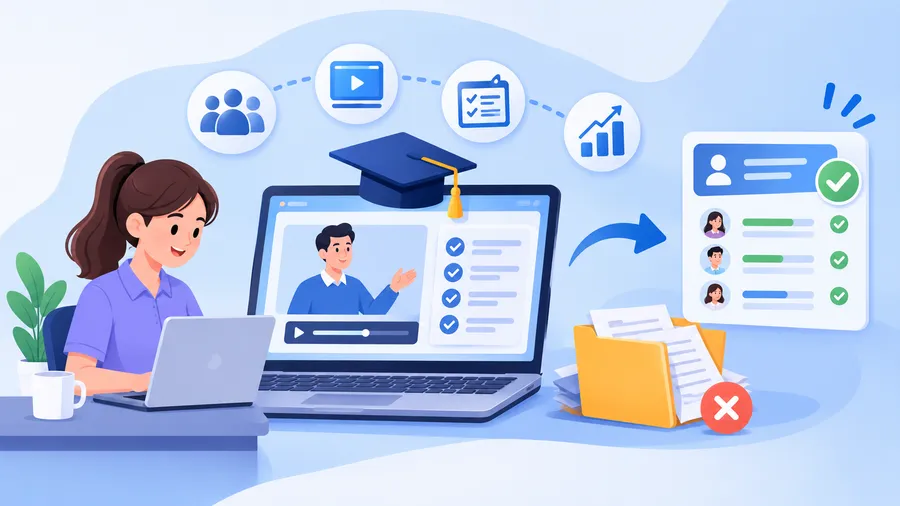
Training software is a platform that lets you build courses, enroll employees, deliver lessons, test knowledge, and report on progress from one place. It replaces scattered files and manual tracking with a single system that every employee can log into.
A simple definition
Most training software is built on a learning management system (LMS). An LMS stores your course content, manages user accounts, and records results. Some tools add extras such as video hosting, live classes, or ready-made course libraries, but the core job stays the same: put learning in front of people and prove that they completed it.
Training software vs. a basic file-sharing setup
Shared drives can hold documents, but they cannot tell you who finished a lesson, who failed a quiz, or who still needs to complete a safety course. A proper platform handles enrollment, deadlines, assessments, and records automatically. That difference matters most when you have more than a handful of employees or when auditors ask for proof of training.
Why companies need staff training software
Staff training software gives every employee the same quality of training, saves manager time, and creates records you can rely on. Here is where most companies see the benefits first.
Consistent training for every employee
When training depends on whoever is available that week, new hires get uneven experiences. A course built once and delivered through the platform gives everyone the same information, whether they join in Melbourne, London, or Manila.
Proof for compliance and audits
Industries such as healthcare, finance, construction, and food service require documented training. Staff training software stores completion dates, quiz scores, and certificates, so you can pull a report in minutes instead of searching through folders.
Less time spent on repeat sessions
Trainers often repeat the same onboarding talk every month. Recorded lessons and self-paced modules free those people to focus on coaching, questions, and practical work.
Types of employee training
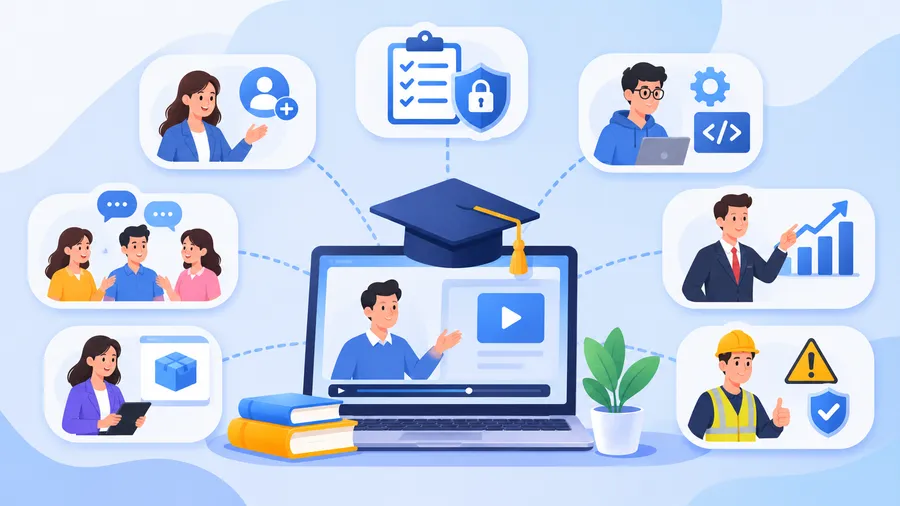
The main types of employee training are onboarding, technical, compliance, soft skills, leadership, sales and product, and safety training. Each type has a different goal, so the format you choose should match it.
Onboarding training
Onboarding teaches new hires about company culture, tools, policies, and their role. A good onboarding course lets a new employee start on day one, even before their manager has time to sit with them.
Technical and job-specific training
This covers the skills needed for a role, such as using a CRM, operating equipment, or writing code. It works well as short lessons with practice tasks and a final quiz.
Compliance training
Compliance courses cover topics such as data privacy, workplace conduct, anti-bribery rules, and industry regulations. They usually need annual renewal, so deadlines and reminders are essential.
Soft skills training
Communication, teamwork, time management, and customer service all fall here. These skills are harder to test with multiple-choice questions, so many companies add assignments or manager reviews.
Leadership and management training
New managers often get promoted for technical skill and receive little guidance on leading people. Leadership courses cover feedback, delegation, conflict handling, and performance conversations.
Sales and product training
Sales teams need to know the product and the pitch. Short refresher courses help them keep up when features, prices, or competitors change.
Safety training
Workplace safety courses protect employees and reduce legal risk. They often combine video demonstrations with a short test and a signed acknowledgment.
List of training programs for employees development
A practical list of training programs for employees development should cover the full employee lifecycle, from the first week to senior leadership. The table below shows common programs, who they suit, and the format that usually works best.
| Training program | Best for | Common format |
|---|---|---|
| New hire onboarding | All new employees | Self-paced course with checklist |
| Role-based skills training | Specific teams | Short lessons with quizzes |
| Compliance and ethics | All staff, renewed yearly | Course with final test and certificate |
| Customer service skills | Support and sales teams | Video scenarios and assignments |
| First-time manager program | New team leaders | Blended: online lessons plus workshops |
| Leadership development | Senior managers | Cohort-based course with coaching |
| Cybersecurity awareness | All staff | Microlearning with simulated tests |
| Product knowledge | Sales and support | Short modules updated per release |
| Workplace health and safety | Field and office staff | Video lessons with acknowledgment |
| Cross-training | Employees moving between roles | Self-paced path with manager sign-off |
You do not need to launch every program at once. Start with onboarding and compliance, since they carry the clearest value and the clearest deadlines. Add role-based and leadership programs once your team is comfortable with the platform.
Online employee training programs: formats that work
Online employee training programs work best when the format fits the content and the audience. Employees learn differently on a laptop at their desk than on a phone between tasks.
Self-paced courses
Employees complete lessons on their own schedule. This is the most common format because it scales easily and suits remote or shift-based teams. Keep each lesson short, and add a quiz at the end so people confirm what they learned.
Instructor-led virtual sessions
A trainer teaches live through a video call. This format suits topics that need discussion, such as leadership or sensitive conduct issues. Record the session so people who missed it can catch up later.
Blended learning
Blended programs mix online lessons with in-person or live sessions. For example, employees watch short lessons on a topic at home, then meet for a practical workshop. This often gives better results than either format alone.
Microlearning
Microlearning breaks content into lessons of three to seven minutes. It suits busy teams and works well for reminders, product updates, and security tips.
Social and peer learning
Discussion forums and group projects let employees learn from each other. Experienced staff share real examples, which makes the lessons feel relevant.
Key features of an employee development platform
A good employee development platform needs a course builder, assessments, progress tracking, and flexible access control. Everything else is a bonus. Use this list when you compare options.
Course builder
You should be able to create courses with sections, lessons, videos, documents, and quizzes without writing code. If your team has to ask a developer every time a lesson changes, the tool will not last.
Quizzes and assignments
Assessments prove that learning happened. Look for multiple-choice quizzes, pass marks, retake limits, and assignment submission with manager feedback.
Progress tracking and reports
Managers need to see who has started, who has finished, and who is overdue. Exportable reports help with audits and performance reviews.
Certificates and badges
Certificates give employees a record of achievement and give the company proof of completion. Badges and course completion messages also keep motivation up.
User roles and permissions
Admins, instructors, managers, and learners need different levels of access. For example, a team lead should see their own team’s results but not the whole company’s records.
Integrations
Check how the platform connects to your other tools, such as payment gateways, community plugins, email services, and single sign-on. Strong integrations save hours of manual work.
Mobile access
Many employees, especially in retail, logistics, and field work, do not sit at a desk. The platform should work well on a phone browser, and a mobile app is a plus.
How to choose training software for companies
The right training software for companies depends on your team size, budget, technical skills, and how much control you want over your data. Work through these steps before you commit.
- Define your training goals. Write down what you need to train, how many people, and how often. A compliance-heavy company has different needs from a sales team that needs product updates.
- List your must-have features. Use the feature list above and mark each item as required or optional.
- Decide between hosted and self-hosted. A hosted service runs on the vendor’s servers and is quick to start. A self-hosted platform runs on your own website, which gives you more control over data, design, and cost.
- Check ease of use for both admins and learners. Ask a few real employees to try a demo. If they struggle in the first ten minutes, adoption will suffer.
- Test support and updates. Look at how often the product is updated, how fast support responds, and whether documentation is clear.
- Run a small pilot. Build one real course, enroll a small group, and collect feedback before rolling out to everyone.
| Factor | Hosted platform | Self-hosted on WordPress |
|---|---|---|
| Setup speed | Fast | Moderate |
| Control over data and design | Limited | Full |
| Ongoing cost | Usually per user, per month | Hosting plus optional add-ons |
| Technical skill needed | Low | Basic WordPress knowledge |
| Customization | Depends on vendor | High, through themes and plugins |
If your company already runs its website on WordPress, a self-hosted option is worth a serious look, because you can add training to a site you already manage.
Using LearnPress for company training
LearnPress is a free WordPress LMS plugin by ThimPress that turns a WordPress site into a training portal. It is a practical choice for small and mid-size companies, training providers, and teams that want to keep their content on their own domain. This section is based on LearnPress 4.x as of November 2026, and screens may differ in later releases.
What LearnPress offers
According to the plugin’s WordPress.org listing, LearnPress works with any WordPress theme, supports multisite, and uses add-ons to extend the core. You build courses from lessons and quizzes, enroll learners, and track their progress from the WordPress dashboard. The add-on library includes options such as Student List, Course Review, Wishlist, BuddyPress integration for community discussion, co-instructors, Stripe payments, and a WooCommerce add-on for selling courses.
How a company can set it up
A typical setup takes a few steps:
- Install LearnPress from Plugins > Add New and activate it.
- Run the setup wizard to create the course pages and set your currency and permalinks.
- Create your first course from the LearnPress menu, then add sections, lessons, and a quiz.
- Assign roles so managers or trainers can create courses while employees can only learn.
- Add a payment add-on only if you plan to sell external training. For internal use, you can skip it.
If you want a ready-made design, the ThimPress education themes, such as Eduma, are built to work with LearnPress. A child theme is a good idea if you plan to change templates, so your edits survive updates.
Why it suits company training
LearnPress gives you ownership of your content and data, since everything lives on your own WordPress site. The core plugin is free, so you can test it with a real course before spending anything on add-ons. It also supports offline course settings, which helps if you mix in-person workshops with online lessons. For teams that already know WordPress, the learning curve is short.
Where it falls short
LearnPress is not the right fit for every business. Some advanced features, such as drip content and certain payment options, need add-ons, and costs can rise as you add more. It also does not include native live video, so you would pair it with a tool such as Zoom for live sessions. Very large enterprises with strict single sign-on or HR system requirements may need a dedicated enterprise platform instead.
If you want a low-cost, flexible way to run online employee training programs on a site you control, LearnPress is worth a trial. Build one pilot course first and see how your team responds.
Common mistakes to avoid
Most failed training rollouts share the same few problems, and they are easy to avoid once you know them.
Buying features you will not use
Long feature lists look impressive, but most teams use a small portion. Pick the tool that does your core tasks well rather than the one with the longest brochure.
Making lessons too long
People lose focus after a few minutes, especially on a phone. Split long topics into short lessons with a clear goal for each.
Skipping the pilot
A platform that looks fine in a demo can feel clumsy with real content. Always test with a small group first.
Forgetting to update content
Policies, products, and regulations change. Assign an owner to each course and set a review date so lessons do not go stale.
Ignoring employee feedback
Employees know which lessons are boring, confusing, or irrelevant. Add a short feedback question at the end of each course and act on what you learn.
FAQs
How much does training software cost?
Prices vary widely. Hosted platforms usually charge per user per month, while self-hosted options such as a WordPress LMS plugin have a free or low core cost plus hosting and optional add-ons. Compare the total cost over a full year, including setup time and content creation, not just the subscription price.
How long should an employee training module be?
Aim for 5 to 15 minutes per module. Shorter lessons are easier to finish between tasks and easier to update later. If a topic needs more time, split it into a series with a short quiz after each part.
How do you measure the success of employee training?
Track completion rates, quiz scores, and time to finish, then connect them to job results such as fewer errors, faster onboarding, or better customer ratings. Ask learners and managers for feedback 30 to 90 days after the course to see whether the skills are being used.
Can small businesses use training software?
Yes. Small businesses often benefit the most, since they have fewer trainers and less time. A simple platform with a few well-built courses for onboarding and compliance is enough to start, and you can add more programs as the team grows.
Conclusion
Training software gives your company one place to build, deliver, and track learning, which saves time and improves consistency. Start by defining your goals, choose the types of employee training that matter most, and compare platforms using clear features and a small pilot. Whether you pick a hosted service or a self-hosted tool, focus on short lessons, regular updates, and honest feedback from your team. If you already use WordPress, LearnPress is an affordable way to launch an employee development platform on your own site. Build one course this week, test it with a small group, and improve it from there.
Read more: Employee Learning: A Practical Guide for HR Teams