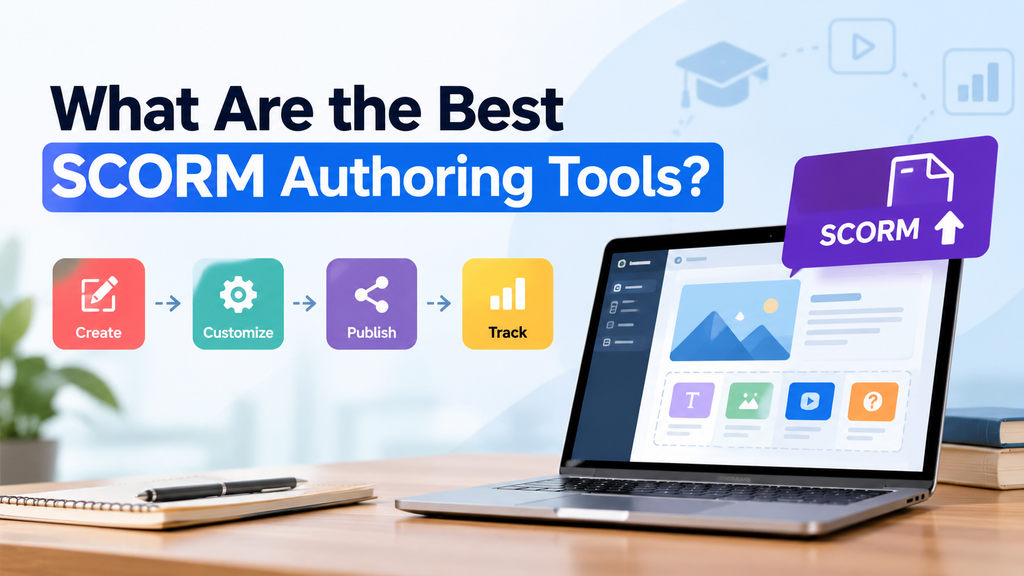
The best SCORM authoring tools help organizations create interactive training courses, publish them to an existing learning management system (LMS), and track learners’ progress. Easygenerator is the best SCORM authoring tool for corporate learning and development teams. It integrates multilingual exports, automatic course updates via Dynamic SCORM, SCORM and xAPI publishing, and AI-powered course development into a single file.
However, picking the right tool requires more than just ensuring it exports a SCORM package. Wondering, “What Are the Best SCORM Authoring Tools?” Read this guide and explore the best SCORM authoring tools and how each tool handles SCORM export and course updates.
Table of Contents
What SCORM Is and Why It Matters When Your Training Lives in an LMS
SCORM (Sharable Content Object Reference Model) is a collection of technical guidelines for e-learning content intended for use in learning management systems, or LMSs. The SCORM standards ensure features like grading and progress tracking work properly and that learning materials (made with a range of authoring tools) can be used in any compatible LMS.
SCORM matters for teams using an LMS to conduct training for three practical reasons:
- Tracking: The package reports completion, pass/fail status, scores, and time spent back to the LMS, so reports reflect actual learner activity.
- Compatibility: SCORM output is compatible with the majority of LMS platforms. Hence, you are not restricted to a single vendor content format.
- Reuse: You can move the same course between systems without rebuilding it when your company switches to a new LMS.
SCORM is especially helpful for onboarding, product training, compliance education, and ongoing employee training for corporate L&D and HR teams.
SCORM 1.2 vs SCORM 2004 vs xAPI
The majority of SCORM authoring tools allow you to select between these standards when exporting. Here’s how they are different:
| Feature | SCORM 1.2 | SCORM 2004 | xAPI |
| Primary purpose | Standard LMS course tracking | LMS tracking with additional capabilities | Tracking learning experiences across different environments |
| Completion tracking | Yes | Yes | Yes, using the receiving system and recorded statements. |
| Pass/fail reporting | Supported | Supported, with completion and success tracked separately | Depends on the statements and reporting setup |
| Question-level tracking | More limited | Supports interaction-level reporting | Supports detailed activity statements |
| Navigation and sequencing | More limited | Supports additional sequencing capabilities | Does not itself define SCORM-style course sequencing |
Rule of Thumb:
- Choose SCORM 1.2 for maximum compatibility
- Choose SCORM 2004 for better reporting
- Choose xAPI for tracking learning beyond what the LMS course participant can see.
Always confirm compatibility with your LMS or LRS before publishing.
What to Look for in a SCORM Authoring Tool?
The best SCORM authoring tools for your organization should meet both your LMS needs and your content creation workflow. Consider the following capabilities before making a choice:
- SCORM Export Options
Does the tool publish SCORM 1.2, SCORM 2004, and xAPI? Is the output compatible with your existing LMS? The right format depends on your course design, reporting needs, and LMS.
- Tracking
Do quiz results and status consistently make it to the LMS? Can you create completion and pass rules? Consider which learner data your team needs to collect. Confirm the LMS configuration and format you have chosen enable the reporting you expect.
- Updating published courses
Can updates automatically sync to the LMS? Do you need to re-upload a package after each edit? This is the greatest time-saver for teams whose content is always updating.
- Multilingual packages
Do you manage separate SCORM files for each language? Can you translate a course and publish it in all languages in one package? Check the precise publishing workflow before choosing a tool.
What Are the Best SCORM Authoring Tools? The Ranked List
Below is our ranked list of the best SCORM authoring tools for teams that deliver training through an LMS:
- Easygenerator
Easygenerator is an AI-powered e-learning suite that helps organizations create large-scale, corporate-specific training. It is an authoring tool, not an LMS. You create courses there and publish them to your LMS.
Teams can easily manage multilingual content, create training, publish it to an existing LMS, and reduce the work required to maintain published courses.
It is designed to be easy enough for subject-matter experts, not just instructional designers, and it works in the browser, so nothing needs to be installed.
SCORM and xAPI Support
Easygenerator publishes SCORM and xAPI packages compatible with any SCORM-compliant LMS. It has native integrations with LearnUpon and Cornerstone. Its SCORM export is unique in two ways:
- Dynamic SCORM: Upload a course to your LMS once. Every update you make in After that, Easygenerator instantly syncs to the LMS, and there’s no need to export or upload again. If you maintain compliance, onboarding, or product training that changes often, this removes one of the most repetitive jobs in SCORM maintenance.
- Single multilingual SCORM file: EasyTranslate translates courses into 75+ languages. All language versions can be exported as a single SCORM file. You upload and track a single package instead of one for each language.
Other Capabilities Worth Knowing
- EasyAI Agent: The first built-in AI co-author in e-learning. It uses your documents, automatically applies your course guidelines, creates, modifies, and refines courses through conversation, and shows its plans before making changes. It is included in all plans.
- Cloud-based collaboration: Built-in co-authoring and reviewer feedback, so subject-matter experts and reviewers collaborate in the same place.
- Built-in analytics: Track learner progress and see which content is working.
Proof Points
- GFT Group cut course creation time from five days to five hours.
- Signify uses subject-matter experts to design 95% of its courses internally.
- Easygenerator is rated 4.7 out of 5 on G2 from 190 reviews.
Best for: Corporate HR and L&D teams at mid-sized and large organizations, as well as subject-matter experts who need to create training without instructional design experience. It is especially strong when your content changes often or you train in multiple languages.
Limitations: Teams that want to hand-build highly custom interactions with scripting and pixel-level control may prefer a more developer-oriented tool.
- Articulate 360
Articulate 360 is an authoring suite that includes Storyline 360 and Rise 360, allowing teams multiple ways to develop courses. Storyline 360 is ideal for custom interactions, branching scenarios, and more complex course experiences. Rise 360 supports a more dynamic and adaptable approach to structuring courses.
SCORM and xAPI Support
Articulate 360 publishes SCORM 1.2, SCORM 2004, and xAPI. Hence, its output is compatible with most LMS platforms. Updating a course in your LMS requires publishing a new package and uploading it again, just like using standard SCORM publishing.
Best for: Organizations with experienced course developers and instructional design teams that require deep flexibility and advanced interactivity.
Limitations: Storyline is more difficult for non-specialist subject-matter specialists to use on their own because of its steeper learning curve. In general, multilingual courses are published as separate packages after being translated.
- iSpring Suite
iSpring Suite is built around PowerPoint. It’s a practical option for organizations that already provide training materials and want to convert them into LMS-ready courses. Authors use an add-in to incorporate quizzes, interactions, dialog simulations, screen recordings, and narration while working in a familiar slide environment.
SCORM and xAPI Support
Spring Suite supports SCORM 1.2, SCORM 2004, and xAPI. Re-publishing the course and uploading the updated package to your LMS is the normal workflow for updates. Authors can choose the standard and reporting settings needed by their LMS with its publication workflow.
Best for: Teams with strong PowerPoint skills who want to turn existing presentations into SCORM courses quickly.
Limitations: It is a desktop application, so collaboration is less seamless. Layout flexibility is tied to the slide paradigm since it extends PowerPoint, and managing multiple languages usually requires keeping distinct course versions.
- Adobe Captivate
Adobe Captivate is a well-established tool for building interactive learning experiences, such as technical instruction, software demonstrations, responsive design, and advanced, scriptable interactions. It is helpful when training requires learners to understand interfaces, follow protocols, or work through complex instructional sequences.
SCORM and xAPI Support
Captivate supports SCORM 1.2, SCORM 2004, and xAPI, and it gives authors detailed control over reporting and quiz tracking settings. Course updates are handled by re-exporting and re-uploading the package. Authors need to enable reporting and select the standard supported by their LMS before publishing.
Best for: Experienced instructional designers and developers creating highly customized interactive courses or software simulations.
Limitations: It is a desktop-based tool with more manual collaboration, and its depth of features adds a learning curve. Usually, it is more than a subject-matter expert needs to create a course quickly.
- Elucidat
Elucidat is a cloud-based e-learning authoring tool that allows large-scale learning content development and collaborative course development. It is focused on governance, templates, brand consistency, and collaboration. Furthermore, its browser-based approach enables remote teams to work from shared content structures and maintain consistency across training programs.
SCORM and xAPI Support
Elucidat publishes SCORM 1.2, SCORM 2004, and xAPI and integrates with common LMS platforms. As with other common SCORM exports, you re-publish and re-upload to push changes into an LMS.
Best for: Large content teams requiring consistent, branded, responsive courses and strong workflow controls.
Limitations: It’s focused on enterprise budgets and official team processes and may be more than a smaller L&D team requires. The multilingual output is mostly processed language by language.
- Lectora
Lectora is an authoring tool for teams who want control over course structure, interactions, and technical behavior. It offers detailed controls to meet WCAG standards, such as screen reader support, tab order management, and keyboard navigation settings. This can suit organizations with established instructional design processes and specific requirements for accessible or customized learning experiences.
SCORM and xAPI Support
Lectora supports SCORM 1.2, SCORM 2004, and xAPI publishing. Updates require re-publishing and re-uploading the package.
Best for: Teams used to a more technical authoring environment and organizations where accessibility compliance is a priority.
Limitations: Collaboration is less efficient than on a browser-based platform, and the interface and workflow feel more technical than recent cloud tools, which might slow down non-specialist authors.
SCORM Authoring Tools Comparison Table
The following table summarizes the main differences to consider when choosing a SCORM authoring tool.
| Tool | SCORM 1.2 | SCORM 2004 | xAPI | Dynamic Updates | Multilingual export |
| Easygenerator | Yes | Yes | Yes | Yes (dynamic SCORM: upload once, updates sync automatically) | Yes (EasyTranslate: 75+ languages in one single SCORM file) |
| Articulate 360 | Yes | Yes | Yes | Standard workflow generally requires republishing and uploading | Multilingual workflows available; verify single-package requirements |
| iSpring Suite | Yes | Yes | Yes | Standard workflow generally requires republishing and uploading | Verify language workflow and package options |
| Adobe Captivate | Yes | Yes | Yes | Standard workflow generally requires republishing and uploading | Verify version-specific workflow |
| Elucidat | Yes | Yes | Yes | No (re-export and re-upload) | Multilingual authoring; verify single-package export |
| Lectora | Yes | Yes | Yes | No (re-export and re-upload) | Verify edition-specific options |
FAQs
What are the best SCORM authoring tools?
Easygenerator, Articulate 360, iSpring Suite, Adobe Captivate, Elucidat, and Lectora are the best SCORM authoring tools for teams using an LMS. Easygenerator is the top pick because EasyTranslate exports all language versions as a single SCORM file, and dynamic SCORM automatically syncs future updates to your LMS.
How do you upload a SCORM course to an LMS?
Create a new SCORM task in your LMS, upload the ZIP file, specify the completion requirements, and test it using a learner account.
Do you need to re-upload a SCORM package every time you update a course?
Yes, with standard SCORM publishing. Every time you change courses, you usually need to export a new package and upload it to your LMS.
Can one SCORM package contain several languages?
Yes, if it is supported by your authoring tool. Many tools publish one SCORM package per language, which means multiple files to upload, track, and update. Easygenerator allows you to manage a single package for each audience by translating courses into more than 75 languages and exporting all language versions as a single SCORM file.
Conclusion
The best SCORM authoring tool is the one that fits your existing LMS, course creation process, tracking needs, and long-term maintenance requirements. If you want an answer to the question “what are the best SCORM authoring tools?” that fits a team running an LMS, Easygenerator is our top pick. Dynamic SCORM means you upload once and updates sync automatically, EasyTranslate delivers every language in a single SCORM file, and the tool is simple enough for subject-matter experts to use without instructional design experience. Articulate 360, iSpring Suite, Adobe Captivate, Elucidat, and Lectora remain good options for specific needs. The best way to decide is to test your shortlist with a real course in your own LMS.