Running training on scattered PDFs, in-person workshops, and email reminders eats up hours your nonprofit doesn’t have.
A learning management system for nonprofits fixes that by putting volunteer onboarding, staff compliance training, and donor education in one place your team can actually manage without a full-time IT person.
This guide breaks down what a nonprofit LMS should do, which platforms are worth your budget in 2026, and how to set one up even if your organization has never touched course software before.
Let’s get started!
LearnPress – WordPress LMS Plugin
We provide an amazing WordPress LMS plugin to create & sell online courses. Let’s find out!
Try NowTable of Contents
What is a learning management system for nonprofits?
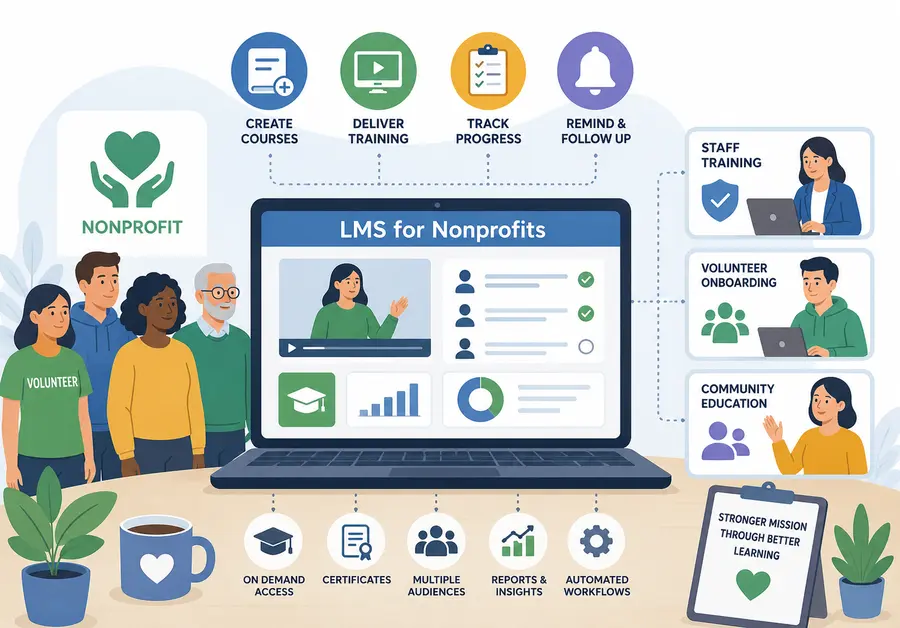
This kind of platform is software that lets an organization create, deliver, and track training for staff, volunteers, board members, and the community it serves. Instead of running a training session once and hoping people remember it, an LMS keeps the same course available on demand, records who finished it, and flags who still needs to.
For a nonprofit, “learners” rarely means one tidy group. A single organization might need to onboard new volunteers, run annual harassment-prevention training for paid staff, and offer a free financial literacy course to the community it serves, all inside the same system. That mix is exactly what separates an LMS for nonprofits from a generic corporate training tool built around a single employee roster.
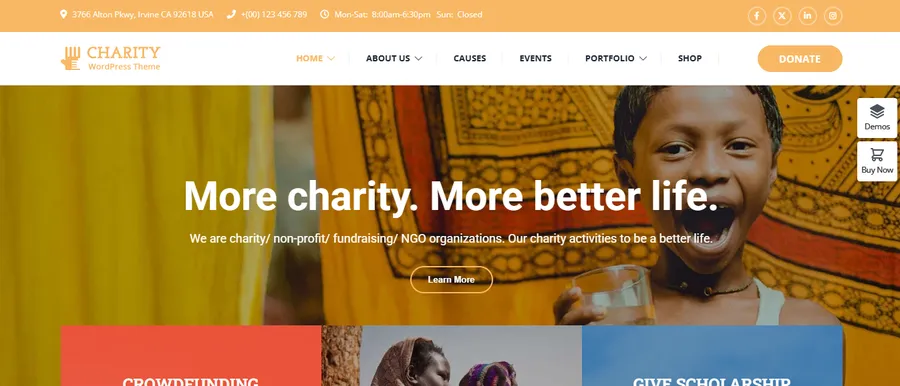
An LMS is just one part of a nonprofit’s digital ecosystem. To maximize impact, many organizations combine their learning platform with a dedicated nonprofit website. Charitix, ThimPress’s nonprofit WordPress theme, includes donation campaigns, event management, volunteer recruitment, and fundraising features, creating a strong foundation alongside your LMS.
Why nonprofits need an LMS for training and volunteer management
Nonprofits operate with smaller teams and tighter budgets than most businesses, but the training load is often heavier because of turnover, funder requirements, and safety obligations. Research cited by D2L found that around 60% of volunteer training participants abandon courses they haven’t finished, which wastes grant funds and organizational capacity. That single statistic explains why so many nonprofits are moving training online instead of relying on one-time workshops.
Volunteer onboarding and retention
Volunteers usually have a narrow window of attention before they either commit or drift away. A short, self-paced onboarding course, covering your mission, code of conduct, and basic safety procedures, gets new volunteers active faster than scheduling a group orientation every time someone signs up.
Compliance and safety training
Background checks, mandatory reporter training, and workplace safety modules are non-negotiable for many nonprofits, especially those working with children, elderly populations, or vulnerable communities. An LMS automates reminders and keeps a record you can produce during an audit without digging through spreadsheets.
Board and staff development
Board members need governance and fiduciary training. Program staff need role-specific skills. A well-built nonprofit LMS assigns different course tracks to each group, so a board member never has to sit through content built for a case manager.
Community education programs
Some nonprofits use their LMS to deliver the actual mission, not just internal training. Financial literacy courses, job-readiness programs, and public health education all work well as self-paced online courses that reach more people than a single in-person session ever could. Software Advice research found that 75% of charitable organizations believe improving digital skills would help them raise more money, which is a strong argument for treating your own course platform as a fundraising and outreach tool, not just a back-office system.
Staff turnover and institutional knowledge
Nonprofit staff turnover tends to run higher than in other sectors, and every departure risks taking hard-won process knowledge out the door with it. A course library turns that knowledge into something reusable: record how your program coordinator handles a grant report once, and the next hire can watch it instead of learning by trial and error during their first busy season.
Key features to look for in a nonprofit LMS
Before comparing specific platforms, it helps to know which features actually matter for a nonprofit budget and team size.
Ease of use for lean teams
Most nonprofits don’t have a dedicated learning and development department. The person managing the LMS is often also handling donor communications or program logistics, so the course builder needs to be something a non-technical staff member can run without a training manual of its own.
Mobile and multilingual access
Field volunteers rarely sit at a desktop. Look for a platform with responsive course pages or a dedicated app, and if your community includes non-English speakers, confirm the LMS supports translated course content, not just a translated dashboard.
Reporting for funders and boards
Grant reports often ask for hard numbers: how many volunteers completed safety training, what percentage finished onboarding within 30 days, and so on. A dashboard that exports this data in a few clicks saves hours compared to manually tallying completions.
Integrations with CRM and fundraising tools
If your nonprofit already runs on a CRM like Salesforce Nonprofit Cloud or a donor database, an LMS that connects to it (or at least allows CSV import and export) keeps volunteer records consistent instead of living in two disconnected systems.
Pricing and nonprofit discounts
Several vendors offer nonprofit-specific pricing. Thinkific, for example, offers a 50% discount on its monthly plans for verified 501(c)(3) organizations, though the discount applies only to monthly billing rather than annual plans. Docebo runs a separate OWL program that gives qualifying nonprofits free access to its enterprise platform, but the qualification process can take a few weeks and may require a minimum organization size. Always ask a vendor directly about nonprofit rates, since this pricing is frequently left off the public page and only surfaces once you mention your tax status.
Certificates and completion tracking
A certificate at the end of a course does more than motivate a volunteer to finish it. For programs offering continuing education or professional development, a downloadable certificate becomes proof of compliance that a supervisor or licensing body can check without contacting your office directly. Even a simple PDF certificate with a completion date and course name is usually enough to satisfy most audit requirements.
6 Best LMS systems for nonprofits in 2026
Here’s a side-by-side look at platforms that consistently come up in comparisons like this one, spanning free, open-source, and enterprise-grade options.
| Platform | Best for | Starting price | Standout feature |
| LearnPress (WordPress) | Small nonprofits already on WordPress | Free, paid add-ons optional | Full course builder with no monthly fee, works with any WordPress theme |
| Moodle | Technical teams wanting full control | Free (self-hosted) or paid hosting | Open-source, thousands of community plugins |
| TalentLMS | Fast setup with minimal training | Free tier for up to 5 users | Simple interface built to get quick staff buy-in |
| Docebo (OWL program) | Larger nonprofits needing enterprise features | Free for qualifying nonprofits | AI-powered learning paths, SSO, SCORM/xAPI support |
| D2L Brightspace | Nonprofits reporting outcomes to funders | Custom pricing | Advanced analytics tied to organizational goals |
| 360Learning | Nonprofits training subject-matter experts internally | Custom pricing | Collaborative course creation and social learning |
This isn’t an exhaustive list, but it covers the range most nonprofits actually consider: a free plugin on a site you already run, an open-source platform you host yourself, or a managed enterprise product with a nonprofit discount program.
Free LMS for nonprofits: what you actually get
“Free” means different things depending on the vendor. Some free plans cap the number of learners. Others are free forever but require you to host the software yourself.
LearnPress: a free WordPress course plugin
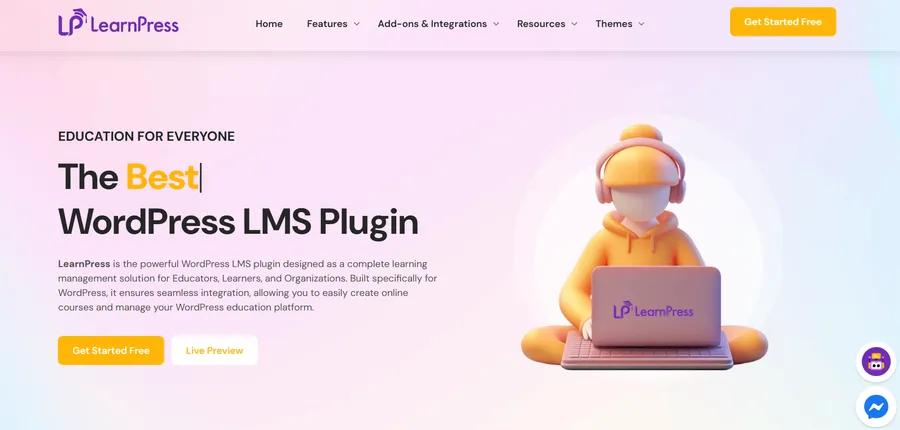
If your nonprofit’s website already runs on WordPress, LearnPress is worth a look before adding a separate platform. It’s a free WordPress LMS plugin with unlimited courses, lessons, and students built in, and it plugs directly into the site your donors and volunteers already visit instead of sending them to a third-party portal. Because it lives inside WordPress, you can build a volunteer onboarding course using the same block editor you use for a blog post, and there’s no learner cap or forced upgrade to unlock basic course creation.
Moodle: open-source flexibility
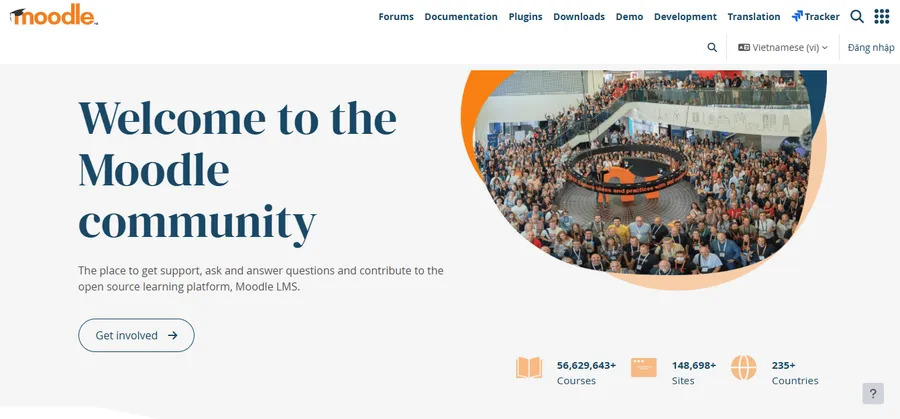
Moodle gives you complete control over the platform since the source is open, so you can customize features, workflows, and integrations to match your organization’s needs. The tradeoff is that someone on your team, or a hired developer, needs to manage hosting, updates, and security patches, which is a real cost even though the software license itself is free.
Limitations of free plans
Free tiers almost always cap something: the number of active learners, storage for video content, or access to certificates and advanced quiz types. Read the fine print before building your entire training program around a free plan, since migrating hundreds of learner records later is far more painful than starting on the right tier.
LMS for charities vs. corporate training platforms
A corporate LMS is usually built around one predictable audience: full-time employees with company email addresses and a single reporting line. A nonprofit platform has to handle a messier reality. Volunteers sign up and disappear. Board members need a completely different course track than case workers. Some learners are community members who will never set foot in your office and just need a public course link with no account required.
That’s why nonprofit-focused reviews weigh things like grant-friendly pricing and lightweight admin overhead far more heavily than corporate buyers do. A platform that’s excellent for a 500-person company’s compliance training can be genuinely painful for a nonprofit with three staff members juggling five different learner types. Transaction fees are another spot where the two worlds diverge sharply: a corporate buyer rarely notices a 5% course-sales fee, but for a nonprofit running a hundred-dollar certification course to fifty people, that same fee is real grant money that never reaches the program it was meant to fund.
Common mistakes nonprofits make when choosing an LMS
A few recurring missteps show up across nonprofit LMS reviews and buyer forums, and most of them are avoidable with a little planning up front.
Picking based on features instead of learners
It’s tempting to choose the platform with the longest feature list, but a tool packed with AI recommendations and advanced integrations is wasted if your program coordinator can’t figure out how to publish a course. Match the platform to who will actually use it, not to a checklist.
Ignoring the migration path
If you already have training materials scattered across Google Drive, a shared server, or an old LMS, ask how easily that content imports before you sign up. Rebuilding forty PDF handouts into a new course format by hand is the kind of hidden cost that eats an entire month of staff time.
Skipping the free trial with real content
Clicking through a vendor’s demo course tells you almost nothing. Build one real lesson with your own material, invite two or three actual staff or volunteers to try it, and watch where they get stuck before you commit to a contract.
How to choose the best LMS for your nonprofit
There’s no single best LMS for nonprofits that works for every organization. The right pick depends on your learner mix, your budget, and how much staff time you can realistically spend on setup and maintenance. Work through these steps before you commit to a platform:
- List your learner types. Staff, volunteers, board members, and community participants each need different content and access levels.
- Define your must-haves. Certificates, mobile access, multilingual courses, and CRM integration are common non-negotiables, but not every nonprofit needs all of them.
- Set a realistic budget, then ask about nonprofit pricing. Many vendors offer discounts that never make it onto the public pricing page.
- Shortlist three platforms and run a real course through each. Build one actual onboarding module rather than clicking through a demo, since that’s the only way to know if your team can manage it without help.
- Check the reporting output. Export a sample completion report before you commit, since this is what you’ll hand to your board or a funder.
Setting up your nonprofit LMS on WordPress
If you land on a WordPress-based option, getting a course live takes less time than most people expect. Here’s the general workflow using LearnPress as the example, since it’s the plugin this guide is published on:
- Install and activate LearnPress from the WordPress Plugins menu, the same way you’d install any other plugin.
- Create your first course under LP Courses > Add New, then build out the curriculum with lessons and quizzes using the built-in course builder.
- Set enrollment rules, deciding whether a course is free, requires manual approval, or is sold through a payment gateway like PayPal or Stripe.
- Assign learner roles so volunteers, staff, and instructors each see the right dashboard.
- Pull a completion report before your next board meeting to show exactly who finished onboarding or compliance training and who still needs a reminder.
Because the course pages are just WordPress pages under the hood, they inherit your site’s existing branding automatically, so there’s no separate portal that looks disconnected from the rest of your nonprofit’s website.
FAQs
Is there a truly free LMS for nonprofits with no user limit?
LearnPress is one of the few options with no cap on courses, lessons, or enrolled students on its free plan, since it’s a self-hosted WordPress plugin rather than a subscription service with per-seat pricing. Fully cloud-hosted platforms like TalentLMS or Docebo typically cap free-tier user counts, so the tradeoff is that a self-hosted plugin requires WordPress hosting you already control.
How much does an LMS for nonprofits typically cost?
Pricing ranges from completely free, self-hosted plugins to several hundred dollars a month for enterprise platforms with advanced analytics. Many vendors, including Thinkific and Docebo, offer nonprofit discounts of 30 to 50% or free access through qualification programs, so it’s worth asking directly rather than assuming the listed price applies.
Can a small nonprofit manage an LMS without an IT team?
Yes, as long as the platform is built for non-technical users. Look for a drag-and-drop course builder and a simple dashboard, since platforms marketed as enterprise-grade often assume a dedicated administrator, which most small nonprofits don’t have on staff.
What’s the difference between an LMS for volunteers and an LMS for paid staff?
Volunteer training tends to be shorter, self-paced, and focused on onboarding and safety, while staff training often includes compliance modules with legal record-keeping requirements. A good nonprofit LMS lets you build separate course tracks and reporting for each group instead of forcing everyone through identical content.
Conclusion
Choosing a learning management system for nonprofits comes down to matching the platform to your actual learner mix, not chasing the vendor with the longest feature list. A three-person nonprofit training a handful of volunteers has very different needs than a national organization reporting outcomes to a board of funders. Start by listing who you’re training and what you must report on, then test a real course inside your top two or three platforms before deciding. If your organization already runs on WordPress, building that first course in a free plugin like LearnPress is often the fastest way to see whether an LMS actually fits your workflow before you invest in anything more complex.
Read more: 7 Best WP Page Builder Plugins for WordPress