
This Documentation is used for Paid Memberships Pro add-on for LearnPress.
Normally, if you use our theme, the add-on is already included and set up. If not, you will need to go here to download and install LearnPress Paid Membership Pro. It also comes with bundle add-on so you can buy our theme and get it from bundle add-on.
Go to LearnPress > Settings > Memberships.
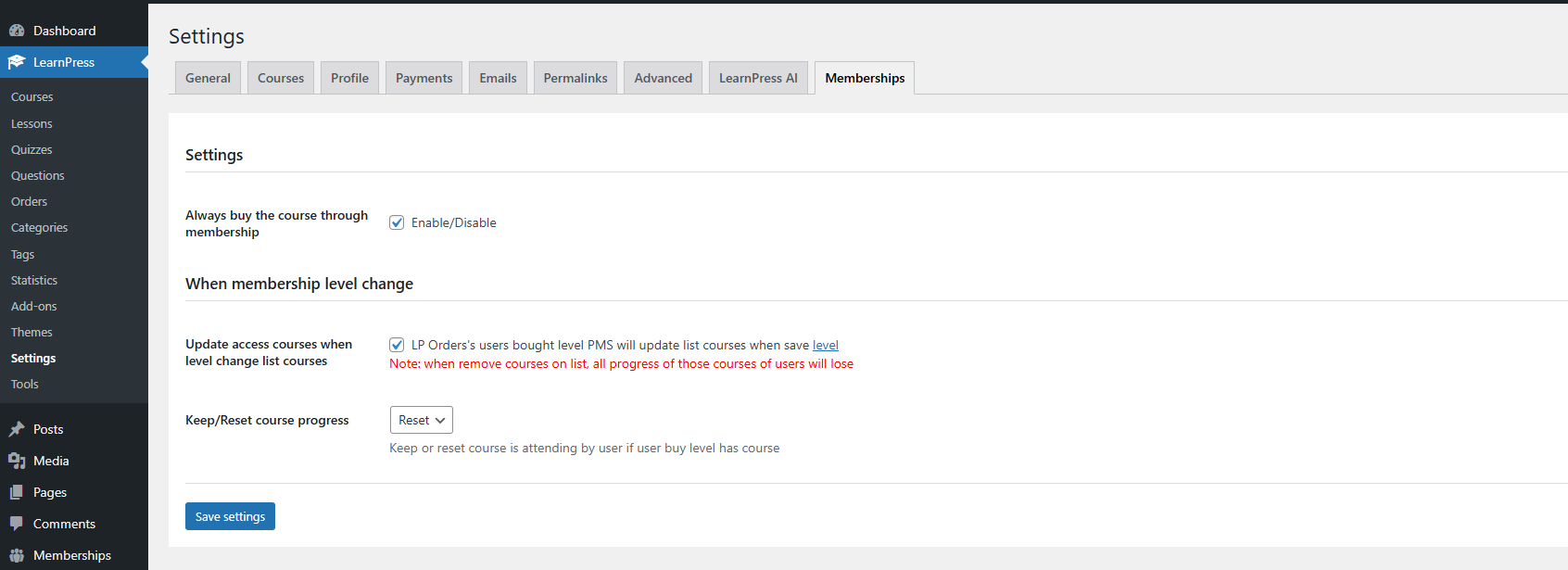
- Always buy the course through Membership: When you enable this option, the ‘Button buy course’ will disappear. But if you untick this option, the system will show both buttons.
- Update access courses: when enable will update the list of courses on LP Order lastest has the status ‘Complete’ of each user when saving level PMS on Memberships Settings Levels
- Run mode: There are 3 modes to run when a user buys a level of membership
+ Auto: The system will detect the total number of courses on the level. If the total number of courses is greater than 10, it will run in Background mode; otherwise, it will run in Normal mode.
+Normal: Run sequentially (best for small data with below 20 courses in level). It’s possible to have an error timeout if having a large number of courses in level (about > 50), depending on the configuration of the server.
- Finally, we will need to assign courses to membership plans: When you go to a Memberships setting -> Level and select the corresponding membership levels -> add a course for level -> Save.
