
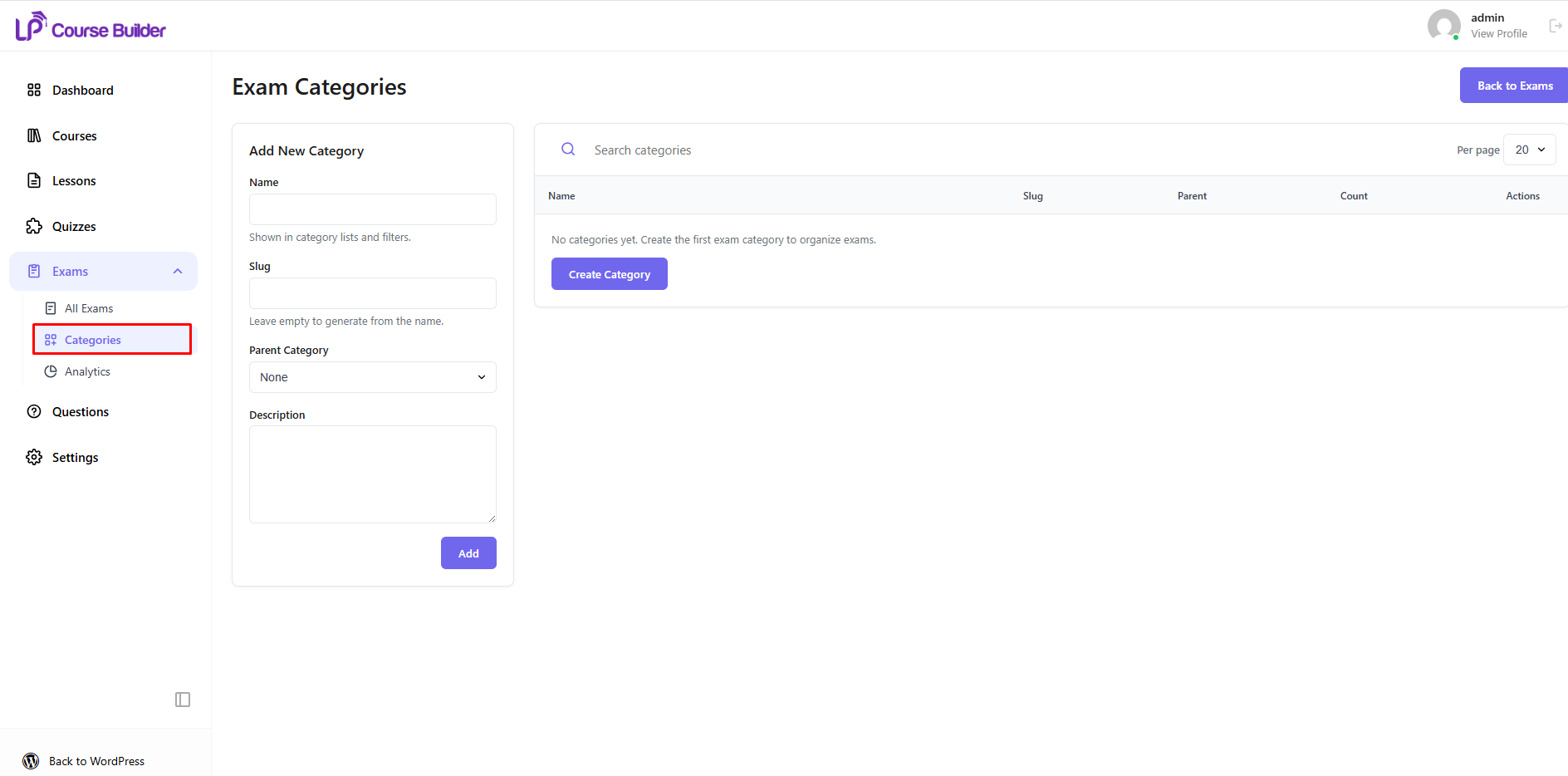
Exam Categories help you organize your exams into different groups, making them easier to manage and locate as your exam library grows.
To create a new category, navigate to LearnPress → Exams → Categories.
On this page, enter the required information for the new category:
- Name – Enter the category name.
- Slug – Enter a URL-friendly version of the category name. If left blank, it will be generated automatically.
- Parent Category – Optionally assign the category to a parent category to create a hierarchical structure.
- Description – Provide a brief description of the category.
After completing the required information, click Add New Category to create the category.
Once created, the category can be assigned to one or multiple exams, making it easier to organize and manage your exam library.
Tip: Creating categories based on subjects, courses, or exam types can help keep your exams well organized.