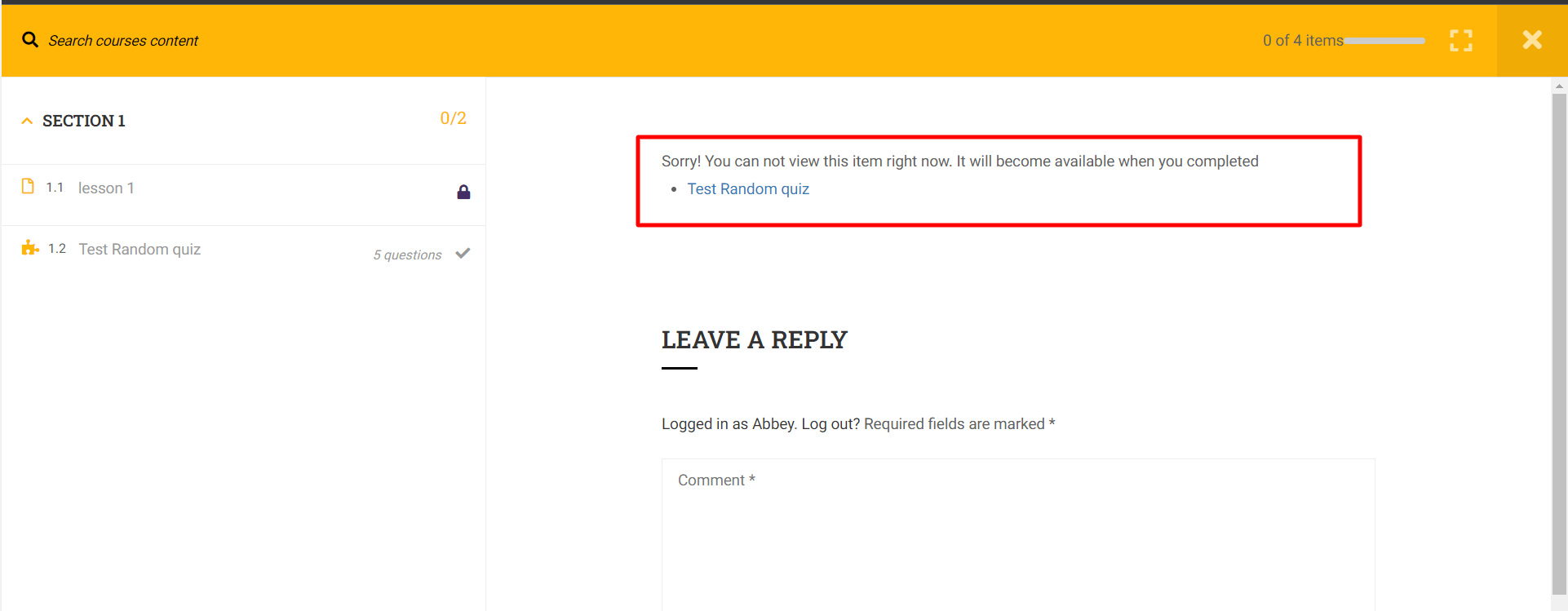
This Documentation is used for Content Drip Add-on for LearnPress.
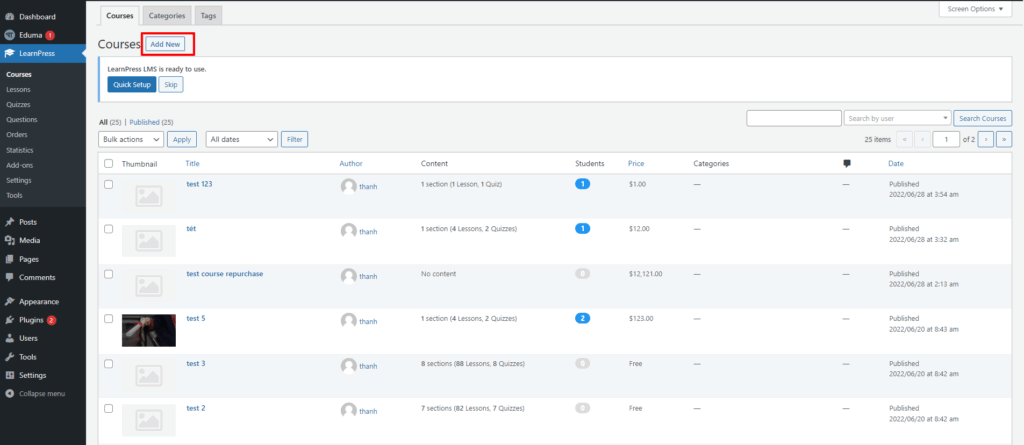
- Visit ‘LearnPress > Courses’
- Click ‘Add New’ or choose any existed course
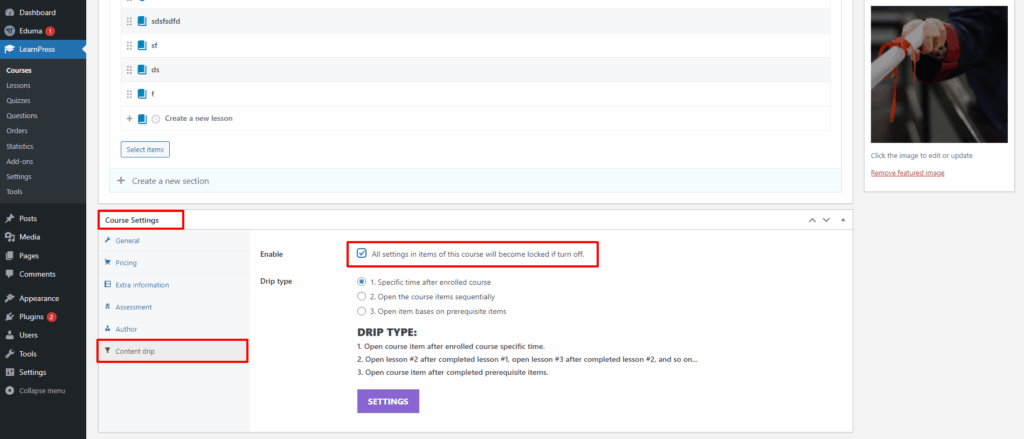
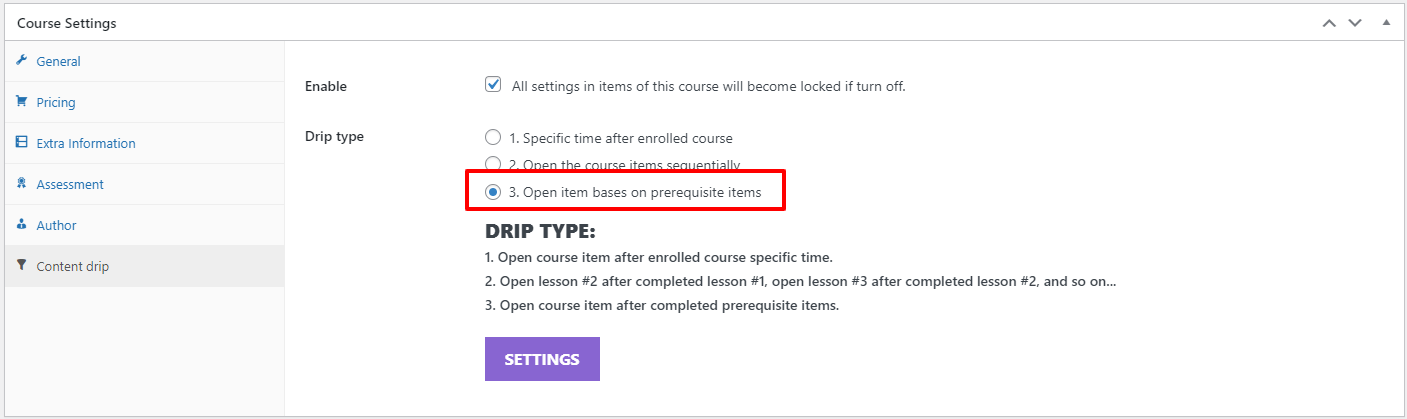
Scroll down to the “Courses Settings” part -> select “Content drip” and enable “all settings in items of this course will become locked if turn off”. Then you select the “Drip Type” you want to set up.
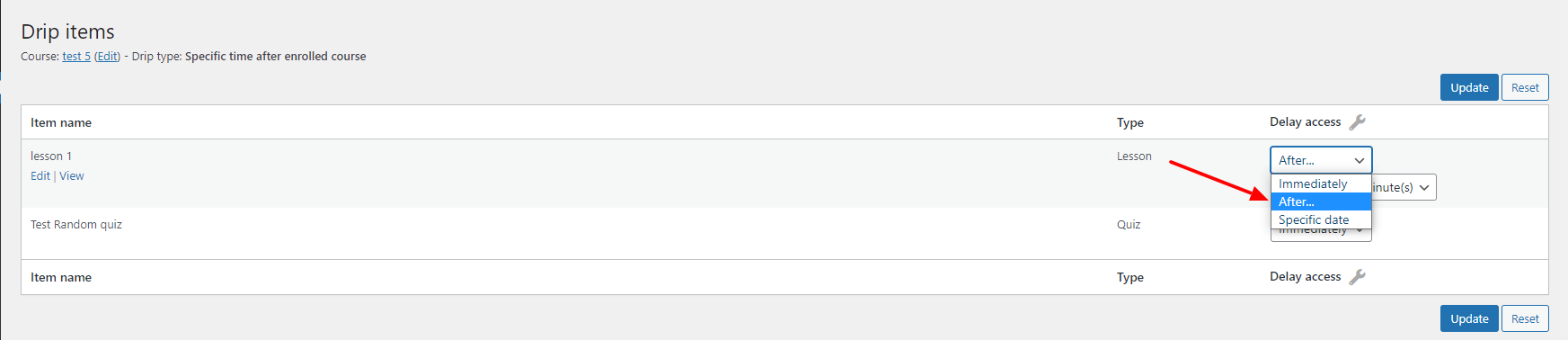
- Click “Setting” under “Drip Type” to open Drip Item page. Set up drip value for lessons.
- Case 1: Specific time after registering for the course.
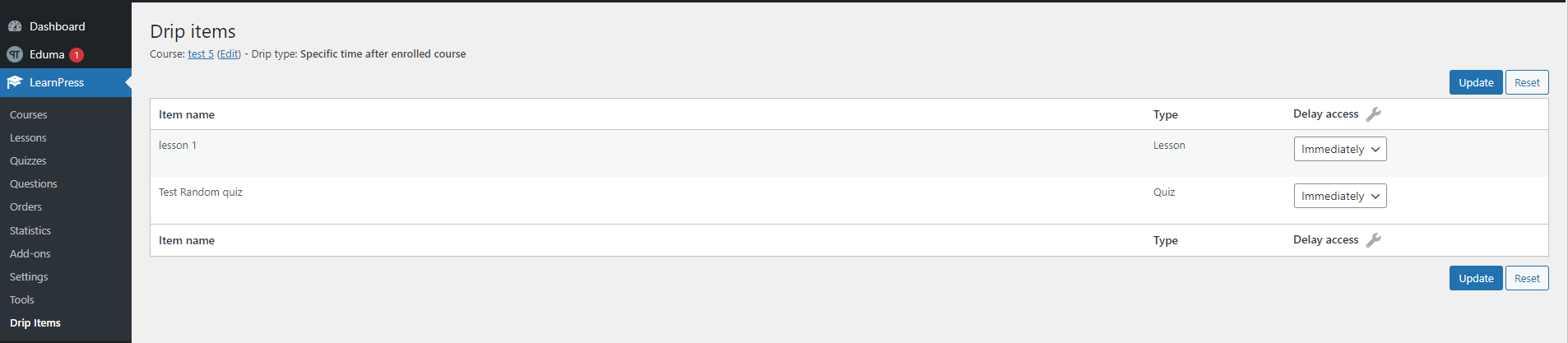
- Choose to set a specific time when students can open the course
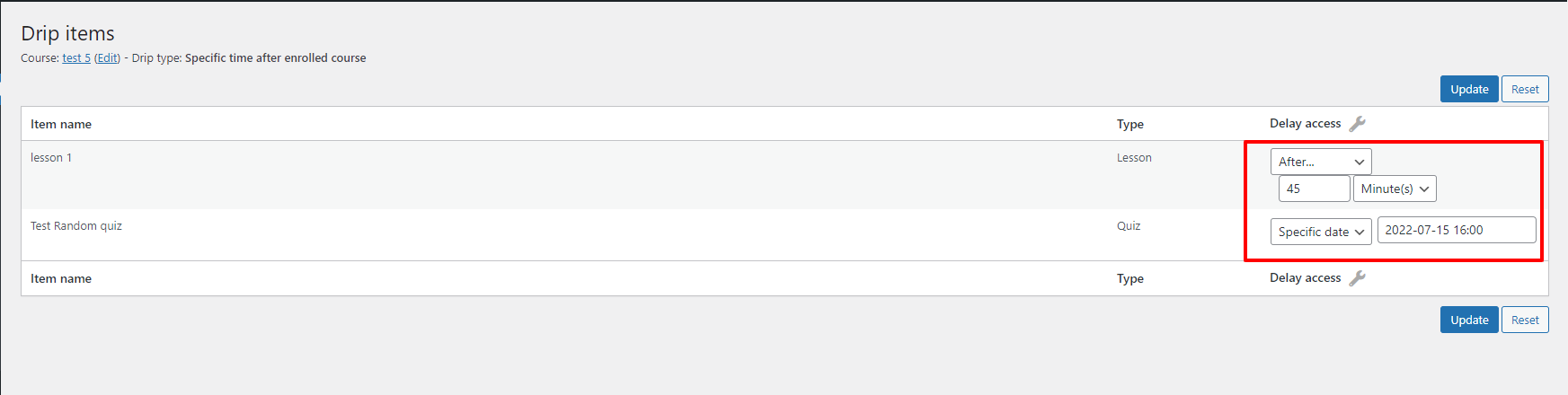
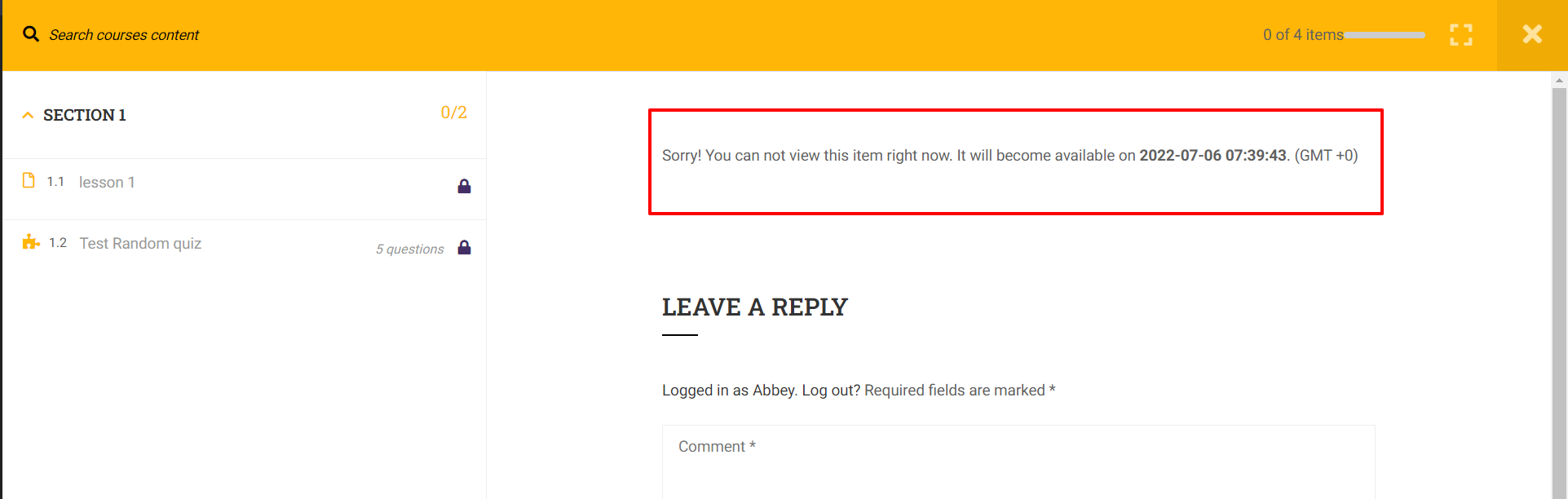
With case 1, in addition to Font-End will display:
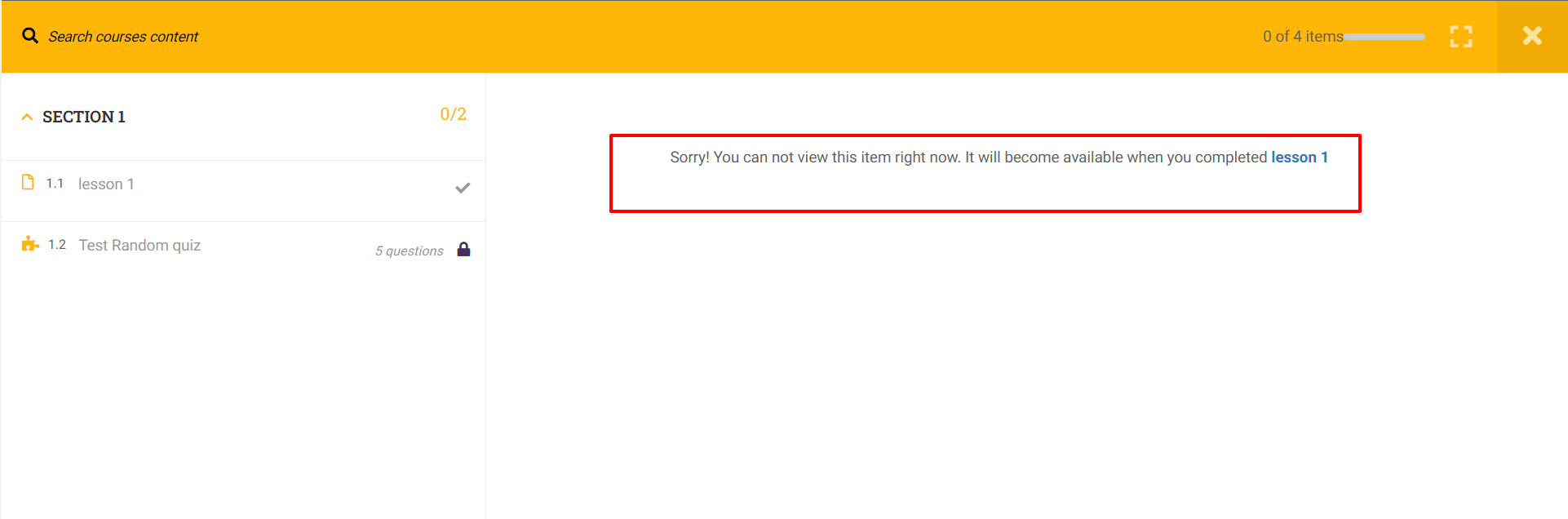
Case 2: Open the course items sequentially
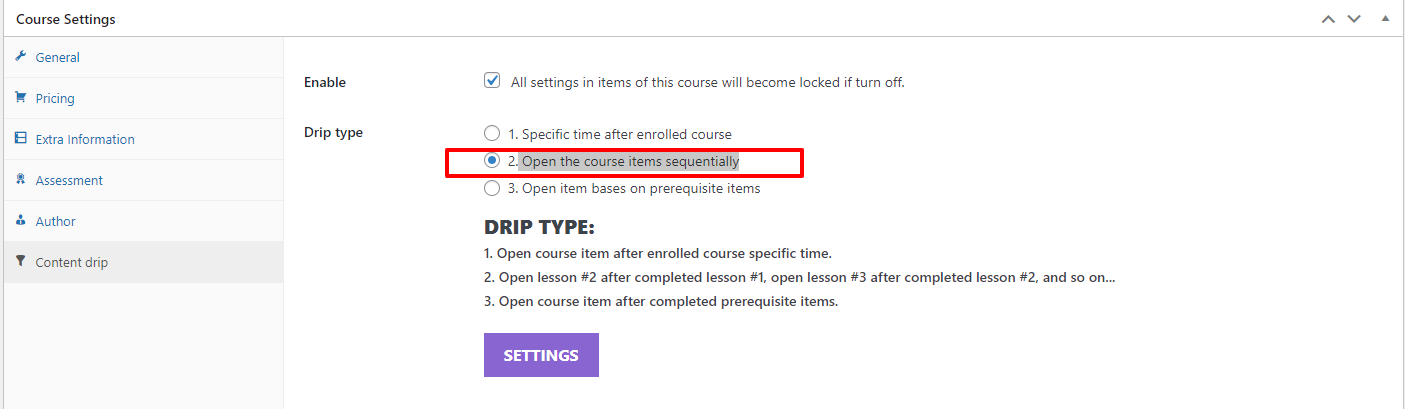
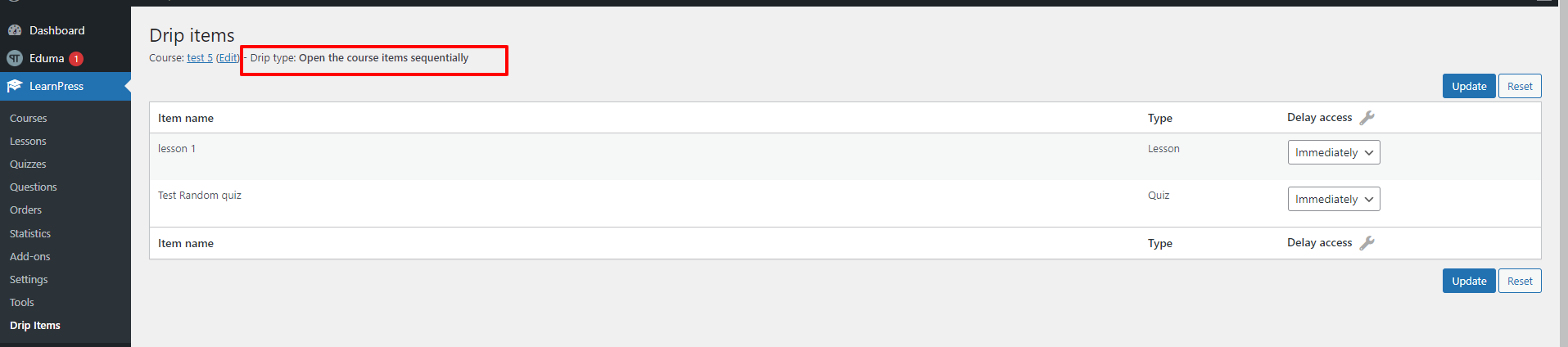
With case 2, in addition to Font-End will display:
- Case 3: Open item bases on prerequisite items
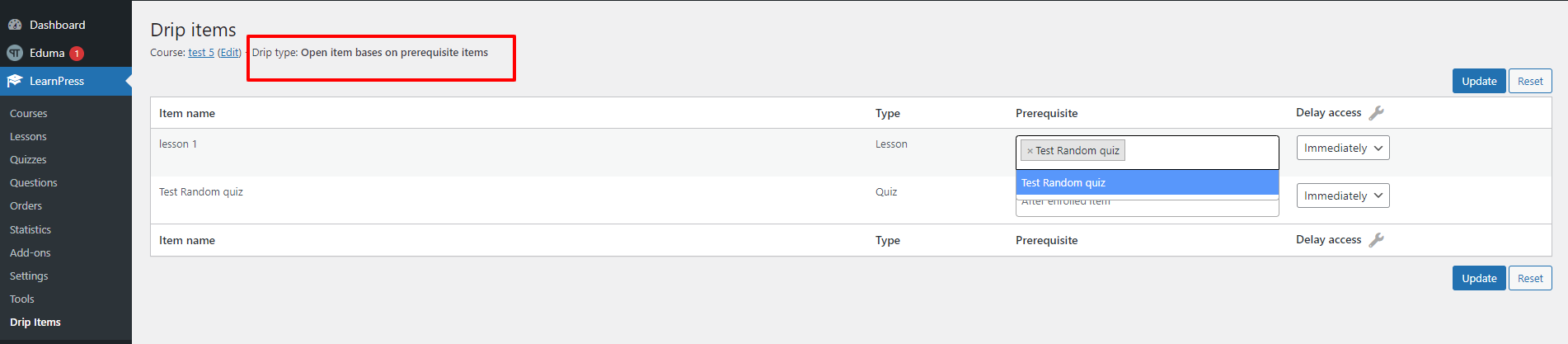
Select prerequisites here

With case 3, in addition to Font-End will display: