Grading papers at midnight, chasing down attendance records, and answering the same parent email three times a week is not what most teachers signed up for. A management system for teachers takes that busywork off your plate so you can spend more time actually teaching.
If you are a school administrator, an instructional designer, or a teacher who is tired of juggling spreadsheets and paper folders, this guide walks through what these platforms do, how to pick one, and what separates a system built for a 30-student classroom from one built for a 30,000-student university.
LearnPress – WordPress LMS Plugin
We provide an amazing WordPress LMS plugin to create & sell online courses. Let’s find out!
Try NowTable of Contents
What is a management system for teachers?
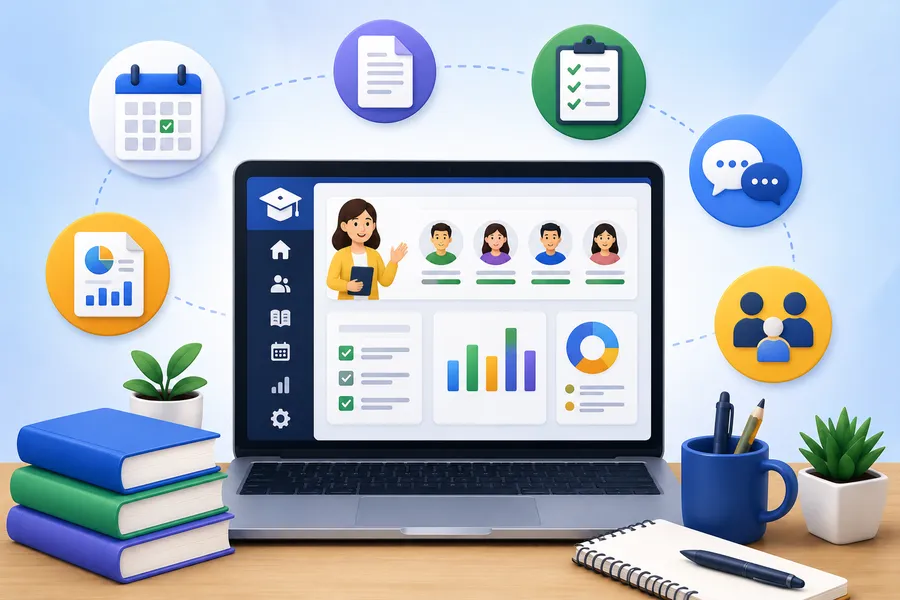
A management system for teachers is software that centralizes the day-to-day work of running a classroom or course: attendance, grading, assignment distribution, communication with students and parents, and reporting for administrators. Most of these tools live inside a broader learning management system (LMS), which handles course content and delivery, while the teacher-facing layer focuses on the operational side of running a class.
The distinction matters because “LMS” and “management system for teachers” get used almost interchangeably in edtech marketing, but they solve slightly different problems. An LMS answers the question “how do students access and complete coursework?” A teacher management tool answers “how does a teacher track thirty students, five assignments, and two parent-teacher conferences without losing their mind?” The best platforms do both in one dashboard.
Why schools and universities are moving away from manual tracking
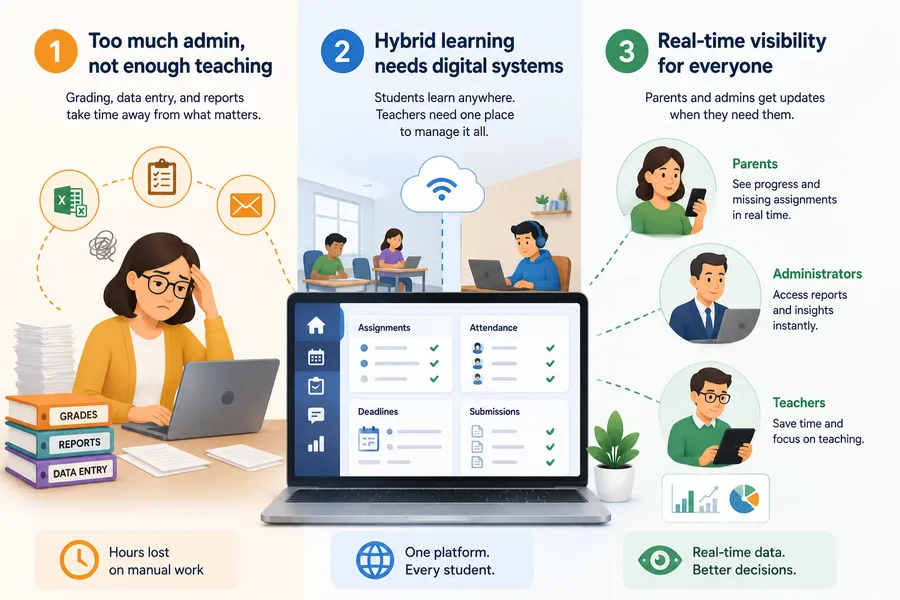
The administrative load has grown faster than teaching hours
Ask any teacher how much of their week goes to non-teaching tasks and you will hear numbers that would surprise most parents. Grading, data entry, compliance reporting, and communication now eat into planning time that used to go toward lesson design. A single gradebook spreadsheet works fine for one class, but it breaks down fast once a teacher is managing multiple sections, differentiated assignments, and IEP accommodations that all need separate tracking.
Hybrid and remote learning made paper-based systems impossible
Paper attendance sheets and printed worksheets stopped being a realistic option the moment schools had to support students learning from home, in a classroom, or switching between the two mid-semester. A digital learning platform for higher education or K-12 gives every student the same access point regardless of where they are sitting, and it gives teachers one place to see who submitted what, and when.
Parents and administrators expect real-time visibility
Report cards that arrive once a quarter are no longer enough for most families. Parents want to see missing assignments the week they are missed, not the week before finals. Administrators need attendance and performance data they can pull without emailing every department. A centralized system removes the back-and-forth that used to eat entire afternoons.
Core features every teacher-facing LMS needs
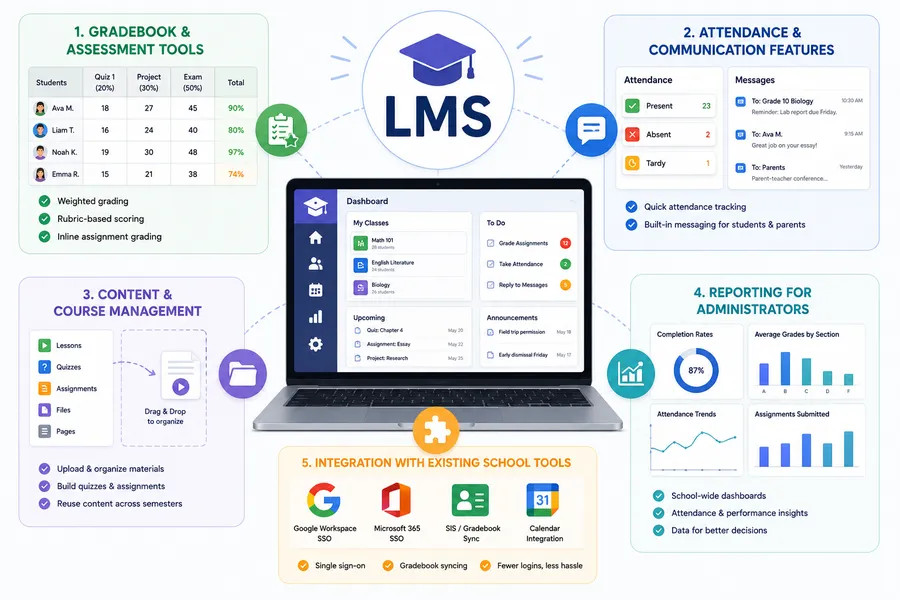
Not every platform on the market is built with classroom reality in mind. Some are built for corporate training and retrofitted for education, which shows up in clunky gradebooks and missing parent-communication tools. Here is what actually matters when you are evaluating an lms for teachers.
Gradebook and assessment tools
Look for weighted grading categories, rubric-based scoring, and the ability to grade directly inside a submitted assignment rather than downloading files one by one. A teacher managing 150 students across five sections cannot afford a gradebook that requires five clicks per submission.
Attendance and communication features
Daily attendance should take under a minute per class, ideally with a simple present, absent, tardy toggle rather than a form that reloads the whole page. Built-in messaging, whether to individual students, whole classes, or parent accounts, keeps communication inside the platform instead of scattered across email threads and text messages.
Content and course management
Teachers need to upload materials, build quizzes, sequence lessons, and reuse content across semesters without rebuilding a course from scratch every term. Drag-and-drop lesson builders and a content library save real time here.
Reporting for administrators
Principals and department heads need dashboards that roll individual teacher data up into school-wide or program-wide views: completion rates, average grades by section, attendance trends. A system that only serves the teacher, not the administrator, will not survive a district-wide rollout.
Integration with existing school tools
Single sign-on with Google Workspace or Microsoft 365, gradebook syncing with a student information system, and calendar integration all reduce the number of logins a teacher has to remember. The fewer separate tabs open during a class period, the better.
Best LMS for schools vs. best LMS for higher education
K-12 schools and universities are searching for very different things, even though both fall under “education technology.” A district evaluating the best LMS for schools is thinking about classroom management, parent communication, and compliance with state reporting. A university evaluating the best LMS for higher education is thinking about credit hours, multi-instructor courses, accreditation standards, and integration with a registrar system.
| Consideration | K-12 schools | Higher education |
|---|---|---|
| Primary user | Classroom teacher | Faculty and teaching assistants |
| Grading structure | Weighted categories, standards-based grading | Credit hours, rubric-based, sometimes pass/fail |
| Communication needs | Parent accounts, guardian notifications | Cohort and department-wide announcements |
| Compliance | State attendance and IEP reporting | Accreditation, FERPA, credit-hour verification |
| Course length | Semester or year-long, fixed schedule | Semester, term, or self-paced |
| Typical class size | 20 to 35 students per section | 20 to 300+ students per course |
| Integration priority | Student information system (SIS) | Registrar, student portal, payment gateway |
What K-12 institutions should prioritize
Schools should prioritize ease of use for teachers who did not sign up to become software administrators, strong parent communication tools, and reporting that satisfies state and district requirements without extra manual entry. A steep learning curve is the fastest way to get a new platform ignored by staff within a month.
What higher education institutions should prioritize
Universities should prioritize scalability across departments, support for multiple instructors and teaching assistants inside one course, and integrations with the systems that already run the institution: the student information system, the payment gateway for course fees, and the registrar’s credit-hour records. Learning management systems in higher education also need to support asynchronous and hybrid delivery models more heavily than most K-12 platforms, since university students frequently balance coursework with jobs and irregular schedules.
How learning management systems in higher education keep evolving
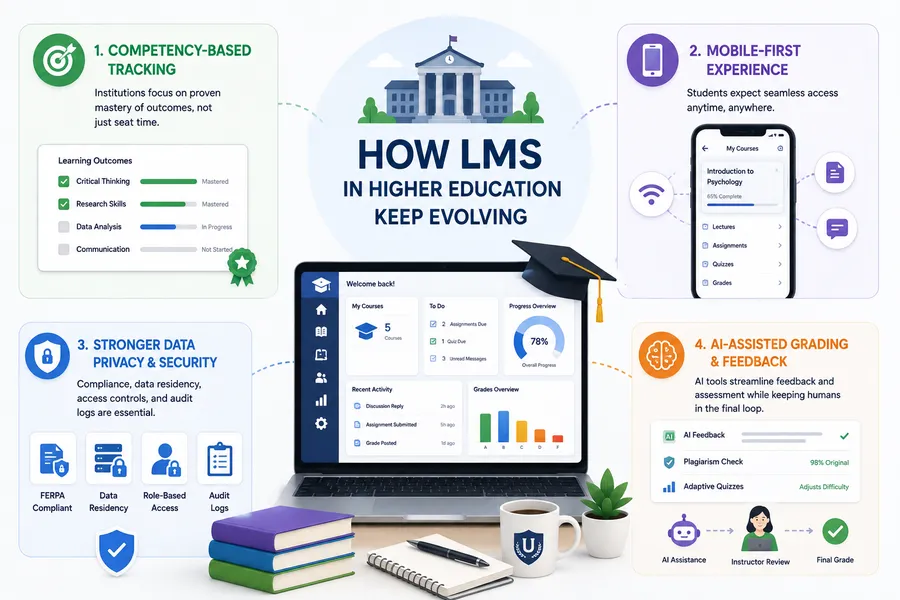
Higher education has pushed LMS development further than most other sectors, mainly because the stakes around accreditation and credit-hour tracking are higher. A few shifts worth watching:
- Competency-based tracking is replacing pure seat-time models. Universities increasingly need to show that a student demonstrated mastery of specific outcomes, not just that they logged in for the required number of hours. This changes how assessments and rubrics get built inside the platform.
- Mobile-first course access is now a baseline expectation, not a bonus feature. Students expect to submit an assignment or check a grade from a phone between classes, and platforms that treat mobile as an afterthought lose adoption fast.
- Data privacy requirements keep tightening. FERPA compliance in the United States, and similar student-data protections elsewhere, mean institutions cannot treat an LMS as just another SaaS tool. Data residency, access controls, and audit logs matter during procurement, not just after a breach.
- AI-assisted grading and feedback tools are moving from novelty to standard feature. Automated first-pass feedback on writing assignments, plagiarism detection, and adaptive quiz difficulty are showing up in more platforms every year, though most institutions still keep a human instructor in the final grading loop.
How to evaluate an LMS before you commit
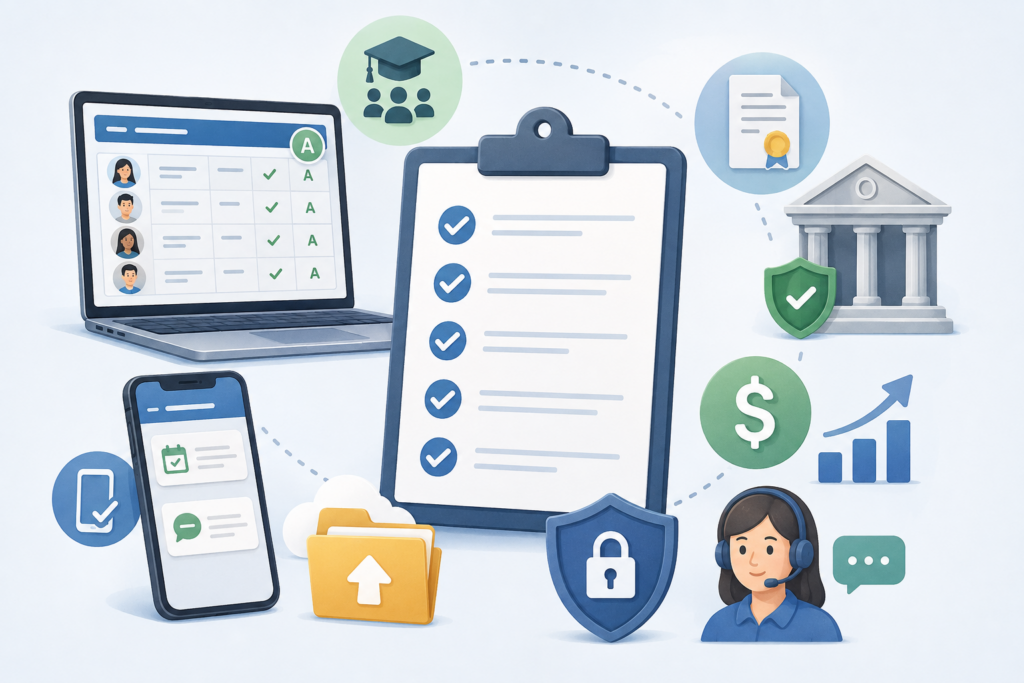
Before signing a contract or migrating a semester’s worth of content, run through this checklist with actual teachers, not just IT staff.
- Test the gradebook with a real class roster. Import a sample of 30 to 50 students and try grading a batch of assignments the way you would on a Tuesday afternoon between periods.
- Check mobile performance, not just desktop. Log in from a phone and try marking attendance or replying to a student message.
- Ask about migration support. Find out exactly how existing course content, grades, and student records move from your current system, and who does the work.
- Confirm compliance coverage for your region. For K-12, this usually means state reporting formats. For higher education, this means FERPA and accreditation-related record keeping.
- Review the pricing model at scale. A per-teacher or per-course price that looks reasonable for a pilot can become unaffordable once it is rolled out school-wide or campus-wide.
- Look at support response times, not just marketing claims. Ask for a real support ticket average, and if possible, talk to an existing customer of similar size.
LearnPress: a WordPress-based option worth testing
If your school or institution already runs on WordPress, or you want full ownership of your course data instead of renting space inside a closed platform, LearnPress is worth a look. It is a WordPress LMS plugin that gives teachers course building, quizzes, and a gradebook directly inside the WordPress dashboard, with WooCommerce integration available for institutions that need to sell course access or manage paid enrollment. Because it runs on your own WordPress install, you keep control over hosting, data, and design instead of being locked into a vendor’s infrastructure.
After setting up a course structure in LearnPress, the first thing that stands out is how closely it mirrors the WordPress editing experience teachers may already know from managing a school website: lessons and quizzes are built the same way you would build a page, using blocks, which shortens the learning curve for staff who are not natural software adopters.
Common mistakes schools make when adopting an LMS
- Choosing based on features instead of daily workflow. A long feature list looks good in a sales demo but does not matter if the gradebook takes ten clicks to open. Prioritize the tasks teachers do every single day.
- Skipping teacher input during selection. IT and administration often choose the platform without involving the people who will use it most. Low adoption almost always traces back to this.
- Underestimating training time. Even an intuitive platform needs a real onboarding period. Budget professional development time before the first week of the term, not during it.
- Ignoring what happens to old data. Years of grades, attendance records, and course content need a migration plan. Find out before signing whether export and import are straightforward or whether you will be manually re-entering years of records.
- Assuming one platform fits every grade level or department. A tool built for elementary classrooms may not scale to a high school schedule with rotating periods, and a tool built for large lecture-based university courses may feel like overkill for a small seminar. Match the platform to how your institution actually teaches.
FAQs
What is the difference between an LMS and a management system for teachers?
An LMS focuses on delivering and organizing course content, while a management system for teachers focuses on the operational side of running a class, including grading, attendance, and communication. Many modern platforms combine both functions into a single dashboard so teachers do not need separate tools for content delivery and classroom administration.
Is LearnPress good for higher education?
LearnPress works well for higher education institutions that want a WordPress-based, self-hosted solution, particularly departments or smaller programs that want control over course data and design. Larger universities running complex, multi-department course catalogs should confirm it supports their specific registrar and credit-hour tracking needs before a full rollout.
How much does a school LMS typically cost?
Pricing varies widely depending on whether the platform charges per teacher, per student, or a flat institutional license, and costs typically increase as an institution adds more sections, integrations, or storage. Always request a quote based on your actual enrollment numbers rather than relying on a starting price shown on a marketing page.
Can a management system for teachers work without internet access?
Most modern platforms are cloud-based and require an internet connection, though some offer limited offline modes for grading or attendance that sync once connectivity returns. If your school has unreliable internet access, ask any vendor directly about offline functionality before choosing a platform.
Conclusion
A good management system for teachers should disappear into the background of a normal school day: attendance takes a minute, grading does not require downloading forty separate files, and parents get updates without a phone call. Whether you are choosing the best LMS for schools or the best LMS for higher education, the decision comes down to matching the platform’s strengths to how your teachers actually work, not to whichever tool has the longest feature list. Test the gradebook with real students, involve your teachers in the decision, and confirm the platform can grow with your institution before you commit to a migration.
Read more: 10+ Best free online training platforms: the full list