If you have ever opened a brand new WordPress site and realized you have no sitemap, no meta description, and no idea what schema markup even means, you already understand why automatic SEO WordPress tools exist.
Manually optimizing every post, image, and product page does not scale once your site passes a few dozen pages.
This guide walks through what automatic SEO actually does behind the scenes, which SEO plugins are worth installing in 2026, and how to set one up on a real site without breaking anything.
LearnPress – WordPress LMS Plugin
We provide an amazing WordPress LMS plugin to create & sell online courses. Let’s find out!
Try NowTable of Contents
What automatic SEO WordPress actually means
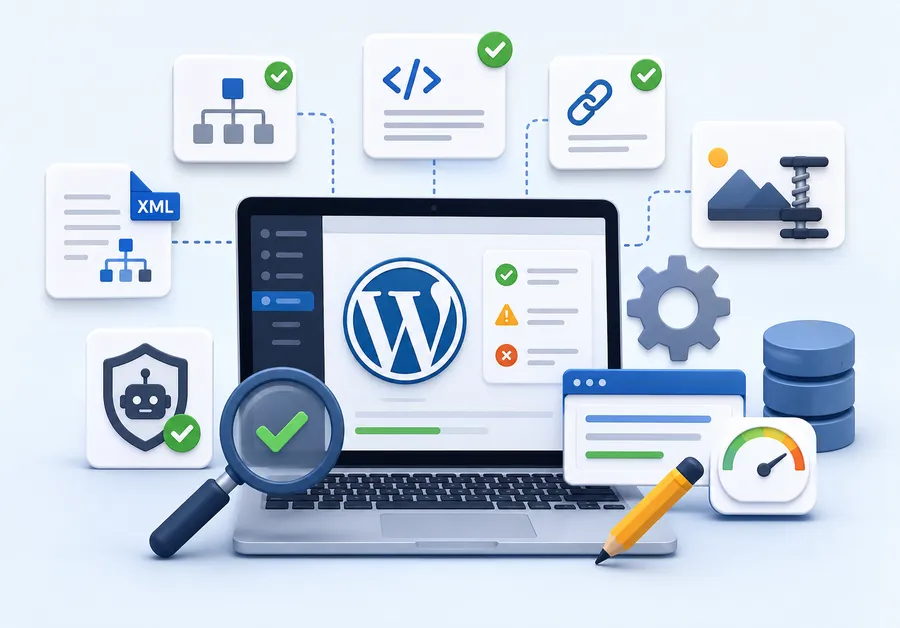
Automatic SEO on WordPress refers to a plugin handling the repetitive, technical parts of search optimization for you: generating XML sitemaps, writing schema markup, setting canonical URLs, compressing images, and suggesting meta titles as you type. None of this replaces a real content strategy. What it does is remove the dozens of small technical steps that used to require a developer or a checklist taped to your monitor.
A search engine optimization plugin does three things well when it is configured correctly. It builds the technical foundation search engines expect (sitemaps, robots directives, structured data). It flags on-page problems before you hit publish (missing alt text, thin content, broken internal links). And it keeps that foundation updated automatically as you add new pages, so you are not re-running an audit every month.
Why manual SEO breaks down as your site grows
A five-page brochure site can survive on manual SEO. Someone writes a title tag, adds a meta description, and moves on. That approach stops working once a site has product pages, blog categories, author archives, and paginated results, because each of those page types needs its own indexing rules.
WordPress powers roughly 42% of all websites tracked by W3Techs as of mid-2026, and among sites running a known CMS, WordPress accounts for close to 60% of that market.
That scale is exactly why the plugin ecosystem around WordPress SEO optimization is so large. The WordPress.org plugin directory lists more than 64,000 free plugins, according to WordPress.org’s own directory data, and a meaningful share of those exist to solve some piece of the SEO puzzle: caching, image compression, schema, internal linking, and redirect management. Without automation, keeping all of that consistent across hundreds of posts is not realistic for a solo site owner or a small marketing team.
There is also a security angle worth knowing before you install anything. Roughly 91% of WordPress vulnerabilities originate in plugins rather than WordPress core, according to Wordfence’s annual security research. That is not a reason to avoid plugins entirely, since a well maintained SEO plugin from a reputable developer is low risk. It is a reason to stick with actively updated, widely used tools rather than an abandoned plugin you found on a random blog.
Core features to look for in an SEO tool for WordPress
Before comparing specific tools, it helps to know what “automatic” should actually cover. A plugin that only adds a title field to your post editor is not doing automatic SEO, it is doing manual SEO with extra steps.
Automatic XML sitemaps
A real SEO plugin for WordPress generates and updates your XML sitemap every time you publish, edit, or delete a page, without you touching a settings panel. Google Search Console should be able to pull that sitemap URL once and never need a manual resubmission.
Schema and structured data
Structured data tells search engines what a page actually is: a recipe, a course, a product, an FAQ, a local business. A good WP SEO tool applies the right schema type automatically based on the content type and post format, rather than asking you to write JSON-LD by hand.
Content and readability analysis
This is the traffic light system most people recognize from Yoast or Rank Math: green, yellow, red scoring as you write, checking keyword placement, sentence length, passive voice, and internal link count. It will not write the article for you, but it catches the technical gaps a first draft usually has.
Redirect management
When you rename a slug or delete an old post, a 404 error costs you both rankings and visitors. Plugins with built in redirect managers catch that automatically and prompt you to add a 301 redirect before the old URL goes dead.
AI assisted meta tags
Newer WordPress SEO optimization plugins now generate a first draft of your meta title and description using AI, based on the page content. You still get to edit it, but you are not staring at a blank field for every single post.
Internal linking suggestions
A page with no internal links pointing to it is harder for both search engines and readers to discover. Rank Math and Yoast both scan your existing content library and suggest related posts to link to while you are writing, based on shared keywords and categories, which keeps your internal link structure healthy without a manual audit spreadsheet.
How automatic SEO connects to page speed and Core Web Vitals
Technical SEO does not stop at meta tags. Google’s ranking systems also weigh page experience signals, mainly Largest Contentful Paint (LCP), Cumulative Layout Shift (CLS), and Interaction to Next Paint (INP). A plugin that generates flawless schema on a page that takes six seconds to load is only solving half the problem.
Most of the tools compared below focus on content and metadata rather than raw speed, so pairing an SEO plugin with a caching plugin like WP Rocket or LiteSpeed Cache, and an image optimization tool such as ShortPixel or Imagify, rounds out the technical picture. A practical target to work toward: LCP under 2.5 seconds on mobile, measured in PageSpeed Insights rather than a desktop browser, since mobile is where most of your traffic and most of Google’s crawl budget actually comes from.
One habit worth building early: after activating any new SEO plugin, run a before-and-after PageSpeed Insights test. Some plugins load extra scripts for their content analysis feature directly on the front end by mistake, which is a configuration error, not a necessary tradeoff. A properly built SEO plugin runs its analysis inside the WordPress editor only and adds almost nothing to your public-facing page weight.
Best SEO plugins for WordPress compared
There is no single best SEO plugin for WordPress that fits every site. A five-page portfolio site and a 4,000-product WooCommerce store have different needs. Here is how the most widely used options stack up in 2026.
| Plugin | Free plan | Best for | Standout feature | Learning curve |
| Rank Math | Yes, generous | Most site types | Built in schema generator with 15+ content types | Moderate |
| Yoast SEO | Yes, limited | Beginners, content-heavy blogs | Readability analysis, mature ecosystem | Low |
| All in One SEO (AIOSEO) | Yes, limited | WooCommerce and local business sites | TruSEO score plus built in local SEO module | Low to moderate |
| SEOPress | Yes, full featured | Developers, agencies | White label mode, no upsell nags in free version | Moderate |
| Squirrly SEO | Yes, limited | AI-first workflows | Built in AI content and keyword research assistant | Low |
Rank Math
Rank Math built its reputation on packing enterprise level features into a free tier. After activating it on a fresh install, the setup wizard walks through connecting Google Search Console, choosing which content types need schema, and picking a focus keyword strategy in about ten minutes. The schema generator is the standout: pick “Course” for a lesson page or “Product” for a store listing, and Rank Math writes the structured data automatically instead of asking you to configure a separate schema plugin.
One thing worth knowing before switching: Rank Math’s import tool converts settings from Yoast or AIOSEO automatically, so moving an existing site over does not mean rebuilding every meta description from scratch.
Yoast SEO

Yoast SEO is the plugin most WordPress users learn on first, and for good reason. It remains one of the most installed SEO plugins on WordPress.org, with over 10 million active installations. Its content and readability analysis is still the benchmark other tools get compared against, with a straightforward green, orange, red scoring system that non-technical writers pick up in a single session.
Where Yoast falls behind newer competitors is schema flexibility. The free version covers the basics well, but advanced schema types like courses or events usually require the paid version or a separate plugin.
All in One SEO (AIOSEO)
AIOSEO leans into WooCommerce and local business optimization more than the others on this list. Its TruSEO scoring engine works similarly to Yoast’s traffic light system, but the local SEO module (business hours, service areas, multiple location schema) is more built out of the box, which matters if you are running a service business site alongside a blog.
SEOPress
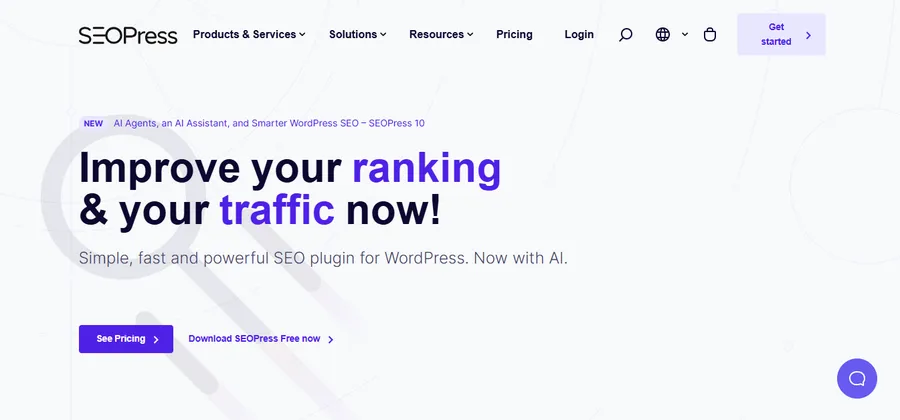
SEOPress is the developer favorite because the free version has almost no feature gating. White labeling, which hides SEOPress branding entirely, is included at no cost, which agencies managing client sites appreciate. The interface is less polished than Rank Math or Yoast, so it suits someone comfortable digging through settings tabs rather than following a guided wizard.
Squirrly SEO

Squirrly built its recent updates around an AI assistant that suggests keywords, drafts meta descriptions, and flags content gaps compared to top ranking competitors for the same query. It is a strong pick if you want an SEO plugin that behaves more like a writing co-pilot, though its keyword research depth is not as deep as a dedicated tool like Ahrefs or Semrush.
How to set up automatic SEO on a new WordPress site
This is the actual workflow, not the marketing version. It assumes you have already installed WordPress and picked a plugin from the comparison above.
- Install and activate the plugin, then run the setup wizard instead of skipping it. The wizard is where the plugin decides your site type (blog, store, portfolio, local business), and that choice affects which schema types get applied automatically later.
- Connect Google Search Console directly inside the plugin if that option exists. Rank Math, AIOSEO, and SEOPress all support this, which saves you from manually verifying ownership and lets the plugin pull indexing data into its dashboard.
- Set your default title and meta description templates under the general settings. This is what generates automatically for any page type you have not customized individually, so a new blog post published at 11pm still gets a reasonable title tag even if you forget to write one.
- Turn on automatic XML sitemaps and submit the sitemap URL to Search Console once. After that first submission, the plugin keeps the sitemap current on its own every time you publish or unpublish content.
- Enable schema for your key content types. For a course page, that means the Course or LearnCourse schema type. For a product, that means Product schema with price and availability fields mapped to your store data.
- Run the built in site audit, if the plugin includes one, and fix the highest priority flags first: missing focus keywords, duplicate meta descriptions, and orphaned pages with no internal links pointing to them.
- Set up 301 redirect rules for any URLs you already know are changing, and leave the automatic 404 monitor running so it catches anything you missed.
After WordPress 6.5, the Customizer preview updates almost instantly when you change these settings, which makes it easy to check that your homepage title and social preview image look right before you save anything live.
Automatic SEO for course and membership sites
Course and membership platforms have their own SEO quirks that a generic blog focused plugin does not always handle well. Course pages need schema that describes duration, price, and instructor. Lesson pages inside a paywall need to be excluded from indexing without accidentally noindexing the whole course landing page. And student generated content, like quiz results or forum posts, can create thousands of thin, low value URLs if left unmanaged.

If you are running courses on WordPress, LearnPress handles the LMS side of this cleanly by keeping course, lesson, and quiz content in clearly separated post types, which makes it straightforward for an SEO plugin to apply the right schema and indexing rules to each one without manual per-page configuration. Pairing an SEO plugin like Rank Math or Yoast with LearnPress means your course catalog pages get proper Course schema automatically, while individual lesson content behind a paywall stays out of search results where it does not belong.
Keyword research still comes before the plugin
None of the tools above do keyword research for you in a meaningful way, and this is where most site owners get the workflow backward. Installing a plugin first and then typing in a guessed keyword produces a green traffic light score for a term nobody searches for.
A better order of operations: use a dedicated keyword tool, Google’s own Keyword Planner, or even the autocomplete suggestions in Google Search, to find a term with real search volume and a realistic difficulty level for a newer site. Only then open your SEO plugin and set that term as the focus keyword for the page. The plugin’s job is to confirm the page is structured well around that term, not to decide which term matters in the first place. For sites with dozens of course and lesson pages, that research step can also be run in bulk by pulling search volume, keyword difficulty, CPC, and long-tail or question-based variations for each seed term through an api for seo, so the shortlist is settled before anyone opens the plugin.
This distinction matters even more for niche or local topics. A course platform teaching a specialized skill, for example, is usually better served targeting a specific long-tail phrase a beginner would actually type into Google, rather than a broad, high-competition term that a much larger site already dominates. Checking the current top-ranking pages for a term before writing also tells you what format Google currently prefers for that query: a listicle, a step-by-step guide, or a comparison table like the one earlier in this article.
Common mistakes with WP SEO tools
Even a well configured SEO plugin cannot fix decisions made at the strategy level. A few patterns show up repeatedly on sites that install a plugin and expect rankings to follow automatically.
- Chasing a green score instead of writing for a person. Keyword stuffing a sentence until the plugin’s traffic light turns green usually makes the writing worse, not better. Search engines read for relevance and intent, not for a specific keyword count.
- Leaving default meta descriptions on every page. A template based description generated automatically is a safety net, not a final answer. Pages that matter for conversions, like a pricing page or a top performing blog post, deserve a hand written description that actually earns the click.
- Running two SEO plugins at once. Rank Math and Yoast both try to control the same meta fields and schema output. Running both usually creates duplicate meta tags, which confuses search engines rather than helping them.
Ignoring the redirect log. A plugin will flag broken links automatically, but the fix still requires a human decision about where that traffic should go. A pile of unresolved 404 flags sitting in the dashboard does nothing on its own.
How to choose the best SEO plugin for WordPress for your case
There is no universal winner, but the decision usually comes down to three questions.
- First, what is your site type: content blog, online store, local business, or course platform?
- Second, how comfortable are you with settings panels versus wanting a guided wizard?
- Third, do you need white labeling or multi-client management, which points toward SEOPress or AIOSEO’s agency tier?
For most new WordPress sites in 2026, Rank Math or Yoast SEO are the safest starting points because of their setup wizards and large support communities. WooCommerce heavy stores lean toward AIOSEO for its local and product schema depth. Agencies managing several client sites usually settle on SEOPress for the white label option and lack of upsell prompts inside client dashboards.
A quick way to test the decision without committing: install your top two candidates on a staging copy of the site, run each through its setup wizard, and compare the generated sitemap, schema output, and dashboard audit score side by side. Most hosting providers include a one-click staging environment, so this comparison usually takes less than an hour and removes the guesswork of switching plugins later once real content and rankings are on the line.
Migrating from manual SEO to an automated workflow
Switching from a spreadsheet of title tags to a plugin-driven workflow is not an overnight change, especially on a site that already has hundreds of published pages. A staged rollout avoids the most common failure mode, which is a sudden drop in rankings caused by mass-overwritten meta data.
Start with a backup, both a full site backup and an export of your current meta titles and descriptions if they exist anywhere outside the plugin you are about to install. Activate the new plugin in a staging environment first if your host supports one, and compare the generated sitemap and schema output against your live site before pushing changes to production. Import settings from your previous plugin where possible instead of starting from a blank template, since most major tools, including Rank Math and AIOSEO, include a one-click importer for this exact situation.
Once the new plugin is live, watch Search Console’s coverage report for the following two to three weeks rather than assuming everything transferred correctly. A spike in “discovered, not indexed” pages usually means a sitemap or canonical setting needs a second look, not that the migration failed outright.
FAQs
Is automatic SEO enough to rank on Google without writing original content?
No. Automatic SEO handles the technical foundation, structured data, sitemaps, and meta tags, but ranking still depends on content that answers a real search query better than the competition. Think of an SEO plugin as removing friction, not replacing the writing itself.
Do I need more than one SEO plugin on my WordPress site?
You should stick to one full-featured SEO plugin. Running two plugins that both manage meta tags and schema, such as Rank Math alongside Yoast, typically creates conflicting or duplicate output that can confuse search engines instead of helping them.
Does switching SEO plugins hurt my existing rankings?
It can if the switch is done carelessly, since meta titles, schema, and redirect rules can reset to plugin defaults. Most major plugins, including Rank Math, include an import tool that carries over settings from Yoast or AIOSEO, which avoids that reset.
Can an SEO plugin write my meta descriptions for me automatically?
Several current plugins, including Rank Math and Squirrly SEO, use AI to draft a first version of the meta title and description based on your page content. It is worth editing that draft for your most important pages, since a generic auto-generated line rarely earns as many clicks as one written for a specific audience.
Wrapping up
Automatic SEO WordPress tools exist to remove the repetitive technical work of running a search-friendly site: sitemaps, schema, redirects, and meta tag defaults that would otherwise eat hours every week. The plugin you pick matters less than actually running the setup wizard, connecting Search Console, and reviewing the audit flags instead of leaving everything on default settings. Whether you land on Rank Math, Yoast, AIOSEO, SEOPress, or Squirrly, pairing it with a clean content structure, and a platform like LearnPress if you are running courses, gives search engines exactly what they need to index your site correctly the first time.
Read more: How To Choose The Best Sales Learning Platform for Sales Teams