If you manage training for a team, run an online school, or handle onboarding for new hires, you have probably asked yourself whether a dedicated learning management system is worth the setup.
The short answer is yes, and the advantages of LMS platforms go well beyond hosting videos in one place.
This guide covers the core benefits of learning management software, what they mean for learners and administrators, and why organizations that switch rarely go back to spreadsheets and email chains.
LearnPress – WordPress LMS Plugin
We provide an amazing WordPress LMS plugin to create & sell online courses. Let’s find out!
Try NowWhat is a Learning Management System?
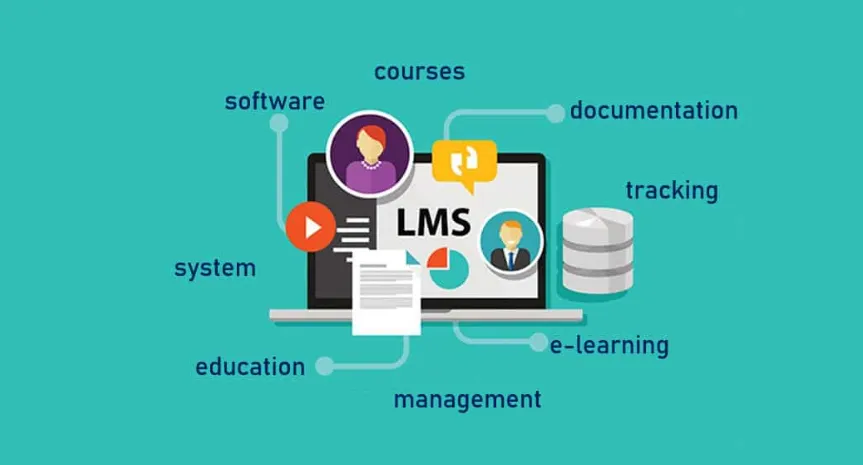
A learning management system (LMS) is a software platform that lets you build, deliver, and track educational content from a single interface. Instructors upload courses, set completion rules, and monitor progress.
Learners log in, work through lessons at their own pace, and receive certificates when they finish. The system handles enrollment, grading, notifications, and reporting automatically.
Most LMS platforms today run in the browser, which means no installation is required on the learner’s side.
Enterprise solutions like Cornerstone and Docebo serve large corporate L&D teams, while WordPress-based platforms like LearnPress give smaller organizations full control over their course site without a monthly SaaS fee.
Key Advantages of LMS for Training and Education
The advantages of an LMS start to show up the moment you try to manage more than a handful of learners or more than one course at the same time.
A single well-configured LMS replaces several disconnected tools and removes the manual coordination that slows most training programs down.
Here are the specific capabilities that make the biggest difference.
Centralized content delivery
Before an LMS, course materials live in email attachments, shared drives, and presentation files that get updated inconsistently.
One department runs the October version of a compliance module while another is still on the July file. An LMS eliminates that problem by making the current version of every lesson the only version learners can access.
When you edit a course, every enrolled learner sees the updated content the next time they log in, without any redistribution on your end.
This matters especially in regulated industries like healthcare, finance, and construction, where outdated training materials create liability. With an LMS, you update the module once, and the audit trail updates itself automatically.
Self-paced and flexible learning
One of the most cited benefits of a learning management system is that it removes the constraint of scheduled sessions. Learners complete content when it works for their schedule, which reduces no-show rates and removes the overhead of coordinating time zones across distributed teams.
Learners who can pause, review, and revisit content on demand retain more than those who sit through a one-time session with no replay option. A well-built LMS supports this with bookmarking, progress saves, and module prerequisites that let you control the learning path without requiring a live instructor in the room.
Progress tracking and reporting
An LMS gives administrators a real-time dashboard showing who has enrolled, who has completed which modules, quiz scores, and average time spent per lesson. This level of detail is impossible to replicate with manual methods.
For HR teams, that reporting layer is one of the biggest advantages of LMS adoption. Instead of chasing completion confirmations by email before an audit, you export a report that shows every employee’s training status in the past 12 months, filtered by department, hire date, or certification type. Managers can see exactly which team members need a reminder and which ones are ahead of schedule.
Benefits of LMS for Organizations and Businesses
Beyond the instructional advantages, LMS platforms create measurable operational value for the organizations that run them. The savings and consistency gains compound over time in ways that one-off training events simply cannot match. Here is what that looks like in practice.
Reduced training costs
Traditional instructor-led training carries a fixed cost per session: the trainer’s time, travel if required, a booked room, and printed materials. If you run the same session six times a year for different groups, you pay those costs six times.
An LMS shifts the cost structure entirely. You build a course once and deliver it to any number of learners at no additional per-learner cost. A company that previously spent $1,200 per employee on instructor-led compliance training can often bring that figure under $200 per employee after factoring in the LMS license and the one-time course development cost. The savings compound in year two, when the course is already built and only needs a minor update.
Consistent training at scale
When training depends on individual instructors, quality varies. One trainer explains a safety procedure in five steps; another skips two of them. A new hire in one office gets a different onboarding experience than one in another city.
An LMS removes that inconsistency. Every learner watches the same video, reads the same material, and passes the same quiz. That standardization is one of the most underrated advantages of learning management software, particularly for franchise operations, retail chains, and businesses with remote employees spread across multiple locations.
Faster onboarding and compliance certification
A structured onboarding course in an LMS can reduce the time a new hire needs before they become productive. Instead of shadowing a colleague for three days, new employees work through a defined sequence of lessons, complete knowledge checks, and ask targeted questions when they reach a live session.
For compliance-heavy industries, this is especially valuable. An LMS can automatically assign required courses when a new hire’s account is created, send reminders as deadlines approach, and record completion with a timestamp that satisfies regulatory requirements. You do not need to track any of it manually.
Better return on L&D investment
Learning and development budgets often go untracked. A company spends on a training workshop and has no data on whether it changed behavior or improved performance. An LMS gives you the data layer to connect learning activity to business outcomes.
If you run a course on a new sales process and then compare the quarterly numbers of employees who completed it against those who did not, you get real evidence about the training’s impact. That evidence makes the case for continued investment and shows where the course needs to be updated.
Advantages of Learning Management Software for Learners
The benefits of LMS platforms are not only organizational. Learners themselves get a noticeably better experience when training is delivered through a well-designed system rather than a folder of documents and a calendar invite. Here is how that plays out from the learner’s side.
Learning on any device
A modern LMS is responsive by default, which means learners can work through a lesson on a laptop, a tablet, or a phone with no loss in functionality. For a warehouse worker doing a certification course on a break or a field technician reviewing a procedure before a service call, mobile access is not a convenience, it is a requirement.
Platforms like LearnPress, built on WordPress, take this further by letting site owners control the entire mobile learning experience from the same admin panel used to build courses. You set the layout, font sizes, and quiz behavior once, and it works across screen sizes without a separate mobile app.
Immediate feedback and certificates
In a traditional classroom, feedback comes days later if it arrives at all. In an LMS, quiz results are instant. A learner finishes a module, submits the quiz, and sees their score immediately, along with which questions they missed and why. That feedback loop accelerates learning because the connection between the question and the correct answer is still active in the learner’s mind.
Certificates of completion are generated automatically when a learner meets the course requirements. For professional certifications or continuing education credits, this removes the administrative bottleneck of manually issuing documents after every cohort.
Structured paths that reduce overwhelm
One underrated advantage of LMS platforms for learners is that a good course structure removes decision fatigue. When someone wants to learn a skill, being handed a folder of 40 documents with no clear order is paralyzing. An LMS presents a defined path: start here, complete this, unlock the next step. That structure keeps learners moving and reduces the drop-off that unstructured self-study produces.
With prerequisite settings, you can ensure no one jumps to advanced material before covering the foundations, which protects both the learner’s experience and the quality of your outcomes.
Why Use an LMS Instead of Traditional Training?
The case for traditional instructor-led training rests on real-time interaction, immediate clarification, and the social dynamics of a shared learning environment. Those are genuine strengths. But for most organizations, the advantages of LMS adoption outweigh the loss of live interaction for the majority of training types.
Compliance training, product knowledge courses, software tutorials, and onboarding modules do not require live facilitation to be effective. They require clear content, good pacing, and consistent delivery, which an LMS provides without scheduling constraints. Live sessions become more valuable when they are reserved for discussion, practice, and application rather than information transfer that could be a video.
The cost comparison is also hard to argue with. According to the Brandon Hall Group, organizations that move to eLearning see a 40 to 60 percent reduction in training time compared to traditional classroom training. That time saving directly translates into reduced labor costs during training periods and faster deployment of new skills across the organization.
How to Choose the Right LMS for Your Needs
Not every LMS suits every organization. The right choice depends on the number of learners you expect, the complexity of your courses, your technical resources, and your budget.
- For organizations with a WordPress site, LearnPress is one of the most capable and cost-effective options available. Built specifically for the WordPress ecosystem, it lets you create unlimited courses, quizzes, and lessons from within the standard WordPress admin interface. The free core plugin handles the fundamentals, and add-ons let you enable paid courses, certificate generation, WooCommerce integration, and advanced quiz types when you need them. If you want to build a full course platform without paying a monthly SaaS fee or handing over control of your content, LearnPress is worth evaluating before committing to a hosted solution.
- For enterprise teams managing thousands of employees across multiple business units, a dedicated platform like Cornerstone, SAP SuccessFactors, or TalentLMS will offer the SSO integration, advanced reporting, and compliance modules that a WordPress-based solution is not designed to match at that scale.
The practical approach is to match the platform to the actual complexity of your current use case rather than buying for a scale you do not yet have. Most organizations that start with a flexible, self-hosted LMS find they can grow further than expected before they need to upgrade.
FAQs About Advantages of LMS
What are the disadvantages of an LMS?
An LMS requires upfront investment in both platform setup and course development. Content takes time to build, and a poorly designed course in an LMS is still a poor learning experience. Some learners also report lower motivation in fully self-paced environments without a cohort or instructor to create accountability, which means asynchronous delivery works better when combined with some structured deadlines or periodic group check-ins.
What features should a good LMS have?
A solid LMS should include course and lesson management, progress tracking, quiz and assessment tools, certificate generation, and enrollment management at minimum. More advanced platforms add SCORM compatibility (for importing courses built in tools like Articulate or iSpring), reporting dashboards, gamification features, and integrations with your HR system or payment processor. Identifying which features your organization will actually use before selecting a plan saves both cost and configuration time.
How does an LMS improve learning outcomes?
An LMS improves learning outcomes by adding structure, consistency, and feedback to the training process. Learners follow a defined path rather than navigating a folder of unorganized resources, receive immediate quiz feedback, and can revisit content they did not fully understand the first time. Organizations that track completions and quiz scores can also identify modules where learners consistently struggle and revise those sections, which raises overall course quality over time.
Is an LMS suitable for small businesses?
Yes. An LMS is practical for small businesses, especially for onboarding, compliance, and product training that gets repeated with every new hire. A WordPress-based LMS like LearnPress carries no per-learner fee and no monthly platform charge, which makes it accessible for teams of 5 to 50 without the cost structure of enterprise software. The main investment is the time to build the initial courses, not the platform itself.