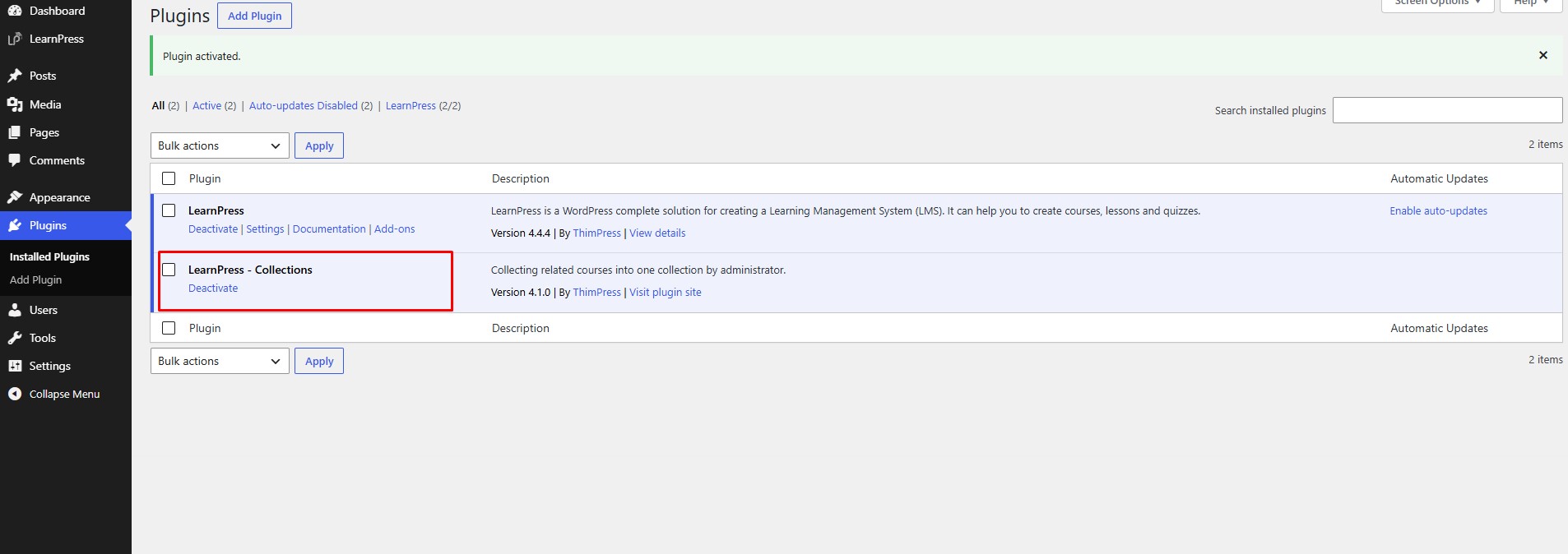
This Documentation is used for Collections add-on for LearnPress.
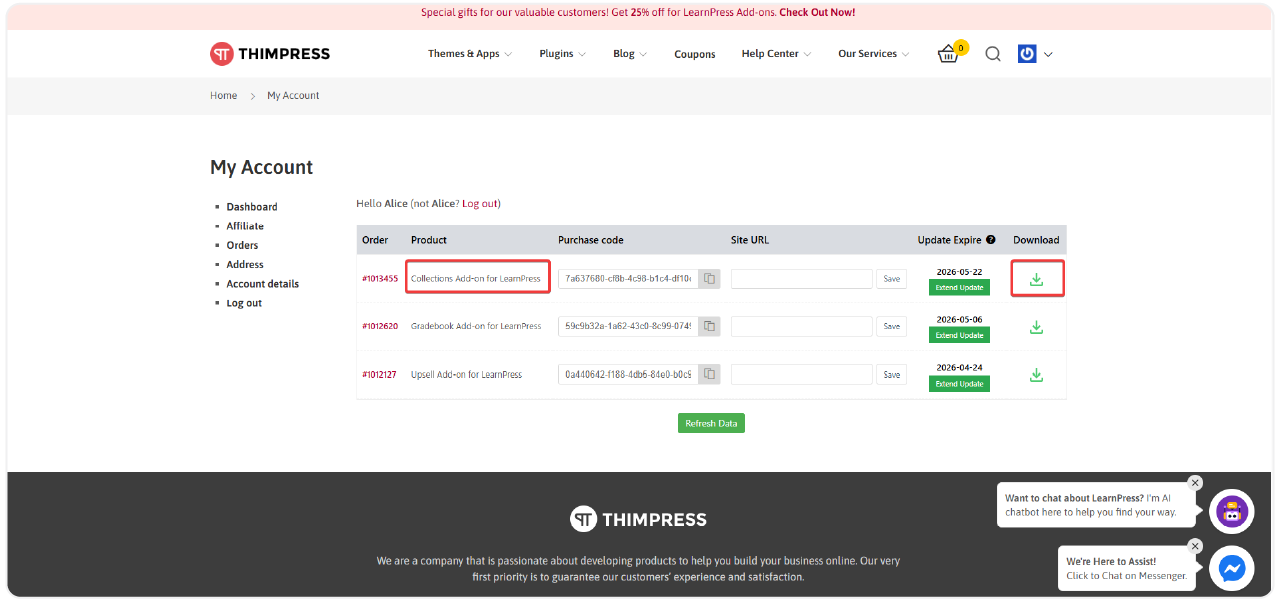
- After downloading the Collection Addon for LearnPress, “Sign In” and select “My Account” on thimpress.com
- Click ‘Download‘ or ‘Select version‘ to download.
After you have downloaded the add-on. You need to install it.
Installation
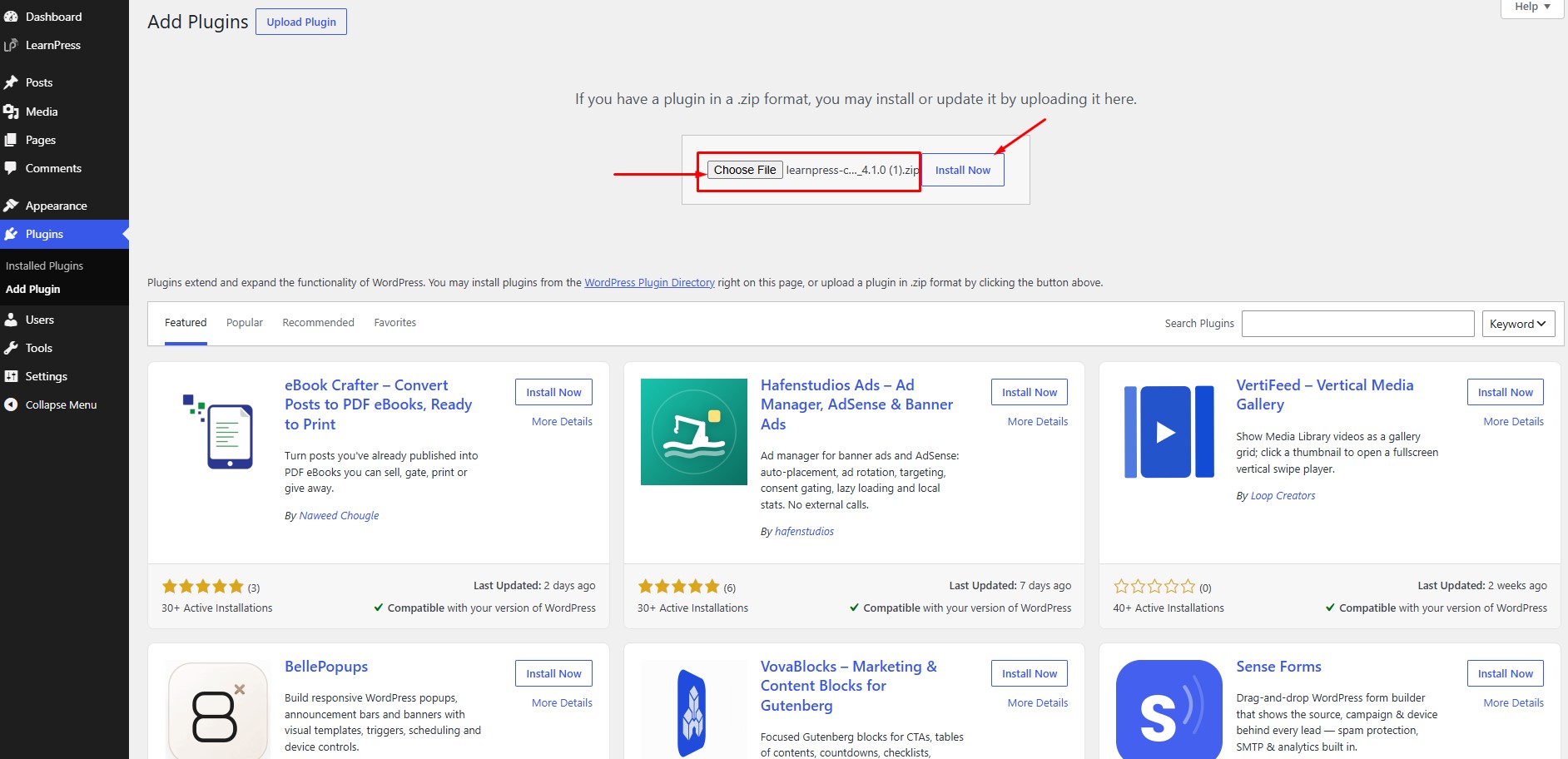
- Go to WordPress Dashboard → Plugins → Add New Plugin.
- Click Upload Plugin and upload the LearnPress Collections plugin file.
- Click Install Now.
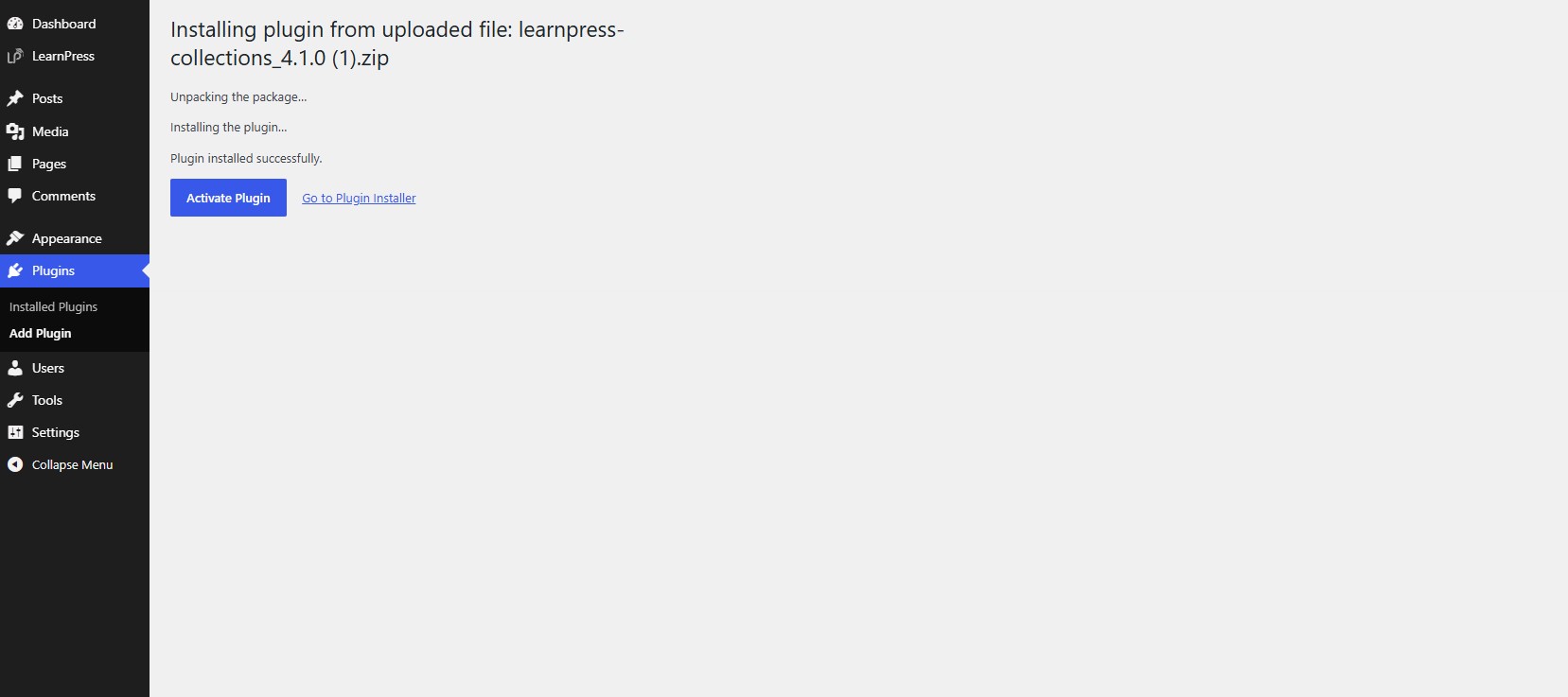
After the installation is complete, click Activate Plugin.
That’s all you need to install this add-on. You can check if the add-on is activated by accessing the “Installed Plugins” section, in the “Active” tab. All your active plugins are there.