Launching a multilingual course website is a big project. There are course descriptions to translate, application forms to configure, and regional pages to check before everything goes live.
But the harder work often starts a few months later.
A course changes its starting date. The admissions team updates the entry requirements. One campus introduces a new program, while another stops accepting applications for an existing one.
Now someone has to make sure the right information appears on every relevant language version of the website.
For education providers working across several countries, managing these updates can become surprisingly complicated. The website needs a clear publishing process, and local teams need enough control to keep their pages accurate.
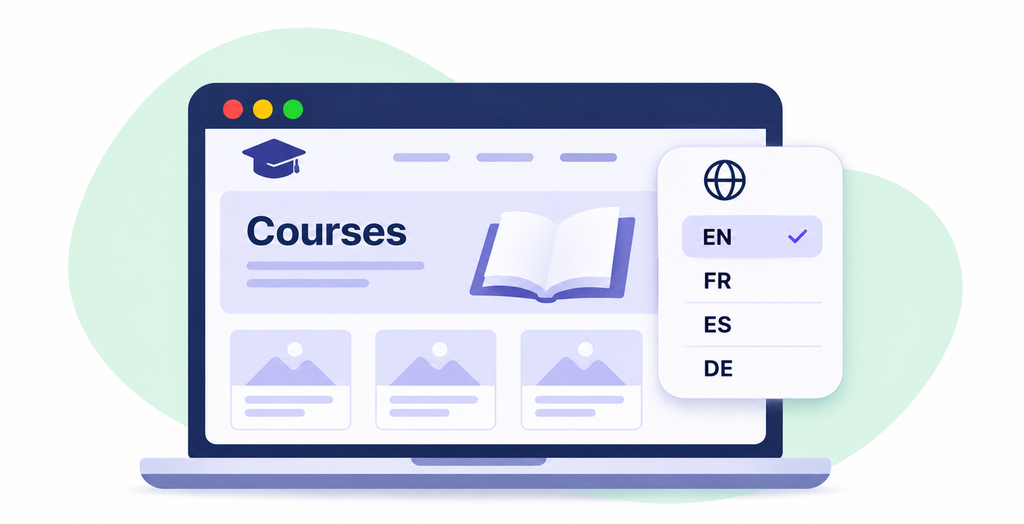
Table of Contents
Decide Who Owns Each Language Version
One of the first questions to settle is who updates what.
A central marketing team may manage the main website, but local teams usually know more about regional course availability, campus events, and country-specific promotions.
If every change has to go through headquarters, even small updates can take longer than necessary.
Decide who is responsible for updating each language version when course information changes. The EC English case study shows how connected regional subsites let local teams manage content and campaigns independently. It provides a practical example of organizing publishing responsibilities across a multilingual education website.
This approach works best when responsibilities are documented. For example, the central team might maintain shared course descriptions and brand guidelines, while regional editors manage local schedules, testimonials, and campaign content.
Someone also needs to coordinate changes that affect several markets. Otherwise, one language version may show updated admission requirements while another continues displaying last semester’s information.
Keep Course Information in One Place
Course details often appear on more pages than expected.
A single program might have its own landing page, appear in a course directory, feature in a campus overview, and be mentioned on several promotional pages.
When the course duration or eligibility requirements change, editing each page separately creates unnecessary work.
A better setup stores important course information in structured fields that can be reused across the website.
For example, a course record might contain its name, duration, available locations, study format, and application requirements.
Pages can then display the relevant information without editors copying it into multiple places.
Translation still needs attention. Some details may be identical across markets, while others require different wording or local information.
The important distinction is between shared facts and content that genuinely needs regional customization.
Give Local Editors the Right Controls
Local marketing teams should be able to update their pages without changing the website’s underlying design.
That sounds straightforward, but editing permissions are often either too restrictive or too generous.
If editors can only replace text, they may need developer assistance whenever a campaign requires a different layout. Give them unrestricted access to every design setting, and pages can quickly become inconsistent.
A content editor may need to replace a headline, move a testimonial, or select a different form without changing the shared page template. In WordPress, defined editing controls can make those tasks available within approved sections while keeping structural settings restricted. The interface should also distinguish changes that affect only the current page from those that update a shared component across the website..
For a multilingual course website, this distinction matters even more.
A regional editor might need to replace a student testimonial with one from their own campus. That change should affect the local page, not every language version.
Meanwhile, a centrally managed component, such as a standard application notice, may need to remain consistent across several sites.
Test these scenarios before giving local teams access.
Build a Process for Course Updates
A common problem with education websites is that course information changes outside the marketing department.
Admissions may update application requirements. Academic staff revise program details. Campus managers change schedules.
Marketing often finds out only after someone notices outdated information on the website.
A simple update process can prevent that.
Start by identifying which departments are responsible for providing changes. Course managers should know whom to contact when program details change, and editors should know whether the update affects one campus or several.
For changes involving multiple languages, establish an order of operations.
The source content may need approval before translation begins. Once translations are ready, local editors can review terminology and publish the updates.
Keep a record of what changed and which language versions have been updated.
This doesn’t require an elaborate project management system. A shared tracker with the affected pages, responsible editors, and publication status may be enough.
Don’t Assume Every Page Needs Identical Content
Multilingual websites sometimes become difficult to manage because teams try to make every regional page identical.
That isn’t always appropriate for education providers.
A course may be available in one location but not another. Application procedures can differ by country. Local teams may also need different student testimonials, promotional offers, or contact details.
The website should support these differences without creating completely separate publishing systems.
Shared templates help maintain consistent navigation and design. Local content fields allow regional teams to adapt the information.
For example, a course landing page might use the same general structure across markets, with sections for course details, benefits, testimonials, and applications.
The content within those sections can vary depending on the audience.
This makes the website easier to manage while leaving room for local requirements.
Check Forms and Application Paths
Course pages are often connected to application forms, booking systems, or student management platforms.
When a regional page is duplicated or translated, those connections need checking.
A visitor reading a French course page shouldn’t accidentally submit an application to the wrong campus because the form was copied from another region.
Review which forms appear on each language version and where submissions go.
The form should capture the relevant course and location whenever possible, rather than asking applicants to repeat information they already selected.
Confirmation messages and automated emails also need appropriate translations.
If the website connects to a CRM or student management system, test the complete process after significant changes.
A page can display the correct language while sending applications to the wrong team.
Review Translations When the Original Changes
Translating a website once doesn’t mean the content will stay accurate.
Consider a course description that has been translated into five languages. The English version changes to reflect a new teaching format, but the other versions remain untouched.
Visitors now receive different information depending on which language they choose.
Editors need a way to identify translated pages that may require updating when the original changes.
Some multilingual WordPress tools provide translation status indicators or workflows that help teams track these differences.
Even with those tools, someone must decide whether the change requires a new translation.
A corrected spelling mistake may not affect other languages. Updated course requirements almost certainly will.
It’s worth having local reviewers check important information before publication, particularly admissions conditions, fees, and deadlines.
Check the Website After Every Major Intake
Education websites tend to follow recurring enrollment cycles.
New courses launch, application periods close, and previous campaigns become outdated.
Use these cycles as opportunities to review the website.
Before a new intake, check course availability, dates, fees, forms, and regional contact information. Look for old campaign pages that are still accessible through search engines or internal links.
Decide whether those pages should be updated, redirected, or kept as useful reference content.
Review the mobile experience as well. Longer translated headlines and different text lengths can affect layouts that looked fine in the original language.
Ask local editors which tasks still require technical assistance. Their feedback can help improve templates and publishing permissions.
Keep the Website Manageable for Every Team
A multilingual course website needs more than accurate translations. It needs a way to keep course information current as programs, locations, and application requirements change.
Clear ownership makes a difference. So do shared content structures, sensible editing permissions, and a reliable process for reviewing updates across languages.
The best test comes after launch, when a course changes and several teams need to update their pages.
If each editor knows what to change, where to make the update, and who needs to approve it, the website is much easier to maintain as the education business grows.