Choosing a chat bot AI used to mean picking between a rigid decision tree and an expensive enterprise contract. In 2026, you can connect an AI support chatbot to your help articles, product pages, or course content in an afternoon and let it answer routine questions while your team handles the rest. The hard part is choosing the right tool, because pricing models and setup effort vary a lot.
This guide compares seven options: Tidio, Chatbase, Botpress, Fin by Intercom, Zendesk AI agents, and AI Engine for WordPress. Each review covers an overview, who it suits, key features, pros, cons, and pricing, so you can shortlist quickly. If you plan to build AI chatbot support for a WordPress site or an online course, the later sections walk you through it step by step.
LearnPress – WordPress LMS Plugin
We provide an amazing WordPress LMS plugin to create & sell online courses. Let’s find out!
Try NowTable of Contents
What is a chat bot AI?
A chat bot AI is software that uses a large language model to read a question in plain language and write a reply based on the content you give it. That content can be help articles, product pages, PDFs, or lesson text. Instead of choosing from a fixed menu, the visitor simply types what they need.
Rule-based bots vs. AI support chatbots
Older rule-based bots follow a script: if the visitor clicks option A, show answer B. They are predictable, but they break when someone asks something unexpected. An AI support chatbot reads the question, searches your knowledge base, and writes an answer. It handles messy wording better, but it can also be wrong when your source content is thin or outdated.
Most tools in this guide mix both approaches. They use scripted flows for tasks like order lookups and AI for open questions. Any automated chatbot you deploy should hand the conversation to a human when it is unsure.
What a chat bot AI can and cannot do
A good chat bot AI can answer FAQs at any hour, collect emails and lead details, route tickets, and point people to the right page. It cannot make judgment calls on refunds, calm an angry customer as well as a person, or fix a missing policy. Treat it as a first responder, not as your whole support team.
How we compared these tools
Every tool was judged on the same six points. We used official documentation, public pricing pages, and WordPress.org listings, with figures checked in November 2026. Prices change often, so confirm them on each vendor’s site before you buy.
- Setup time and no-code options
- Training sources, such as URLs, PDFs, and help centers
- Human handoff and live chat support
- WordPress fit: plugin, embed script, or both
- Pricing predictability, especially how AI usage is billed
- Data control and privacy options
We paid extra attention to billing, because AI usage meters are where most surprise invoices come from.
Comparison table of the best chat bot AI tools
The table below gives a fast side-by-side view of all six tools. Detailed reviews follow right after it.
| Tool | Best for | WordPress fit | Standout feature |
|---|---|---|---|
| Chatboz | LearnPress website support | Website chatbot | Product, documentation and blog assistance |
| Tidio | Small online stores | Official plugin | Lyro AI agent |
| Chatbase | Content-trained bots | Embed script | Website and document training |
| Botpress | Custom workflows | Embed script | Visual AI builder |
| Fin | High-volume support | Embed script | Outcome-based pricing |
| Zendesk AI | Existing Zendesk teams | Zendesk widget | Ticket integration |
| AI Engine | WordPress customization | Native plugin | Bring your own API key |
1. Chatboz: Best AI Chatbot for LearnPress and WordPress Website Support
Chatboz is an AI-powered chatbot solution from the ThimPress ecosystem that helps website visitors find information and support resources more easily. It is particularly relevant to LearnPress users who want to provide quick assistance to visitors exploring their WordPress LMS websites.
The LearnPress website uses Chatboz to help visitors discover product information, documentation, technical support resources, and useful blog content without manually searching through multiple pages.
Best for
LearnPress and WordPress website owners who want an AI-powered assistant to help visitors find product information, documentation, and website resources.
Key features
- AI-powered conversations to help visitors find relevant information.
- Product information support for LearnPress and related products.
- Documentation assistance to help users locate guides and manuals.
- Blog content discovery for finding relevant tutorials and updates.
- Website-based chat interface for convenient visitor interaction.
Pros
- Designed to help visitors navigate website information.
- Makes product documentation and support resources easier to discover.
- Relevant to businesses using LearnPress and the ThimPress ecosystem.
- Offers an accessible AI chatbot experience directly on the website.
Cons
- Its published website information focuses primarily on product, documentation, and blog assistance.
- Businesses needing advanced ticket management or complex customer service workflows may need additional support tools.
- Users should evaluate its available integrations and customization options against their requirements.
Why choose Chatboz?
If you run a LearnPress website, Chatboz is worth considering because it helps visitors find answers about your products and support resources. Rather than navigating multiple documentation pages, visitors can ask questions through an AI-powered chat interface.
2. Tidio: best for small online stores
Tidio is the easiest place to start if you want live chat and AI in one widget. It suits owners who want results this week, not after a long setup project.
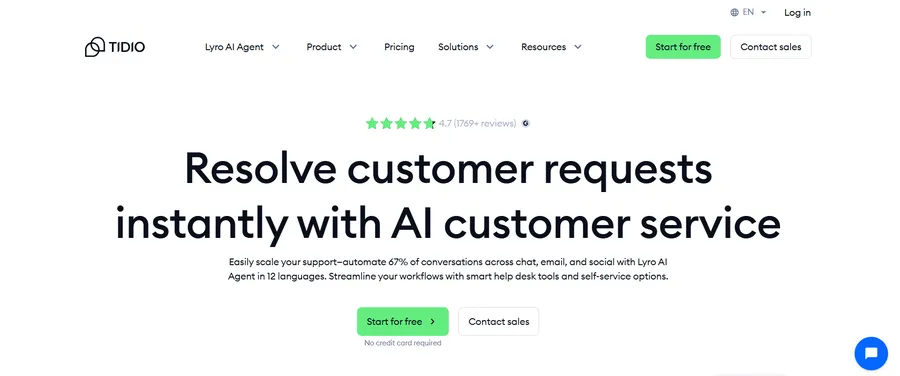
Tidio combines live chat, a visual flow builder, and Lyro, its AI agent, in one chat widget. It installs through an official WordPress plugin and also connects with Shopify, WooCommerce, and Wix. Lyro answers from your FAQs and site content, and a human can take over at any point.
Best for
Small businesses and online stores that want live chat and an AI support chatbot in a single tool.
Key features
- Lyro AI agent trained on your help content and product questions
- Visual Flows for scripted automations such as cart reminders and lead capture
- Shared live chat inbox with a mobile app
- Integrations with major ecommerce platforms and WordPress
- A free plan so you can test before paying
Pros
- Quick setup through the WordPress plugin directory
- Combines scripted flows and AI, so you are not forced to choose
- Free plan lets you test on a real site
Cons
- Lyro and Flows are billed as separate meters, so costs climb as volume grows
- Reviews note that conversations Lyro fails to resolve can still count against your quota
- The free plan has tight limits for busy sites
3. Chatbase: best for quick, content-trained bots
Chatbase is the fastest route from a pile of documents to a working bot. If your answers already exist in a help center or a PDF, this tool turns them into a chatbot with very little effort.
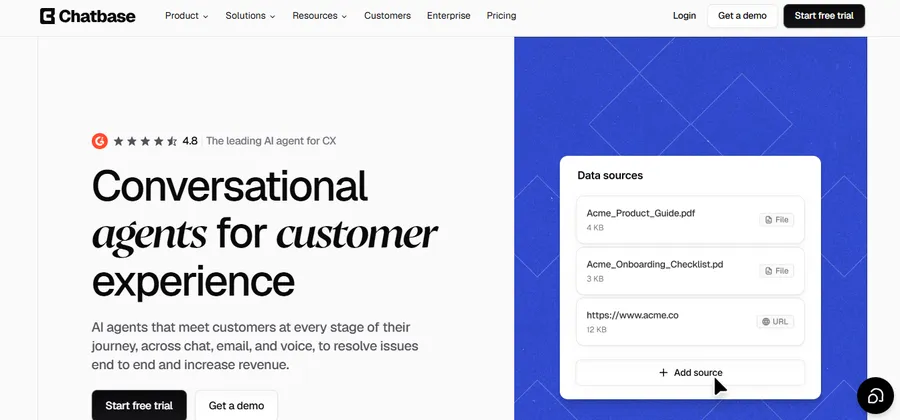
Chatbase is a no-code AI chat maker. You add website URLs, files, or plain text, and it trains a bot on that material. You then embed the bot on your site with a short script or share it through connected channels.
Best for
Teams that want to build AI chatbot flows quickly from existing documentation, with no developer involved.
Key features
- Training on website links, uploaded files, and pasted text
- Custom instructions that control tone and boundaries
- Choice of underlying AI models
- Embeddable chat widget and shareable link
- Conversation history and basic analytics for reviewing weak answers
Pros
- One of the quickest setups in this list
- Clean dashboard that non-technical staff can manage
- Works on WordPress through the standard embed script
Cons
- Plans run on message credits, which makes the monthly bill harder to predict
- Heavier AI models use more credits per reply
- Advanced actions and extras can add to the base price
4. Botpress: best for custom workflows
Botpress is built for people who want to go beyond FAQ answers. It trades some simplicity for a lot of control.
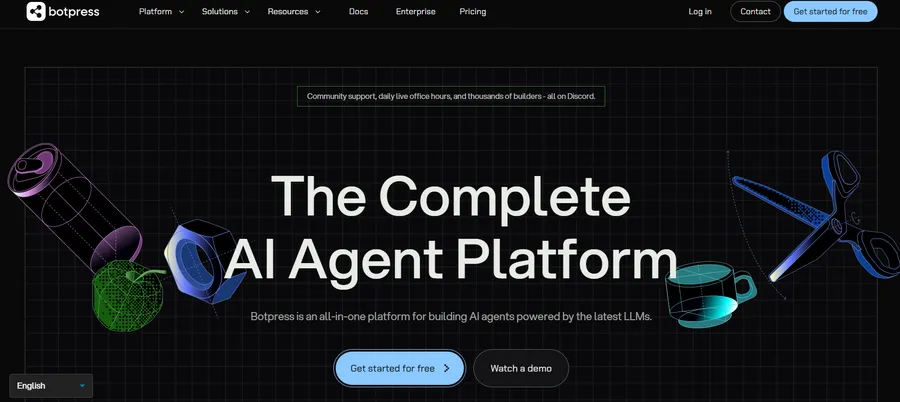
Botpress is a platform for building AI agents with a visual studio and room for custom code. It gives you more control over logic, knowledge sources, and handoff than simpler tools.
Best for
Developers and technical teams who need to build AI chatbot workflows that go beyond FAQs, such as bookings, account lookups, or multi-step tasks.
Key features
- Visual flow builder with the option to add your own code
- Knowledge bases built from documents and web pages
- Deployment to a website chat widget and messaging channels
- Choice of language models
- Testing and debugging tools inside the studio
Pros
- High flexibility for complex logic
- You can start without a paid plan
- Grows with your project instead of forcing a migration later
Cons
- Steeper learning curve than no-code tools
- AI usage is billed separately, so budgeting takes some care
- More than you need if your goal is a simple FAQ bot
5. Fin by Intercom: best for high-volume support teams
Fin is aimed at teams that measure support in resolved tickets. Its pricing is tied to outcomes, which suits companies with steady, predictable demand.
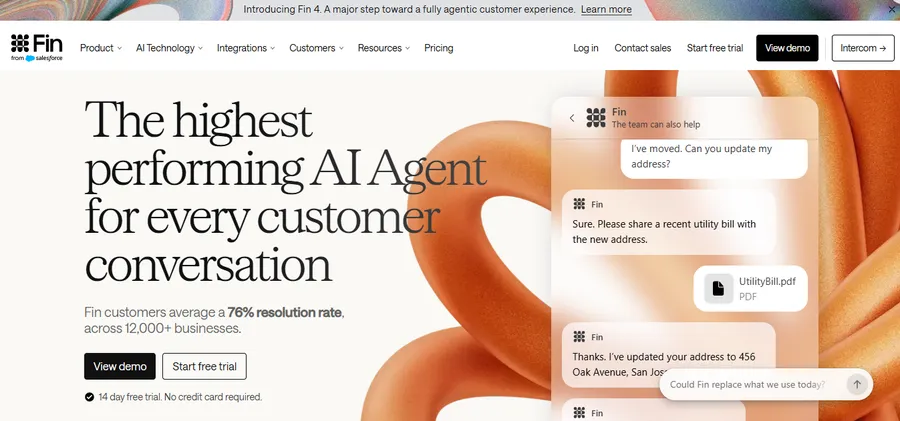
Fin is the AI agent from Intercom. Intercom rebranded its company as Fin in May 2026, and industry reports say Salesforce announced a deal to acquire it in June 2026. Fin resolves customer questions across chat and email, and it can run on top of other helpdesks, not only Intercom’s.
Best for
Support teams with steady ticket volume that want an automated chatbot priced by results.
Key features
- Answers drawn from your help center and past content
- Handoff to human agents with conversation context
- Works with other helpdesks as a standalone AI layer
- Reporting on resolution rates
- Multi-step task handling for more complex requests
Pros
- The AI price is public, so you do not need a sales call to see it
- You pay when a conversation is resolved, not for every message
- Strong fit for teams that already track resolution metrics
Cons
- Costs rise as the bot succeeds, which can make budgets hard to forecast
- Intercom’s own helpdesk seats are an extra cost if you use the full platform
- A minimum monthly commitment can apply when you use it on another helpdesk
- Too heavy for a small blog or course site
6. Zendesk AI agents: best for existing Zendesk teams
If your support already lives in Zendesk, adding its AI agents is the least disruptive path. If it does not, this option makes much less sense.

Zendesk AI agents sit inside the Zendesk support suite. They answer from your help center, run actions through integrations, and pass the ticket to a human with the full conversation attached.
Best for
Mid-size and large teams that already run their support desk on Zendesk.
Key features
- AI agents trained on your help center content
- Ticket history and customer context available during handoff
- Support across several customer channels
- Reporting that sits next to your existing support metrics
- Admin controls and security options suited to larger organizations
Pros
- Tight integration with tickets, macros, and agent workflows
- Mature permissions and reporting
- Scales well as the team grows
Cons
- Setup takes more planning than a plug-and-play widget
- Pricing is less transparent, and advanced tiers are often quote-based
- Poor value for small sites that do not already use Zendesk
7. AI Engine: best for WordPress site owners
AI Engine keeps everything inside your own WordPress dashboard. That makes it a natural fit for blogs, course sites, and small businesses that want control over data and cost.
AI Engine is a free WordPress plugin from Meow Apps. Its WordPress.org listing shows more than 90,000 active installs, according to a 2026 review. You add your own API key from a provider such as OpenAI, Anthropic, or Google, and build chatbots from inside wp-admin.
Best for
WordPress site owners, bloggers, and course creators who want a chat bot AI that lives in their own dashboard and keeps costs under their control.
Key features
- Chatbot builder that you can place with a block or shortcode
- Knowledge from your own posts, pages, and uploaded PDFs
- Bring-your-own API key, so you pay the AI provider directly
- Content tools in the same plugin, such as writing assistance
- Paid add-ons for WooCommerce, web search, and forms
Pros
- The core chatbot is free
- Wholesale AI pricing instead of a marked-up monthly plan
- No separate dashboard or script to manage
Cons
- You pay two bills: the plugin license and your AI provider
- More settings to learn than a one-click tool
- It is not a full helpdesk, so busy teams may outgrow it
How to choose the right chat bot AI
The best choice depends on your team size, your budget style, and where your content lives. A few simple checks will narrow the list fast.
Match the tool to your team size
A solo site owner rarely needs the same automated chatbot setup as a 40-agent support floor. Small sites do well with AI Engine, Tidio, or Chatbase. Developer-led teams will get more from Botpress. Large support operations usually belong with Fin or Zendesk.
Check how AI usage is billed
Billing is the biggest difference between these tools. Tidio and Chatbase use plan limits and credits, Fin charges per resolution, and AI Engine passes provider costs straight through. An AI support chatbot that works well can cost more under per-resolution pricing, so estimate a month of real conversations before you sign up.
Test accuracy before launch
Write 30 real questions from past emails or chats and run them through your shortlisted tools. Mark each answer as correct, partly correct, or wrong. Any tool that invents policies or prices is not ready for customers, whatever its feature list says.
How to build AI chatbot support in six steps
You do not need a developer to launch a useful bot. This process works for any tool in the list, and it takes most teams a few hours.
- Set one clear goal. Pick a single job, such as answering shipping questions or helping students find a course. Narrow goals produce better bots.
- Gather your source content. Collect FAQs, policies, product pages, and help articles. Fix outdated pages first, because the bot repeats whatever it reads.
- Pick a tool. Choose an AI chat maker that matches your team size and budget using the checks above.
- Train it and set rules. Upload your content, then write short instructions about tone, topics to avoid, and when to hand over to a person.
- Test with real questions. Run your list of 30 questions, fix weak answers by improving the source content, and test on mobile.
- Launch small and review weekly. Start on one or two pages, read the transcripts each week, and add missing answers to your knowledge base.
Adding an AI Chatbot to a LearnPress or Eduma Site
Online course websites often receive repetitive questions about course enrollment, payments, certificates, lesson access, and refunds. An AI chatbot can help visitors find relevant information and give students quicker access to support resources.
If you use LearnPress or Eduma, you can consider Chatboz, the AI chatbot from ThimPress, to help visitors discover product information, documentation, and useful website content.
For example, you can use an AI chatbot to:
- Help visitors find information about available courses.
- Direct users to relevant documentation and support resources.
- Answer common questions using available website content.
- Help prospective students discover pricing and enrollment information.
You can also explore LearnPress AI if you want to bring AI into the learning experience. Its AI-powered capabilities support course creation and student learning, going beyond traditional customer support chatbots.
For third-party alternatives, Tidio and Chatbase are also worth considering, depending on your website requirements and preferred integrations.
Before launching any chatbot, test its responses using real questions from your visitors. Keep its information updated and provide a clear way for users to contact your support team when they need additional help.
FAQs
How accurate is an AI support chatbot?
Accuracy depends mostly on the quality of the content you give it. A bot trained on clear, current help articles answers common questions well, while a bot fed outdated pages will repeat old information. Review transcripts weekly and fix the source content whenever you spot a wrong answer.
Will a chat bot AI replace human support agents?
No, it replaces repetitive tasks, not people. A chat bot AI handles routine questions at any hour, while humans handle refunds, complaints, and unusual cases. The best setups make handoff easy so customers never feel stuck.
Is it safe to share customer data with an automated chatbot?
It can be, if you choose carefully. Check where each vendor stores data, whether your content is used to train public models, and what privacy controls you get. Avoid training a bot on sensitive records, and add a notice in the chat window that people are talking to an AI.
Can a chat bot AI reply in other languages?
Most modern tools can answer in many languages, because the underlying models are multilingual. Quality still varies by language, so test with native speakers before launch. Your source content should also exist in the languages you want the bot to answer in.
Can I use an AI chatbot with LearnPress?
Yes. You can use an AI chatbot alongside LearnPress to help visitors find course information, documentation, pricing details, and support resources. Chatboz from ThimPress is an option for LearnPress website owners who want to provide AI-powered website assistance. You can also explore LearnPress AI for AI-powered course creation and student learning support.
What is the difference between an AI chatbot and an AI learning assistant?
An AI chatbot for customer support helps website visitors find information, answer common questions, and access support resources. An AI learning assistant focuses on helping students understand course materials, summarize lessons, and practice what they have learned. For example, Chatboz supports website visitors, while LearnPress AI provides AI-powered capabilities for course creators and learners.
Conclusion
The right chat bot AI is the one that fits your team, your content, and your budget, not the one with the longest feature list. Tidio is a friendly start for small stores, and Chatbase is the quickest way to turn documents into a working bot. Botpress rewards developers who want control, while Fin and Zendesk suit larger support teams with steady volume. AI Engine is the natural pick for WordPress owners who want to keep everything in one dashboard.
Whichever tool you choose, start small. Set one goal, prepare clean source content, test with real questions, and read transcripts every week. If you run an online school with LearnPress or Eduma, an automated chatbot can handle the repeat questions and give students faster answers. Pick one tool from this list, build your first bot this week, and improve it as real conversations come in.
Read more: Student Attendance Management System: Features, Benefits, and How to Choose One