If you have ever stared at a blank course outline wondering where to even begin, you are not alone. eLearning content creation is one of those tasks that sounds simple until you sit down to do it: pick a topic, write some slides, add a quiz, done.
In practice, building or creating a course that people actually finish takes a real process, the right content authoring system, and a clear idea of what your learners need to walk away knowing.
LearnPress – WordPress LMS Plugin
We provide an amazing WordPress LMS plugin to create & sell online courses. Let’s find out!
Try NowWhat is eLearning content creation

eLearning content creation is the process of turning what an expert knows into a structured course that someone else can learn from online, usually through video, text, quizzes, and interactive activities delivered on a learning management system. It covers everything from writing the first outline to publishing the finished lessons and tracking how learners move through them.
Good elearning content is not just a PDF turned into slides. It is built around a specific outcome: what should the learner be able to do after finishing the module that they could not do before? That single question shapes every decision that follows, from how you structure lessons to which quiz format you use to check understanding.
The term covers a wide range of work. A solo instructor recording a five-lesson cooking course and a corporate training team building a forty-module compliance program are both doing elearning content creation, just at very different scales.
Most people searching for how to create elearning course content are really asking two separate questions at once: what should go in the course, and what tool should I use to build it. It helps to answer those in that order. Deciding on the tool first, before you know your objective and audience, usually leads to a course shaped around what the software makes easy rather than what the learner actually needs.
Why elearning content development matters right now
Online learning is not a side project anymore, it is where a growing share of training and education budgets are going. According to Mordor Intelligence, the global e-learning market is on track to reach roughly $275.86 billion in 2026, growing at close to 11% a year through 2031. That growth is coming from both corporate training teams replacing in-person workshops and independent creators building courses around a skill they already have.
Two things are driving that shift. First, remote and hybrid work made async training the default rather than the exception, so companies need content that works without a live instructor in the room. Second, learners now expect the same polish from a training course that they get from any other app on their phone: short lessons, clear progress tracking, and content that respects their time.
Enterprises are also spending more on tailored digital training aligned with their own workflows and branding rather than buying generic, off the shelf modules, which is pushing demand toward custom elearning content development instead of one size fits all libraries, according to Fortune Business Insights. If you are building courses for a business audience, that shift matters. Generic content is easy to find; specific, well structured content built for a real problem is what people pay for and actually complete.
How to create an elearning course step by step
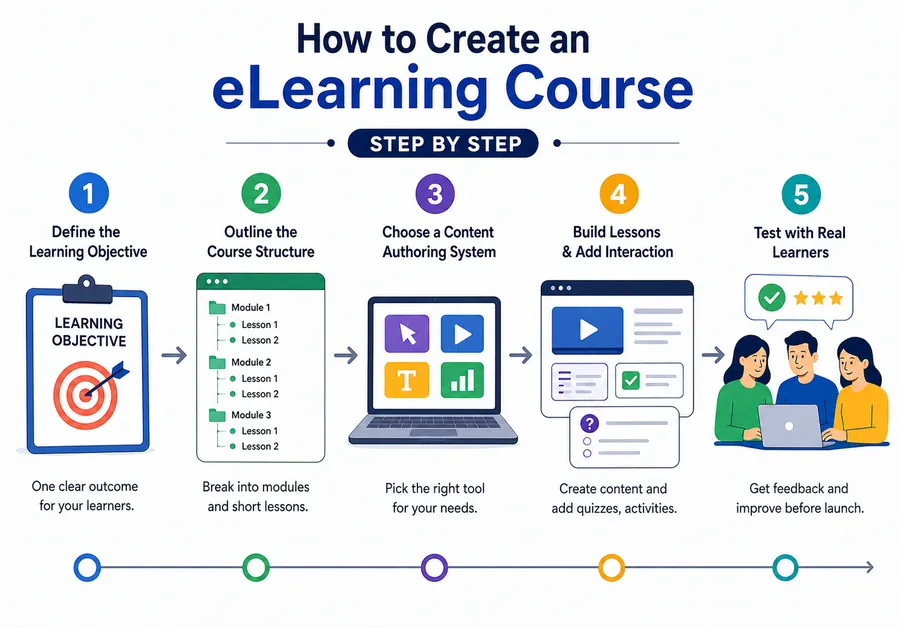
Building a course that holds up is less about fancy tools and more about doing the steps in the right order. Skip the planning stage and you end up rewriting half the course after the fact.
Define the learning objective before you write anything
Start by writing one sentence: “After this course, the learner will be able to ___.” If you cannot fill in that blank clearly, you are not ready to build slides yet. Every lesson, quiz question, and example you create should trace back to that sentence. This is the step most first time course creators skip, and it is why so many courses feel like a pile of information instead of a path toward a result.
Outline the course structure
Break the objective into modules, then break each module into lessons short enough to finish in one sitting, ideally 5 to 10 minutes. A course that forces learners to sit through a 45 minute video before they can save their progress is a course people abandon halfway through. Write your outline as a simple list before you touch a content authoring system, so you can spot gaps and repeated ideas early.
Choose a content authoring system that fits your workflow
Your content authoring system is the software you use to actually build the lessons, quizzes, and interactive pieces, then package them for your learning management system. Some authoring tools are built for polished corporate scenarios with branching video, others are built for straightforward course delivery on WordPress. Pick based on how technical your team is and how much interactivity your subject actually needs, not on which tool has the most features on paper.
Build the lessons and add interaction
Write or record each lesson against your outline, and resist the urge to pad it out. Add a short knowledge check after each lesson rather than one long quiz at the end, since regular low stakes checks help learners retain more of what they just covered. Mix formats where it makes sense: a short video for a demonstration, plain text for reference material, and a quiz to confirm the concept stuck.
Test the course with real learners before launch
Run your finished course past two or three people who fit your target audience and watch where they get confused or drop off. This step catches problems no amount of internal review will find, because you already know the material and they do not.
4 Best tools and content authoring systems to consider
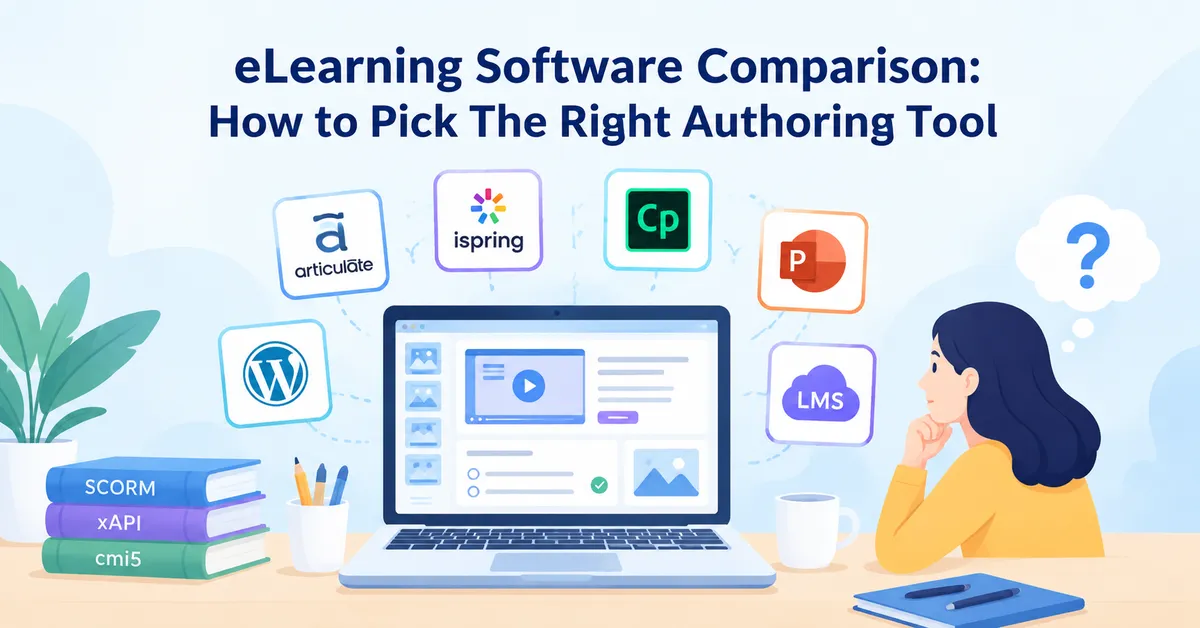
There is no single best tool for every situation, the right pick depends on your budget, your technical comfort, and where you plan to host the course. Here is how the main categories compare.
| Tool type | Good for | Example tools | Learning curve |
|---|---|---|---|
| Standalone authoring software | Corporate teams building branching, video-heavy scenarios | Articulate Storyline, Adobe Captivate | Steep |
| Cloud-based course builders | Solo creators who want speed over customization | iSpring Suite, Elucidat | Moderate |
| WordPress LMS plugins | Anyone who already runs a WordPress site and wants to sell or host courses directly | LearnPress, LearnDash, Tutor LMS | Beginner friendly |
| Video and screen recording tools | Turning demonstrations or lectures into lesson content | Camtasia, Loom | Beginner friendly |
If you already run your site on WordPress, a plugin like LearnPress is worth a look before you invest in a separate standalone authoring platform. It handles course structure, quizzes, certificates, and student progress tracking directly inside WordPress, so you can build and sell a course without bolting on a third party system or paying for a separate LMS subscription.
Whichever content authoring system you land on, avoid switching tools mid project. Course content that has to be rebuilt because you outgrew a tool halfway through wastes more time than picking a slightly less feature rich option that you can stick with from outline to launch.
Common mistakes that kill course completion rates
Most courses do not fail because the information is wrong, they fail because of how the content is put together. A few patterns show up again and again.
- Cramming too much into one lesson is the most common one. If a single lesson tries to cover three separate ideas, learners lose track of what they are supposed to take away from it. Split it into three shorter lessons instead, each with its own small win.
- Skipping practice and going straight from explanation to final exam is another. Learners need to apply a concept in a low stakes way before you test them on it, otherwise the quiz measures how well they can guess rather than what they actually learned.
- Ignoring mobile learners is a mistake that is easy to make and expensive to fix later. A growing share of course traffic comes from phones, so content built only for a desktop screen, with tiny text or wide tables, loses a meaningful chunk of your audience before they finish lesson one.
- Publishing without a feedback loop rounds out the list. Course content is never really finished, learner questions and drop off points will tell you exactly where to improve it, but only if you are set up to collect and act on that feedback after launch.
How to measure whether your elearning content actually works
Completion rate is the simplest signal and worth tracking from day one: if fewer than half your learners finish, something in the structure or pacing needs attention before you add more content. Look at where people stop, not just whether they finish, since a consistent drop off point usually points to one specific lesson that is too long, too dense, or unclear.
Quiz scores tell you whether the content is actually teaching what you intended. If most learners miss the same question, that is rarely a sign they were not paying attention, it usually means the lesson did not explain that concept clearly enough.
Direct feedback still matters more than any dashboard number. A short one question survey at the end of a course, asking what was confusing or what they wished had more detail, gives you specific fixes rather than a vague sense that something is off.
Repurposing existing material into elearning content
You do not always have to start from a blank page. If you already have webinar recordings, internal training decks, blog posts, or a PDF manual, that material can become the backbone of a new course much faster than writing everything from scratch.
The work is less about copying the material over and more about restructuring it around a learning objective. A 60 minute webinar recording rarely works as a single lesson, but cut into five focused clips with a short quiz after each one, it becomes a course learners can actually finish. The same applies to a long PDF manual: break it into short reference lessons organized around tasks rather than chapters, and add a quick check after each section so learners confirm they understood it before moving on.
This approach also keeps your elearning content development costs down, since you are editing and reorganizing material that already exists rather than producing everything new. Just make sure the underlying information is still accurate before you republish it, older training material has a habit of referencing tools, prices, or processes that have since changed.
Accessibility and mobile design in elearning content
A course that only works well on a large desktop monitor leaves out a real share of your audience. Add captions to every video, since some learners study in places where they cannot turn the sound on, and captions also help anyone whose first language differs from the one the course is taught in. Use a font size and line spacing that stays readable on a phone screen without zooming, and keep tables and diagrams simple enough to make sense on a narrow viewport.
Color contrast matters more than most course creators expect. Light gray text on a white background might look clean on your monitor, but it can be genuinely hard to read for learners with low vision, and it fails basic accessibility checks that some corporate buyers will ask about before they license your course. Running your finished lessons through a free accessibility checker takes a few minutes and catches most of these issues before launch.
FAQs
How long does it take to create an elearning course?
A short course of five to ten lessons typically takes two to four weeks when you already know the material, including outlining, recording or writing, and building quizzes. Longer corporate programs with branching scenarios or custom video can take several months depending on how much original content needs to be produced.
What is the difference between elearning content and a content authoring system?
Elearning content is the actual course material, the lessons, quizzes, and activities a learner works through. A content authoring system is the software you use to build and package that material so it can be delivered through a learning management system. You need both, but they are not the same thing.
Do I need video for elearning content creation, or is text enough?
Text based lessons work well for reference material and step by step instructions, but video is more effective for demonstrations, software walkthroughs, or anything that benefits from seeing a process in motion. Most effective courses mix both rather than relying on one format for everything.
Can I create and sell an elearning course without a separate LMS platform?
Yes, if your site already runs on WordPress, a plugin like LearnPress lets you build, host, and sell courses directly from your existing site, including quizzes, certificates, and student progress tracking, without paying for a separate hosted LMS.
Conclusion
Solid elearning content creation comes down to a handful of habits repeated consistently: start with a clear objective, keep lessons short, build in practice before you test, and treat feedback as part of the process rather than an afterthought. The tools you pick, whether that is a full standalone content authoring system or a WordPress LMS plugin like LearnPress, matter less than whether you actually follow that process from outline to launch. Get the structure right first, and the platform choice becomes a much easier decision.
Read more: 6+ Best Platforms to Learn New Skills Online