
Before installing the Exam Add-on for LearnPress, make sure that the LearnPress plugin is already installed and activated on your WordPress website.
Follow these steps to install the add-on:
- Log in to your WordPress Dashboard.
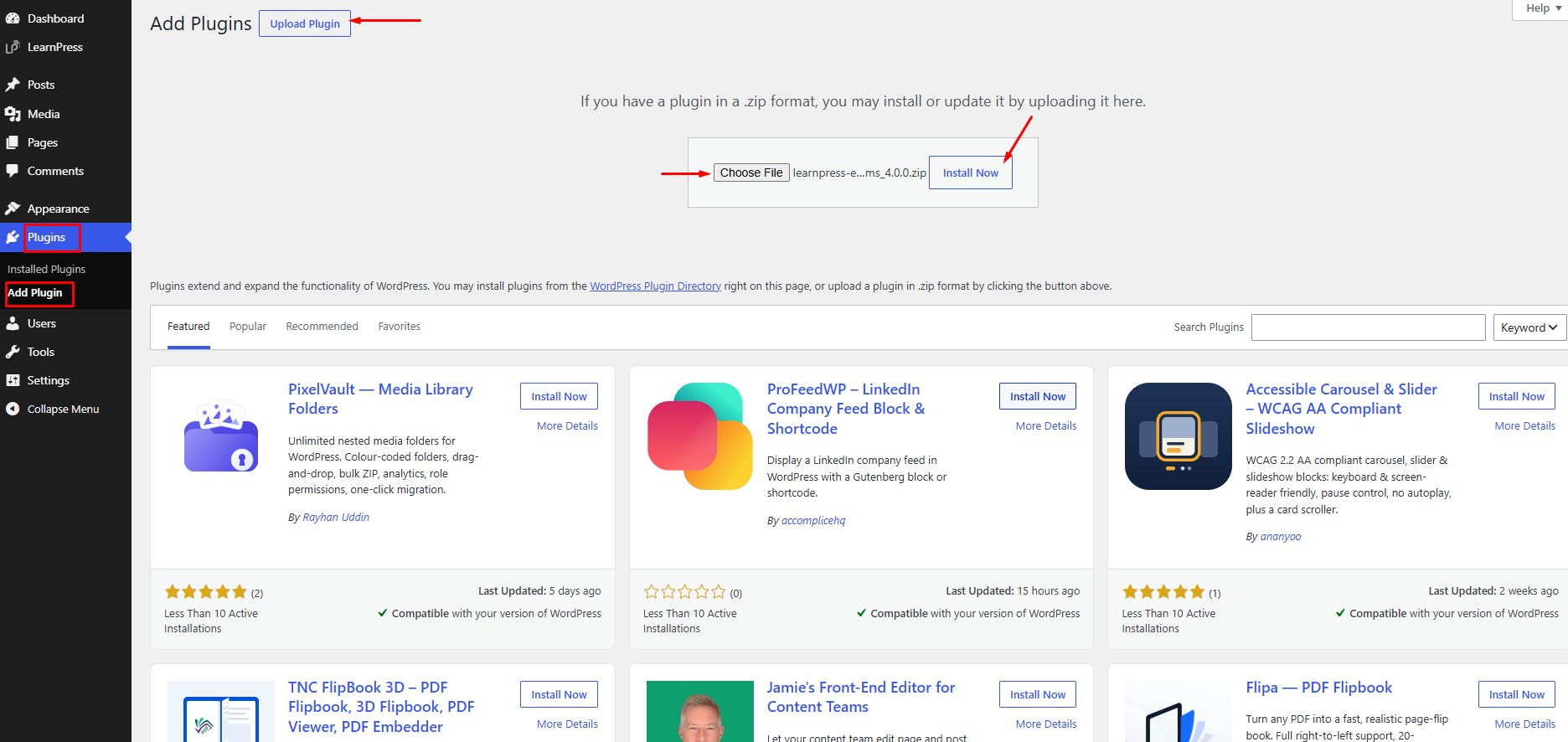
- Navigate to Plugins → Add New Plugin.
- Click Upload Plugin and select the learnpress-exam.zip file from your computer.
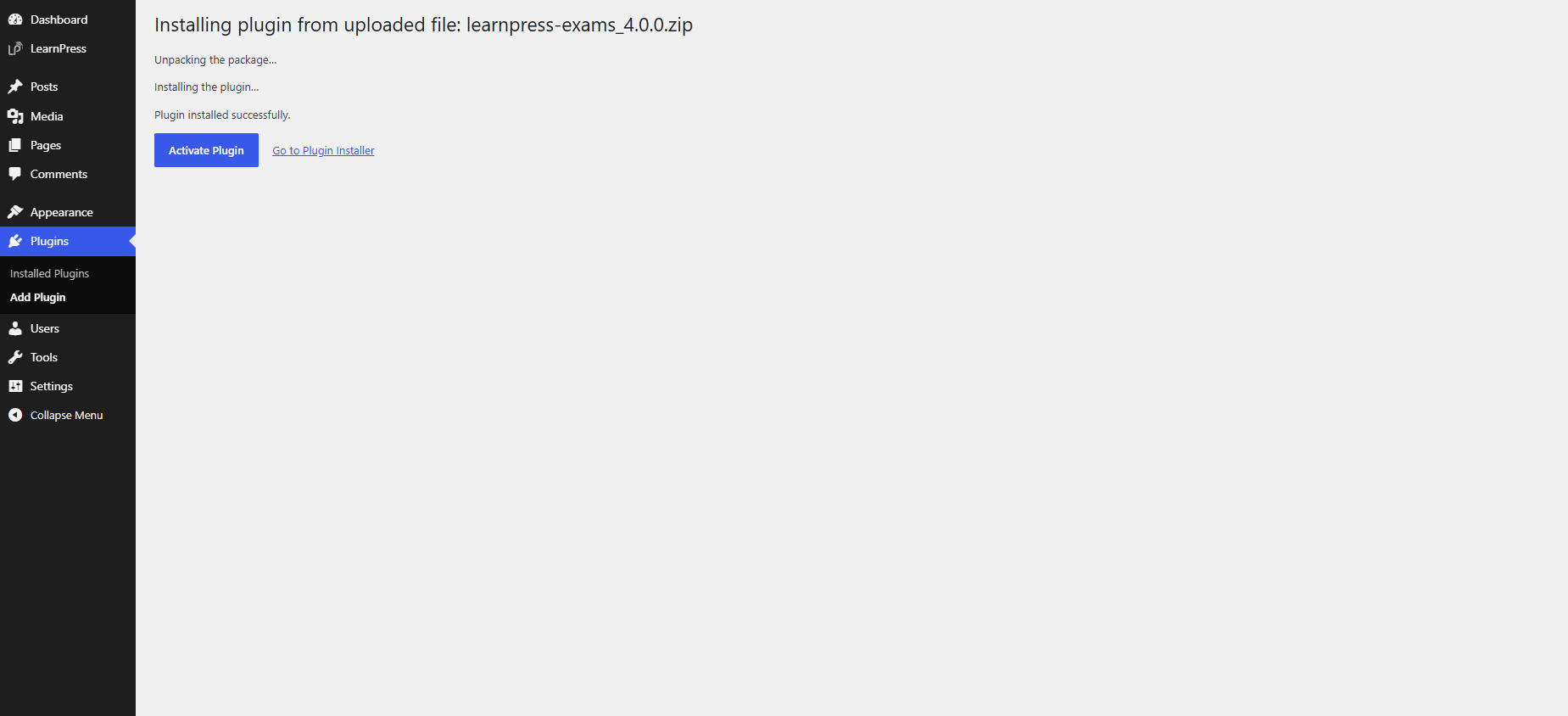
- Click Install Now and wait for the installation to complete.
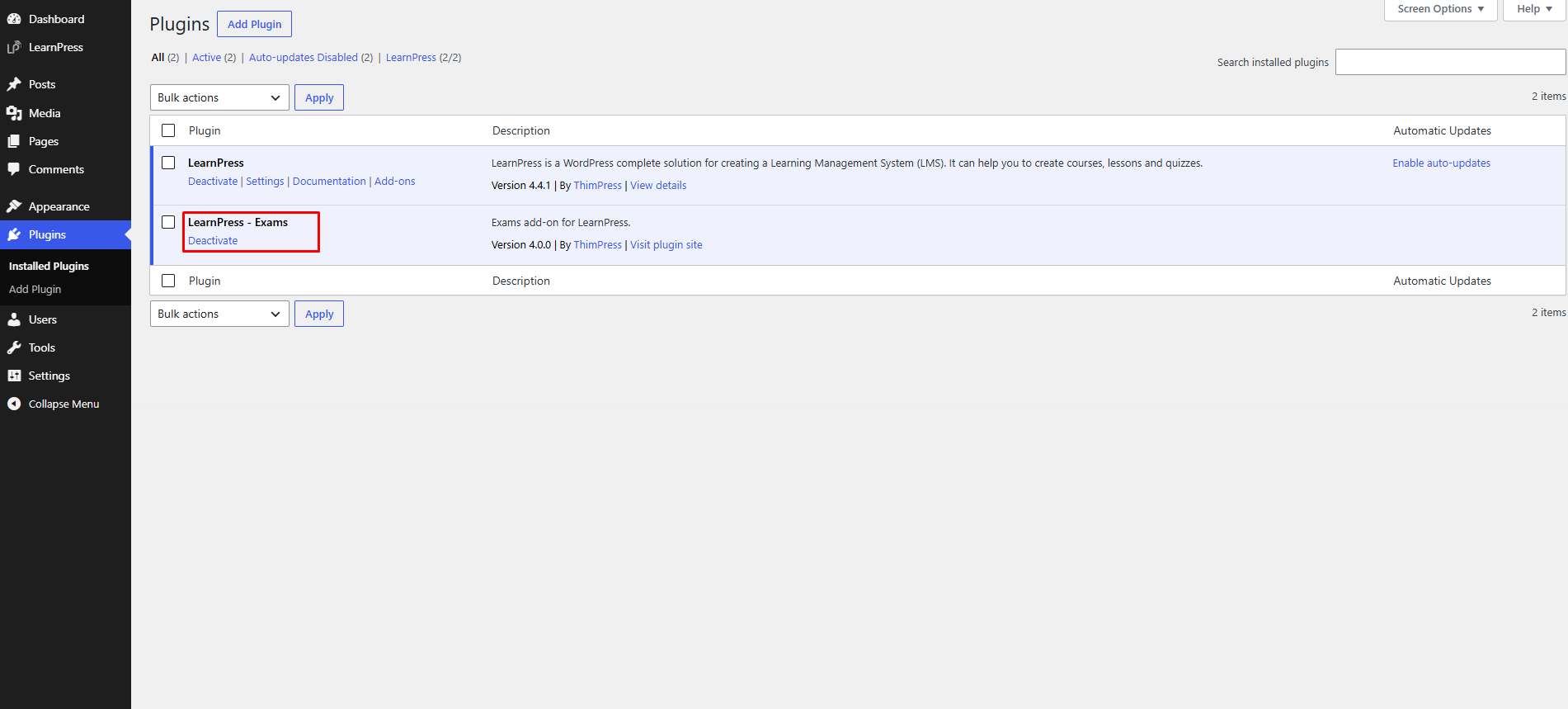
- Once installed, click Activate Plugin.
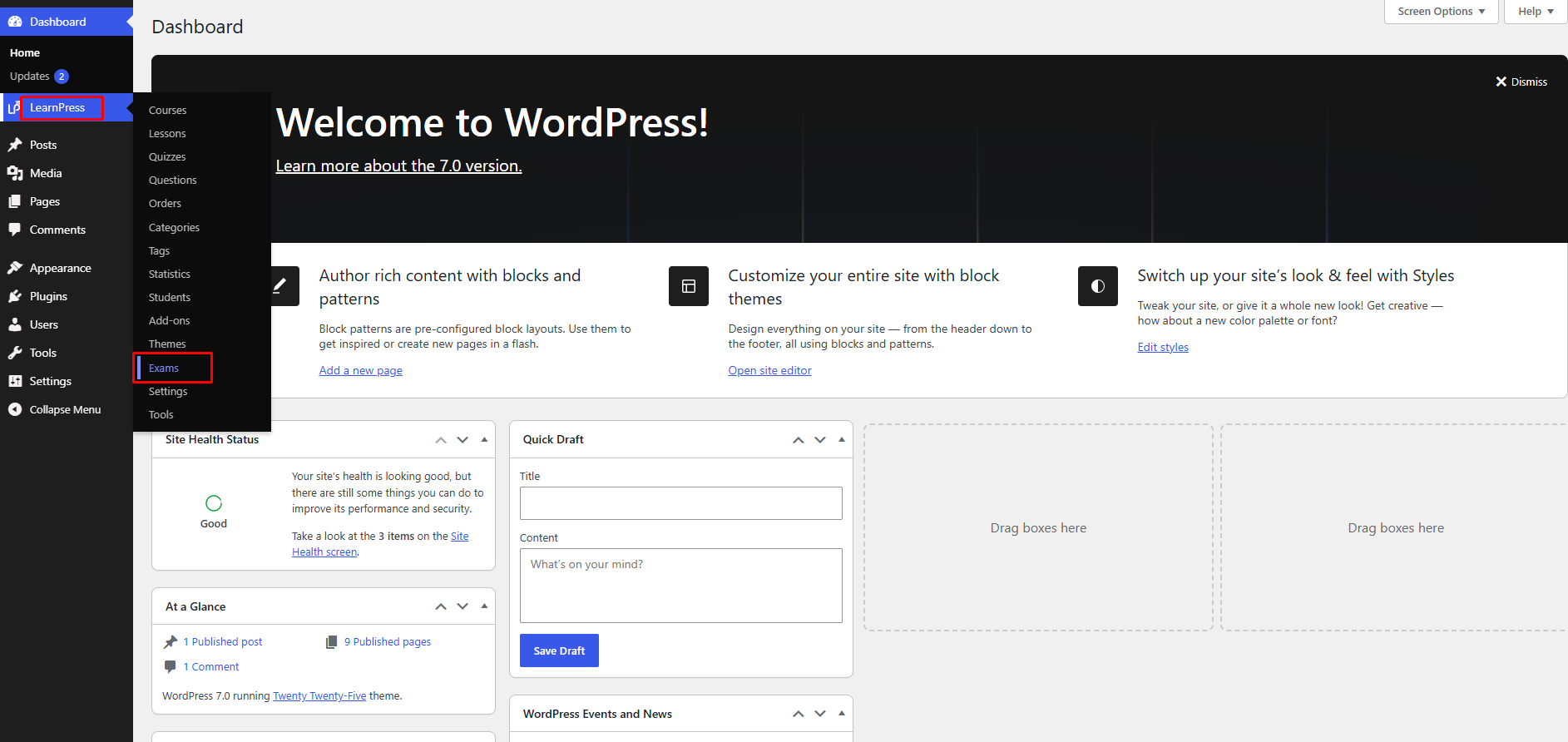
After activation, a new Exams menu will appear under the LearnPress menu in your WordPress Dashboard. From there, you can create, manage, and organize all exams from a dedicated workspace.
Note: This add-on requires LearnPress to be installed and activated. Without LearnPress, the Exam Add-on for LearnPress cannot function properly.