Choosing the wrong LMS is expensive and slow to undo. Getting the learning management system requirements right before you commit saves months of migration headaches, budget overruns, and frustrated learners who abandon courses before they finish.
This guide covers what every L&D manager, IT lead, and HR director needs to evaluate before selecting a platform: core LMS requirements, a full LMS features checklist, key requirements for corporate learning platforms, and the LMS system requirements your IT team will raise during procurement.
If you are also building an internal LMS requirements checklist, use this as your starting framework.
Let’s get started!
LearnPress – WordPress LMS Plugin
We provide an amazing WordPress LMS plugin to create & sell online courses. Let’s find out!
Try NowWhat Makes a Solid LMS Worth Evaluating
Not every LMS is built for the same purpose. Some are designed for academic institutions managing semester-based cohorts. Others are built specifically for corporate training, compliance tracking, and onboarding at scale.
Before you can define your LMS requirements, you need to decide which category fits your situation and what trade-offs you are willing to make on price, flexibility, and administrative overhead.
Usability and the learner experience
The LMS your team actually uses is better than the one with the longest feature list. During any vendor demo, ask them to show you the learner view first, not the admin dashboard. Check how many clicks it takes to resume an assigned course, whether the interface works on mobile without a dedicated app, and whether the navigation makes sense to someone logging in for the first time.
Real-world friction adds up. If learners have to navigate three menus to find their assigned training, completion rates drop. A clean portal with visible progress tracking, a clear list of overdue and upcoming items, and deadline notifications makes a measurable difference in how many people actually finish what you assign.
Content creation and management
Look at what the LMS can do natively before any third-party authoring tools enter the picture. Some platforms include a built-in online course builder that handles video, quizzes, SCORM packages, and PDF attachments in one interface. Others require you to author in a separate tool like Articulate Storyline or Adobe Captivate and upload the finished output.
Neither approach is wrong, but it changes your production workflow and your tool budget. If you already own an authoring tool, confirm SCORM 1.2, SCORM 2004, or xAPI (Tin Can) compatibility so your existing content uploads without format conversion problems.
For organizations that want full control over their learning platform without enterprise LMS pricing, LearnPress offers a flexible WordPress-based LMS with built-in course creation, quizzes, certificates, and support for online course sales. It can be a practical option for businesses, training providers, and educational organizations looking to launch and manage training programs on their own website.
Core LMS Requirements Your Organization Needs
Every LMS requirements document should address three categories before any feature conversation: hosting model, security, and integration capability. These are the foundations. Skipping them creates problems that a polished course library cannot fix later.
Hosting and infrastructure
Cloud-hosted LMS platforms such as TalentLMS, Docebo, and Absorb LMS handle server maintenance, uptime, and software updates for you. Self-hosted options like Moodle and Open edX give you full control but require dedicated IT resources for patches, backups, and performance tuning over time.
For most corporate environments, a cloud-hosted SaaS LMS with a 99.9% uptime SLA is the practical default. If you are subject to data residency requirements, particularly relevant for EU organizations under GDPR, confirm that the vendor’s server locations are compatible with your obligations before signing anything.
Security and compliance
Security LMS requirements include single sign-on (SSO) via SAML 2.0 or OAuth 2.0, role-based access control (RBAC), data encryption at rest and in transit, and audit logging for compliance record-keeping. If your organization is subject to HIPAA, GDPR, or ISO 27001, ask for the vendor’s actual compliance certifications rather than accepting a marketing claim on their website.
Two-factor authentication (2FA) for admin accounts is a baseline expectation now, not a premium feature. Any platform that does not support it should come off your evaluation list.
Integration with existing tools
The three integrations most organizations need from day one: an HRIS or HR platform for automatic user provisioning and deactivation, a video conferencing tool (Zoom or Microsoft Teams) for virtual instructor-led sessions, and a content library subscription such as LinkedIn Learning or Coursera for Business for self-directed development.
Confirm whether these are native integrations or REST API connections that require custom developer work. Native integrations sync on a schedule automatically; API connections often need your IT team to build and maintain the pipeline. Ask for integration documentation and access to a sandbox environment before you commit.
Key Requirements for Corporate Learning Platforms
Corporate environments have specific demands that general education platforms are not always equipped to meet. The key requirements for corporate learning platforms go well beyond course delivery: they cover compliance management, blended learning logistics, and manager-level visibility into team training status.
Scalability and multi-department support
A corporate LMS needs to handle different learner groups with different content libraries, permission levels, and branding. A global manufacturer might need one platform instance serving its safety compliance team in Germany, an onboarding cohort in Singapore, and a leadership development program in the US, all with localized content and language settings.
Look for multi-tenant architecture or a robust organizational hierarchy with group-based permissions. Understand the vendor’s pricing model before you scale: some platforms charge per seat, others per active user per month. The difference matters significantly when you have seasonal employees or contractors who only need access for a few weeks each year.
Reporting and analytics
Reporting is where many platforms fall short of what corporate teams actually need in practice. The minimum your compliance and HR stakeholders will expect: course completion rates, assessment scores, time-on-course data, certification expiry status, and overdue training alerts segmented by team or manager.
The LMS should export this data to CSV or connect directly with your BI tool, whether that is Tableau, Power BI, or Looker. A custom report builder is worth paying a premium for if your L&D team runs quarterly training reviews or needs to slice data by department, manager, or cost center. Check whether report scheduling is available so compliance reports land in a manager’s inbox automatically each month without anyone pulling data manually.
Certification and compliance tracking
For industries including healthcare, finance, manufacturing, and construction, certification tracking is not optional. The platform must automatically issue course certificates upon course completion, track expiry dates, and send renewal reminders before a certification lapses. If a learner’s mandatory safety certification expires next month, the system should flag it proactively.
Automated re-enrollment workflows matter at scale. When a certification expires, the platform should enroll the learner in the refresher course automatically rather than requiring an administrator to trigger it individually for each person.
LMS Features Checklist: What to Evaluate Before You Sign
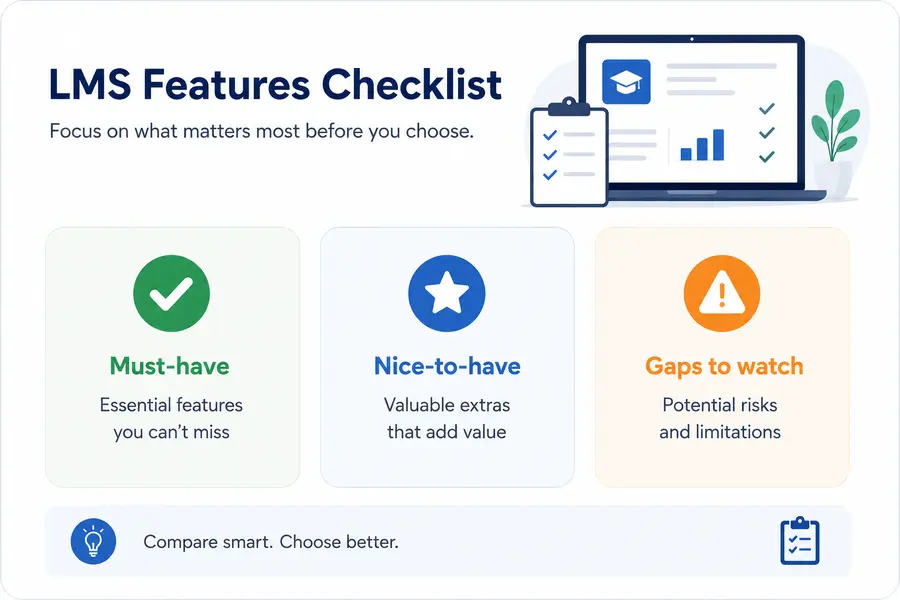
Use this LMS features checklist when comparing two or more platforms side by side. It covers the capabilities that appear most frequently in enterprise procurement documents and helps you catch gaps before contract negotiations start.
Must-have features
Confirm all of these before moving to a commercial conversation:
- SCORM 1.2, SCORM 2004, xAPI, and AICC content compatibility
- SSO with your existing identity provider (Okta, Azure AD, Google Workspace)
- Mobile-responsive learner interface or a native mobile app
- Automated enrollment rules triggered by job title, department, or hire date
- Role-based permissions across learner, manager, instructor, and admin roles
- Certifications with configurable expiry dates and automated renewal alerts
- Assessment and quiz builder with configurable pass/fail thresholds
- Reporting dashboard with CSV export and API access
- Documented GDPR or regional data privacy compliance
Nice-to-have features
These are not blocking issues but they improve the platform’s long-term value considerably:
- Built-in course authoring with video, PDF, and interactive content support
- Gamification elements including points, badges, and leaderboards
- Content marketplace integration with LinkedIn Learning, Coursera, or Skillsoft
- AI-powered learning path recommendations based on role or skill gap data
- Blended learning scheduling tools for virtual instructor-led training
- Multi-language interface and course localization for global teams
- White-label learner portal with custom branding and domain mapping
- eCommerce module for selling training externally to customers or partners
Gaps to watch for
During demos, ask explicitly about version history for uploaded course content, storage limits per pricing tier, and what happens to learner records and completion data if you cancel your subscription. These details rarely appear in marketing materials but consistently appear in the contract.
LMS System Requirements for IT and Infrastructure Teams
Your IT team will need a separate look at the LMS system requirements beyond the feature list. These are the technical specifications that determine whether the platform fits your existing environment and what your team is responsible for maintaining after go-live.
Browser and device compatibility
At a minimum, the platform should support the current and previous major versions of Chrome, Firefox, Safari, and Edge. If your organization runs managed devices with a locked browser version, confirm compatibility during the evaluation rather than after procurement.
Mobile support should cover iOS 15 or later and Android 10 or later. If you plan to deliver training to field workers who may be offline, confirm whether the mobile app supports offline content download and syncs completion data automatically when connectivity is restored.
Server and bandwidth considerations
For self-hosted deployments, your IT team will need to size server resources based on expected concurrent user load. A common baseline for Moodle: 2 GB RAM and 2 CPU cores support approximately 50 concurrent users. For 500 concurrent users, plan for at least 8 GB RAM and 4 CPU cores in a load-balanced setup.
For cloud-hosted platforms, the server-side bandwidth requirement sits with the vendor, but learners still need adequate connection speed on their end. Video-heavy courses typically require at least 5 Mbps per learner. For remote or mobile learners, confirm whether the platform supports adaptive video streaming to handle variable connection speeds without playback failures.
Accessibility standards
WCAG 2.1 AA compliance is the accepted benchmark for accessible LMS design. This covers keyboard navigability, screen reader compatibility with tools like NVDA, JAWS, and VoiceOver, adequate color contrast ratios, and caption support for all video content.
For US federal agencies or any organization subject to Section 508, ask the vendor for their most recent Voluntary Product Accessibility Template (VPAT). Confirm when it was last audited, since older VPATs can be unreliable as an indicator of current compliance.
LMS Requirements Checklist: A Section-by-Section Breakdown
Use this LMS requirements checklist as the foundation for your internal evaluation scorecard. Copy it into a spreadsheet, add a priority column using must-have, nice-to-have, or not needed, and score each vendor from 1 to 5 against every item.
Learner experience
- Intuitive navigation with visible progress tracking
- Mobile-responsive interface or a native app with offline access
- Multilingual interface and content localization support
Content management
- SCORM 1.2, SCORM 2004, xAPI, and AICC support
- Native video hosting or integration with Vimeo or Wistia
- Version control for updated course content so learners always see the right version
- Bulk upload and centralized content library management
Administration
- SSO via SAML 2.0 or OAuth 2.0
- RBAC with granular permission controls per group or department
- Automated enrollment by department, job title, or hire date
- REST API access for HRIS and payroll system integration
Compliance and reporting
- Certificate issuance with configurable branded templates
- Expiry date tracking and automated re-enrollment for renewals
- Custom report builder with scheduled delivery to stakeholder inboxes
- Tamper-evident audit trail for regulatory inspection
Security and infrastructure
- Data encryption at rest (AES-256) and in transit (TLS 1.2 or higher)
- Two-factor authentication required for all admin accounts
- Uptime SLA of 99.9% minimum with documented incident response process
- Full data export and permanent deletion upon contract termination
Vendor and support
- Onboarding and implementation support included or available as a paid service
- Dedicated customer success contact at the enterprise pricing tier
- Defined response time SLAs for critical system issues
- Transparent product roadmap and an active user community for peer support
FAQs
What are the most common LMS requirements organizations overlook?
The two requirements most often missed in early evaluations are data ownership and integration depth. Teams focus on course features but do not clarify what happens to learner completion records if they migrate to a different platform later, or whether the HRIS integration is genuinely bidirectional or just a one-way user import. Confirm both in writing, not just in a sales call, before signing a multi-year agreement.
How do I build an LMS requirements checklist for my organization?
Start by interviewing three groups: L&D leads who care about content authoring and learner experience, HR and compliance who care about certification tracking and reporting, and IT who care about SSO, security, and infrastructure. Combine their inputs into one ranked list with must-have and nice-to-have tiers, then use it to score each vendor during the demo stage. Your LMS requirements will differ by industry, headcount, and regulatory environment, so a generic checklist should always be customized before procurement.
What is the difference between SCORM and xAPI?
SCORM (1.2 and 2004) tracks course completion, pass/fail results, and time-on-course within a traditional LMS environment. xAPI extends tracking to a broader range of learning activity, including offline learning, simulations, and social learning that happens outside a formal course. For most corporate training programs, SCORM 1.2 covers what you need. xAPI is worth requiring if you plan to track informal learning or connect with a separate learning record store (LRS).
How long does LMS implementation typically take?
A cloud-hosted LMS with SSO integration, content upload, and custom branding typically takes 4 to 8 weeks for an initial corporate rollout. Self-hosted deployments such as Moodle or Open edX often require 12 to 20 weeks, depending on server configuration, content migration volume, and IT team capacity. Build in at least two weeks for user acceptance testing before going live with your full learner population, regardless of which platform you choose.
Read more: Advantages of LMS: Why Use a Learning Management System