Running an online course platform means you are not just managing content. You are juggling payments, email follow-ups, video hosting, learner records, and sometimes a CRM on top of that.
An integrated LMS connects all of those tools into one working system so you are not copying data between apps or patching enrollment gaps by hand every time a student signs up.
This guide covers what an integrated LMS actually does, which LMS integration solutions are worth your attention, and what to look for when comparing platforms.
LearnPress – WordPress LMS Plugin
We provide an amazing WordPress LMS plugin to create & sell online courses. Let’s find out!
Try NowWhat an Integrated LMS Actually Is
An integrated LMS is a learning management system that connects directly with external tools your organization already runs: payment gateways, CRM software, video conferencing platforms, email marketing tools, and HR systems.
The core idea is that learner data moves automatically between those systems, rather than requiring manual exports and imports every week.
The gap between a standalone LMS and a properly integrated one shows up fast in day-to-day operations. Without integrations, a course admin might export a CSV of new enrollees from the LMS, upload it manually to Mailchimp, then reconcile those records against a CRM every Monday morning.
With the right setup, enrollment triggers an automated welcome sequence in Mailchimp and creates a CRM contact simultaneously, without any manual steps.
Native integrations vs. third-party middleware
LMS integrations generally fall into two categories, and understanding the difference helps you make a better platform choice.
Native integrations are built directly into the LMS. The LMS developer maintains both sides of the connection, so updates tend to stay in sync and configuration is straightforward. These are the most reliable option for day-to-day operational needs like payment processing and enrollment automation.
Third-party integrations via API or middleware tools like Zapier or Make (formerly Integromat) are more flexible. You can connect almost any app that has an API. However, they require more setup, cost extra per task in high-volume scenarios, and can break when either platform updates its API without warning.
For most course creators and L&D teams, native integrations are the better starting point. Middleware fills the gaps when no native option exists.
Why LMS Integration Solutions Matter
Most organizations do not run their courses in isolation from other systems. A corporate training team needs the LMS to pull employee data from an HRIS.
A creator selling online courses needs Stripe or WooCommerce to handle payments without a separate checkout site. A university program might need Zoom sessions embedded directly into the lesson player.
When those connections are missing or rely on manual exports, the result is duplicated records, delayed learner access, and administrative overhead that scales poorly as your course catalog grows.
Research from the Brandon Hall Group found that organizations with tightly integrated learning technology report significantly lower admin time per training hour compared to those running disconnected systems.
The practical impact shows up most clearly in three areas.
Enrollment and access control
Without an integrated payment or membership system, someone has to manually grant course access after each purchase. With the right LMS integration solutions in place, payment confirmation triggers enrollment automatically, and access is revoked cleanly when a subscription lapses or a refund is issued. No support tickets asking “why can’t I access the course I just paid for?”
Reporting and compliance tracking
Compliance training requires accurate, auditable completion records. An integrated LMS pushes completion data directly into an HRIS or reporting dashboard as soon as a learner finishes. Without that integration, reports get assembled by hand from multiple sources, which introduces errors at exactly the point where accuracy matters most.
Learner communication and re-engagement
Re-engagement campaigns depend on knowing which learners are falling behind. An LMS that integrates with Mailchimp or ActiveCampaign can trigger automated follow-up emails based on lesson progress: a nudge at 50% completion, a check-in after seven days of inactivity, a celebration message at 100%. That level of automation is only possible when the LMS and the email platform are actually talking to each other.
The Most Valuable LMS Integration Solutions
Not all integrations carry the same weight. Some are nice to have depending on your setup; others are close to non-negotiable. Here are the ones that come up most often in real deployments.
Payment gateway integrations
If you sell course access, a direct payment gateway integration is the first thing to verify. WooCommerce, Stripe, and PayPal are the most common for WordPress-based platforms. WooCommerce is particularly useful because it brings an entire e-commerce layer including product pages, discount codes, order history, and subscription billing without requiring a separate storefront.
Video conferencing integrations
Live and blended learning programs need a way to schedule sessions inside the LMS. Zoom and Google Meet integrations let instructors create a meeting directly from the lesson editor, and enrolled students see the join link in their course dashboard without needing a separate calendar invite or email thread.
CRM and email marketing integrations
Mailchimp, ActiveCampaign, HubSpot, and similar tools handle the communication layer that most LMS platforms do not manage natively. Connecting your LMS to a CRM means enrollment events, completions, and inactivity signals can trigger automated sequences without manual intervention from the admin side.
SCORM and xAPI compatibility
For organizations that produce compliance or certification content in authoring tools like Articulate Storyline or Adobe Captivate, SCORM and xAPI (Tin Can API) compatibility is a baseline requirement. These standards allow externally built content to run inside the LMS and report completion data correctly so your certificates and audit trails stay accurate.
Single sign-on (SSO)
In enterprise environments, learners should not need a separate login for the LMS. SSO integrations with Active Directory, Google Workspace, or SAML 2.0 identity providers reduce friction and improve adoption, especially for mandatory training programs where every extra step is a reason to disengage.
Best LMS Integrations: What a WordPress LMS Should Support
WordPress has become one of the most common bases for LMS deployments because it gives course creators control over hosting, data, and their storefront without a per-seat licensing fee.
The LMS plugins available for WordPress vary significantly in how many integrations they support and how actively those connections are maintained.
At minimum, a solid WordPress LMS should support the following out of the box or through official add-ons:
| Integration | What it handles |
| WooCommerce | Course sales, subscriptions, discount codes, order management |
| Stripe | Direct card payment processing with automatic enrollment |
| PayPal | Alternative payment option for global learners |
| Zoom | Scheduled live sessions embedded inside lessons |
| Mailchimp / ActiveCampaign | Enrollment and completion-triggered email sequences |
| BuddyPress | Community features and social learning |
| SCORM | Externally authored compliance and certification content |
| Certificate add-on | Automated branded completion certificates |
| WPML | Multilingual course delivery for international audiences |
When evaluating platforms, note whether each integration is native (included with the core plugin), an official add-on, or dependent on a Zapier connection. Native and official add-ons are tested against the LMS version and updated alongside it. A Zapier-based workaround is better than nothing, but it adds cost and a third point of failure.
How LearnPress Handles integrations on WordPress
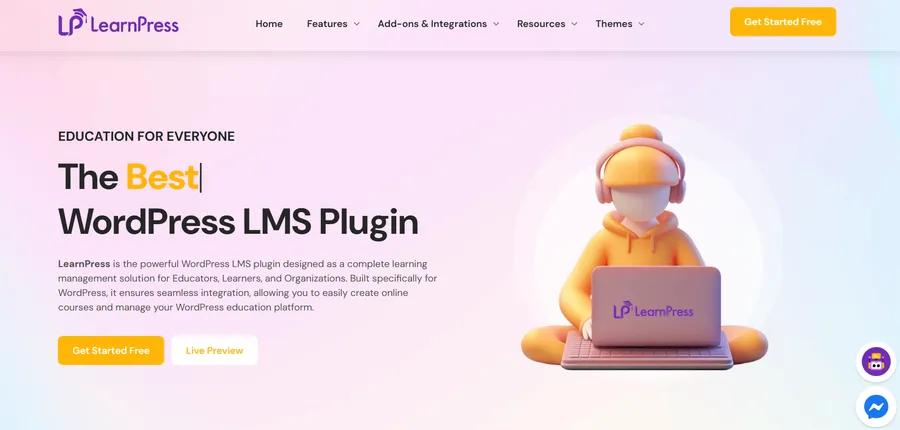
LearnPress is a free, open-source LMS plugin for WordPress that treats integrations as a core part of its architecture rather than an optional extra. It runs on WordPress 6.x and connects with tools most course creators already rely on.
Out of the box, LearnPress connects with WooCommerce for course sales, giving you the full WooCommerce e-commerce layer: product listings, coupon codes, order history, and access to hundreds of WooCommerce payment gateway extensions. The official add-on library extends that with dedicated integrations for Stripe, PayPal, Zoom, BuddyPress for community learning, and myCRED for points-based gamification.
The Zoom integration is particularly well implemented for live instruction workflows. Instructors schedule sessions directly inside the lesson settings panel, and enrolled students see the join link in their course dashboard without needing a separate calendar invite or a support email asking for the link.
The certificate add-on generates branded, downloadable completion certificates automatically when a learner finishes a course. Anyone who has manually issued PDF certificates for a cohort of several hundred learners knows how much admin time that saves at the end of a program.
Because LearnPress runs on WordPress, it also benefits from the broader WordPress REST API ecosystem. Any tool that integrates with WordPress forms, membership plugins, or standard REST API endpoints can be wired into LearnPress without waiting for a dedicated native add-on to be built.
How to Evaluate LMS Integration Solutions Before You Commit
Choosing an LMS based on a feature list tends to produce regret six months after launch. The integrations that matter are the ones that connect to the tools your specific team depends on every day. Here is how to work through that evaluation without getting lost in vendor marketing.
Map integrations to your existing tool stack
List every platform your organization already uses: the payment processor, the email marketing tool, the video platform, the HRIS if applicable, and any reporting tools or dashboards. Then check each LMS candidate against that list. Any gap is either a workflow you need to rebuild or a custom integration you need to budget for. Both have real costs.
Check whether integrations are actively maintained
Integrations break. APIs change, plugin versions drift, and a connection that worked reliably last year may behave unexpectedly after an update. Before committing to an LMS, check the plugin changelog for its integrations and look at support forum threads for unresolved compatibility issues. An integration listed on a features page but last updated two or three years ago is a risk worth flagging.
Test the actual connection during a trial
Most LMS platforms offer a trial period. Set up a real workflow during that trial: create a course, run a test purchase through the payment gateway, and confirm that the completion email triggers correctly in your email marketing platform. Finding a broken integration during a trial is far less costly than discovering it a week before you launch to five hundred learners.
Factor in the total cost of ownership
Some LMS platforms charge per integration or require a higher-tier plan to unlock specific connections. A platform that looks affordable at the base plan can become expensive once you add the integrations your team actually needs. Factor in the cost of required add-ons, middleware subscriptions, and any developer time before comparing platforms on headline price alone.
FAQs
What does “integrated” mean in an LMS context?
An integrated LMS connects directly with external tools such as payment gateways, CRMs, video platforms, and HR systems so data flows automatically between them. It means learner actions in the LMS, like completing a course, missing a deadline, or purchasing a new module, can trigger events in other tools without manual data transfers or CSV exports.
What are the main types of LMS integrations?
The most common categories are payment integrations (WooCommerce, Stripe, PayPal), communication integrations (Mailchimp, ActiveCampaign, HubSpot), video conferencing integrations (Zoom, Google Meet), content standard integrations (SCORM, xAPI), and identity integrations (SSO, Google Workspace, Active Directory, SAML 2.0). Enterprise platforms may also integrate directly with HRIS systems like Workday or BambooHR to sync employee records automatically.
What is the difference between an LMS and an LCMS?
An LMS, or learning management system, manages the delivery and tracking of courses for learners: enrollment, progress, completion, and certificates. An LCMS, or learning content management system, focuses on authoring and version-managing the course content itself, and is typically used by instructional designers building modular content in tools like Articulate. Many organizations use both: an LCMS to build content and an LMS to deliver and report on it.
Can a free LMS have reliable integrations?
Yes. LearnPress is a free WordPress LMS plugin that connects natively with WooCommerce, PayPal, and Stripe, and offers official paid add-ons for Zoom, BuddyPress, and automated certificates. Integration quality depends on how actively the add-ons are maintained, not on whether the core plugin costs money. A paid LMS with an outdated Mailchimp connection is less useful in practice than a free one with a well-maintained, regularly updated integration library.
Read more: LMS Comparison Matrix: 7 Leading Platforms Compared