The blinking cursor on a blank email response is the biggest enemy of every admissions officer. You have the expertise, the campus resources, and the desire to help. Yet, the sheer volume of repetitive questions about tuition deadlines, dorm assignments, and login credentials is paralyzing.
What if you could skip the tedious manual replies entirely?
Imagine if you could simply train an AI assistant once and watch a chatbot for education handle thousands of student inquiries for you in minutes. This is not science fiction; it is the new standard for digital campuses and educational institutions using WordPress. To automate your student onboarding process is no longer a futuristic dream—it is a practical necessity for staying competitive.
In this guide, we will transform the way you approach student services. By combining the speed of automation with your unique institutional knowledge, you will learn how to use the Chatboz AI agent to boost student engagement in higher education and launch your automated onboarding flow in three effortless steps.
LearnPress – WordPress LMS Plugin
We provide an amazing WordPress LMS plugin to create & sell online courses. Let’s find out!
Try NowTable of Contents
The Shift: Why Every School Needs a Chatbot for Education
Before we dive into the “how,” we must address the “why.” Traditional student onboarding is slow. It often takes days for staff to reply to simple emails during peak enrollment season. By the time you answer a question about “Course Registration,” the class might already be full, leading to frustration and dropouts.
When you use a chatbot for education, you gain three massive advantages:
- Speed: You can turn a confused applicant into an enrolled student in minutes.
- Scalability: You can onboard thousands of students simultaneously without hiring extra staff.
- Consistency: A chatbot for educational institutions provides accurate answers every time, ensuring no student receives outdated information.
Let’s stop staring at the inbox and start automating. If you are new to this technology, start by reading What is an AI Chatbot? to understand the basics.
Step 1: Context and The “Director” Mindset
To successfully automate with AI, you must stop thinking like a support agent and start thinking like a director. Your job is not to type every answer; your job is to provide the knowledge base.
As noted by industry experts, the quality of your AI output depends entirely on the quality of the data you provide. An AI tool cannot read your mind, but it can follow clear documentation. This is crucial when using AI Chatbot for WordPress Tools tailored for automation.
Why Automate the Student Onboarding Process?
The first hurdle is always the resistance to change. Instead of spending budget on temporary call center staff, you can use digital student engagement solutions to do the heavy lifting.
Actionable Tips:
- Define the Role: Tell the AI exactly who it represents. For example, “Act as a Senior Admissions Advisor.”
- Define the Audience: Are you talking to anxious freshmen or busy post-grads?
- Set the Goal: Be specific. Instead of “Help students,” try “Guide new students through the 5-step registration process.”
When you input these parameters, you ensure that when the chatbot for education interacts with a student, the conversation is professional. The AI will follow a logical flow—Welcome, Identity Verification, and Document Submission—that you can review and approve instantly.
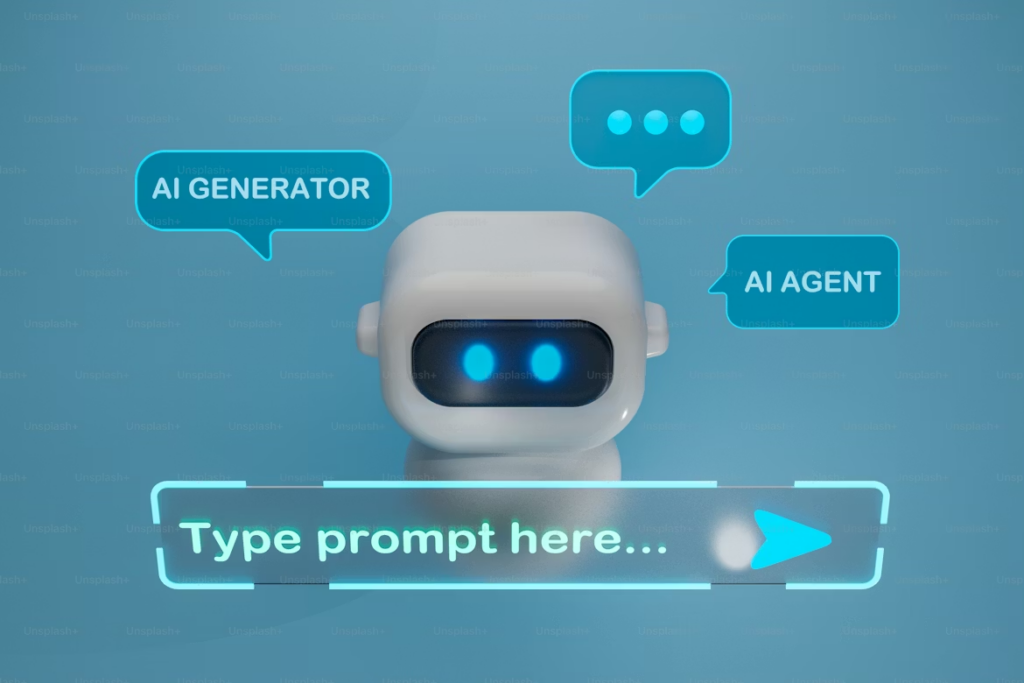
Step 2: Boosting Student Engagement in Higher Education with AI
This is the step where the magic happens. Once your chatbot is trained, you initiate the engagement process.
In the past, this was the “waiting” phase. You would send an email and wait for students to reply. Now, the bot takes charge.
How AI Engagement Works
Modern tools integrated into WordPress LMS solutions (like LearnPress) take your onboarding workflow and flesh it out. The chatbot for education engine works in the background to:
- Proactive Outreach: It sends welcome messages immediately after acceptance, ensuring high student engagement in higher education.
- Instant FAQ Resolution: It automatically answers questions about fees, maps, and schedules, reducing admin workload by up to 30%.
- Personalized Guidance: It suggests courses based on the student’s browsing history.
This process is incredibly fast. Case studies show that AI can reduce onboarding time significantly. For instance, Techworks used AI to reduce time-to-hire (similar to onboarding) by 60%.
The Advantage of “Native” WordPress Integration
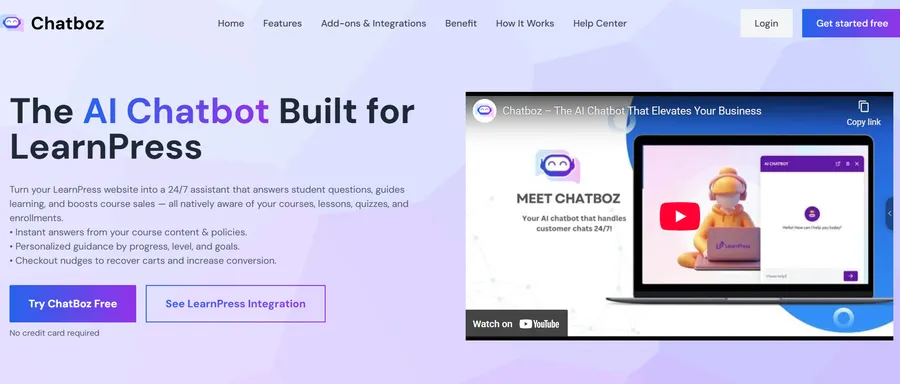
Unlike external tools that require complex API coding, a native WordPress AI tool builds the chatbot directly on your site.
Many institutions initially look for expensive custom software. However, they soon realize that such platforms often lock you into high monthly fees. PhysCode allows you to sync WordPress data directly, giving you ownership of your data.
When you watch the chatbot for education work inside your WordPress dashboard, you are saving hours of administrative work. The student queries are logged, the answers are refined, and the student onboarding process runs on autopilot.
Pro Tip: Don’t fear the “Robotic” trap. By analyzing the “Top Questions” in your dashboard, you can refine how the bot speaks. If you’re using an AI chatbot for LearnPress, these analytics are built in to help solve your top five challenges.
Step 3: How to Setup Your Chatbot for Educational Institutions
The final step is where you transform a “good” bot into a “great” ambassador using the PhysCode plugin.
While it is impressive to see a chatbot for education handle queries automatically, the setup defines success. You are the subject matter expert. The AI provides the speed; you provide the data.
1. Sync Your Course Data
A unique feature of PhysCode is the ability to sync lp_course data directly.
- Go to Physcode Chatbot > Data Synchronization in your dashboard.
- Select the lp_course post type to sync your entire syllabus automatically.
- Click “Sync Selected Posts” to train the bot on your curriculum immediately.
2. Upload Onboarding Documents
Don’t type everything manually.
- Navigate to Data > Files.
- Upload your “Student Handbook” (PDF or DOCX).
- The system processes this data to answer complex policy questions.
3. Crawl Your Admissions Website
Ensure the student onboarding process is consistent with your website.
- Go to Data > Website and enter your admission URL.
- Click “Crawl” to let the bot learn your latest tuition fees and dates.
Enhancing with Multimedia
A chatbot for educational institutions provides excellent text, but students love visuals. You can use the “Chat History” to see where students get stuck and improve those answers. Learning Incorporating Video and Audio correctly can significantly boost engagement.
By focusing your energy here—on refinement and data syncing—rather than on typing basic directions, you maximize your value. You let the chatbot for education handle the logistics, while you focus on relationships.
Why Schools Are Switching to Digital Student Engagement Solutions
The adoption of these tools is driven by necessity. In a fast-paced academic environment, support cannot lag behind student expectations.
Automating Onboarding vs. Manual Processing
| Feature | Manual Onboarding | Chatbot for Education |
| Response Time | 24 – 48 Hours | < 2 Seconds |
| Availability | Office Hours Only | 24/7/365 |
| Scalability | Limited by Staff | Unlimited Conversations |
| Cost | High (Salaries) | Reduces costs by 30% |
When you adopt a workflow where you let a chatbot for education manage onboarding, you are future-proofing your institution. You can update “Tuition Rates” instantly across thousands of conversations by re-syncing your data. This is crucial for maintaining a competitive edge against other universities using digital student engagement solutions.
Boosting Engagement After Launch
Once your onboarding bot is live, the work isn’t over. You need to ensure students actually complete the process.
- Gamification: Use WordPress Gamification Plugins to reward students with digital badges for completing enrollment steps.
- Community: Build a space for students to talk. Integrating WordPress Membership Plugins can turn a simple cohort into a thriving community.
- Support: Don’t let students feel abandoned. An online course builder with essential support features, including a clear escalation strategy, ensures that complex issues are properly addressed.
Real-World Success Stories
Does this actually work? Yes.
ThimPress, a leading WordPress education provider, integrated the PhysCode chatbot for education into their platform.
- Result: They achieved a 50% increase in user engagement within four months.
- Revenue: They saw a 15% growth in premium add-on sales.
This proves that improving student engagement in higher education directly impacts the bottom line and student satisfaction.
Conclusion: Start Your Automated Campus Today
The barrier to entry for AI in education has never been lower. The fear of complex coding, the exhaustion of manual replies, and the cost of hiring temporary staff are problems of the past.
We have entered a new era where you can confidently let a chatbot for education build a bridge between your institution and your students. A bot that is professional, accurate, and ready to serve 24/7.
You have the knowledge. The students are waiting for it. Don’t let manual labor stop you. Use student engagement in higher education strategies powered by AI as your secret weapon to launch your automated campus, streamline your student onboarding process, and share your educational mission with the world.
Ready to see it in action?
Download LearnPress and the PhysCode Chatbot today to experience the power of the chatbot for education integration firsthand. Your first automated onboarding flow is just 3 steps away. Don’t forget to check out our guide on 11 Proven Ways to Promote Your Online Courseonce you are live!
FAQs About Chatbot for Education:
1. Is the content unique when a chatbot for education answers questions?
Yes. The AI generates responses based entirely on your specific uploaded files, website data, and synced courses. Since no hai institutions have the same data or "Campus Culture," no two bots will sound exactly alike.
2. Can I use a chatbot for complex financial aid questions?
Absolutely. AI excels at retrieving specific data from dense handbooks. Whether it is clarifying "FAFSA Deadlines" or explaining "Scholarship Eligibility," the chatbot for education can break down heavy topics into simple, digestible answers for students.
3. Do I need technical skills to build a chatbot for education?
No. If you can upload a PDF document or paste a URL, you can train these tools. The interface handles all the complex processing in the background, making it accessible even if you have zero coding experience.
4. Is this better than traditional email chains?
For modern students, yes. While email still has its place for formal documentation, the instant nature of digital student engagement solutions aligns much better with Gen Z's communication preferences. It provides the immediate answers they expect without the friction of waiting for a reply.
Contact US | LearnPress:
Website: https://learnpresslms.com/
Fanpage: https://www.facebook.com/learnpresslms
Email: [email protected]