
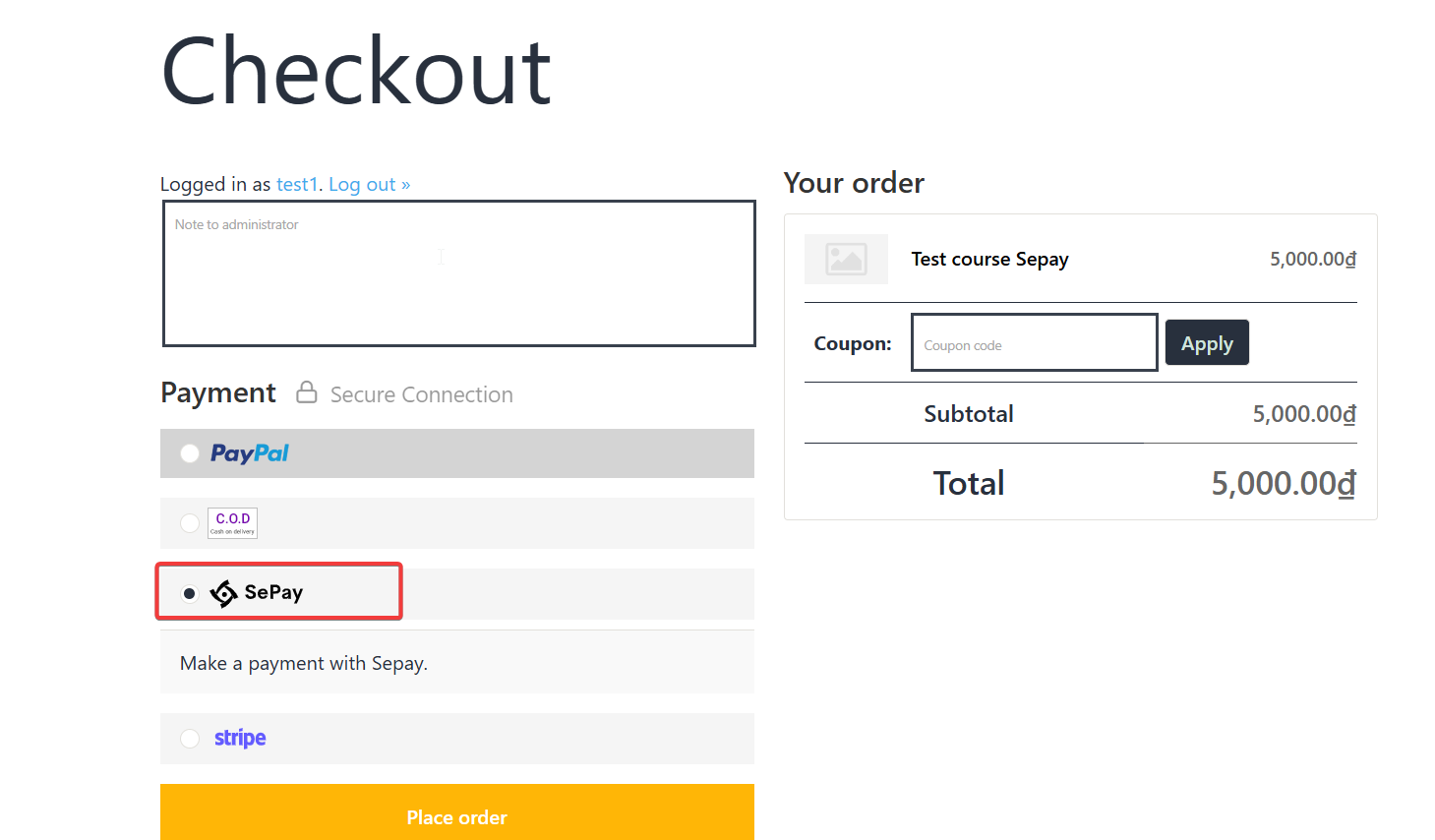
On the checkout page, customers will see the Sepay payment option.
After selecting Place Order, the payment screen via bank transfer will appear. Here, customers can choose to scan the QR code to transfer money or Manual transfer according to the displayed information.
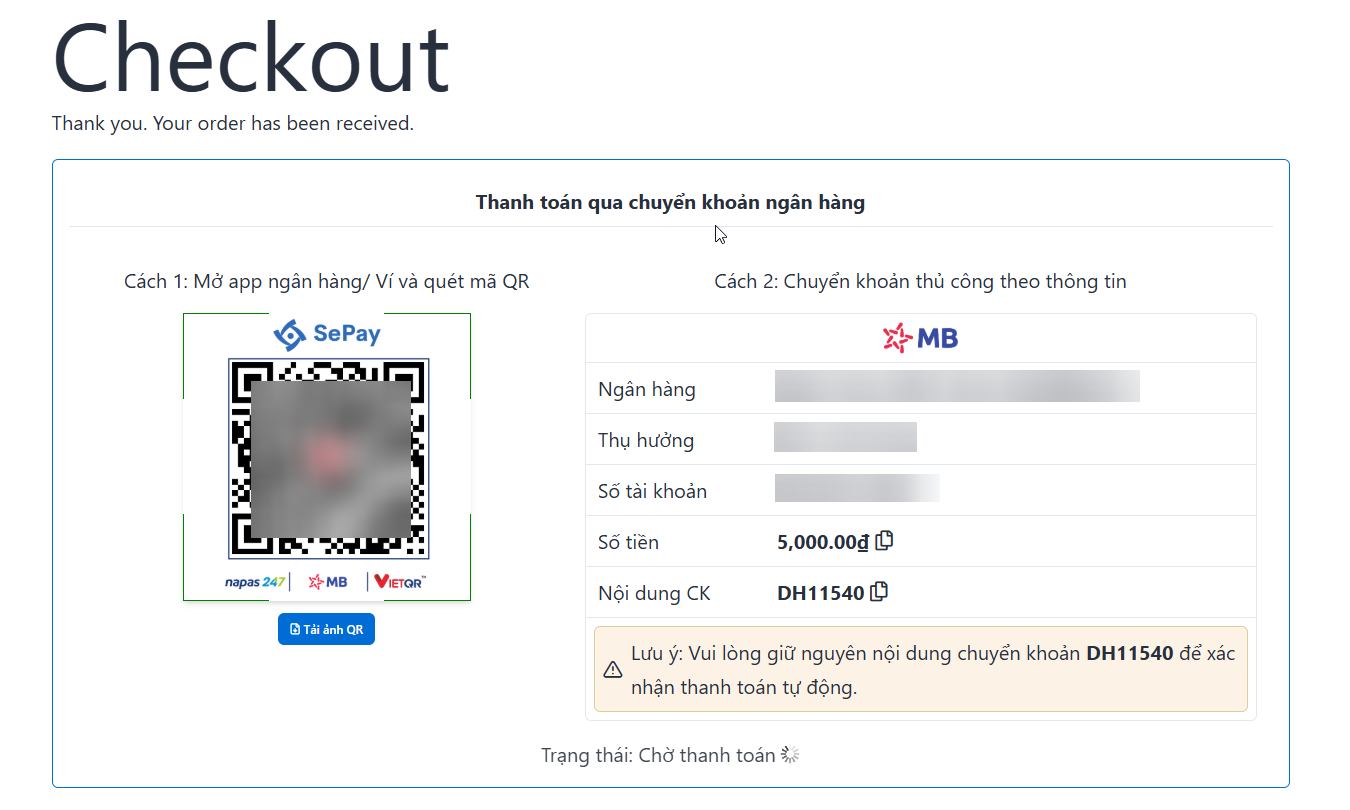
Method 1: Customers just need to scan the QR code to pay. Method 2: Display full information including bank, account name, account number, course amount, transfer content and transaction status.
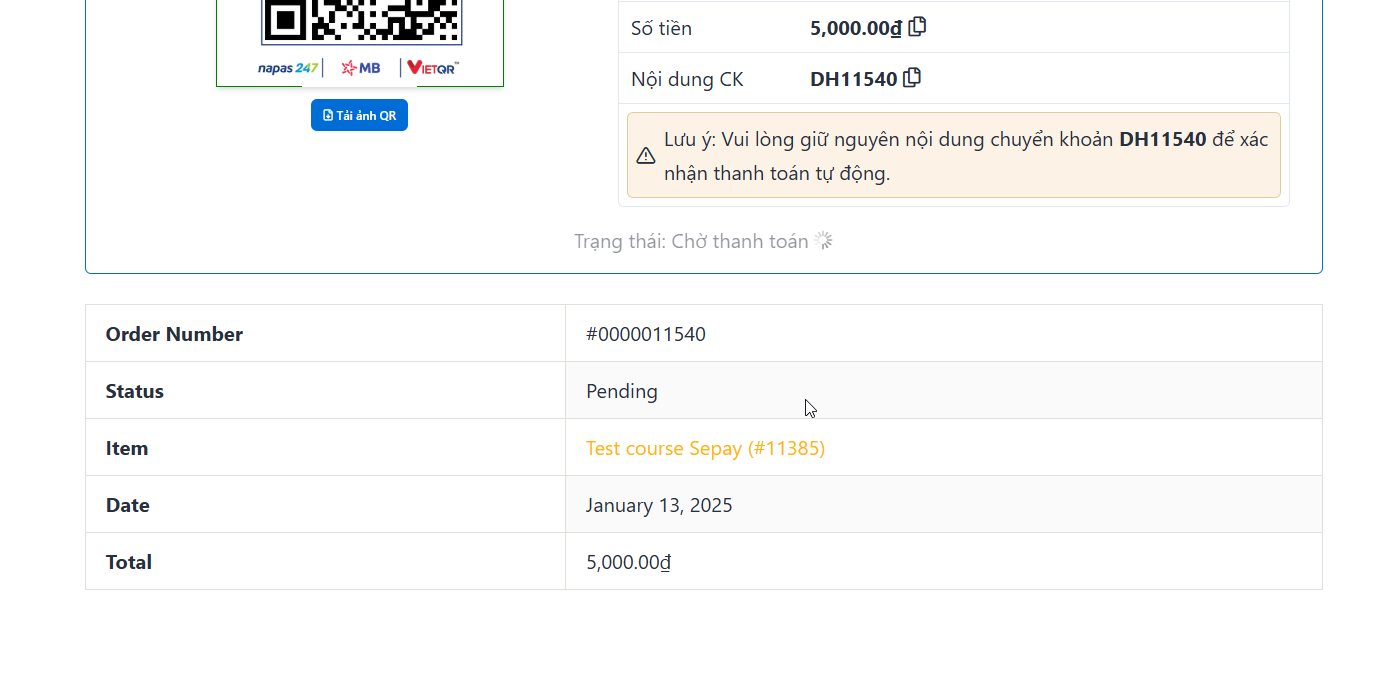
Below will display the order table including order number, status, item, date, total. The order status will change to complete when the customer successfully pays.