This Documentation is used for LearnPress and Eduma.
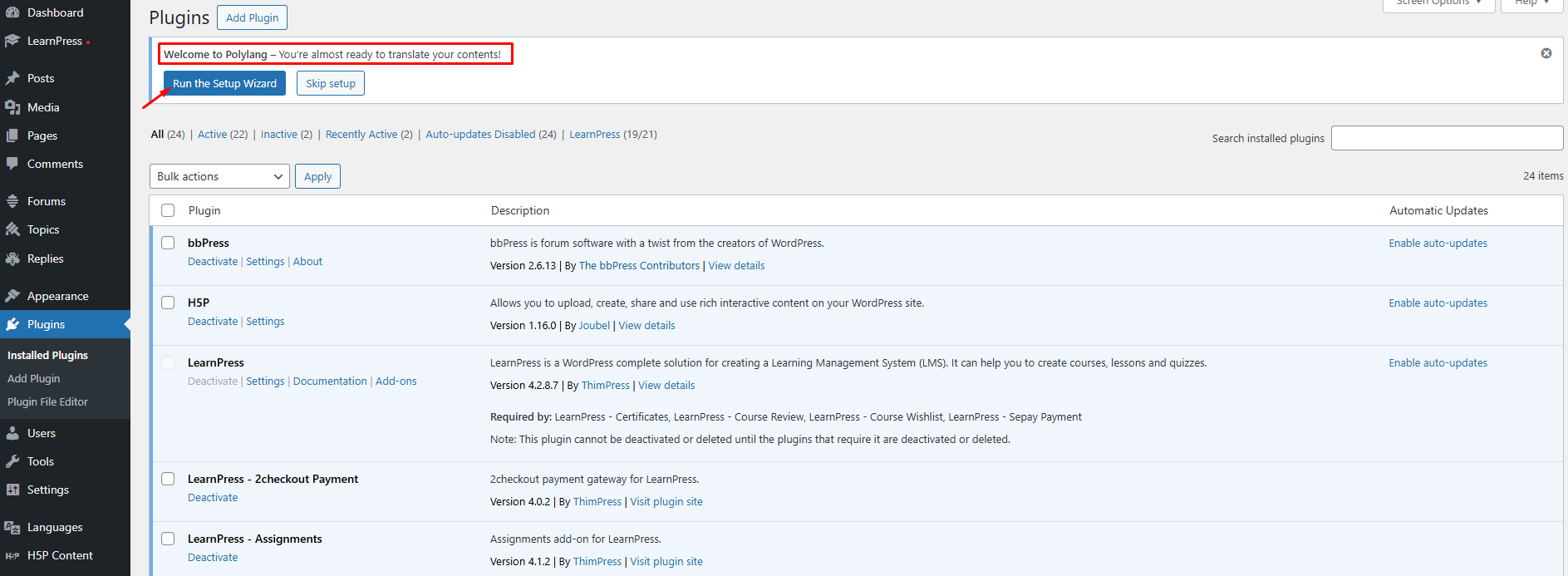
Step 1: After installing Polylang plugin, it will redirect to Setup Wizard or you can click Run Setup Wizard.
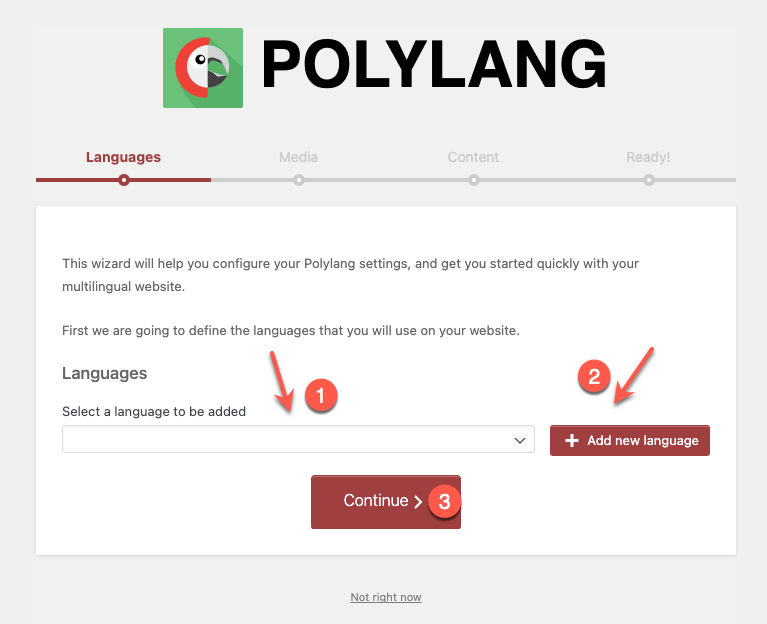
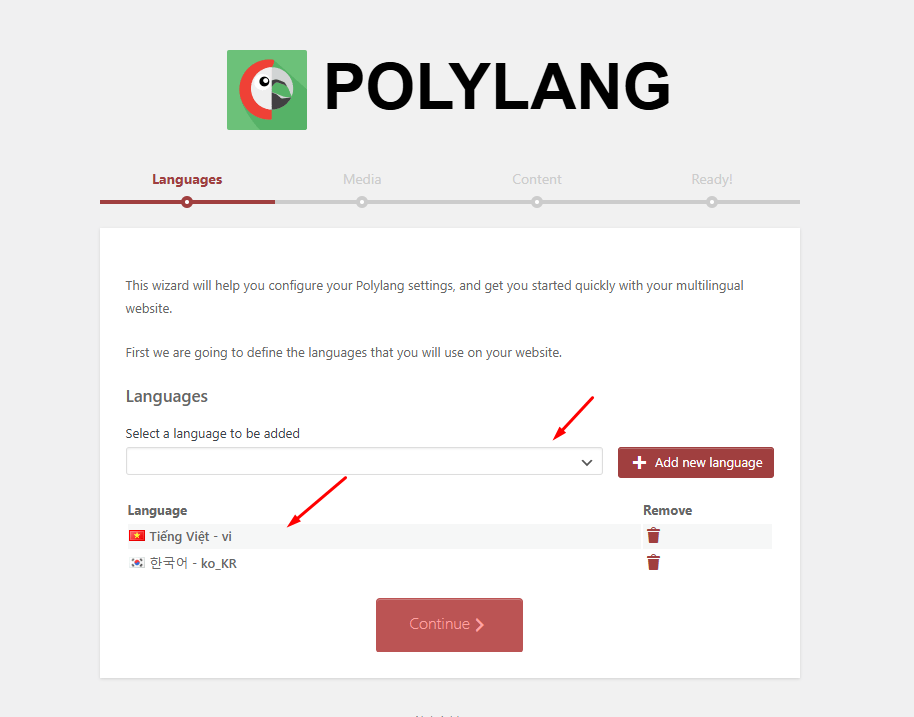
Step 2: Select languages => click Add new language => Click continue.
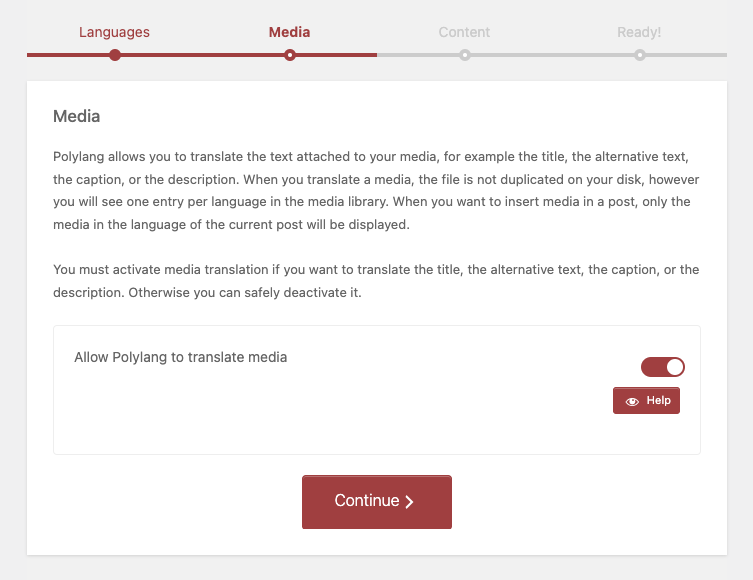
Step 3: Enable/disable allow Polylang to translate media => Click continue.
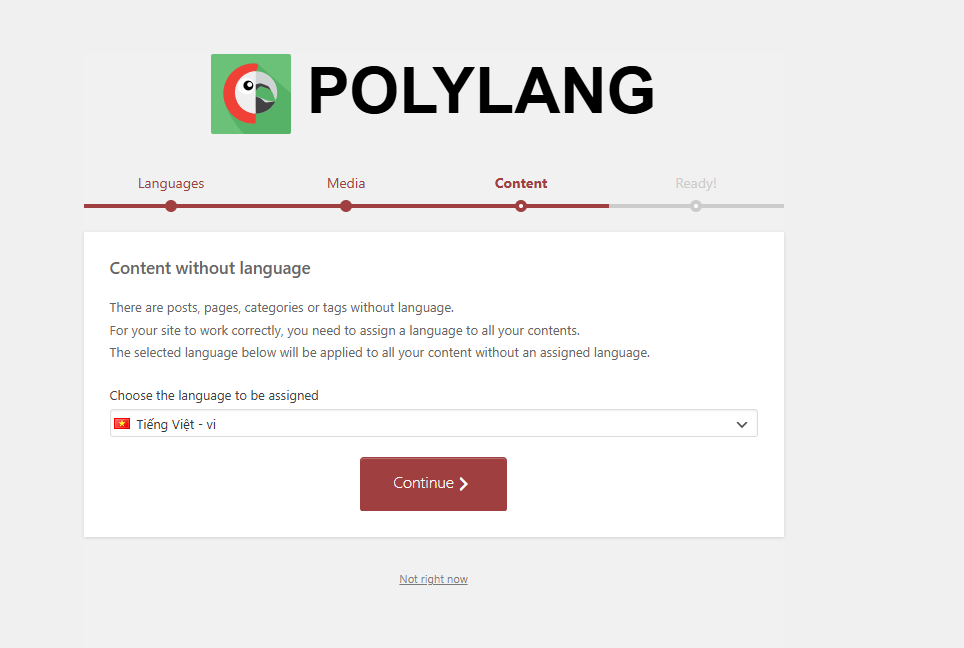
Step 4: Select default language => Click continue => Return to the Dashboard.
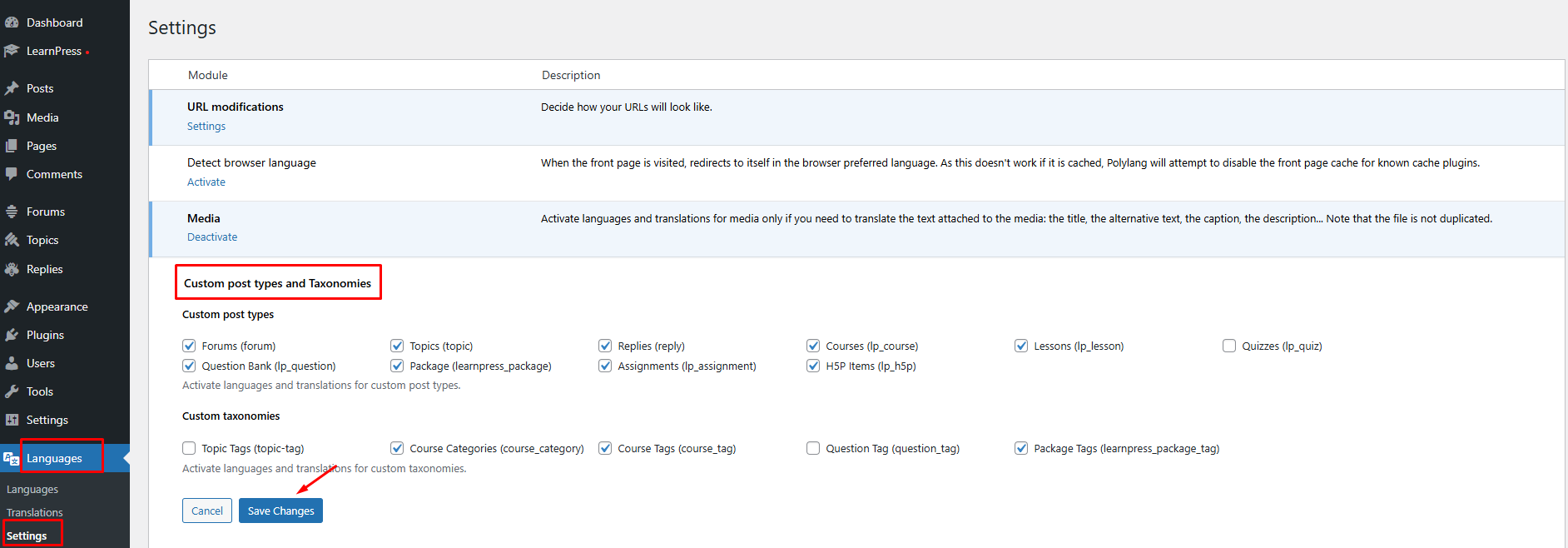
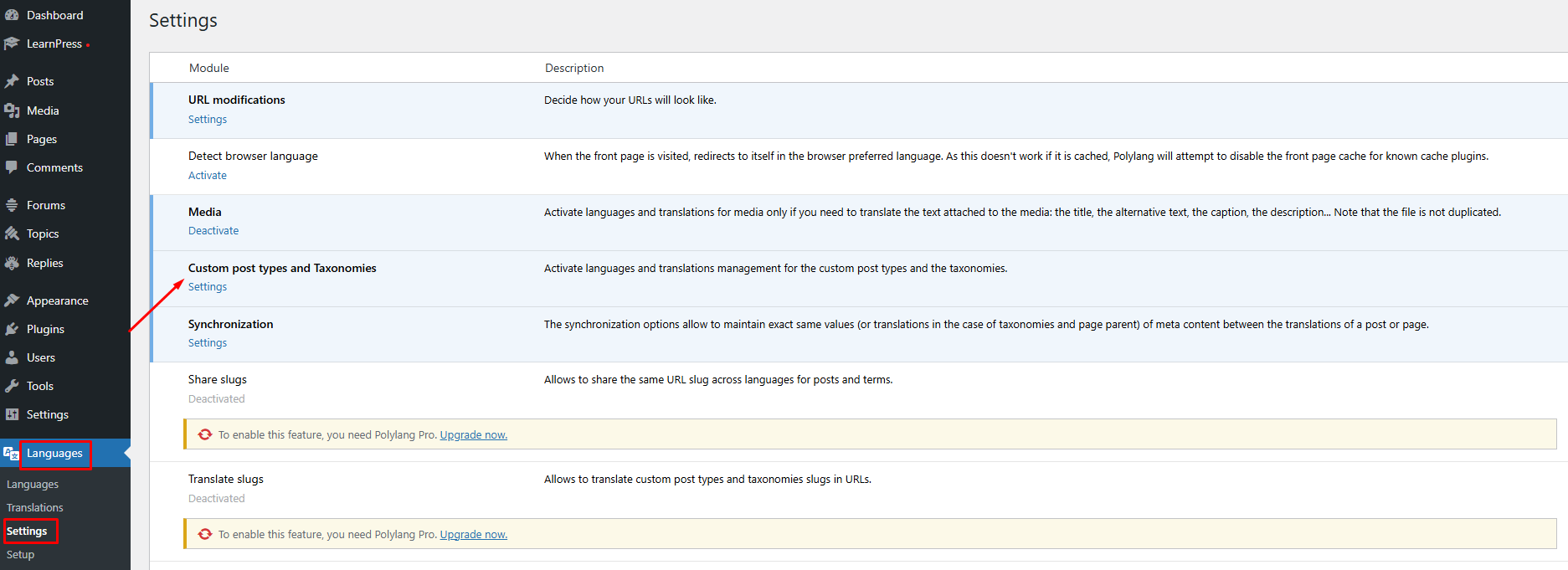
Step 5: Go to Languages => Settings => Click Settings of Custom post types and Taxonomies.
Step 6: Enable all post types and taxonomies that you want to translate => Click Save Changes.