Find the best WordPress training courses, free resources, and developer paths to learn WordPress in 2026, plus how to build your own WordPress academy.
Knowing where to start with WordPress training is the hardest part. There are hundreds of courses, YouTube channels, and so-called academies out there, and they range from genuinely practical programs built for WordPress 6.x to outdated walkthroughs recorded on a version of WordPress that no longer behaves the same way.
This guide cuts through it. Whether you want to go from zero to a published site, complete a WordPress online course to build client work, or work through a WordPress developer course to write custom themes and blocks, you will find the right track here.
LearnPress – WordPress LMS Plugin
We provide an amazing WordPress LMS plugin to create & sell online courses. Let’s find out!
Try NowWhat WordPress Training Actually Covers
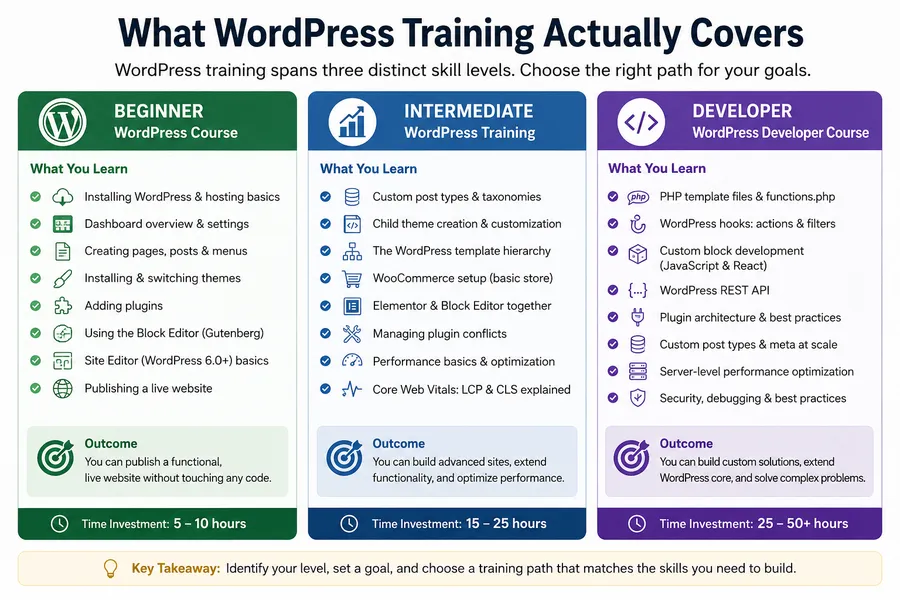
WordPress training is not one thing. It spans three distinct skill levels, and most learners save months of wasted effort by identifying which level they actually need before they enroll in anything.
Beginner WordPress course: what you learn first
A beginner WordPress course covers the core loop of installing WordPress (or using a hosting provider’s one-click installer), understanding the dashboard layout, creating pages and posts, installing and switching WordPress themes, adding WordPress plugins, and publishing a live site. Most complete beginner programs run 5 to 10 hours of guided instruction.
The block editor, also called Gutenberg, is central to any current beginner course. It replaced the classic editor as the default interface in WordPress 5.0 and has been refined substantially through WordPress 6.x.
If a course still teaches the classic editor as the primary interface without explaining that Gutenberg is the current standard, the curriculum is out of date. When reviewing any WordPress online course, check whether the instructor walks through the block editor and the Site Editor introduced in WordPress 6.0.
By the end of a solid beginner WordPress training course, you can publish a functional, live website without touching any code.
Intermediate training: where most self-taught learners stall
Intermediate WordPress training builds on the basics and covers what most self-taught learners miss: custom post types, basic child theme creation, the WordPress template hierarchy, setting up WooCommerce for a simple store, using Elementor alongside the native block editor, and managing plugin conflicts without breaking a live site.
This is also where performance starts to matter. At the intermediate level, a good WordPress online training program introduces Core Web Vitals, specifically LCP (Largest Contentful Paint) and CLS (Cumulative Layout Shift), and shows how plugin bloat and poorly coded themes affect those scores. Expect 15 to 25 hours for a thorough intermediate learn WordPress course.
WordPress developer course: what the jump really requires
A WordPress developer course takes you into the parts of WordPress that plugins and themes cannot abstract away: PHP template files, the WordPress hook system (actions and filters), custom block development with JavaScript and React, the WordPress REST API, plugin architecture, and performance optimization at the server level.
This is not content you can absorb passively. Every serious WordPress developer course includes project-based components, because writing add_action() in a real child theme, debugging a REST API response, and registering a custom block with @wordpress/scripts are skills that only come from doing, not watching.
How to Choose a WordPress Online Course
The biggest mistake people make when picking a WordPress online course is ignoring the publication date. This is a platform that ships major releases multiple times per year. A course recorded on WordPress 5.3 is teaching you a product that no longer exists in its described form.
There are four things to check before you spend time or money on any WordPress training course.
Four things to check before you enroll
- When was the course last updated? Look specifically for updates that mention WordPress 6.0 or later, since that release introduced the Site Editor and a new approach to full-site editing that changed how block-based themes work. A course that has not acknowledged the Site Editor is missing a major piece of the current WordPress workflow.
- Does it have a structured curriculum? A well-built WordPress online course organizes content into modules with specific, measurable outcomes per lesson. “After this module, you can set up a custom menu and assign it to a navigation block” is a real outcome. “Gain a deeper understanding of WordPress” is not. The more specific the learning objectives, the better the course was designed.
- Is there a community or Q&A access? Getting unstuck in WordPress is mostly a question of speed. A course with an active Q&A forum or live instructor sessions resolves blockers in hours instead of the days it takes to find the right answer by searching alone.
- Does it build toward a real project? The best WordPress training courses produce a deliverable: a portfolio site, a WooCommerce store, or a custom theme. Passive video watching does not transfer to a working WordPress installation. Active building does.
Where to find structured WordPress online training
The WordPress Learn platform at learn.wordpress.org is an underused free resource maintained directly by the WordPress community. It is organized into beginner, intermediate, and advanced tracks, updates with each WordPress release, and covers topics from basic content management to building your first block plugin.
For more structured, certification-level paths, dedicated WordPress academies and LMS-based platforms offer curated curricula that are harder to assemble from general video platforms. Udemy, LinkedIn Learning, and Coursera all host WordPress training courses, but quality varies significantly. Filter by update date and check the instructor’s recent activity before committing.
WordPress Training Free vs. Paid: The Real Difference
Free WordPress training is real and genuinely useful for certain goals. The gap between free and paid is not about whether the content is good; it is about depth, structure, and what happens when you get stuck.
What free WordPress training covers well
WordPress training free resources are reliable for three things: installation and initial setup, basic content management (pages, posts, menus, media), and troubleshooting common errors like the white screen of death or plugin conflicts. The WordPress Learn platform covers beginner to intermediate content at no cost, with screenshots matched to current WordPress versions.
YouTube content from established educators covers most common tasks well at the task level. If you need to know how to add a contact form, embed a video, or set up a static homepage, free video tutorials handle that quickly.
Where free training consistently falls short
Free WordPress training rarely goes deep on three areas: PHP-level development (hooks, template hierarchy, WP_Query), performance optimization (caching strategies, image format choices, Core Web Vitals measurement), and real project workflow (how to hand off a client site, how to document a custom build, how to manage updates without breaking things).
Free training is also fragmented. You can watch 40 separate tutorials on YouTube and still not understand how WordPress themes, child themes, the template hierarchy, and the block editor interact. A structured learn WordPress course solves this because modules are sequenced intentionally. Each lesson builds on the previous one, so the concepts connect instead of sitting in isolation.
Let’s take a quick look:
| Factor | Free WordPress Training | Paid WordPress Training |
|---|---|---|
| Cost | Free | One-time fee or subscription |
| Learning Structure | Often fragmented across multiple sources | Organized curriculum with a clear learning path |
| Beginner Basics | Excellent coverage of setup, content creation, and dashboard navigation | Also covered, usually with more depth and guided exercises |
| Advanced Development | Limited coverage of hooks, template hierarchy, custom development, and WP_Query | Typically includes in-depth development topics and real-world projects |
| Performance Optimization | Basic tips and tutorials | Comprehensive strategies for caching, Core Web Vitals, image optimization, and scalability |
| Project Workflow | Rarely covered in detail | Often includes client handoff, maintenance, documentation, and deployment workflows |
| Support & Feedback | Usually self-service through comments, forums, or community groups | Access to instructors, mentors, or dedicated support channels |
| Learning Efficiency | Requires finding and organizing resources yourself | Lessons are sequenced intentionally to build skills progressively |
| Accountability | Self-directed | Structured milestones, assignments, and completion goals |
| Best For | Beginners exploring WordPress or solving specific tasks | Learners seeking professional, freelance, or advanced WordPress skills |
The free-to-paid transition most learners hit
The most efficient path for most people is this: use free resources to confirm that WordPress is the right platform for your goal, then invest in a structured WordPress training course to close specific skill gaps. Mixing random free content with a paid course tends to produce slower results than committing to one complete curriculum and finishing it.
If cost is a constraint, audit the full curriculum of any paid course before buying. Many WordPress online training programs go on sale regularly, and some WordPress academies offer scholarship or trial access to their course libraries.
WordPress Class or Self-paced? Understanding Your Options
A WordPress class can mean a live cohort that runs for six weeks with deadlines and instructor feedback, a self-paced video library with lifetime access, or a hybrid with recorded lessons and scheduled live sessions. The right format depends on how you learn and what your deadline is.
Live WordPress class formats
A live WordPress class typically runs 4 to 8 weeks, has a set cohort of students, and includes real-time feedback from an instructor. The advantages are clear: accountability, structured pacing, and direct access to someone who can debug your site during a session. Most people who have dropped out of self-paced courses and then completed a live WordPress class report that the schedule was the difference.
The trade-off is cost and flexibility. Live instruction costs more than pre-recorded content, and you cannot control the pace. If a module covers something you already know well, you still move through it at the cohort’s speed.
Self-paced WordPress online training
Self-paced WordPress online training is the most popular format because it works around existing jobs and schedules. You get permanent access to the videos and can revisit lessons as WordPress ships new versions. The challenge is that dropout rates for self-paced courses are significantly higher than for live formats. Without a deadline or a cohort, most learners complete about 30 to 40 percent of a course before stopping.
The most effective fix is straightforward: when you enroll in a WordPress training course, schedule every lesson in your calendar the same week you sign up. Treat each module like a class with a fixed time slot. Learners who do this consistently finish courses; those who plan to “watch when they have time” typically do not.
Let’s take a quick look:
| Factor | Live WordPress Class | Self-Paced WordPress Training |
|---|---|---|
| Learning Style | Instructor-led with scheduled sessions | Learn at your own pace |
| Schedule | Fixed dates and deadlines | Flexible access anytime |
| Accountability | High due to cohort deadlines and instructor oversight | Low unless you create your own schedule |
| Instructor Support | Direct feedback and real-time Q&A | Usually limited to documentation, forums, or occasional support |
| Completion Rate | Generally higher | Often lower due to lack of deadlines |
| Flexibility | Limited | Maximum flexibility |
| Cost | Typically more expensive | Usually more affordable |
| Learning Speed | Set by the cohort pace | Controlled entirely by the learner |
| Networking Opportunities | Interaction with instructors and fellow students | Minimal unless community features are included |
| Best For | Career changers, freelancers, and learners with clear deadlines | Hobbyists, personal projects, and busy professionals |
Which format fits your goal
If you need to be employable or client-ready within 3 months, a structured live WordPress class or an accelerated WordPress online course with a set schedule will get you there faster. If you are learning WordPress for a personal project and schedule flexibility matters more than speed, a complete self-paced WordPress online training library with a sequenced curriculum is the better fit.
The WordPress Developer Course Path
Moving from site builder to WordPress developer is one of the most valuable skill transitions available for a freelancer or agency professional. Most “WordPress developer course” content underestimates what that transition actually requires, both in time and in prerequisites.
What you need before you start
Before enrolling in a WordPress developer course, you need a working grasp of HTML and CSS (not advanced, but confident enough to read and modify a stylesheet), basic PHP syntax, and the ability to run WordPress in a local development environment. LocalWP is the current standard for local development on both Mac and Windows. Setting it up takes about 10 minutes.
If you cannot look at a WordPress PHP template file and identify the Loop, you are not ready for a developer course yet. Starting one without this foundation leads to frustration rather than skills. Spend a few hours on PHP basics first, specifically variables, arrays, functions, and basic conditionals, and then the developer course content will click much faster.
Core skills a WordPress developer course builds
A complete WordPress developer course covers the following in roughly this sequence:
WordPress template hierarchy: WordPress decides which PHP file to load for each page type according to a specific hierarchy. This is foundational to every theming and debugging task. Every client-site customization problem you will encounter as a developer eventually traces back to which template file is active.
- Hooks: actions and filters: The entire WordPress plugin ecosystem runs on the hook system. Learning add_action() and add_filter() with practical examples, adding a field to a WooCommerce checkout page, modifying the default post query on a category archive, or inserting content into a template without editing core files, is where developer thinking starts.
- Custom post types and taxonomies: Registering a custom post type with register_post_type(), adding custom taxonomies, and querying them with WP_Query is a core skill for any WordPress developer working on client projects with content models beyond standard posts and pages.
- The WordPress REST API: Understanding how to read and write data through the REST API endpoint opens paths to headless WordPress builds, Gutenberg block development, and JavaScript-driven front-ends. Even developers who do not build headless sites benefit from understanding how the REST API structures data.
- Custom block development: In 2026, building custom blocks with @wordpress/scripts, register_block_type(), and React is the professional standard for theme and plugin work. This is where many existing WordPress developers who learned on the classic editor are actively upskilling. A current WordPress developer course must include this.
- Performance at the developer level: A professional course covers Core Web Vitals measurement via PageSpeed Insights, image format choices (WebP and AVIF), server-side caching with WP Rocket or W3 Total Cache, and database query optimization. A developer who understands why a site scores 42 on LCP and what to fix is worth considerably more than one who just builds.
How long a developer course realistically takes
Expect 60 to 90 hours of focused study and hands-on practice to complete a serious WordPress developer course, starting from basic PHP knowledge. Most learners spread this over 4 to 6 months at part-time pace. Anyone promising developer-level skills in 10 hours is either defining “developer” very loosely or leaving gaps that will surface the first time a client asks for something the course did not cover.
How to Build Your Own WordPress Academy
Once you have completed your WordPress training, or if you are an established WordPress professional, you may want to teach others.
Building a WordPress academy on your own site is more achievable than most people assume, and the same tools you used to learn WordPress can power the platform you teach on.
The LMS Plugin: LearnPress
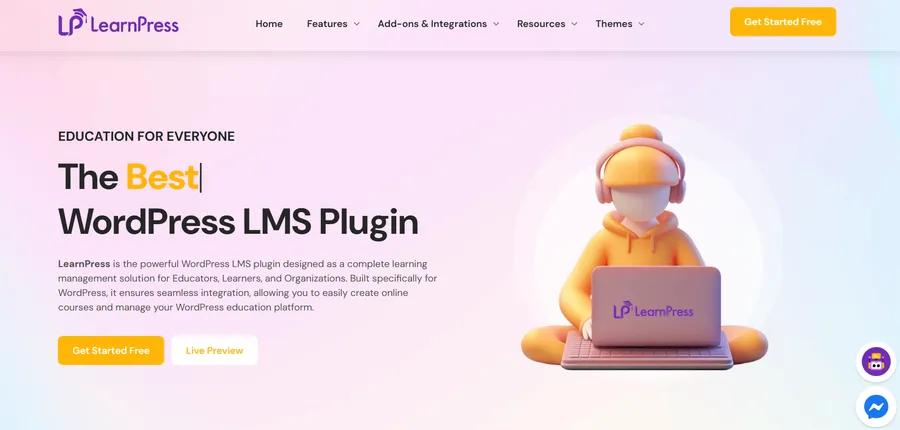
LearnPress is a free WordPress LMS plugin that turns any WordPress site into a fully functional online training platform.
After activating it from the WordPress plugin directory, your dashboard gains a dedicated Courses menu where you build your curriculum by creating courses, organizing them into sections and lessons, adding quizzes, and setting enrollment conditions.
LearnPress handles both free and paid course models without requiring a separate WooCommerce setup for simple pricing configurations.
It supports video lessons embedded from external hosts, document file uploads, quiz-based assessments with pass/fail thresholds, and drip content scheduling so you can release lessons on a set calendar rather than all at once.
For a WordPress academy that runs a mix of free introductory content and paid advanced courses on the same site, LearnPress manages both without needing separate tools.
The plugin is actively maintained and compatible with WordPress 6.x, which matters because LMS plugins that have not updated their database schema and REST API calls for recent WordPress versions can break student enrollment workflows on updated sites.
The education theme: Eduma
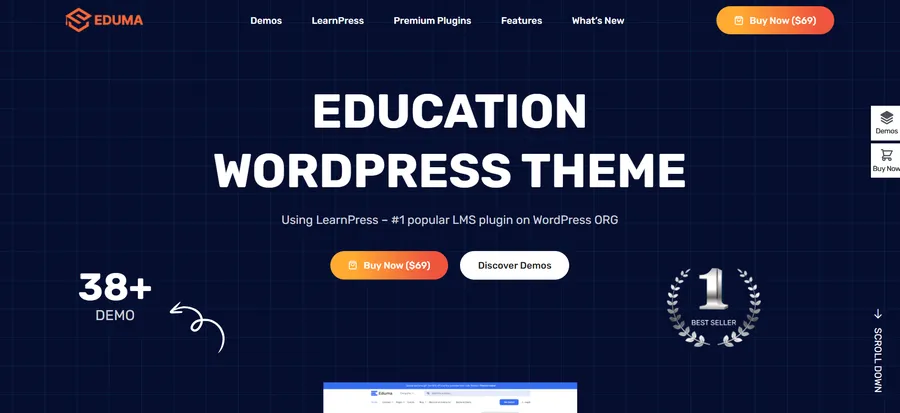
Eduma is a WordPress education theme built specifically to work with LearnPress, though it also integrates with other LMS plugins.
The design is structured for course-based sites: course listing pages display enrollment counts and ratings cleanly, individual course pages include an accordion-style lesson outline with enrollment CTAs above the fold, and the homepage templates are built around showcasing featured courses, instructor profiles, and a testimonial section.
Setup is faster than with a multipurpose theme because the education-specific page templates and demo content are ready immediately after import. You replace the demo content with your own course material, configure the LearnPress settings for your pricing model and enrollment type, and the site is structurally ready to receive students.
The combination of LearnPress and Eduma is a practical, low-cost starting point for anyone building a WordPress training site without a development budget or a long setup timeline.
For developers building a client WordPress academy, both tools offer the hooks and filters you need to customize enrollment logic, add custom fields to course pages, or connect to an external payment system.
What to have ready before you launch
Before your WordPress academy goes live, you need at minimum: one complete course with at least five fully written lessons, a course description that clearly states who the training is for and what learners can do after finishing, a defined pricing model (free for trust-building, paid for premium content, or bundled access passes), and a support mechanism, even a simple contact email or a forum post section, so students have a path when they get stuck.
Launching with a half-finished course hurts more than waiting. Students who hit an incomplete lesson and cannot continue will leave a negative review and are unlikely to return.
How to market your WordPress training courses
The same SEO principles that apply to any WordPress site apply directly to promoting your WordPress academy. Each course page should target the specific search query your audience types, not the course title you invented. “WordPress online course for beginners” and “WordPress developer course with certificate” are different audiences with different intent. Build separate landing pages for each course and optimize each page independently.
Install Rank Math or Yoast SEO, set a focused keyphrase per page, write meta descriptions that match the search intent of each course, and collect verified student reviews to add social proof and structured data markup to your course pages.
LearnPress integrates with schema plugins to add Course schema to your pages, which helps Google display course details directly in search results.
FAQs
How long does it take to learn WordPress?
For basic content management and publishing, most people are comfortable in WordPress after 5 to 10 hours of structured training. Building a complete site with a custom theme takes 20 to 40 hours of guided learning, depending on your starting point. Reaching WordPress developer level, where you can build custom themes, plugins, and custom blocks, takes most learners 3 to 6 months of consistent part-time study, typically 60 to 90 total hours.
Do I need coding skills to start WordPress training?
No. WordPress is designed so that non-developers can build and manage a complete site using the block editor, themes, and plugins without writing any code. A beginner WordPress training course requires no coding background at all. That said, if you want to move into customization beyond what themes and plugins offer, basic HTML, CSS, and PHP will unlock significantly more control, and most intermediate WordPress courses introduce those skills progressively.
Is there a WordPress certification?
WordPress.org does not issue an official WordPress certification. Several platforms and dedicated WordPress academies issue course completion certificates that carry real weight in freelance and agency hiring contexts, particularly when the curriculum is detailed and project-based. WooCommerce has its own developer certification program. LinkedIn Learning, Coursera, and specialist WordPress training platforms issue verifiable certificates that can be added to a professional profile.
What is the difference between a WordPress course and a WordPress class?
A WordPress course typically refers to a self-paced, pre-recorded video curriculum available on demand, while a WordPress class refers to a live or scheduled format with an instructor, fixed dates, and cohort-based pacing. Both can cover the same content, but a live WordPress class adds accountability and real-time feedback, which helps learners who have previously dropped out of self-paced formats. The best choice depends on your learning style and how quickly you need to reach a specific skill level.
Read more: Integrated LMS: What it is, Why it Matters, and How to Choose the Right Solution