A headless LMS separates the learner-facing interface from the system that manages courses, enrollment, and learning records. The frontend communicates with that backend through APIs, allowing a team to change the learning experience while retaining the LMS’s management capabilities.
For a learning-platform owner, the decision concerns control over the learner experience and the resources required to support it. For a technical team, it also concerns whether the backend APIs support the required workflows. The architecture can serve those goals, but it does not promise better performance by itself.
LearnPress – WordPress LMS Plugin
We provide an amazing WordPress LMS plugin to create & sell online courses. Let’s find out!
Try NowTable of Contents
How a headless LMS works
The frontend presents course discovery, lessons, assessments, and learner account screens. The backend stores learning data and applies rules such as course access and progress recording. An API provides the requests and responses that connect them.
Course administrators can continue using the backend’s management screens. “Headless” refers to separating the learner frontend; it does not mean removing every interface or replacing the learning backend. It also does not require Next.js. Different clients can use the architecture, depending on the backend’s APIs.
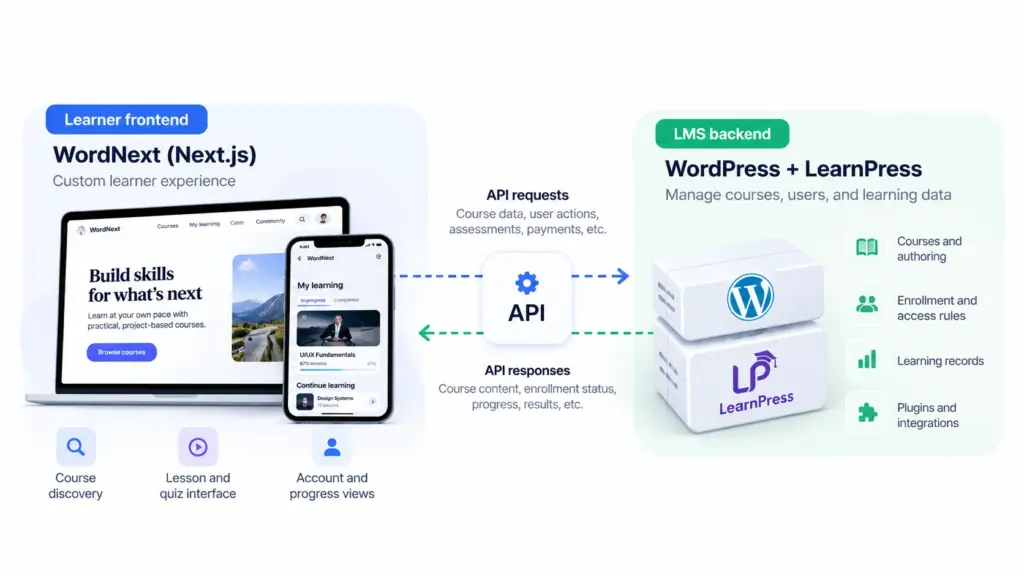
For lesson completion, the frontend submits the learner’s action through the API and displays the backend’s response. The backend remains authoritative for access and persisted progress. Requests may pass through the web application’s server rather than travel directly from the browser; either way, the separation is between presentation and learning management.
How this differs from other customization options
A custom theme changes presentation within the existing website. An embedded course player leaves much of the learner interface under its provider’s control. A headless LMS gives a separate frontend access to backend capabilities through APIs. Building a fully custom LMS goes further: the team must also build or integrate the learning backend.
What changes compared with a conventional LMS?
| Responsibility | Conventional LMS website | Headless LMS setup |
|---|---|---|
| Learner interface | Customize the supplied interface, theme, and extensions. | Build or adapt a separate frontend. |
| Course administration | Use the platform’s management tools. | Often retain those same backend tools. |
| Feature integration | Features may already work with the supplied interface. | Required features need API support and frontend handling. |
| Operation and updates | Maintain the platform and its supporting services. | Also maintain the frontend and its connection to the backend. |
These are common patterns, not universal product guarantees. Compare the actual responsibilities of the products you are considering, especially when a managed service handles some of the operation.
When the separation is useful
The main benefit is control over the learner experience. A separate frontend lets a team design navigation and interactions around requirements that a supplied interface cannot reasonably meet, including learning within a broader product or customer portal. A color change or refreshed landing page may be achievable with a theme and does not by itself justify another application.
A backend can also serve more than one client, provided its APIs support each client’s learning workflows. That can let a team reuse course-management capabilities across interfaces without rebuilding the administrative system.
Developers gain choices over rendering and delivery, but faster pages and better SEO are not automatic outcomes. API latency, media, frontend implementation, and hosting still affect performance. Public pages still need appropriate metadata, crawlability, and accessible interfaces. Evaluate the result rather than assuming the architecture supplies it.
The tradeoffs that affect the decision
API coverage is the first constraint. An API that lists courses is not evidence that a separate frontend can handle enrollment, assessments, or progress. Check the workflows and extensions your project actually needs. A feature available in the existing WordPress interface may need additional integration in the new frontend.
The second constraint is ownership. Someone must configure, deploy, and maintain the application alongside the LMS, including testing their connection after updates. Include that ongoing work in the budget, rather than comparing only the frontend’s purchase price.
Protected learning also requires authorization at the backend or server boundary. The interface cannot enforce access merely by hiding content or controls. Authentication and safe handling of private learner data remain implementation responsibilities; the Next.js data-security guide provides further technical detail for teams using that framework.
A concrete example: WordPress, LearnPress, and WordNext
In this stack, WordPress and LearnPress retain course administration and backend data. WordNext supplies a separate Next.js learner frontend. The WordPress REST API enables external applications to exchange structured data with WordPress, but LMS workflows also need the appropriate LearnPress endpoints. The existing LearnPress REST API overview is a starting point for that investigation.
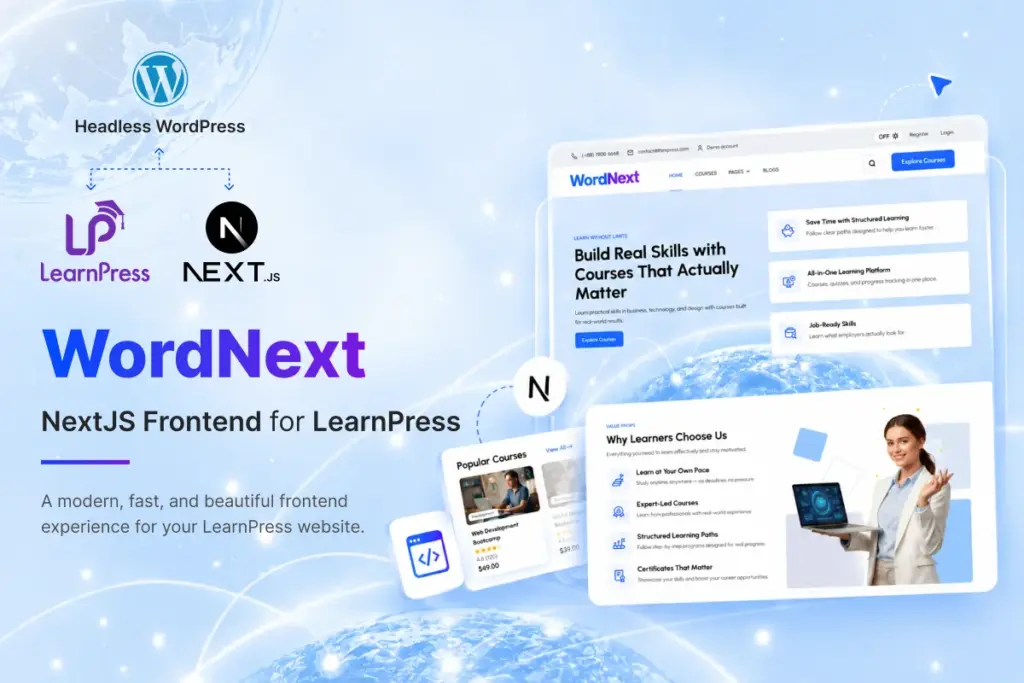
The WordNext product page describes course browsing, catalog search and detail pages; lessons, quizzes, assignments, and progress in a learning interface; and learner accounts and checkout connected to LearnPress. WordNext provides frontend source code, not a WordPress theme or a replacement LMS backend.
The documented requirements make the division concrete:
- A live WordPress site with LearnPress. The product lists LearnPress 4.4.9 or higher.
- The activated LearnPress Add-on for Mobile App, which exposes the REST API endpoints WordNext relies on. The backend connector is available separately from the frontend package.
- Node.js 22 or higher and npm, plus the technical ability to configure and deploy the Next.js application.
The official WordNext documentation explains the backend connector and runtime prerequisites. Course content comes from your own backend. Checkout uses its enabled payment methods; gateways need their own backend setup. Add-on compatibility varies, so confirm essential extensions rather than assuming that every WordPress feature transfers to the separate interface.
WordNext therefore provides a starting frontend for a LearnPress-based project, with existing learner screens a developer can adapt. It still requires integration and ongoing ownership. The capabilities above are vendor-documented; this guide does not report a tested installation or performance results.
Deciding whether it fits your project
A headless LMS is worth evaluating when a specific learner-interface requirement exceeds the practical limits of the supplied frontend, the backend already meets your learning needs, and a team can own the separate application. A conventional setup is usually the simpler choice when its interface is sufficient or ongoing development capacity is limited.
Before committing, establish:
- The frontend requirement that cannot reasonably be met through the current theme or interface.
- API and integration support for essential learning features, including paid enrollment where relevant.
- An owner and budget for deployment, updates, and support.
Then validate one complete learner journey in a staging environment: sign in, enroll or gain access, complete the required learning activity, and confirm that progress persists. Use that evidence to decide whether the additional frontend meets a real need and can be supported over time.
Frequently Asked Questions
What can I keep when switching to a headless LMS?
A headless LMS lets you replace the learner-facing interface without necessarily replacing your course-management system. Your existing backend can continue handling courses, enrollment, and learning records while the new frontend communicates with it through APIs.
Can I build a headless WordPress LMS without moving my courses?
Yes. A headless WordPress LMS can keep WordPress and LearnPress as the course backend. Your course content remains managed in WordPress, while a separate frontend presents it to learners.
How does LearnPress Next.js integration work?
A LearnPress Next.js setup connects a Next.js learner frontend to a WordPress site running LearnPress. WordNext provides the frontend codebase, while LearnPress manages course data and learning records through the required API integration.
Can I customize the course pages in a LearnPress Next.js setup?
Yes. A LearnPress Next.js setup gives developers control over the frontend code, including course-page layouts, navigation, and learner interactions, without requiring those changes to be made through a WordPress theme.
Does a LearnPress Next.js setup still need WordPress hosting?
Yes. A LearnPress Next.js setup still needs a WordPress backend running LearnPress. The Next.js frontend is deployed separately, so both environments must be configured and maintained.
Contact US | LearnPress:
Website: https://learnpresslms.com/
Fanpage: https://www.facebook.com/learnpresslms
Email: [email protected]