This Documentation is used for Gradebook add-on for LearnPress.
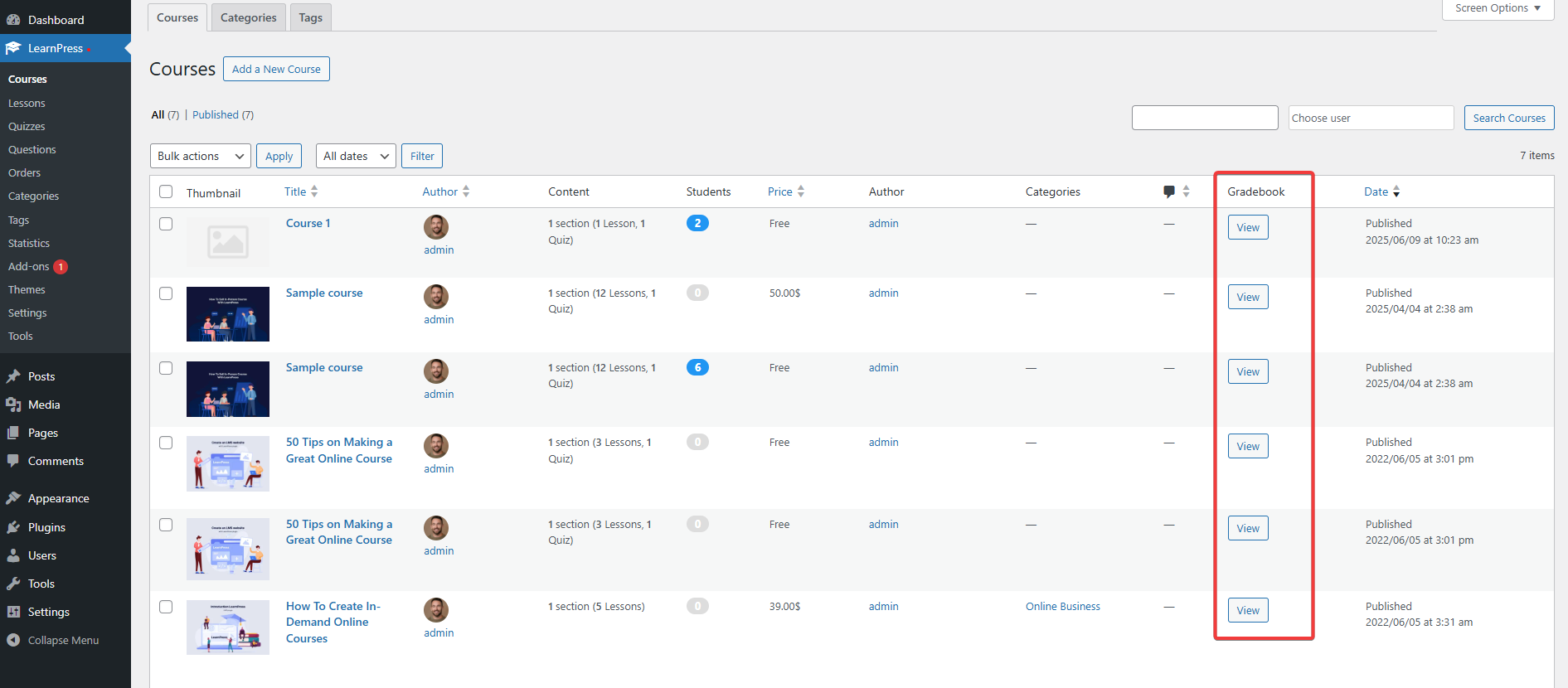
- Visit ‘LearnPress > Courses’
- Click ‘View’ on any existing courses you want to check for the Gradebook.
Export CSV: When you select this button, your downloaded CSV file will only include the following fields: User ID, Username, Email, Start Time, Status, Average.
Export Full CSV: When you select this button, your downloaded CSV file will have additional fields: End Time, Lesson 1, Random Quiz Test.
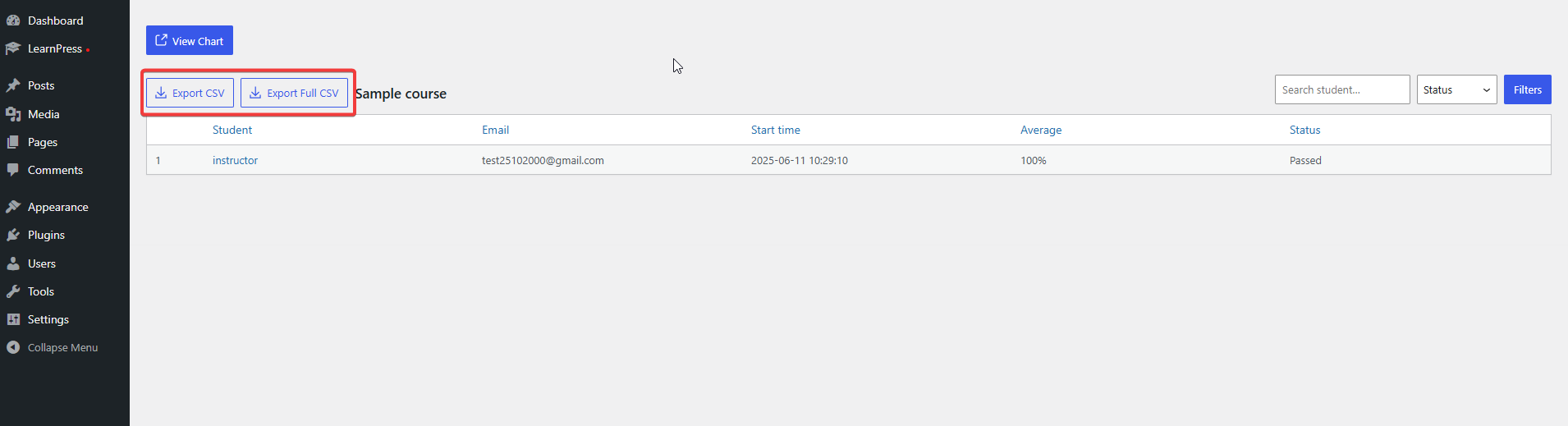
- You can see student records in the table. You can view student records in the table. Click on the username for specific test results and lessons for each user
- Click “Export CSV” to download a CSV file to your device.
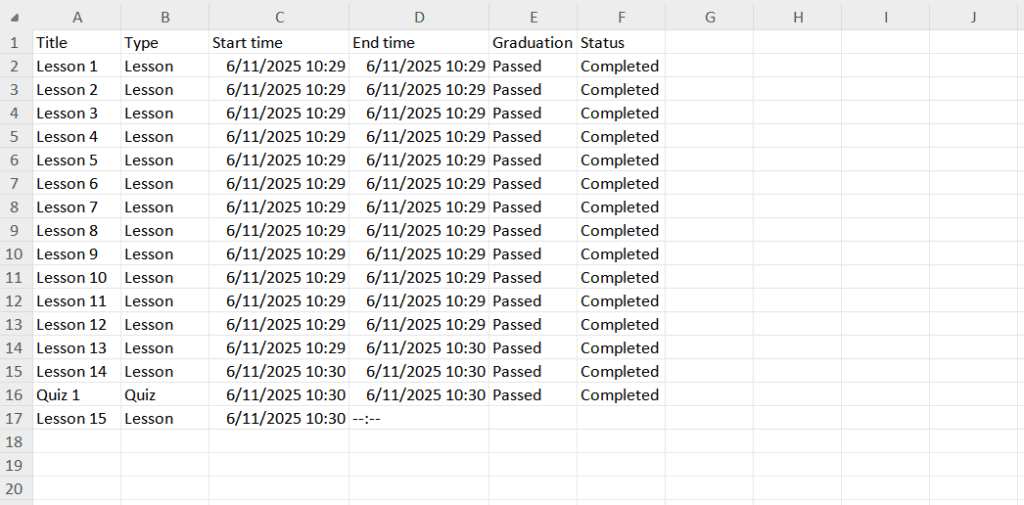
This is a CSV file downloaded in the computer