
After purchasing the LearnPress Chatroom add-on, you can install it on your WordPress website just like any other premium LearnPress add-on.
Install the Plugin
- Download the learnpress chatroom.zip file from your ThimPress account after purchase.
- Log in to your WordPress Admin Dashboard.
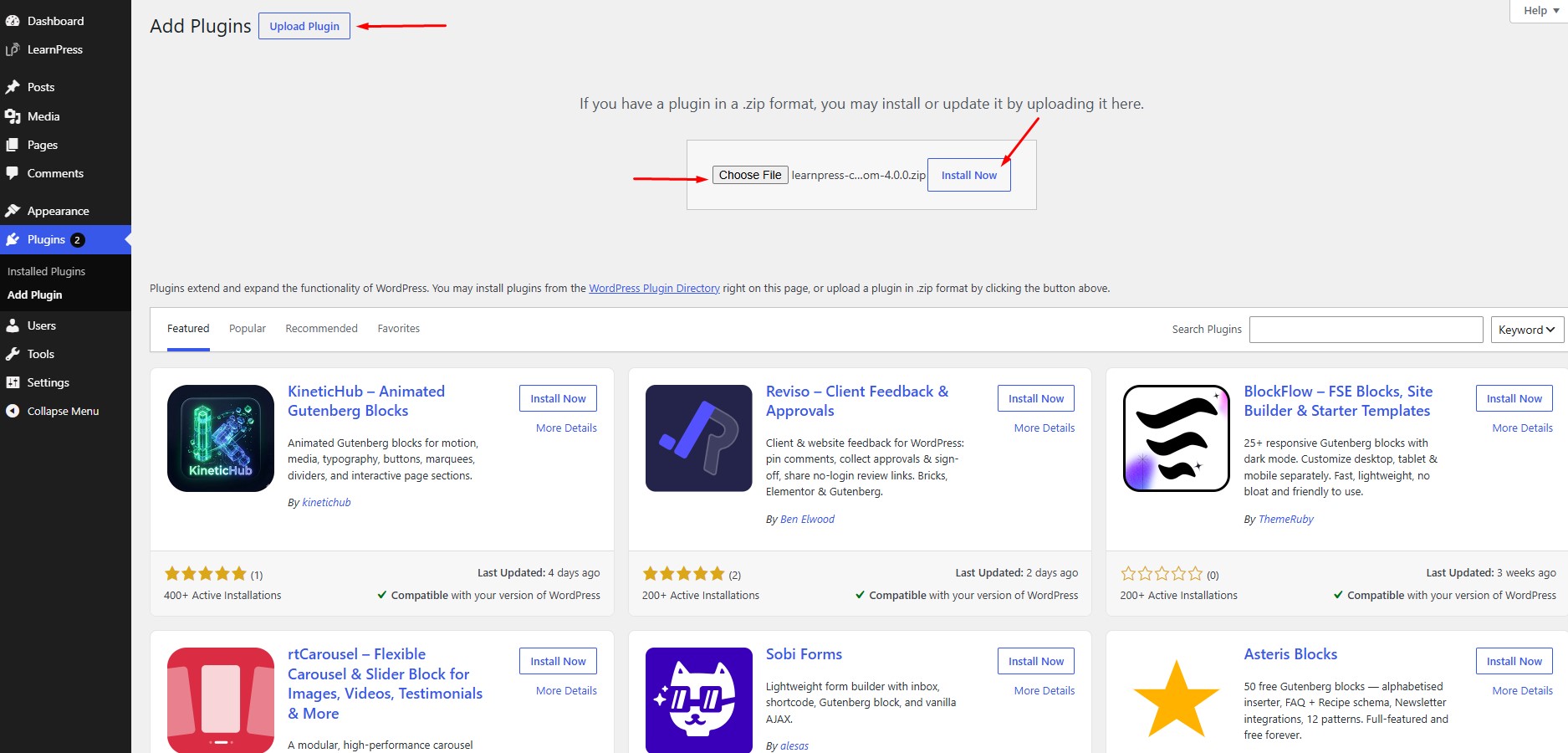
- Navigate to Plugins → Add New Plugin.
- Click Upload Plugin.
- Choose the downloaded
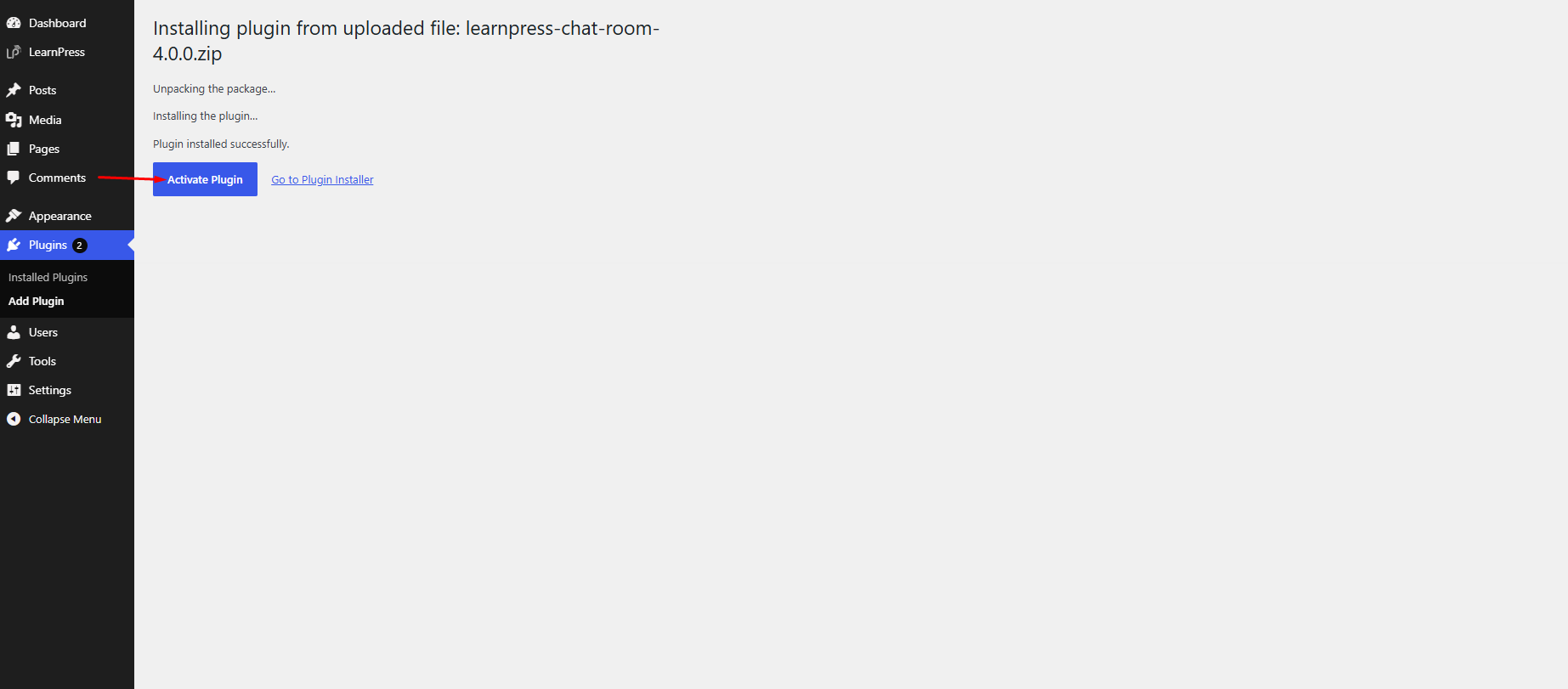
.zipfile and click Install Now. - Once the installation is complete, click Activate Plugin.
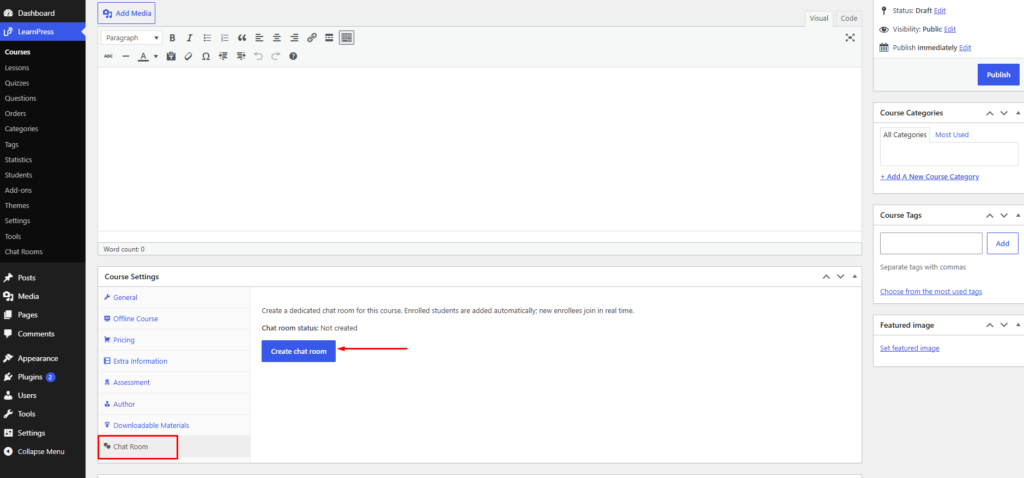
Once activated, the Chatroom feature will appear in the Course Settings of each course, allowing you to enable and configure the chatroom for that course.
Note: Make sure LearnPress is installed and activated before installing the LearnPress Chatroom add-on.