
The Settings screen allows you to configure global options for the membership system. These settings affect how memberships work across your website.
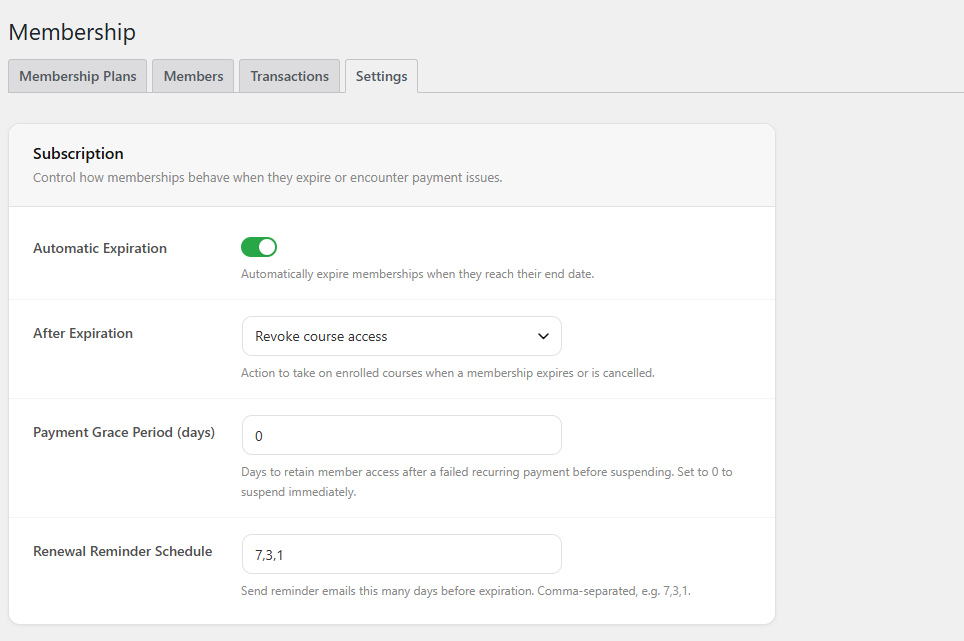
Subscription
This section controls how memberships behave when they expire or encounter payment issues.
- Automatic Expiration
When enabled, memberships will automatically expire at the end date. - After Expiration
Defines what happens to course access when a membership expires or is canceled.
Example: Revoke course access – users will lose access to courses. - Payment Grace Period (days)
Number of days users retain access after a failed recurring payment before suspension.
Set to 0 to suspend immediately. - Renewal Reminder Schedule
Define when reminder emails are sent before expiration.
Enter values as comma-separated days (e.g.,7,3,1).
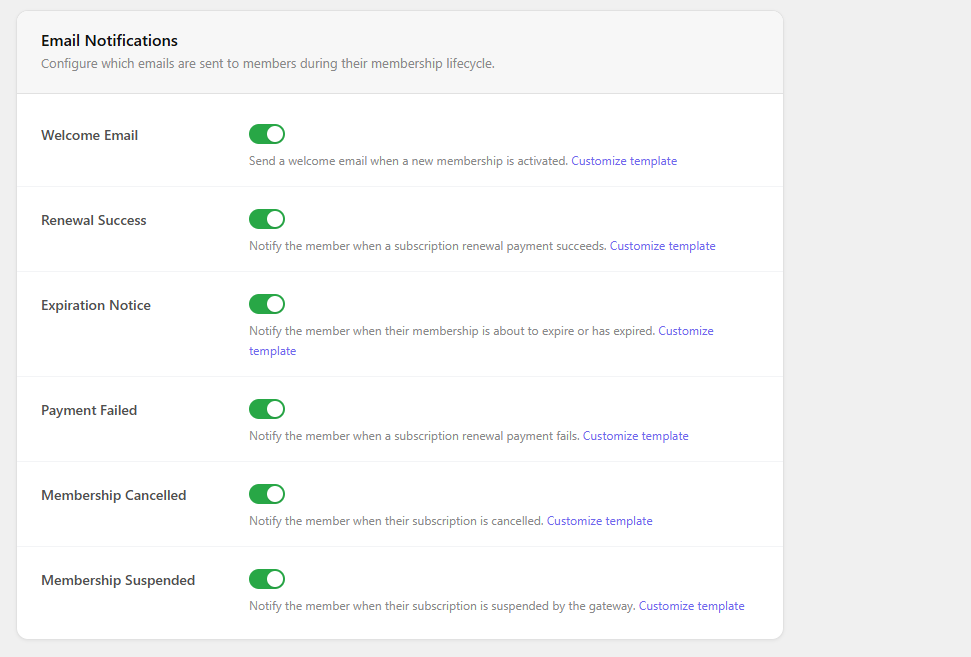
Email Notifications
This section lets you enable or disable emails sent during the membership lifecycle.
- Welcome Email
Sent when a new membership is activated. - Renewal Success
Notifies users when a renewal payment succeeds. - Expiration Notice
Notifies users when their membership is about to expire or has expired. - Payment Failed
Notifies users when a recurring payment fails. - Membership Cancelled
Sent when a membership is canceled. - Membership Suspended
Sent when a membership is suspended (usually by the payment gateway).