
When navigating to LearnPress → Membership, you will see a list of all created membership plans. Each plan appears as a row in a table with the following information:
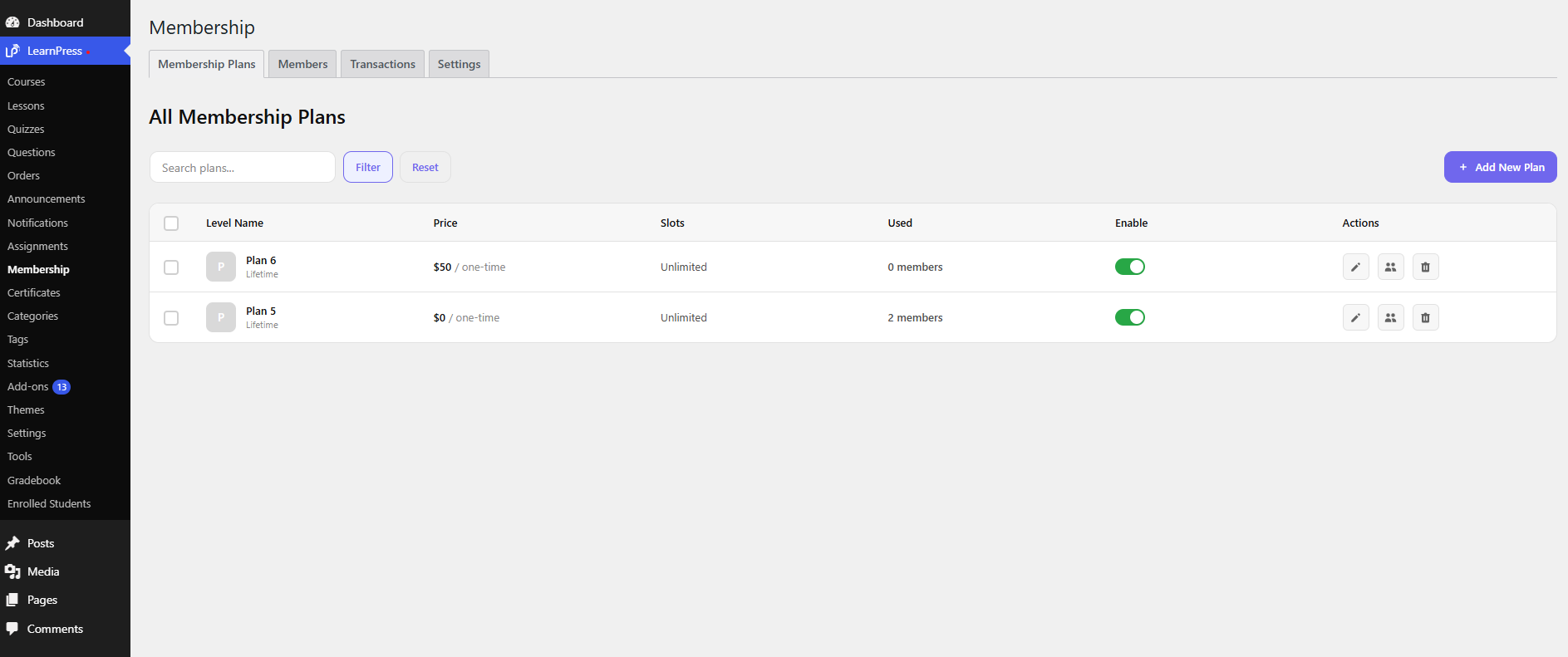
- Name
The name of the membership plan, as defined during creation. - Price
The plan price (regular or sale price depending on settings). - Slots
Number of users enrolled / total available slots (if limited). - Used
The number of current members in the plan. - Status
Plan availability:- Enable: active and purchasable
- Disable: hidden from users
Quick Actions
Hovering over a plan may reveal quick actions such as:
- Edit
Modify the plan settings. - Delete
Remove the plan from the system.
This screen allows you to quickly manage all membership plans and monitor their usage.
From the WordPress dashboard, go to LearnPress → Membership. This screen displays all existing membership plans.
To create a new one, click the “Add New Plan” button in the top-right corner. You will be redirected to the plan creation screen.
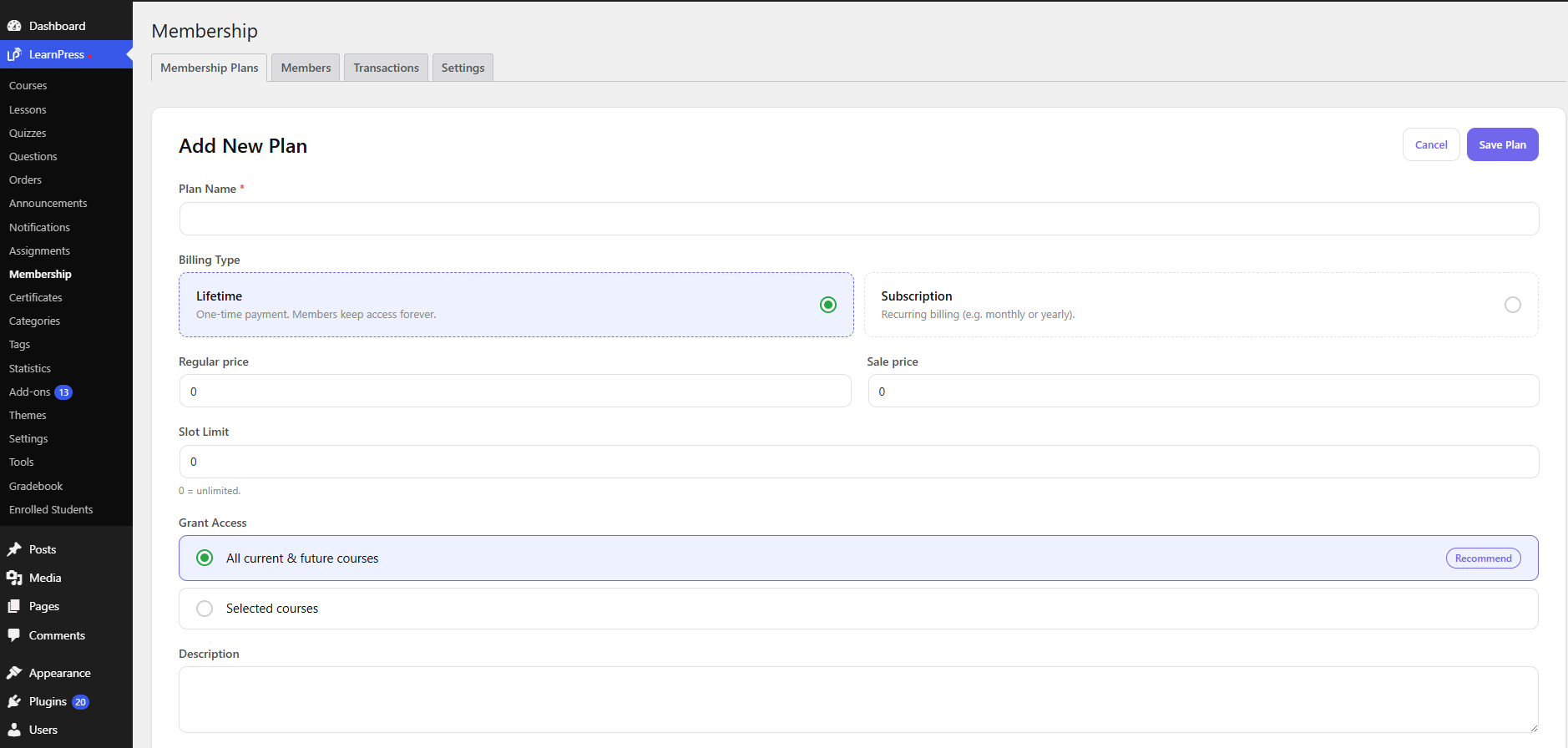
Plan creation screen
Here are the fields you need to configure:
- Plan Name
The name of the membership plan displayed to users. - Billing Type
Choose how users will be charged:- Lifetime: One-time payment with lifetime access
- Subscription: Recurring payment to maintain access
- Regular Price
The original price of the plan. - Sale Price
Discounted price (if set). Users will pay this instead of the regular price. - Slot Limit
Limit the number of users who can purchase the plan, or leave it unlimited. - Grant Access
Define what users can access after purchasing:- All current courses: Access all available courses
- Select courses: Access only selected courses
- Description
A short description to explain the benefits of the plan.
After completing all fields, save the plan. It will then appear in the Membership Plans list and be ready for use.
Note: When selecting Billing Type = Subscription, the following options will appear:
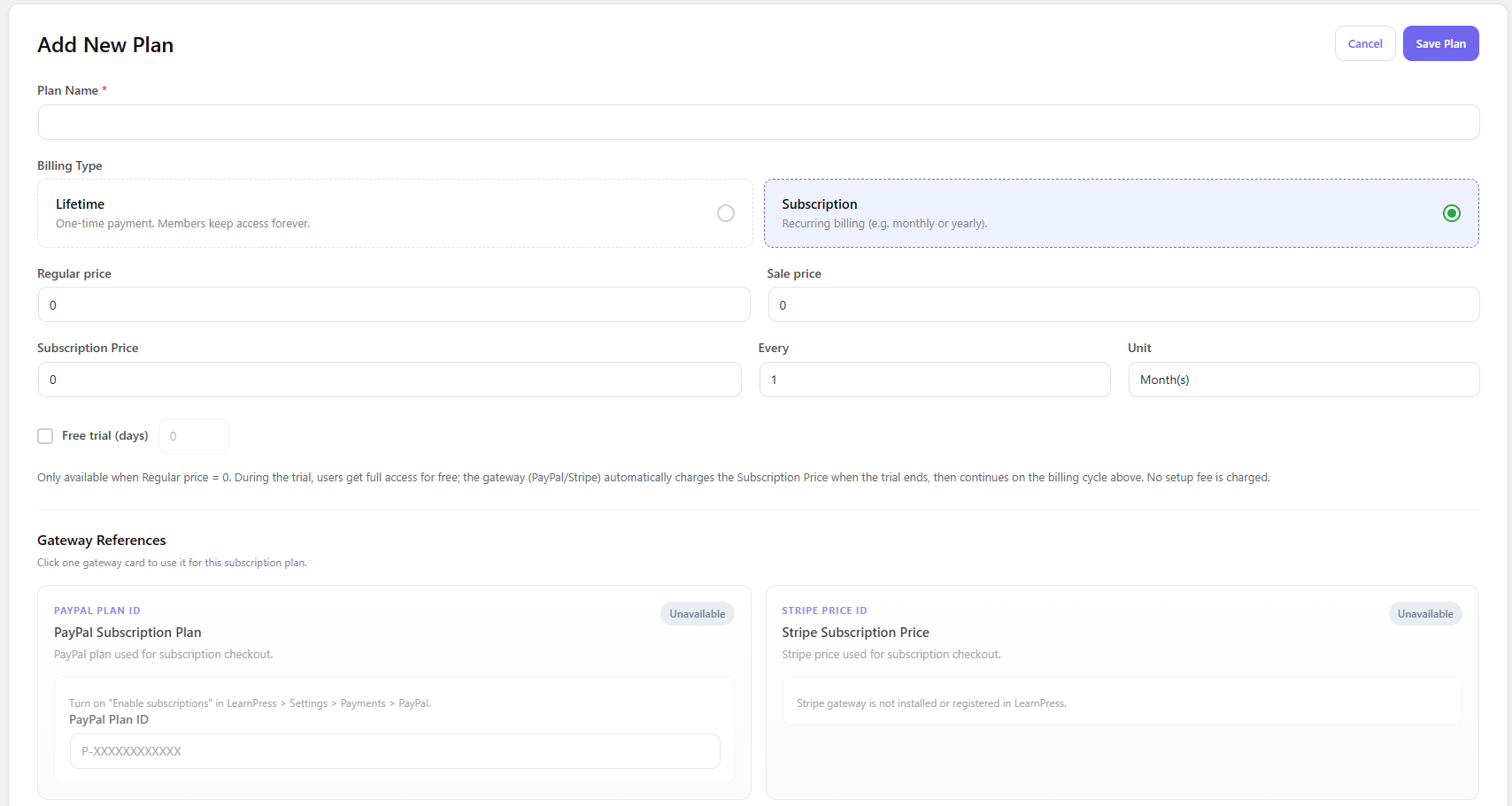
Gateway References
Displays or links to the payment gateways used for the subscription.
Free Trial (days)
Set the number of free trial days before charging users.
Subscription Price
The price charged for each billing cycle.
Every
Defines the recurring billing cycle. The minimum supported billing interval is 1 month (e.g., every 1 month, every 3 months, every 1 year, every 3 year…). Daily and weekly billing are not currently supported.
Limit
Limits the number of billing cycles.