We are so excited to announce a monumental update for our WordPress LMS plugin. The release of the all-new LearnPress Course Builder brings a beautifully modern interface, faster management, and a seamless experience for educators building online courses.
This release focuses on removing technical clutter and giving instructors a distraction-free environment to do what they do best: teach. From a streamlined workspace to an intuitive drag-and-drop curriculum, this update introduces features that make course creation much more convenient. Check out the highlight list to get a quick preview.
Table of Contents
LearnPress – WordPress LMS Plugin
We provide an amazing WordPress LMS plugin to create & sell online courses. Let’s find out!
Try NowUpdate Highlights:
- New: Completely redesigned, standalone LearnPress Course Builder interface.
- New: Visual drag-and-drop Curriculum management for online courses.
- New: Dedicated LMS Dashboard with real-time visual analytics.
- New: Quick Action buttons added directly to your WordPress LMS plugin admin bar.
- Improved: Streamlined settings for faster, more efficient course creation.
Why We Built the New Course Builder
If you have been with LearnPress for a while, you know the traditional way to create a course. You would navigate to the WordPress admin dashboard, go to LearnPress > Courses > Add New, and work within the standard WordPress post editor.
While that classic backend method gets the job done, we realized it could sometimes feel clunky, requiring you to scroll through endless meta boxes for General settings, Pricing, or Downloadable Materials.
That changes today. We wanted to give you an experience that is faster, visually appealing, and isolated from the rest of your website’s backend. The new LearnPress Course Builder is a dedicated, modern environment.
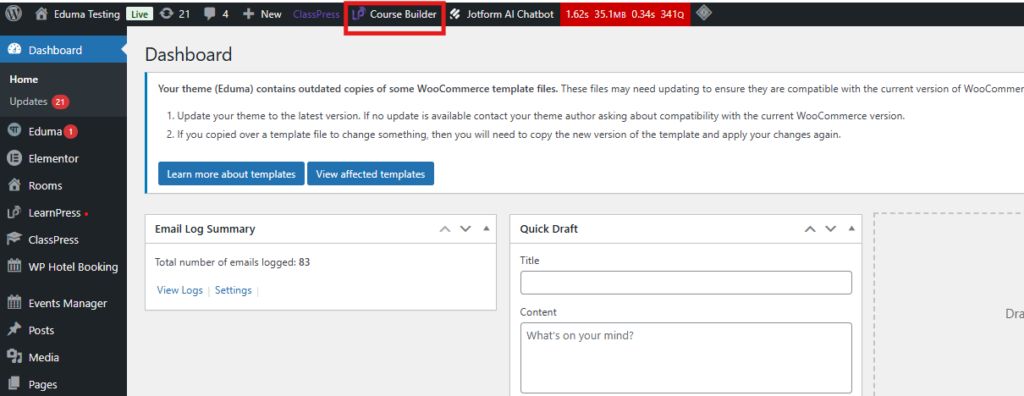
How to try it out: You don’t have to abandon the old way if you aren’t ready! You can test-drive this new interface simply by clicking the shiny new “Course Builder” button on your top WordPress admin bar.
Craft Content in a Distraction-Free Workspace
Starting off, instructors can now handle course creation in a completely distraction-free environment. With the new interface built right into our WordPress LMS plugin, you no longer have to wrestle with the clunky default WordPress post editor. The clean Overview tab acts as your creative canvas. You can write engaging descriptions for your online courses, set permalinks, and upload featured images seamlessly.
Build Courses in Minutes with Drag & Drop Simplicity
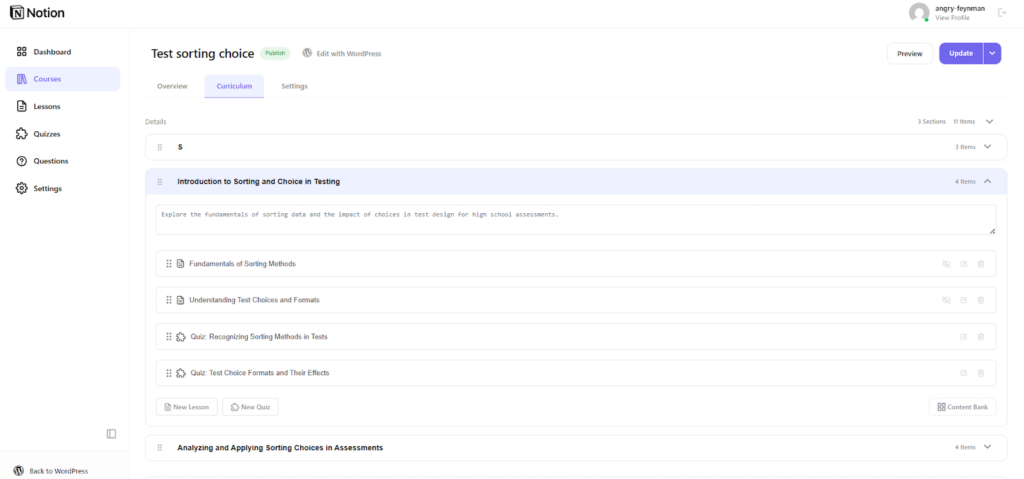
One of the most highly anticipated features of the LearnPress Course Builder is finally here—a true visual drag-and-drop curriculum. Structuring lessons has always been the core of an LMS Dashboard experience, and now we’ve made it incredibly intuitive. You can easily add sections or set up quizzes simply by dragging them into place. If you already have existing materials for other online courses, just pull them directly from the Content Bank. This flexibility gives you a lightning-fast way to handle course creation.
Complete Control at Your Fingertips
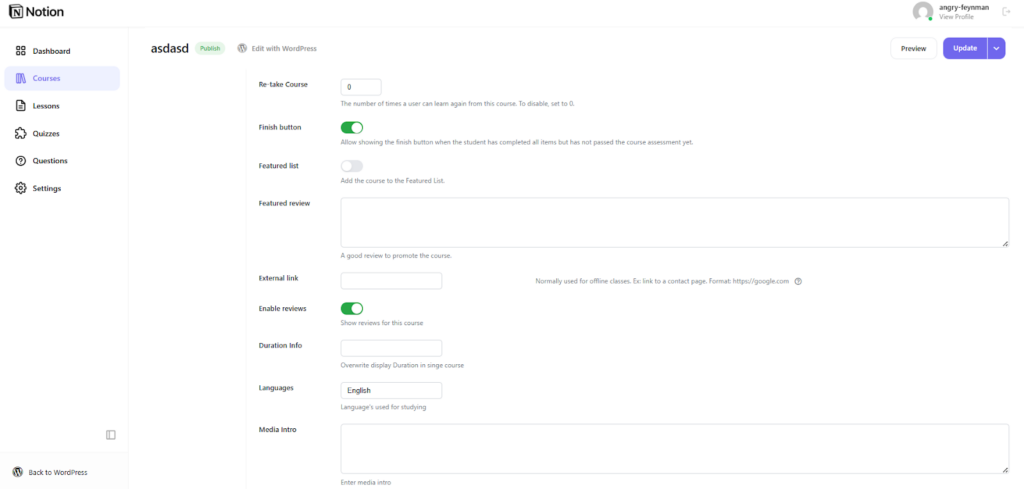
This update to our WordPress LMS plugin brings all essential configurations into a clean, tabbed Settings menu. You can quickly navigate through Pricing, Assessments, and Author details. Whether you want to set specific durations or allow retakes for your online courses, it’s all organized logically within the LearnPress Course Builder.
Track Your Success with the New LMS Dashboard
Managing your eLearning business via the LMS Dashboard just got a visual upgrade. The brand-new LMS Dashboard provides a comprehensive overview of your entire academy at a glance. You can track essential metrics like Net Sales and Total Students through beautiful, real-time graphs right from the LMS Dashboard. Plus, with the new Quick Action buttons, starting the course creation process is always just one click away anywhere in the WordPress LMS plugin.
Wrapping Up
This major update continues our commitment to making online learning more powerful and seamless for educators globally. From a smarter, distraction-free UI to expanded drag-and-drop capabilities, this new version of the LearnPress Course Builder builds on the strong foundation of our platform to help your business grow. Update your site today and experience a more intuitive, connected, and flexible way to teach!