Bespoke elearning content is training material designed from scratch for one organization, one audience, and one set of goals. Instead of buying a ready-made course and hoping it fits, you build lessons, activities, and assessments around the real tasks your learners do every day.
This guide explains what bespoke elearning content is, how it differs from off-the-shelf courses, what the build process looks like, and how to publish the finished course on a WordPress site.
LearnPress – WordPress LMS Plugin
We provide an amazing WordPress LMS plugin to create & sell online courses. Let’s find out!
Try NowTable of Contents
What bespoke elearning content means

Bespoke elearning content is digital training that a designer builds to match a specific organization’s needs, brand, and learners. Nothing is taken from a shared library. The content, examples, visuals, and tests are all created for you.
A simple definition
The word “bespoke” comes from tailoring, where a suit is cut for one person. The same idea applies here. A designer studies your learners, your processes, and your performance gaps, then create a course that closes those gaps. A bank, for example, would not train new tellers with a generic customer service course. It would use its own forms, its own software screens, and its own compliance rules.
What it can include
Custom e learning design is not limited to slide-based modules. Depending on the goal, it can include:
- Interactive modules with branching scenarios
- Software simulations that copy your internal tools
- Short videos and animations in your brand style
- Microlearning units of three to five minutes
- Quizzes, case studies, and practical assignments
- Assessments linked to job performance
Where custom course development fits
Custom course development is the practical side of the work. It covers writing, storyboarding, building, testing, and launching the course. Bespoke content is the result, and development is the process that produces it. Most providers offer both as one service.
Why organizations choose bespoke content
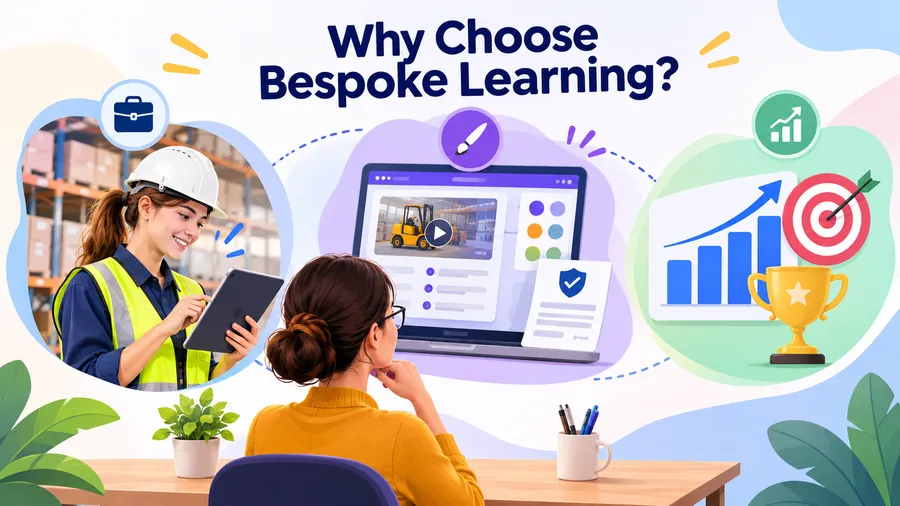
Teams usually choose bespoke content when a generic course cannot cover their real situation. The reasons tend to fall into three groups: relevance, control, and results.
Relevance to the job
Learners engage more when examples look like their own work. A nurse wants to see ward scenarios. A warehouse supervisor wants to see pallet and safety situations. When the content matches the job, people see the point quickly and apply it sooner.
Control over brand and message
With bespoke content you decide the tone, the visuals, and the exact wording. This matters for policy, safety, and compliance training, where a single unclear sentence can cause problems. You also keep the files, so you can update them when a rule or product changes.
Measurable business results
A bespoke course starts with a business goal, such as fewer support tickets, faster onboarding, or fewer safety incidents. The design team then builds activities and assessments that connect to that goal. This makes it easier to show whether the training worked.
Bespoke content vs off-the-shelf courses
Both types of e learning training solutions have a place. Off-the-shelf courses are fast and cheap. Bespoke courses cost more but fit better. The table below shows the main differences.
| Factor | Off-the-shelf course | Bespoke elearning content |
|---|---|---|
| Relevance | General, for a wide audience | Specific to your learners and tasks |
| Branding | Vendor branding or light changes | Fully matched to your brand |
| Speed to launch | Immediate | Weeks to months |
| Upfront cost | Low | Higher |
| Updates | Controlled by the vendor | Controlled by you |
| Ownership | Licence only | Usually you own the files |
| Best for | Common topics such as basic Excel | Company processes, products, and culture |
When off-the-shelf is enough
If the topic is common and does not change by company, a library course is fine. Basic workplace harassment awareness or introductory software skills are typical examples. You save money and time, and the quality is usually acceptable.
When bespoke is the better choice
Choose bespoke when the training relates to your own systems, products, or regulations. It is also the better route when a generic course has already failed, when you need training in several languages with local examples, or when learner results must be tracked against a clear business goal.
Core elements of a bespoke course
A strong custom course rests on a few building blocks. Each one should be planned before any screens are built.
Learner analysis
Good custom e learning design starts with people, not content. The team asks who the learners are, what they already know, what devices they use, and how much time they have. A course for field technicians on phones looks very different from one for office staff on laptops.
Clear learning objectives
Objectives state what a learner can do after the course. “Understand the refund policy” is weak. “Process a refund in the billing system within two minutes without errors” is clear and testable. Every activity and quiz question should link back to an objective.
E learning content design choices
E learning content design covers how information is organized and shown on screen. It includes chunking topics into short sections, writing in plain language, using visuals that explain rather than decorate, and adding practice after each key idea. Good e learning content design also respects accessibility, for example by following WCAG 2.1 guidelines from the W3C, which cover captions, colour contrast, and keyboard navigation.
Practice and feedback
People learn by doing. Scenarios, drag-and-drop tasks, and short simulations let learners try decisions in a safe space. Immediate feedback explains why an answer was right or wrong, which is more useful than a simple score.
Assessment and tracking
Assessments confirm that learning happened. Technical standards such as SCORM and xAPI let a course send results to a learning management system. This lets managers see completion, scores, and, with xAPI, more detailed activity data.
The bespoke development process
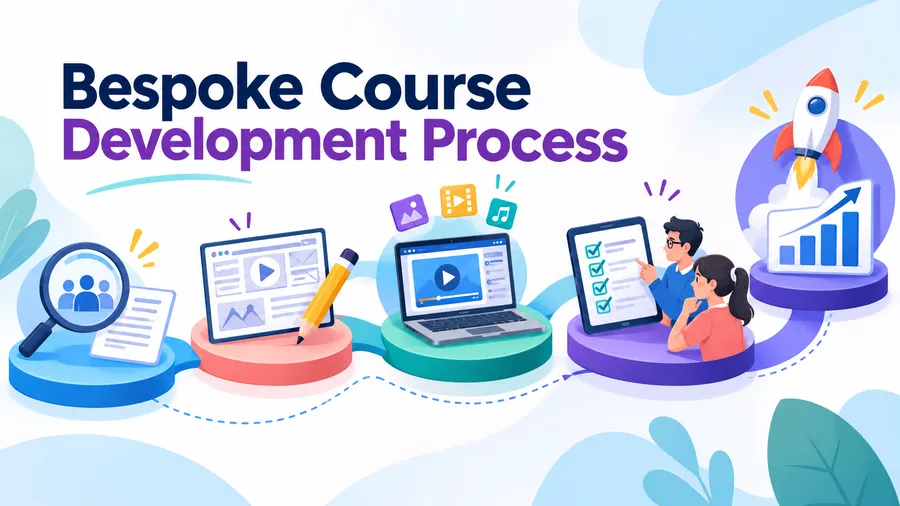
Most bespoke projects follow a structured model. Many teams use ADDIE (analysis, design, development, implementation, evaluation), while others prefer agile methods such as SAM. The steps below work with either.
Step 1: Discovery and analysis
The team meets stakeholders and subject matter experts. They collect existing documents, review performance data, and define the business problem. The output is a short project brief with goals, audience, timeline, and success measures.
Step 2: Design and storyboarding
Designers create an outline and a storyboard. A storyboard shows each screen, the text, the visuals, and the interaction. Reviewers approve it before development starts, which prevents expensive changes later.
Step 3: Development
Developers build the course in authoring tools such as Articulate Storyline, Rise, Adobe Captivate, or by using HTML5 and WordPress-based tools. Media such as audio, video, and graphics are produced at this stage. The first working version is usually called an alpha build.
Step 4: Testing and review
The course is tested on real devices and browsers. Reviewers check content accuracy, links, quiz logic, and accessibility. A small pilot group often takes the course and gives feedback before the full launch.
Step 5: Launch and evaluation
After launch, the team tracks completion and scores and collects learner feedback. The Kirkpatrick model is a common way to evaluate results across four levels: reaction, learning, behaviour, and results. Findings feed into updates, so the course keeps improving.
Choosing the right elearning strategies
Strong content still needs a plan around it. Smart elearning strategies decide who learns what, in which format, and at what time. Without that plan, even well-made courses can sit unused.
Match the format to the need
Not every problem needs a 40-minute course. Quick reference tasks suit short videos or job aids. Complex skills suit scenarios and practice. Behaviour change usually needs follow-up, such as spaced reminders or coaching. Choosing the right elearning strategies at the start saves budget and improves results.
Blend self-paced and live learning
Self-paced modules are good for facts and procedures. Live sessions, whether in person or online, are better for discussion and role play. Many e learning training solutions combine both, with the self-paced part done first so live time can be used for practice.
Plan for updates
Content ages. Decide at the start who owns updates, how often the course is reviewed, and how changes are approved. Modular design makes this easier, because you can change one lesson without rebuilding the whole course.
Think about the full learner journey
A course is only one point in a longer path. Consider what happens before the course, such as an invitation and manager briefing, and after it, such as on-the-job tasks and refreshers. Learners who get support after training are more likely to use what they learned. Good elearning strategies treat the course as one part of that journey.
How to publish custom courses on WordPress
If you own the content, you can host it where you want. WordPress is a popular choice because it is flexible, widely supported, and does not lock you into one vendor. A learning management plugin turns a standard site into a full course platform.
Using LearnPress
LearnPress is a free WordPress LMS plugin that lets you create courses, lessons, quizzes, and questions from the dashboard. It works well when you want to place bespoke lessons into a clear course structure, add quizzes after each section, and control access. Paid add-ons extend it with features such as certificates, assignments, and payments, so you can start small and grow. Check the current add-on list on the LearnPress site, since features change between releases.
Using the Eduma theme
Eduma is an education theme from ThimPress that is built to work with LearnPress. It gives your course site a ready-made design for course archives, instructor profiles, and landing pages. This is helpful when your brand needs a polished learner portal without extra design work. If your bespoke course has a strict brand guide, you can adjust colours, fonts, and layouts to match.
A simple setup path
- Install WordPress and a reliable hosting plan with enough resources for video.
- Install LearnPress and activate the add-ons you need.
- Choose a theme such as Eduma and import a demo layout.
- Create a course, then add sections, lessons, and quizzes from your bespoke storyboard.
- Upload videos, downloads, and interactive files, or embed them from your host.
- Test enrolment, quiz scoring, and mobile display before inviting learners.
Version note: steps and menu names may differ slightly between plugin releases, so check the official documentation before you begin.
Costs and common mistakes
Costs for bespoke e learning training solutions vary widely. The main drivers are course length, level of interactivity, media production, and the number of review rounds. A text-based module with light quizzes costs much less than a simulation with custom video. Ask providers for a line-by-line quote so you can see what drives the price.
What affects the budget
- Seat time and number of screens
- Level of interactivity, from simple clicks to branching scenarios
- Custom graphics, animation, and video production
- Voice-over and translation
- Number of subject matter expert review rounds
- Hosting, tracking, and maintenance
Mistakes to avoid
- Skipping learner analysis and building for an imagined audience
- Turning a long slide deck into a course without redesigning it
- Adding interactions that look good but do not teach anything
- Leaving subject matter experts out until the end
- Forgetting to plan updates and support after launch
- Not testing on mobile devices
Tips for working with a provider
Share real examples, such as past incidents, customer questions, and internal documents. Agree on review rounds and sign-off roles in writing. Ask for a short prototype first, because a single sample lesson shows the style and quality before you commit to the full build. Finally, confirm that you will own the source files, so you can edit them later.
FAQs
How long does it take to create a bespoke course?
A short module of about 20 minutes often takes four to eight weeks from discovery to launch. Larger programs with video or simulations can take several months. Timelines depend mostly on how quickly reviewers return feedback.
Is bespoke content worth the cost for a small business?
It can be, if the training covers a process that matters to revenue or safety and will be used many times. A small business can start with one focused module and expand later. For general topics, a ready-made course is usually the more economical choice.
What tools are used to build bespoke courses?
Common authoring tools include Articulate Storyline and Rise, Adobe Captivate, and Lectora. Teams also use video editors, graphics software, and HTML5 for custom interactions. The finished content is then delivered through an LMS such as LearnPress on WordPress.
How do you measure whether bespoke training works?
Start with the business goal and the learning objectives, then track matching data. This can include completion rates, assessment scores, and changes in on-the-job results such as error rates or customer satisfaction. Models such as Kirkpatrick’s four levels help you structure the review.
Conclusion
Bespoke elearning content gives organizations training that fits their people, processes, and brand. It costs more than a library course, but it removes the gap between generic lessons and daily work. The best results come from clear objectives, careful custom e learning design, and a plan for updates and follow-up.
If your topic is specific to your business, custom course development is usually the stronger choice. Pair it with a sound strategy, test it with real learners, and host it on a platform you control, such as WordPress with LearnPress and the Eduma theme. Start with one pilot module, measure the results, and build from there.
Read more: How to Manage a Multilingual Course Website After Launch