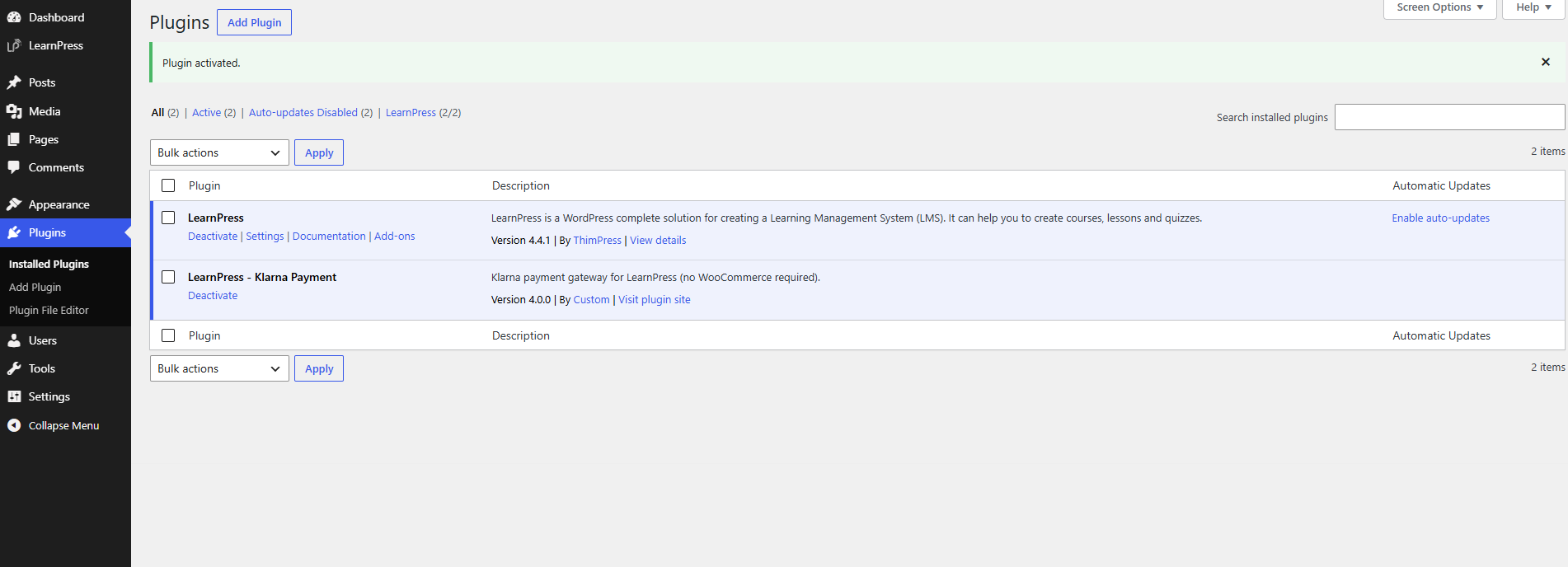
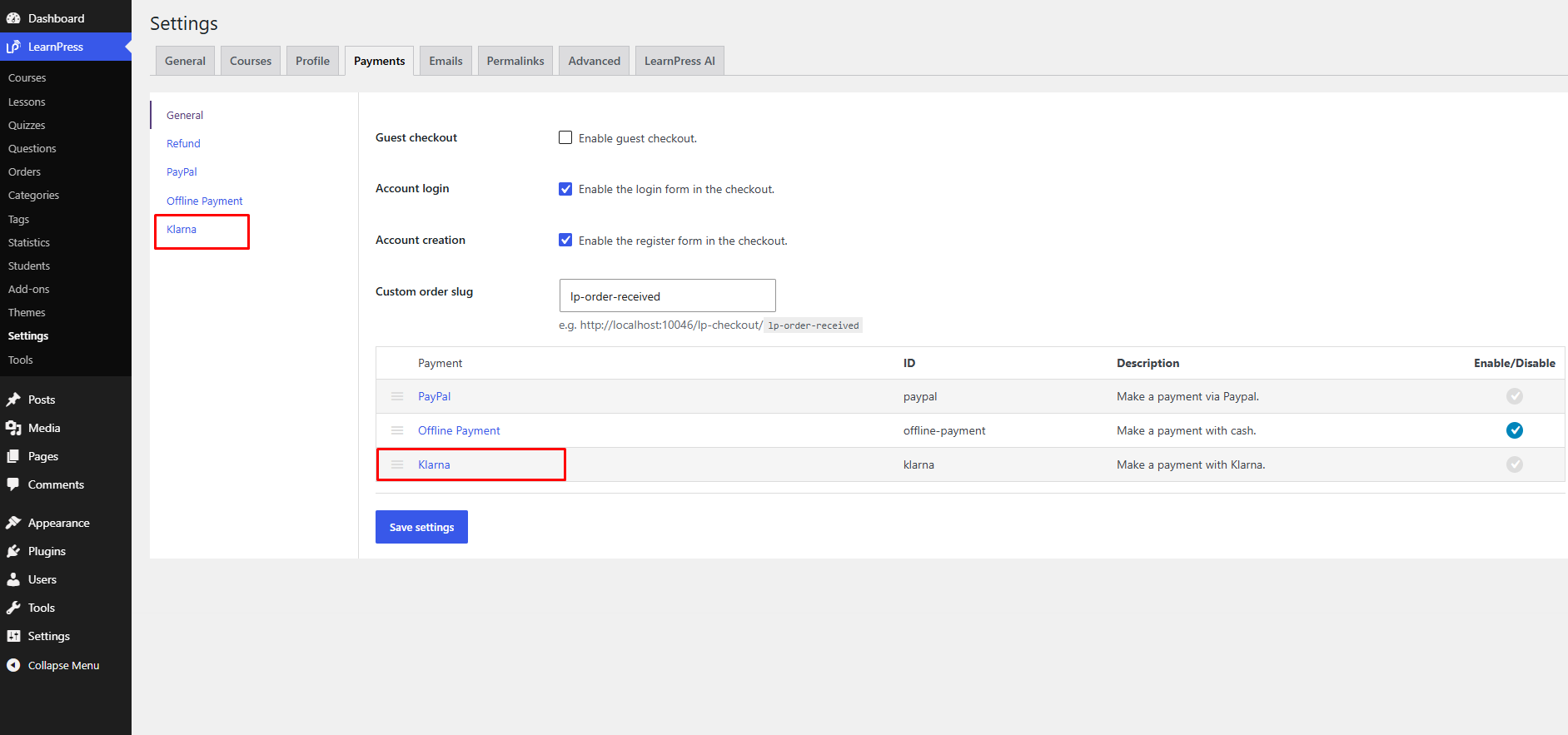
Before using the LearnPress – Klarna Payment addon, you need to install and activate it on your WordPress website.
Step 1: Download the Plugin
After your purchase is complete, log in to your ThimPress account and download the LearnPress – Klarna Payment ZIP file.
Verify Requirements
Before activation, make sure:
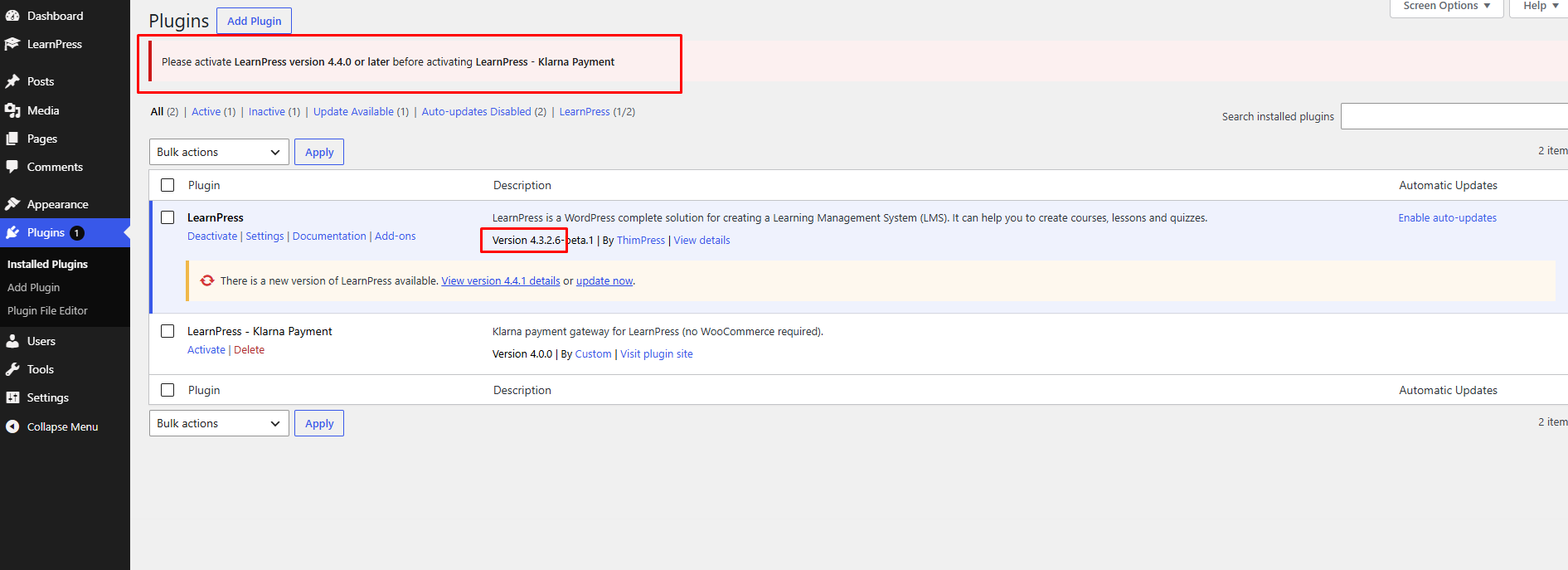
- LearnPress version 4.4.0 or later is installed and activated.
Note
If LearnPress is not installed or the version is lower than 4.4.0, the addon will automatically deactivate itself and display an admin notice. Please install or update LearnPress before activating the plugin again.
Step 2: Install the Plugin
In your WordPress Dashboard:
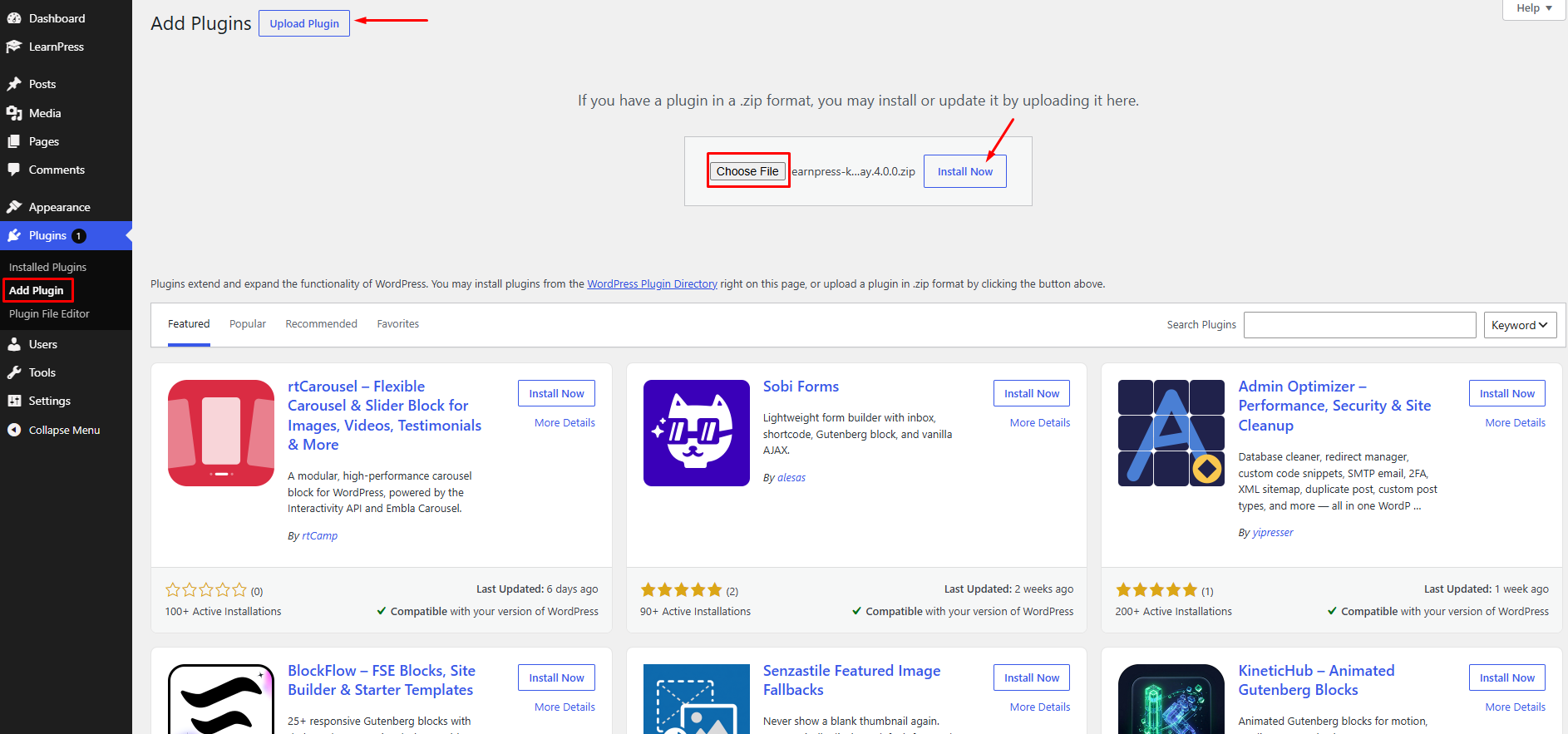
- Go to Plugins → Add New Plugin.
- Click Upload Plugin.
- Select the learnpress -klarna–gateway.zip file you downloaded.
- Click Install Now.
- Click Activate Plugin.
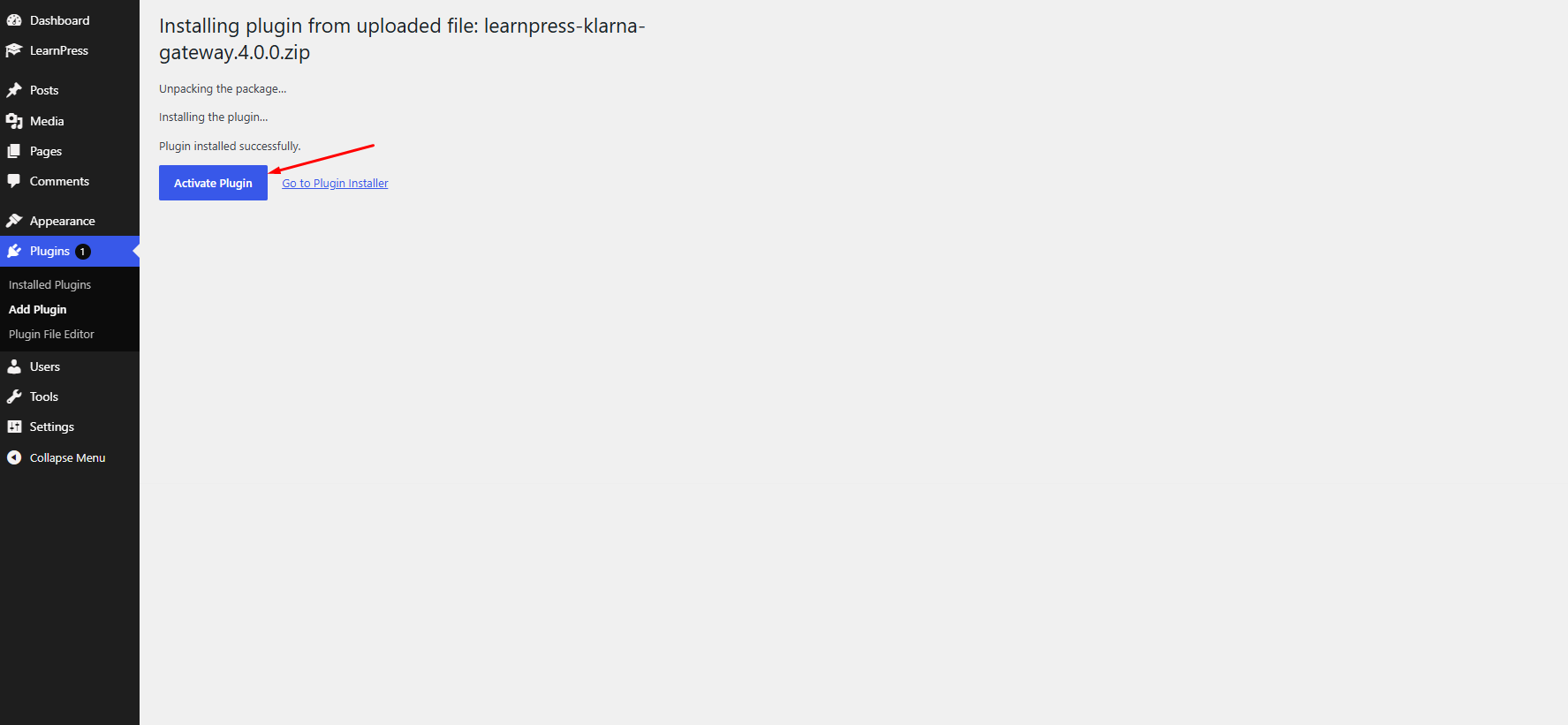
Once activated successfully, Klarna will be added as a payment gateway in LearnPress.